Rank Math vs Yoast SEO in 2026: I Installed Both and Measured Everything
Short answer: Rank Math’s free version gives you more features, and Yoast’s free version is easier to live with. Most beginners will be happier with Yoast. That’s not the answer I expected when I started.
I got tired of reading comparisons that describe these two plugins without ever installing them. So I put both on a clean WordPress site, one at a time, and measured what each one actually did to it.
Database tables. Page weight. Background jobs. What’s left behind when you delete them.
Some of what I found contradicts what nearly every other comparison tells you. Including the one I wrote last year.
How I tested this
Everything below came from one test site, measured the same way for both plugins.
| Tested on | 6 September 2026 |
| WordPress | 7.1 |
| PHP | 8.3.33 |
| Theme | Kadence (kept identical for every run) |
| Rank Math | 1.0.277.2, released 31 August 2026 |
| Yoast SEO | 28.4, released 1 September 2026 |
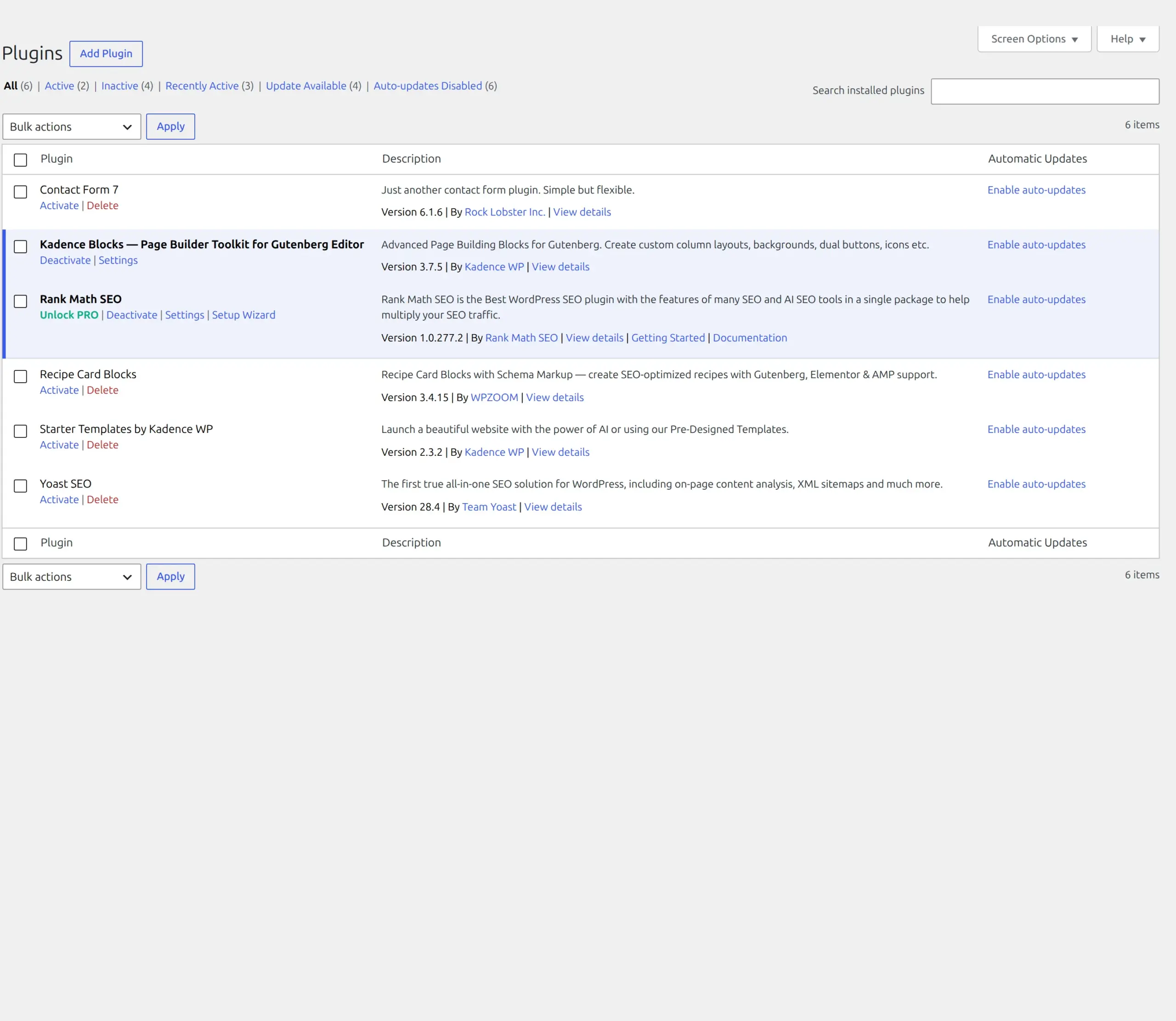
Both plugins update most weeks, so version numbers matter in a comparison like this. If you’re reading this a year from now, treat the feature details as a snapshot and the measurement method as the useful part.
One thing to check before you pick: Yoast 28.4 needs WordPress 6.9 or newer. Rank Math runs on 6.7. If you’re on an older WordPress and can’t update yet, that decision is already made for you.
I never ran both at once. Two SEO plugins active together fight over sitemaps and meta tags, which is also the answer to a question I’ll come back to later.
What an SEO plugin actually does
An SEO plugin doesn’t push your site up Google. It checks your content for basic mistakes and handles some technical plumbing. Think spell-checker, but for search engines.
Both plugins do the same four core jobs:
- Content analysis. You give it a keyword, it scores whether that keyword shows up in sensible places
- Meta titles and descriptions. The headline and summary Google shows in search results. If you’re not sure what makes a good one, I wrote a guide on how to write a meta description that gets clicks
- XML sitemaps. A file listing your pages so Google can find them
- Schema markup. Structured data telling Google what kind of content you have
The difference isn’t what they do. It’s how much they hand you before asking for money, and what they cost your site to run.
What you get for free
This is where Rank Math looks unbeatable on paper.
| Feature | Rank Math Free | Yoast Free |
|---|---|---|
| Focus keywords per post | 5 | 1 |
| Redirect manager | Yes (see the catch below) | No |
| 404 monitor | Yes (same catch) | No |
| Content analysis | Yes | Yes |
| Readability analysis | Yes | Yes |
| Schema types | 16+ presets | Article, WebPage, FAQ |
| Internal link suggestions | Basic | No |
| AI crawler file (llms.txt) | Yes, module off by default | Yes |
That single-keyword limit in Yoast Free is the one you’ll feel first. Most posts naturally target two or three related phrases, and Yoast Free scores exactly one of them.
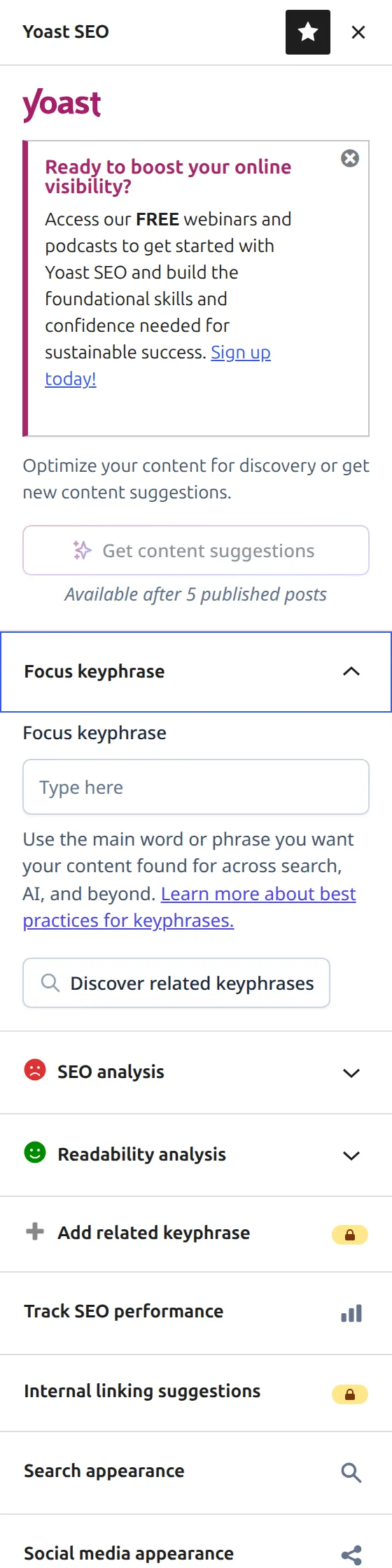
You can see the limits in Yoast’s own sidebar. “Add related keyphrase” and “Internal linking suggestions” both sit there with a padlock on them.
The redirect manager catch nobody mentions
Every comparison I read says Rank Math includes a free redirect manager. That’s true. It’s also not what you get.
I completed Rank Math’s entire setup wizard, all eleven steps. Then I went looking for the redirect manager and got “Sorry, you are not allowed to access this page.” Same for the 404 monitor.
Both modules ship switched off. You have to go to Rank Math > Dashboard and toggle them on yourself.

It takes about ten seconds once you know. But a beginner who finishes the wizard and assumes redirects are working doesn’t have redirects working. That’s a real gap between what the marketing says and what a new install does.
Once enabled, it’s genuinely good and genuinely free.
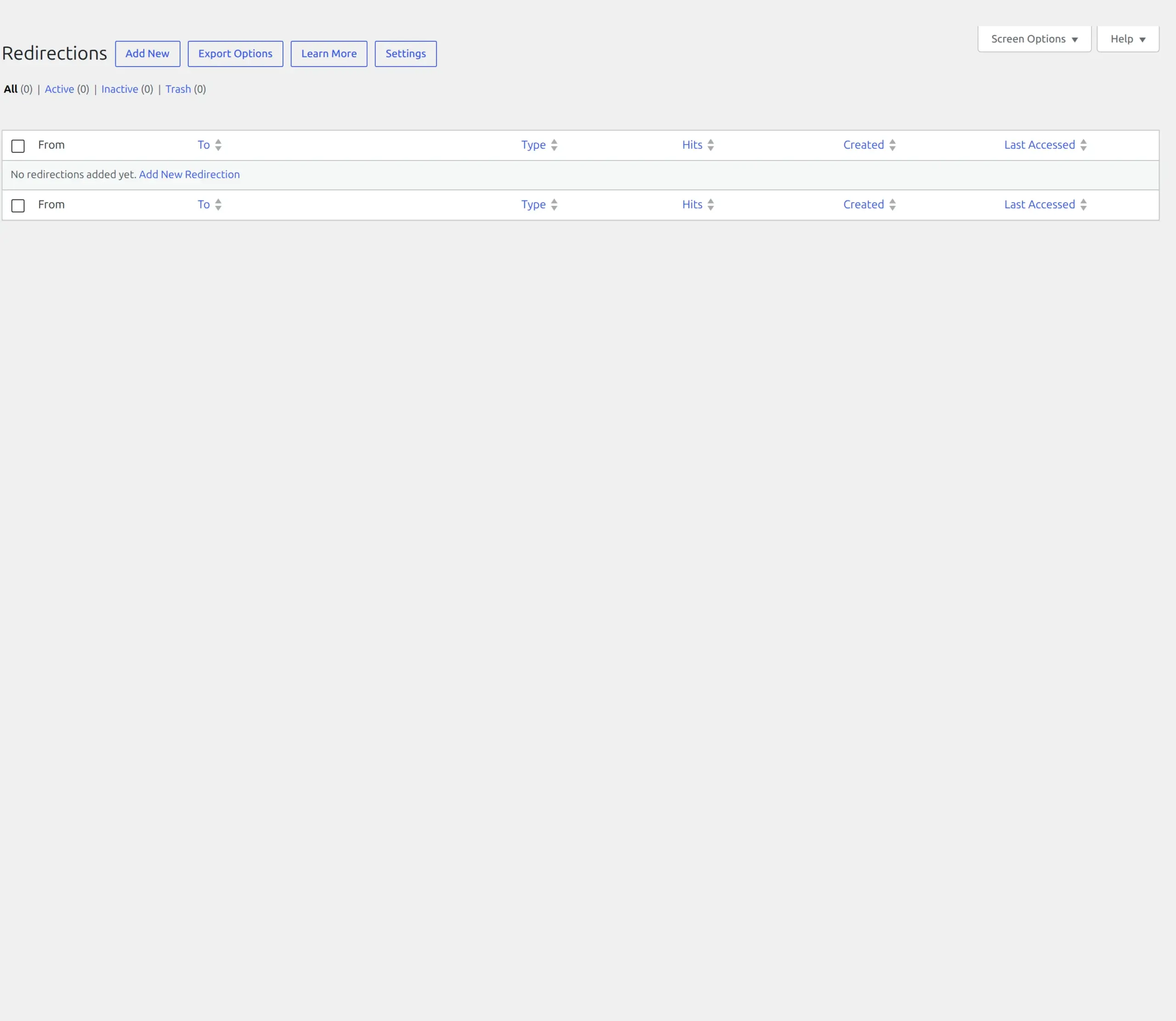
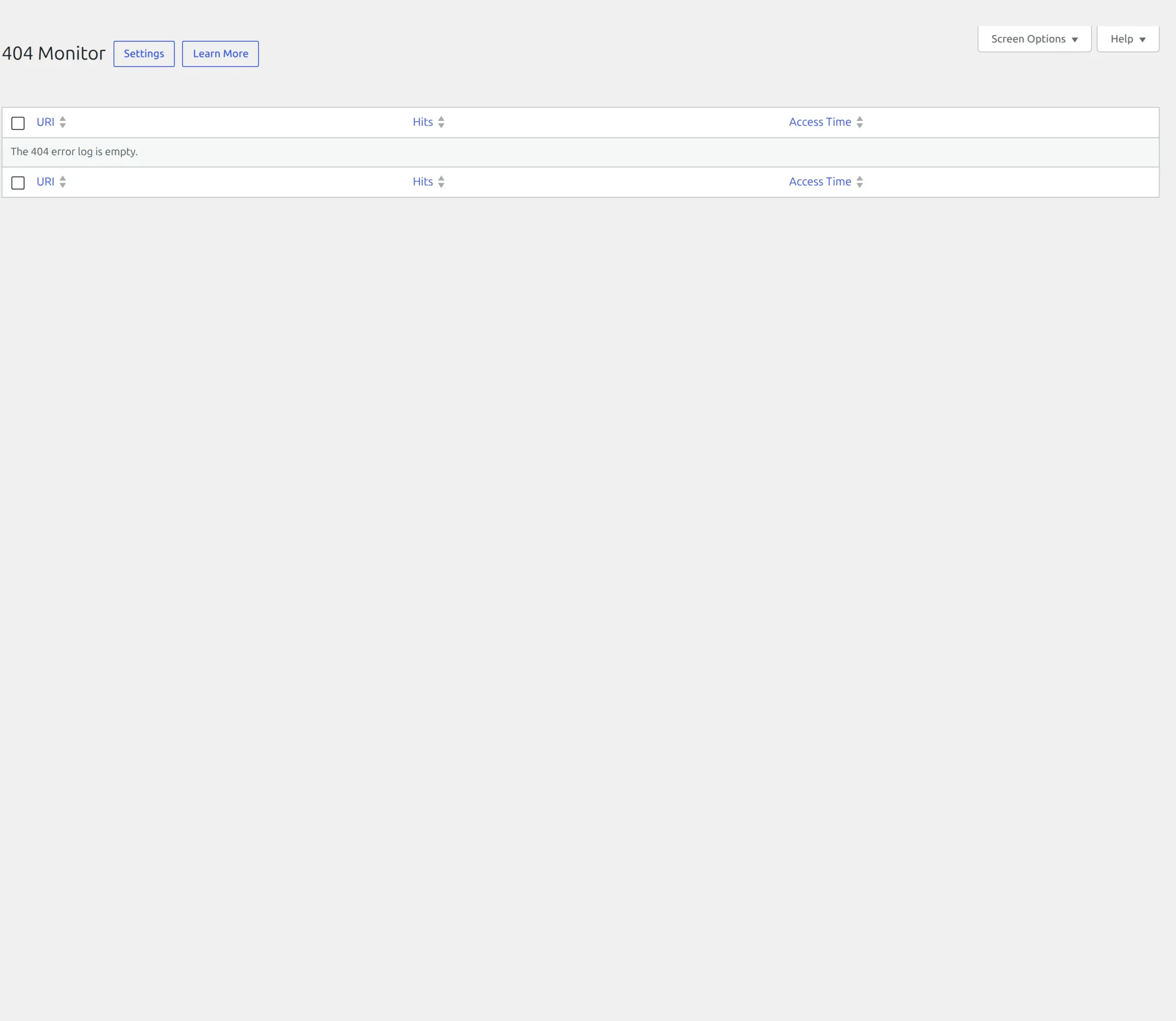
If broken URLs are already a problem on your site, I wrote a separate guide on how to fix WordPress 404 errors on every page.
Yoast has no redirect manager at any price below Premium. That difference is real and it matters, because renaming a post without a redirect throws away whatever ranking that page had.
Rank Math vs Yoast: what each one adds to your site
Here’s the part no other comparison does. I measured both plugins against the same clean baseline.
On disk
| Rank Math | Yoast | |
|---|---|---|
| Folder size | 17 MB | 23 MB |
| PHP files | 997 | 1,694 |
| Lines of PHP | 174,331 | 212,563 |
| JavaScript shipped | 4.7 MB | 7.9 MB |
You’ll still find articles quoting “Yoast has 87,200 lines of code, Rank Math 51,300.” That number is from around 2022. Both plugins are now two to four times bigger than that. The direction is still right – Rank Math is the smaller plugin – but the figures everyone repeats are years out of date.
In your database
Both added exactly 6 tables. Rank Math added 14 autoloaded options (10.4 KB), Yoast added 8 (12.6 KB). Autoloaded options load on every single page request, so this is one of the few numbers that touches every visitor.
On your actual pages
This is where I was wrong, and where nearly everyone else is wrong too.
| Single blog post | Baseline | Yoast | Rank Math |
|---|---|---|---|
| Page HTML | 96,990 bytes | 101,901 (+4,911) | 102,023 (+5,033) |
Tags in <head> | 25 | 45 (+20) | 51 (+26) |
| Schema blocks | 0 | 1 | 1 |
Rank Math is the smaller plugin to download, but it puts more into every page you serve. 122 bytes and 6 tags more than Yoast, on every request.
“Rank Math is lighter” is true of the zip file and false of your pages. Neither difference is big enough to matter for real-world speed – it’s a rounding error next to one unoptimised photo, and there are much bigger reasons a WordPress site runs slowly. But it’s the opposite of what you’ve been told.
I nearly published the opposite myself. My first measurement showed Rank Math adding only 158 bytes, which looked like a landslide win. Then I realised why.
The difference that actually matters on day one
Yoast starts working the moment you activate it. Rank Math does nothing until you deal with its setup screen.
Freshly activated, Yoast immediately added 18 Open Graph and Twitter tags plus a full schema block to every page. Rank Math, freshly activated, added one tag and no schema at all.
That’s what my first measurement caught: not a lighter plugin, an inactive one.
If you’re the kind of person who installs a plugin and moves on, that gap is the single most practical difference between these two. Yoast protects you from yourself. Rank Math waits.
Setting each one up
Rank Math opens on a screen asking you to connect a free Rank Math account. You can skip it – there’s a “Skip Step” button – but skipping costs you Google keyword suggestions, Content AI and the built-in SEO Analyzer. Yoast asks for no account at all.
Then comes the wizard. Rank Math’s is eleven steps: Getting Started, Import, Your Site, Analytics, Sitemaps, Optimization, Ready, and then three more behind a “Setup Advanced Options” button for Role Manager, 404 and Redirection, and Schema Markup.
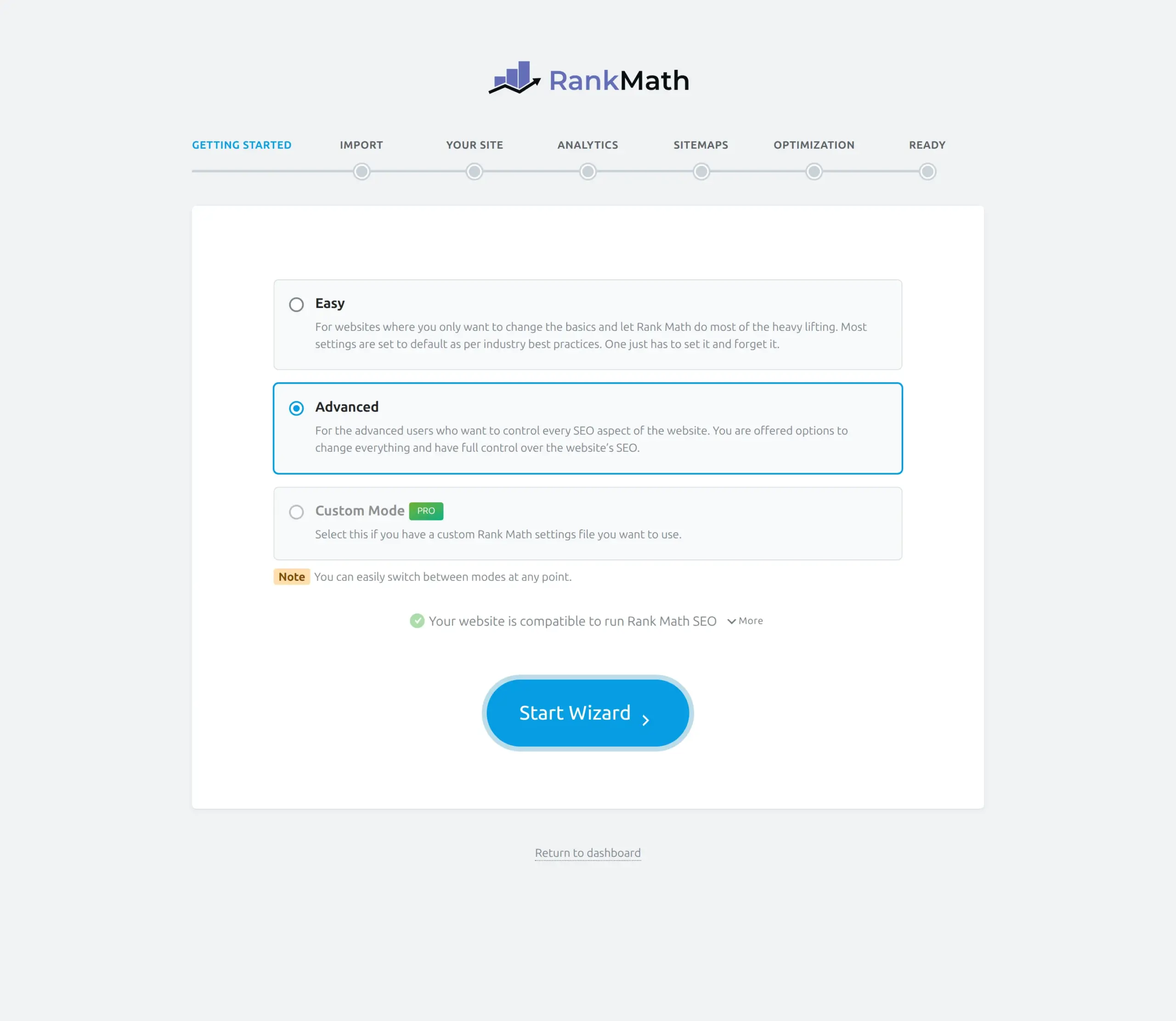
The Easy and Advanced choice is a nice touch. Easy sets sensible defaults and gets out of your way. Advanced walks you through everything.
One step deserves attention if you’re switching. Rank Math’s Import step detected my Yoast install by itself and offered to bring across both the settings and the redirects.
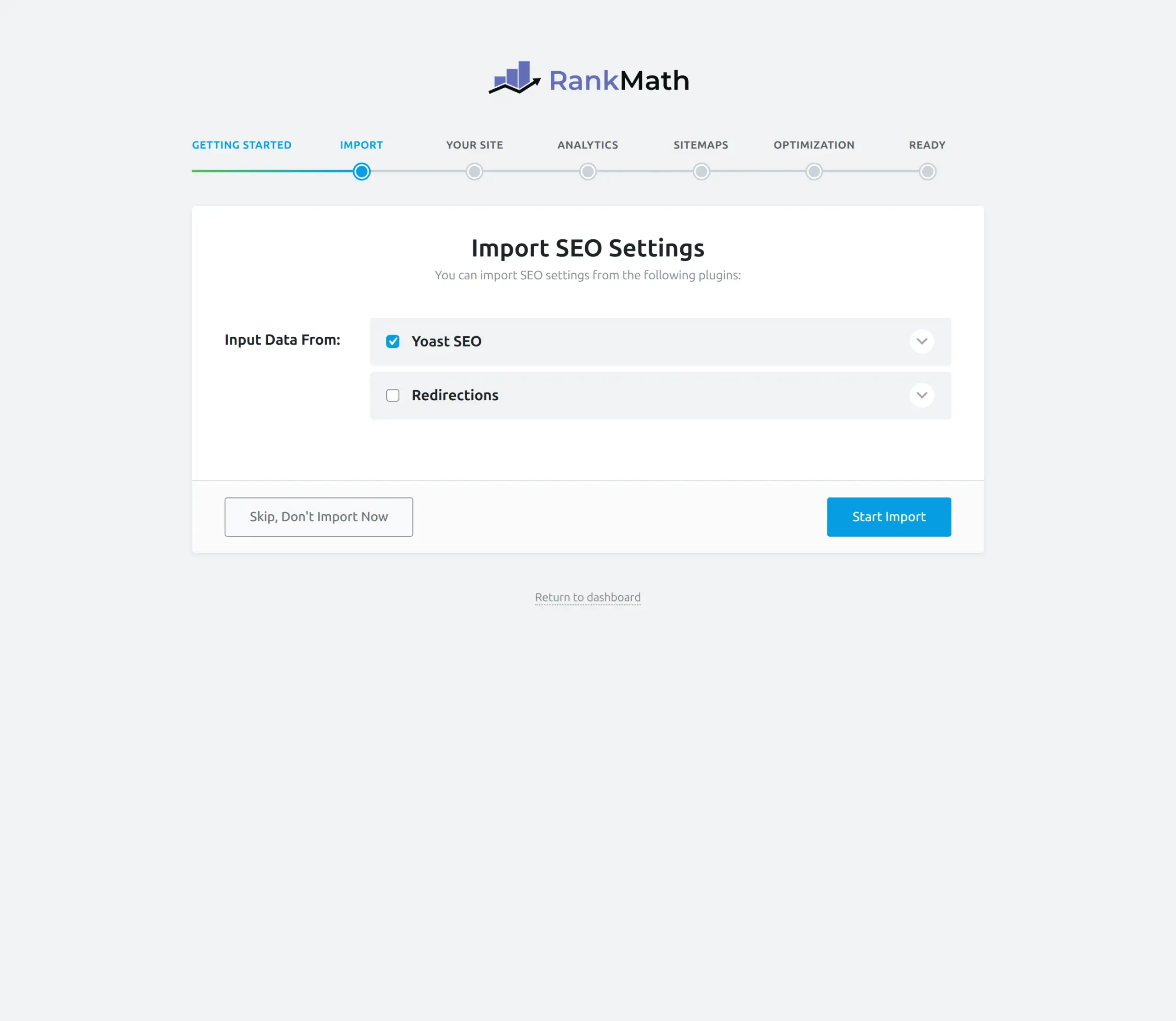
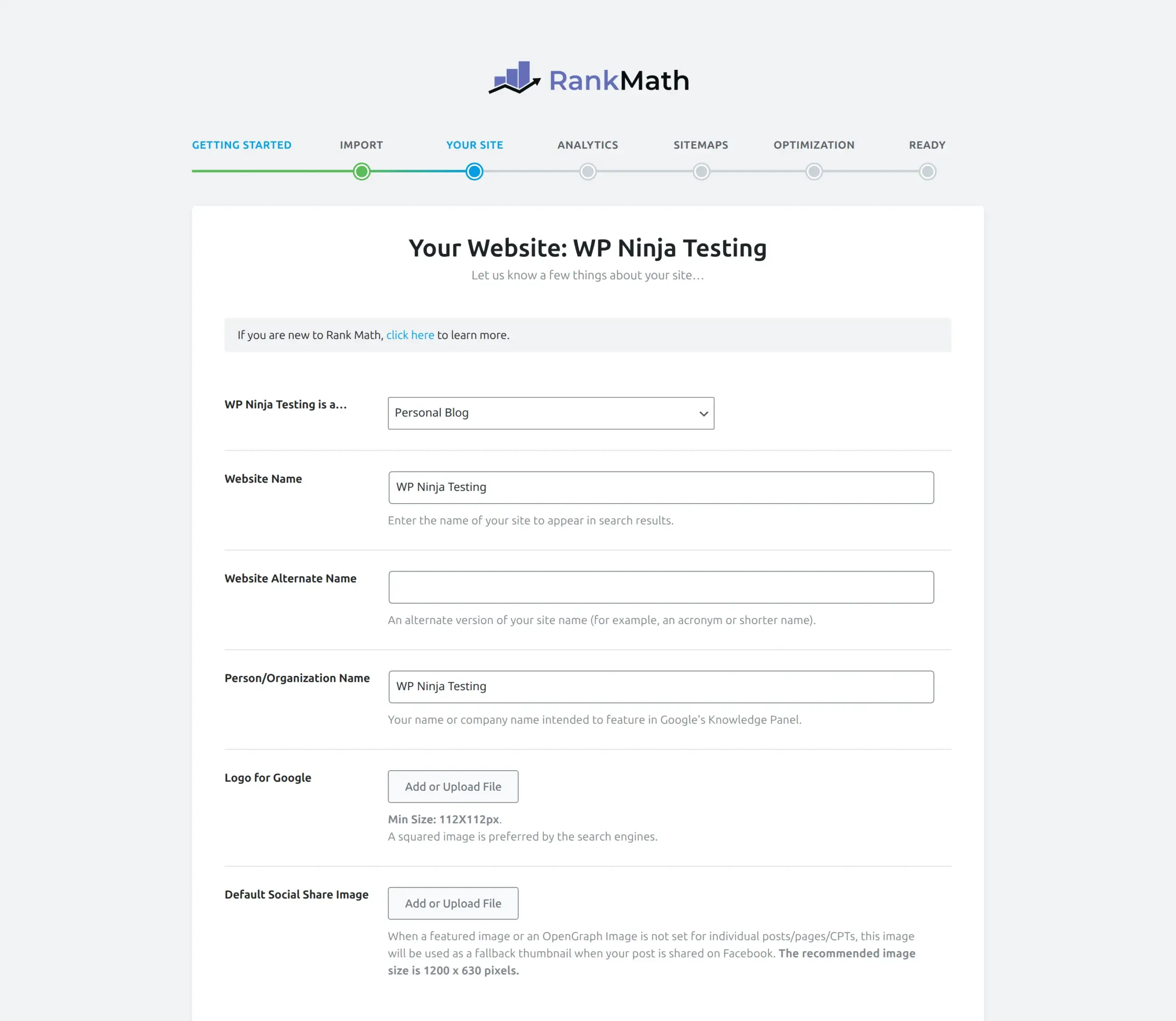
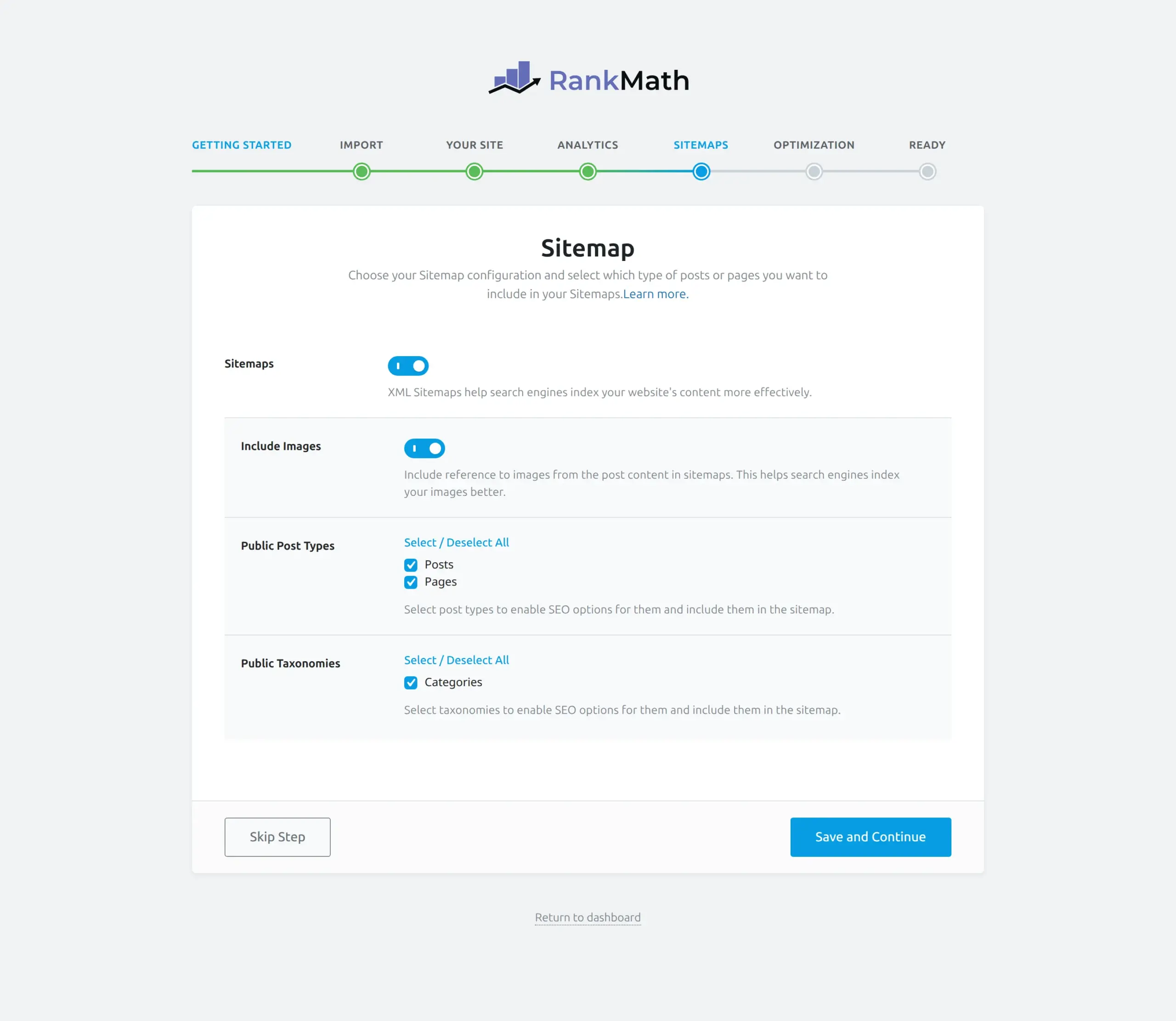
Yoast’s first-time configuration is shorter and asks less of you.
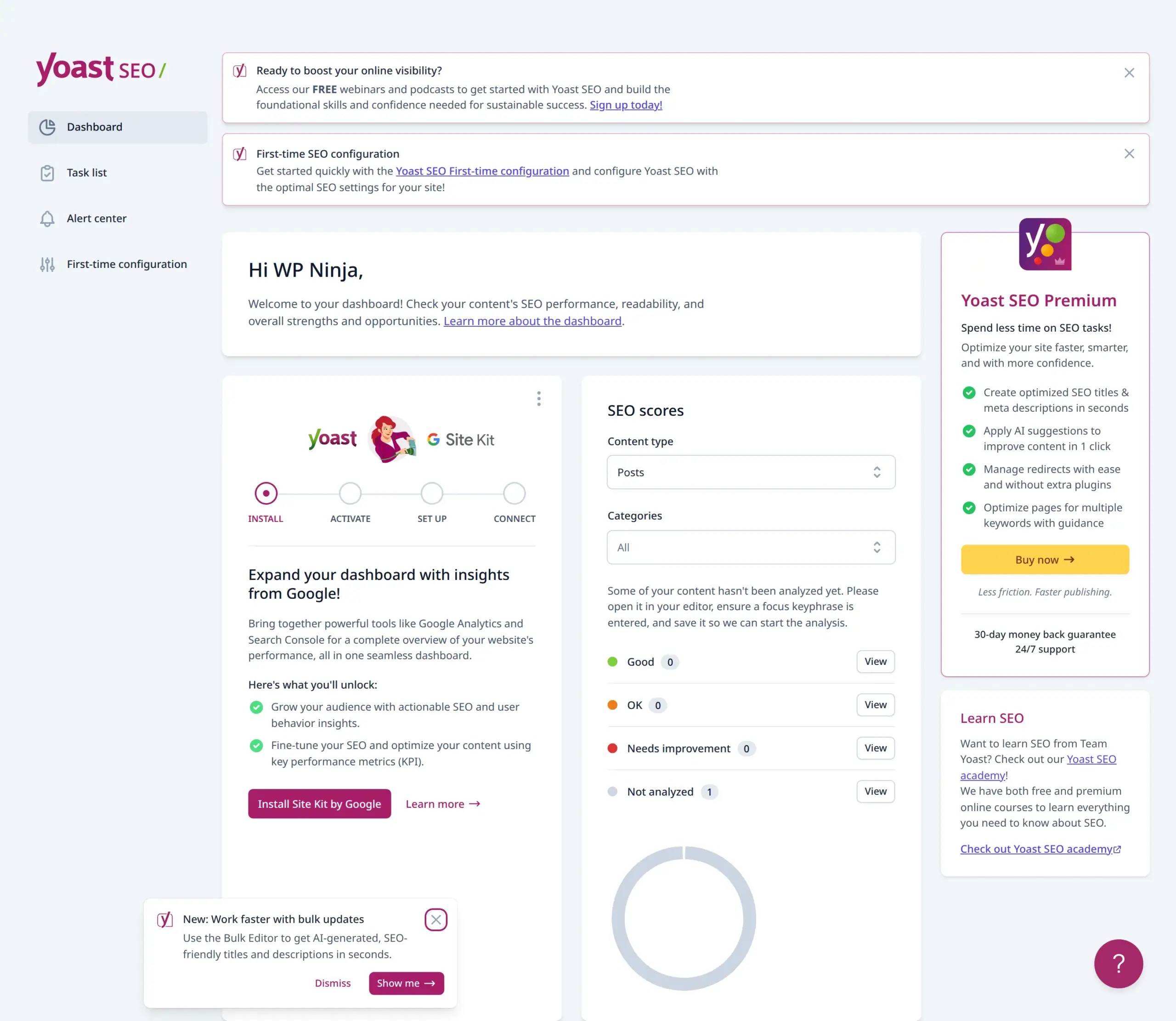
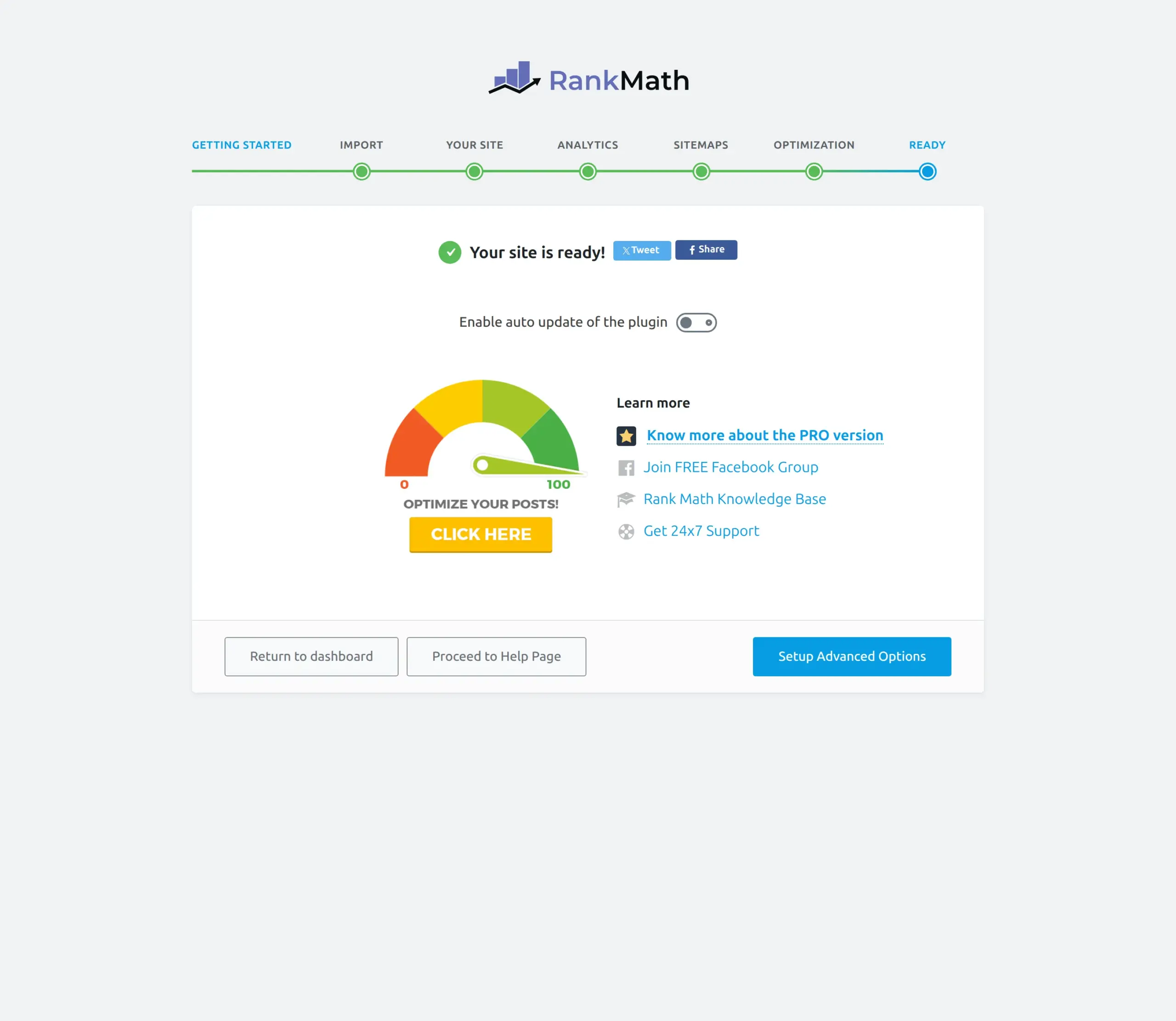
Neither is hard. Rank Math asks more questions and gives you more control. Yoast asks fewer and gets you writing sooner. Which one you prefer says more about you than about the plugins.
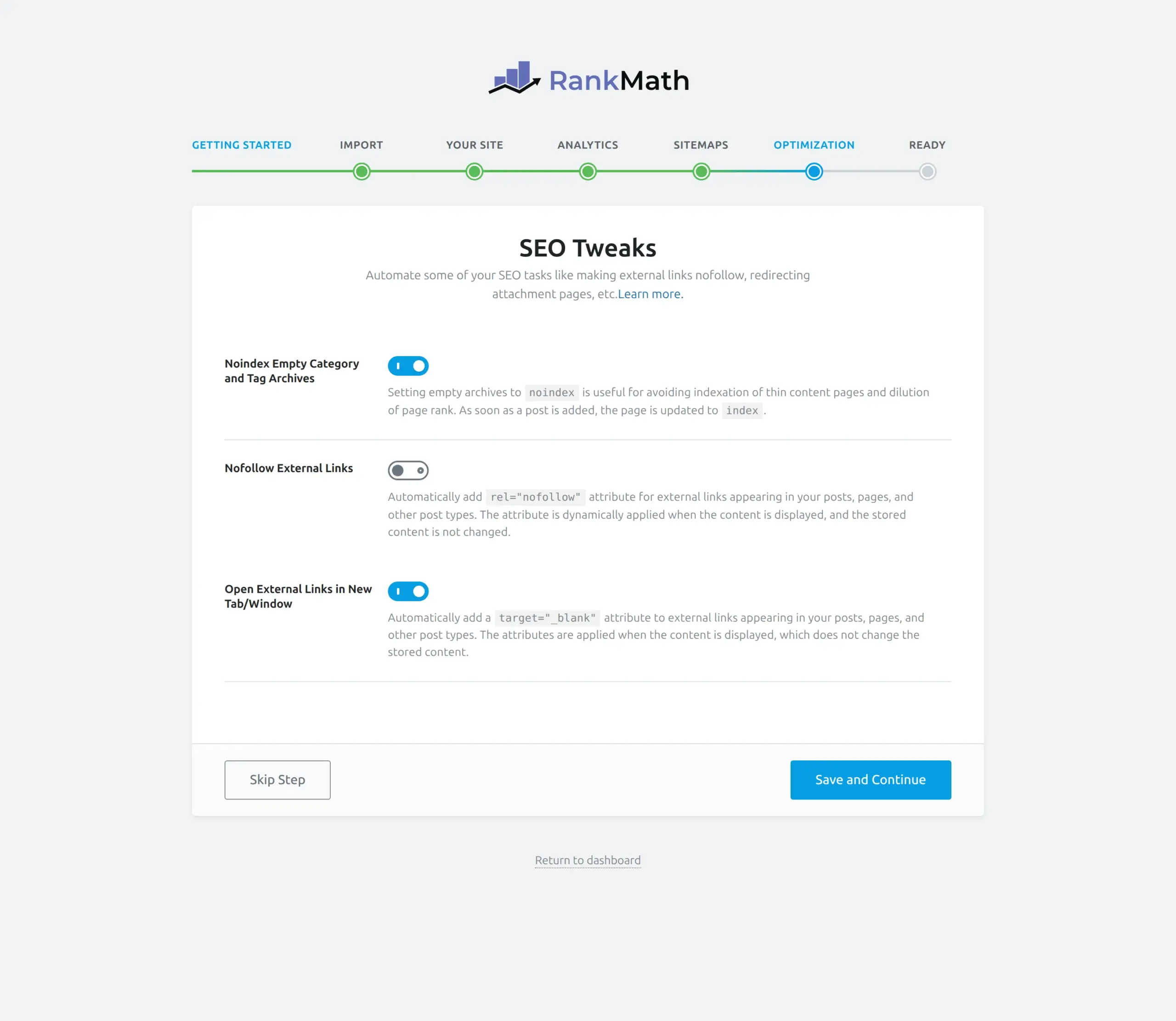
There’s one trap worth naming. Rank Math’s wizard includes options that can set parts of your site to “noindex,” and people do check the wrong box and quietly remove their pages from Google. Read that step rather than clicking through it.
Writing a post with each one
You’ll spend more time in the editor sidebar than anywhere else, so this matters more than the feature list.
Yoast uses traffic lights. Red, orange, green, next to each suggestion, with a matching face icon for SEO analysis and readability. It’s instantly readable and slightly addictive.
Rank Math gives you a score out of 100 that updates as you type, with a checkmark or an X against each item.
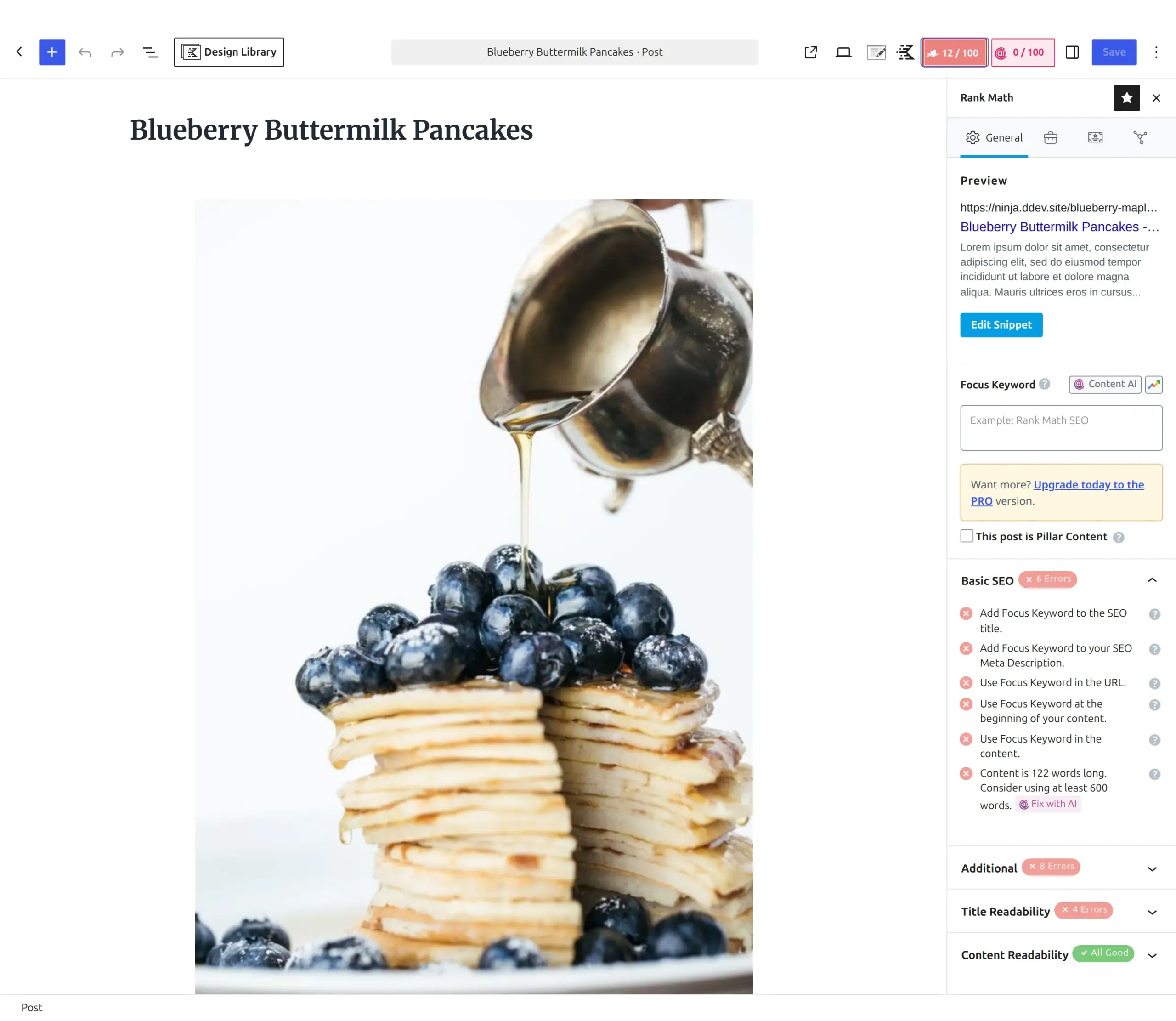
Both work. Yoast’s colours are easier to read at a glance, which is why I’d hand it to someone brand new. Rank Math’s number is more motivating once you know what you’re doing.
The real gap is keywords. Rank Math scores up to five per post. Yoast Free scores one. If your article about hiking boots also targets “hiking boots for beginners,” Rank Math tells you how you’re doing on both. Yoast Free doesn’t.
And don’t chase a perfect score in either. Green lights measure whether you followed a checklist, not whether your article is good.
Schema and AI crawlers
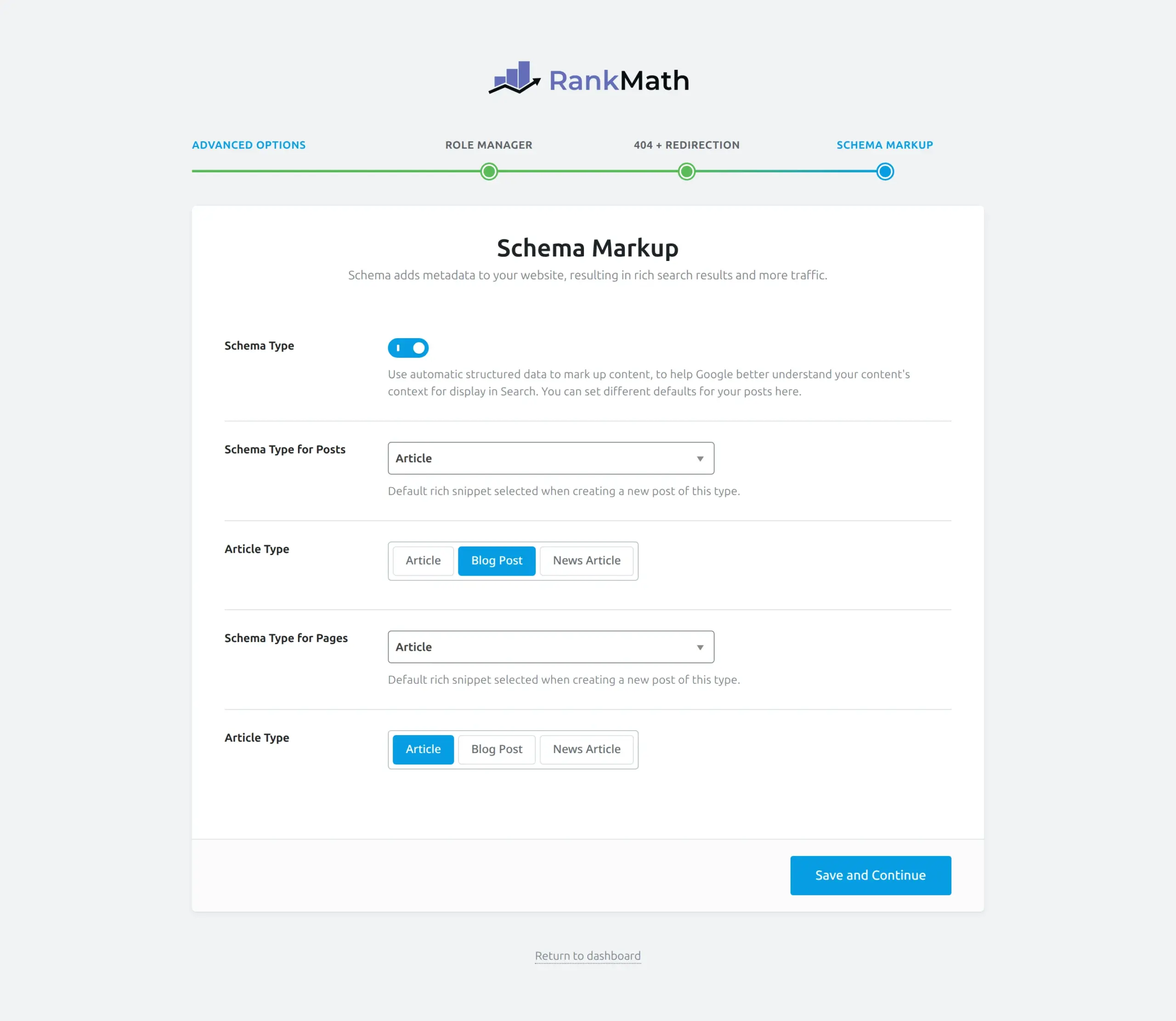
Both handle schema markup in the free version. Rank Math offers more preset types, and lets you pick per post.
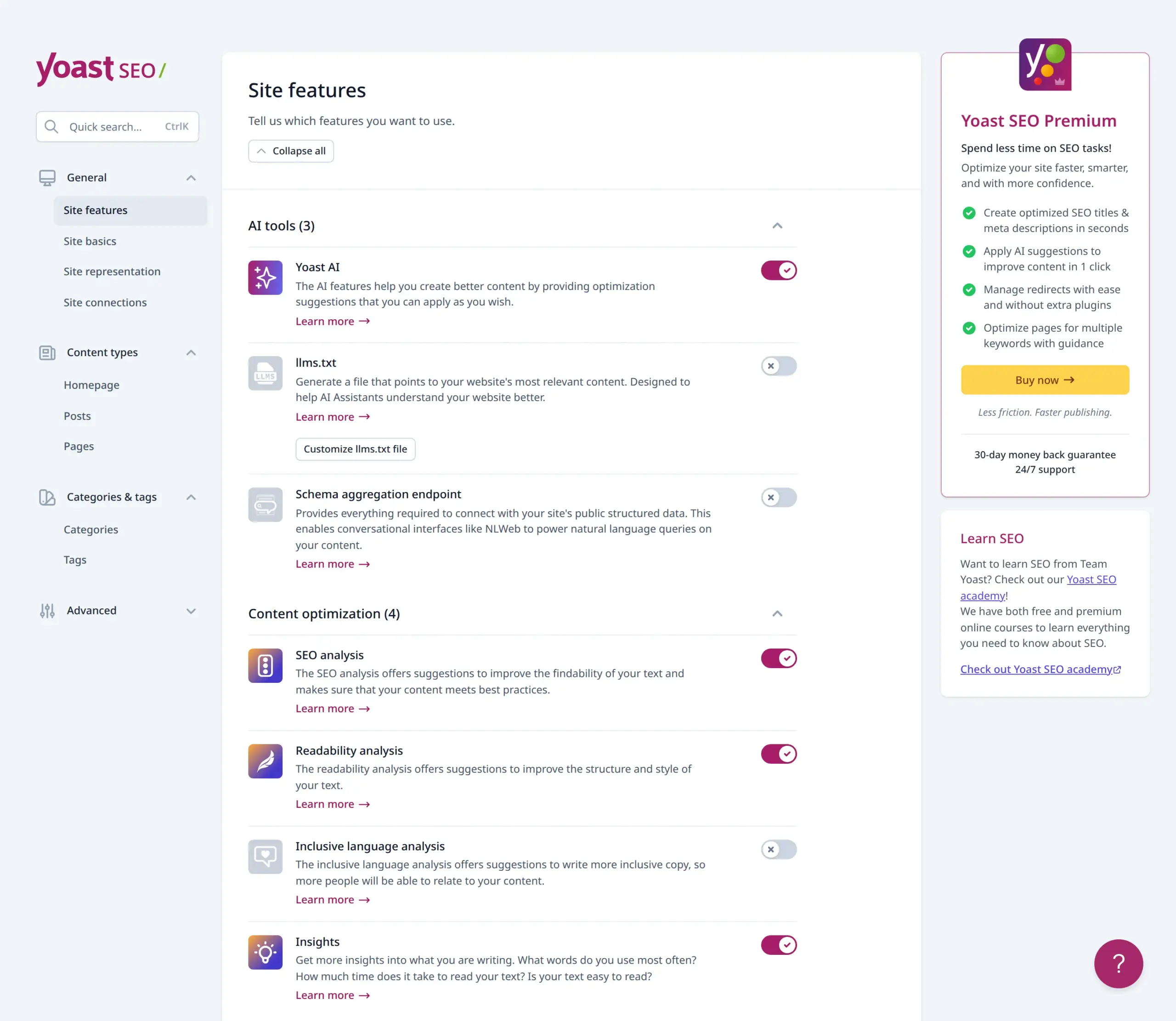
Something new in 2026 that no other comparison mentions: both plugins now ship AI crawler features. Yoast 28.4 has llms.txt generation and a schema aggregation endpoint aimed at conversational AI. Rank Math has an LLMS Txt module, switched off by default.
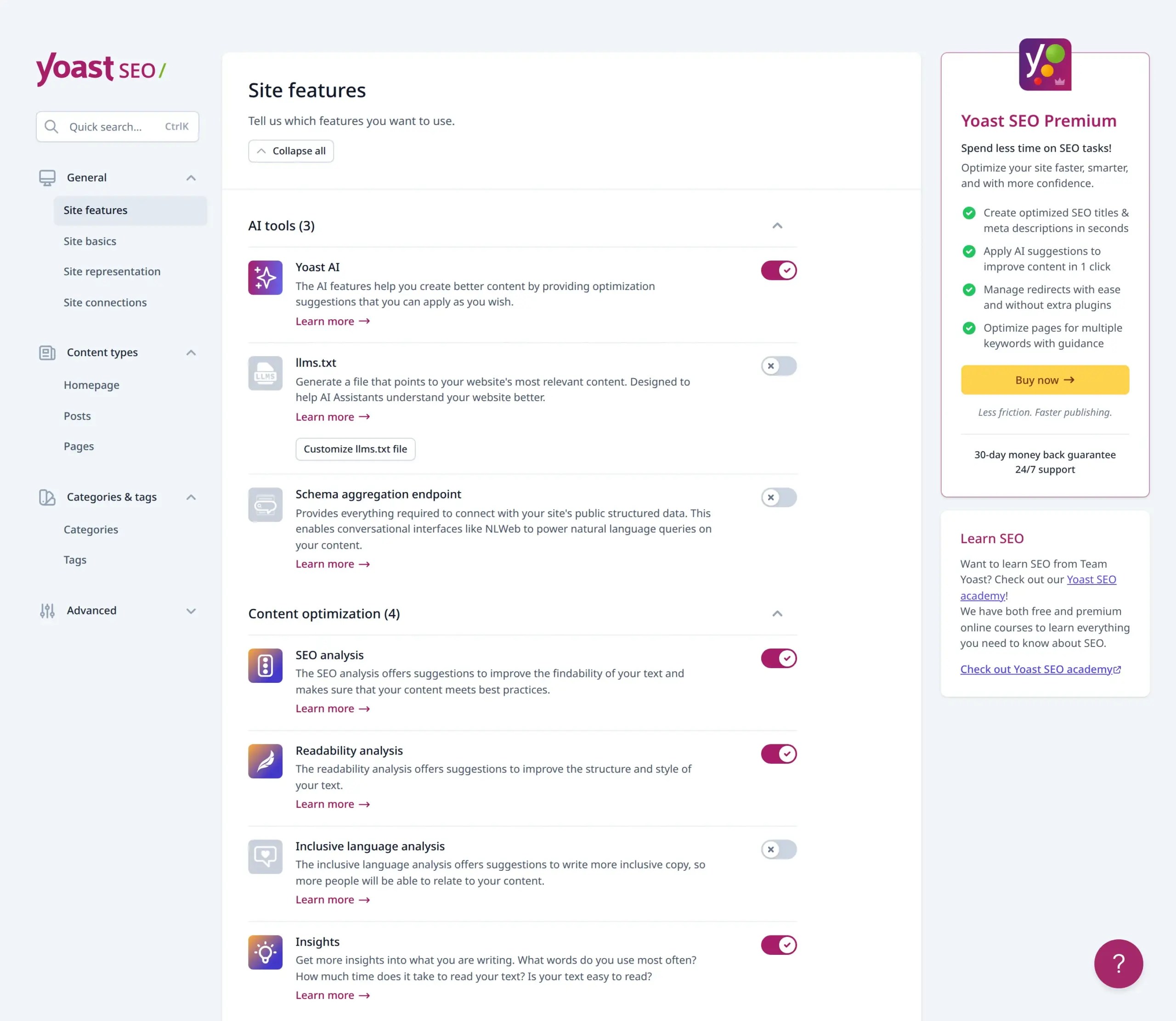
I have no idea yet whether either helps. Nobody does. But if you’ve read that one of them is ahead on AI, that’s not what I found – they both have it.
The background jobs difference
This one surprised me, and it’s the sort of thing you only see by installing.
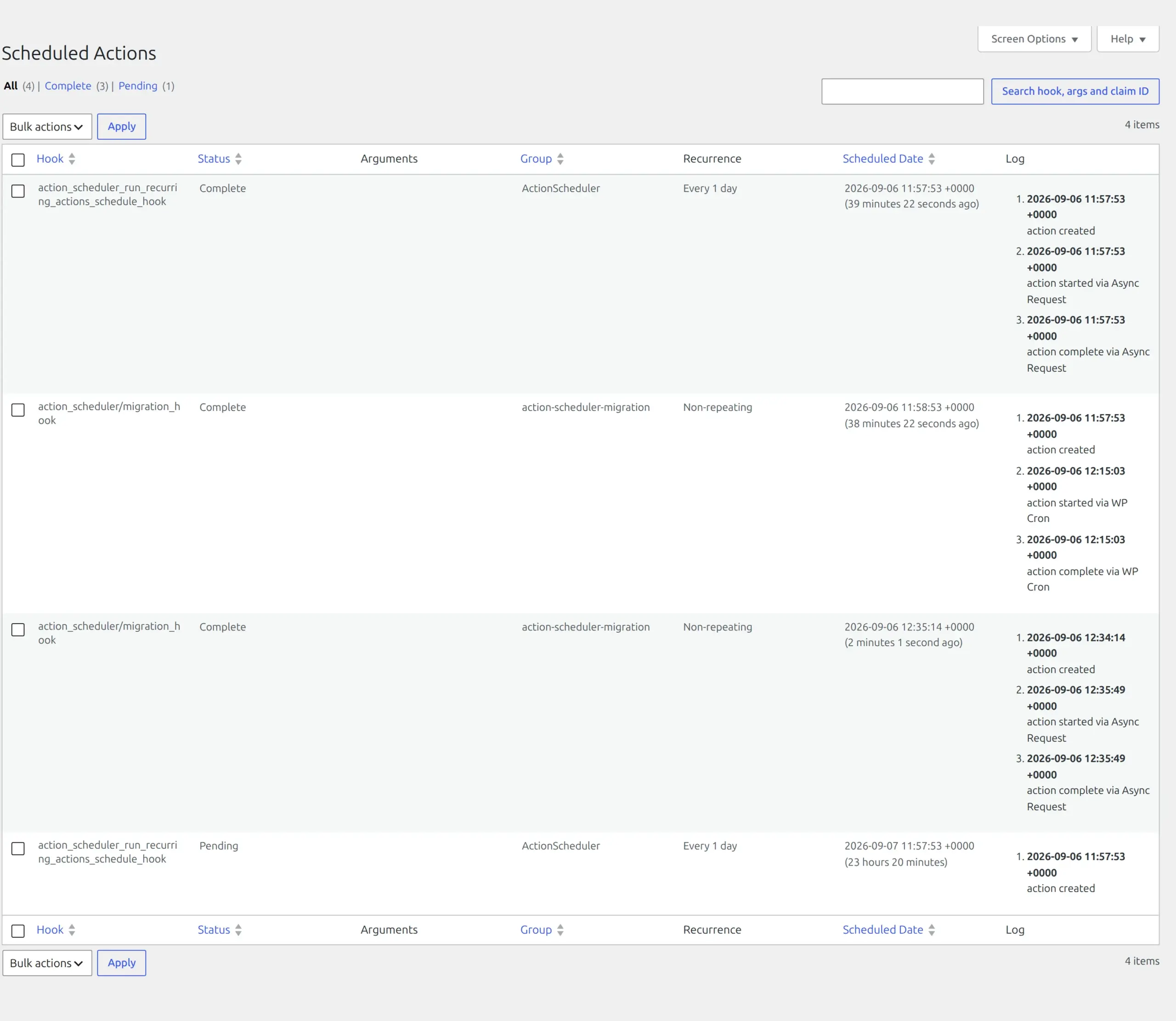
Rank Math bundles a second scheduler. It ships Action Scheduler 3.9.3, the same background job system WooCommerce uses, and 87 of its files reference it. That’s where 4 of its 6 database tables come from.
The result is a job queue that checks for work every single minute, plus three daily jobs.
Yoast schedules one job. Once a day. That’s the whole list.
Now the honest part: when I looked at what was actually queued on an idle site, it was almost nothing – two completed housekeeping tasks and one pending for the next day. The per-minute check runs, finds no work, and goes back to sleep. On decent hosting you’ll never notice.
On cheap shared hosting where WordPress runs its scheduler on visitor page loads, it’s a bit more work happening in the background than Yoast creates. Not a disaster. Worth knowing.
You can see it yourself. Rank Math adds a page at Tools > Scheduled Actions.
What happens when you uninstall
I deleted each plugin properly, the way WordPress intends, and then looked at the database.
| After full deletion | Tables left | Options left |
|---|---|---|
| Rank Math | 6, but 4 belong to the shared Action Scheduler library. Only 2 are its own | 13 |
| Yoast | 6, all its own | 9 |
Neither plugin cleans up after itself. Deleting doesn’t undo the database changes.
Rank Math looks worse at a glance, but that’s unfair. Four of its leftover tables are shared with other plugins like WooCommerce, and dropping them would break those. Counting only what each plugin owns, Yoast leaves three times as much behind.
Neither will slow your site down. But if you’re plugin-hopping, know that you’re accumulating furniture.
Security track record
No comparison I found covers this, which is strange, because it’s the one area where “which is safer” has an actual answer. I checked both plugins against the Patchstack and WPScan vulnerability databases on 6 September 2026.
Both had issues disclosed and patched in 2026.
Rank Math had seven disclosed in late August 2026, all fixed in 1.0.277 and 1.0.277.1. They were access control and information disclosure problems, not the dramatic kind: authors able to edit metadata on posts they don’t own, an editor able to change core settings, and unauthenticated disclosure of content from non-public and password-protected posts. Worth patching promptly if you run a site with contributors. Not a reason to panic if you’re the only author.
Yoast had an authenticated stored cross-site scripting issue affecting versions up to 28.0, disclosed on 24 July 2026, and an information exposure issue affecting up to 26.5 in May.
Both versions I tested are already patched. Rank Math 1.0.277.2 is past the 1.0.277.1 fix. Yoast 28.4 is past 28.0.
For the record, Rank Math has had one genuinely severe issue in its history: an arbitrary .htaccess overwrite that led to remote code execution, disclosed in November 2024 and fixed in 1.0.232. That’s the kind that matters, and it was patched.
Here’s how to read all of it: finding vulnerabilities in software running on millions of sites is normal and expected. What matters is how fast they get fixed, and both teams patch quickly. Neither plugin is “unsafe.”
The practical takeaway isn’t which plugin to pick. It’s this: turn on automatic updates for whichever one you choose. An unpatched SEO plugin is a far bigger risk than picking the wrong one. If updates make you nervous, here is how to update WordPress plugins without breaking your site.
Support and how established each one is
| Rank Math | Yoast | |
|---|---|---|
| WordPress.org rating | 4.8 out of 5 | 4.8 out of 5 |
| Number of ratings | 7,498 | 27,819 |
| In the plugin directory since | November 2018 | October 2010 |
Identical ratings. Yoast has nearly four times the reviews and eight more years of history, which mostly means that when you search for a problem, someone has already had it and written about it.
That’s worth more to a beginner than most feature-list differences.
What they actually cost in 2026
Almost every comparison still says Yoast Premium is $99 a year. It isn’t, and hasn’t been for a while.
Yoast Premium: $118.80 per year, for one site. That now bundles Local SEO, Video SEO and News SEO, which used to be separate purchases. Yoast WooCommerce SEO is still a separate product on top.

Rank Math Pro: 95.88 per year, renewing at 107.88, for unlimited personal sites. Business is 299.88 for 100 client sites and Agency is 659.88 for 500. There’s also a Rank Math plus WP Rocket bundle at 143.88.
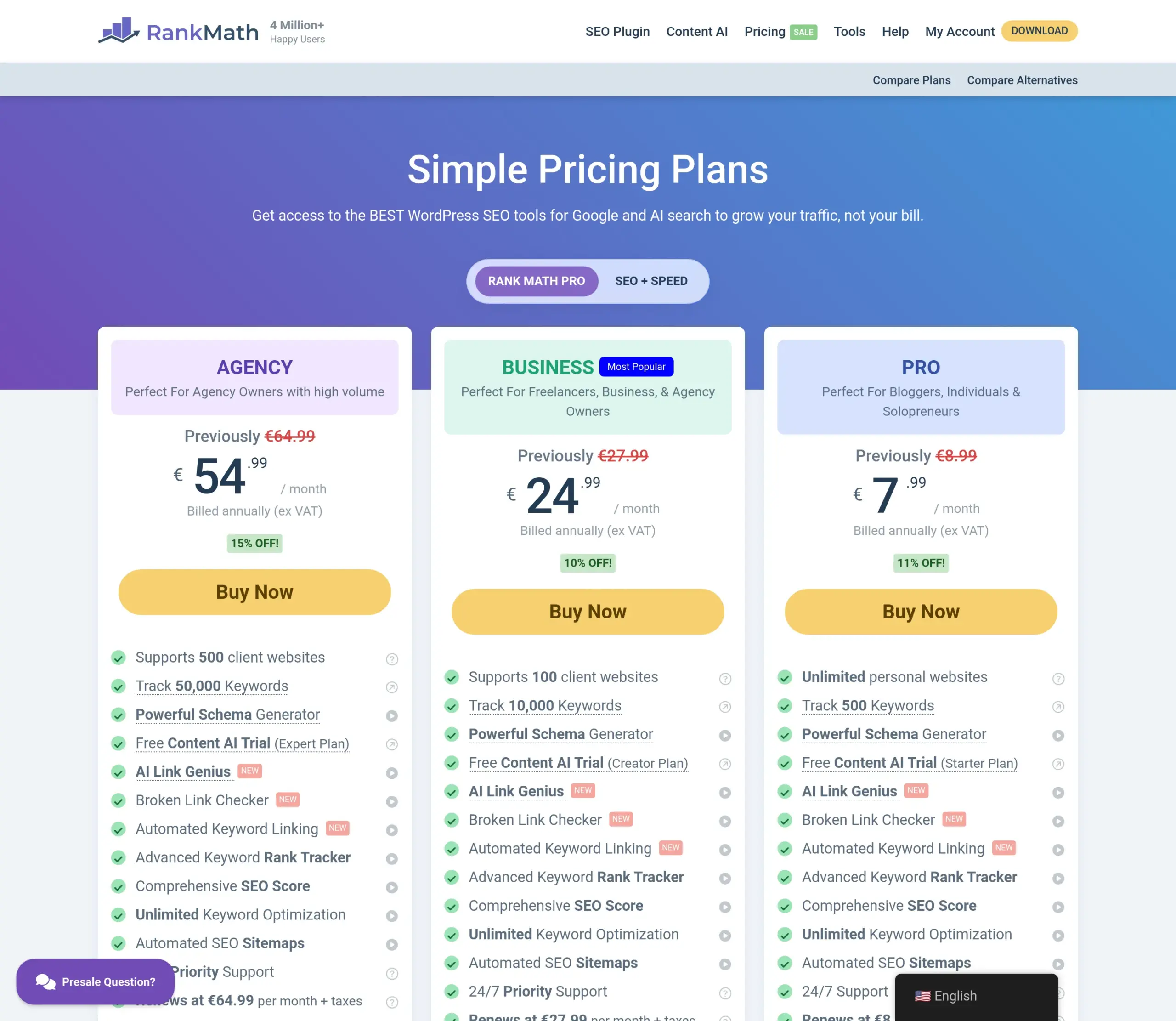
Two things about those Rank Math numbers. The pricing page showed me euros, and it appears to show dollars or euros depending on where you’re browsing from, so check what your own page says. And that renewal figure is the one nobody mentions: the price goes up about 12.5% from year two.
The site limits are the bigger story. Yoast charges per site. Rank Math Pro covers unlimited personal sites for less than one Yoast licence. If you run three blogs, that’s not a close call.
Refunds are 30 days for both. Rank Math’s applies to new purchases only, not renewals.
Switching from Yoast to Rank Math
Rank Math’s importer found my Yoast install without being asked and offered to bring across settings and redirects. It genuinely works.
Four things people actually run into:
- Your sitemap URL changes. Update it in Google Search Console or Google keeps crawling an address that no longer exists
- Don’t leave both active. Two SEO plugins produce duplicate meta tags and fighting sitemaps
- The noindex trap. People tick the wrong box in the wizard and remove pages from Google without realising
- Complex redirects can be missed. Simple 301s import fine; regex rules from Yoast Premium sometimes don’t
Deactivate the old plugin after importing, but don’t delete it for a week. If something looks wrong, you can switch back in a click.
Can you run both at once?
No. Two SEO plugins active together will produce duplicate meta tags, two competing sitemaps and conflicting schema. Google won’t thank you for it.
Pick one, deactivate the other, and only delete the loser once you’re confident. The same rule applies to caching plugins, which I covered in LiteSpeed Cache vs WP Super Cache.
Pick Rank Math if
- You run more than one site. Unlimited personal sites on the Pro plan is the single strongest argument either plugin has
- You want a free redirect manager and don’t mind switching it on
- You write posts targeting two or three related keywords
- You like having more control and don’t mind an eleven-step setup
Pick Yoast if
- You’re new to this and want something that works correctly the moment you activate it
- You value the red-amber-green feedback over a score out of 100
- You want the biggest pile of tutorials and forum answers when you get stuck
- You’d rather answer fewer setup questions
So which did I end up recommending?
For most beginners: Yoast. That’s a change from what I said last year, and the measurements are why.
Rank Math wins the feature comparison. It isn’t close. Five keywords, free redirects, more schema types, unlimited sites for less money.
But the features you’re comparing are the ones you have to switch on, configure and understand. Yoast works properly the second you activate it, has four times the community when you’re stuck, and doesn’t ask you to create an account before you start.
Choose Rank Math if you run more than one site or you’ll actually use the extra features. The unlimited-sites pricing alone justifies it, and the redirect manager is a genuine gift once enabled.
Choose Yoast if this is your first SEO plugin. You’ll spend less time configuring and more time writing, which is the thing that actually moves your rankings.
And whichever you pick, turn on automatic updates. That matters more than this entire comparison.
Frequently Asked Questions
Does changing SEO plugin affect my Google rankings?
Not by itself. Both plugins write the same kind of meta titles, descriptions and schema, so Google sees the same information from a different source. What does cause damage is a botched migration – a sitemap URL you forgot to update in Search Console, or a noindex setting ticked by accident during setup. Migrate carefully and check a handful of posts afterwards, and you’ll be fine.
Rank Math vs Yoast: which is faster?
On my test site, neither. Rank Math is the smaller download (17 MB against 23 MB) but adds slightly more to each page you serve: 5,033 bytes and 26 head tags, against Yoast’s 4,911 bytes and 20 tags. Both added 6 database tables. The difference between them is far smaller than a single unoptimised image on your homepage, so pick on features, not speed.
Is Yoast SEO Premium worth it in 2026?
At $118.80 a year for one site, it’s worth it only if you specifically want its redirect manager, related keyphrases and internal linking suggestions, and the Local, Video and News SEO plugins now bundled in. If it’s mainly redirects you’re after, Rank Math gives you those free. If you run three blogs, Rank Math Pro covers unlimited personal sites for less than one Yoast licence.
Can I use Rank Math and Yoast at the same time?
No. Running both produces duplicate meta tags, two competing XML sitemaps and conflicting schema markup. Activate one, deactivate the other. Both include importers, so moving between them is straightforward.
Should I switch from Yoast to Rank Math?
If Yoast Free is doing what you need, there’s no urgent reason. Switch if you want free redirects, if you regularly target more than one keyword per post, or if you run more than one site and the pricing appeals. Rank Math’s importer detects Yoast automatically and brings your settings across.
Does Rank Math slow down WordPress?
Not noticeably. It does install a background job runner that checks for work every minute, which is more background activity than Yoast’s single daily task. On an idle site I found that queue essentially empty. On cheap shared hosting it’s slightly more work happening behind the scenes, but nothing you’ll see in a page speed test.
Does Yoast free include schema markup?
Yes. Yoast Free outputs a full schema graph covering Article, WebPage and FAQ types automatically, and it starts doing it the moment you activate the plugin. Rank Math offers more preset schema types in its free version, but outputs nothing at all until you’ve been through its setup screen.
How many focus keywords do you get in each free version?
Rank Math Free gives you 5 per post. Yoast Free gives you 1. In Yoast, “Add related keyphrase” appears in the sidebar with a padlock on it, because related keyphrases are a Premium feature.