
The Best Free WordPress Form Plugins in 2026 (I Installed and Measured All 6)
The best free WordPress form plugin in 2026 is Forminator. To find the best free WordPress form plugins, I installed the 6 most popular ones one at a time on the same test site, built the same Name, Email and Message form in each, and sent one real message through it. Then I followed that message to my inbox and into the database, and measured what each plugin added to the site.
Forminator did all 12 of my test jobs for free. Fluent Forms came a close second, Formidable, Contact Form 7 and Ninja Forms sat just behind, and WPForms Lite came last by a long way – mostly because it doesn’t keep a copy of your messages.
- Best overall, most free features: Forminator (72.60 / 100) – 12 of 12 jobs free, including file uploads, multi-step forms and payments. It makes the heaviest form page, though.
- Best if you want your messages saved and a fast dashboard: Fluent Forms (70.38) – just set up its email first, because out of the box it sends nobody anything.
- Lightest drag-and-drop form page: Formidable (69.31) – its form page added 194 KB, the least of the five visual builders.
- Lightest and cleanest: Contact Form 7 (69.06) – no tables, no calls home, and it leaves nothing behind. You edit forms by typing tags, though.
- Easiest to get running: Ninja Forms (67.95) – its starter form was already the right one, so it took 8 clicks to go live.
- Skip unless you’ll upgrade: WPForms Lite (43.28) – polished, but it counts your messages without keeping them.
Every number here came from my own test site. Of the 14 pages I checked that rank for this search, 10 were written by a form plugin company, and none of them measured anything.
How I tested these 6 form plugins
The test site. A local copy of WordPress 7.1.2 on PHP 8.3, with the free Kadence theme and Kadence Blocks, and nothing else active. I switched off WordPress’s automatic core updates so the version couldn’t change halfway through, and checked it at the start and end of each plugin.
Before each plugin I restored the database from the same saved copy, then measured it again to prove it matched. That way nothing one plugin left behind could leak into the next one’s numbers.
The plugins. The current version of each from WordPress.org, all tested on 26 September 2026:
| Plugin | Version tested | Last updated | Active installs |
|---|---|---|---|
| Contact Form 7 | 6.1.7 | 17 Aug 2026 | 10,000,000+ |
| WPForms Lite | 2.0.2.1 | 23 Sep 2026 | 5,000,000+ |
| Fluent Forms | 6.2.14 | 15 Sep 2026 | 700,000+ |
| Ninja Forms | 3.15.4 | 21 Sep 2026 | 600,000+ |
| Forminator | 1.57.3 | 17 Sep 2026 | 600,000+ |
| Formidable Forms | 6.35 | 9 Sep 2026 | 300,000+ |
The same job. I switched each plugin on in a real browser, so I saw every welcome screen you’d see. Then I built the same form through its own builder: Name, Email and Message, all required, with an email to the site owner and the plugin’s default spam protection left on. I put it on a page with the plugin’s own block and counted every click along the way.
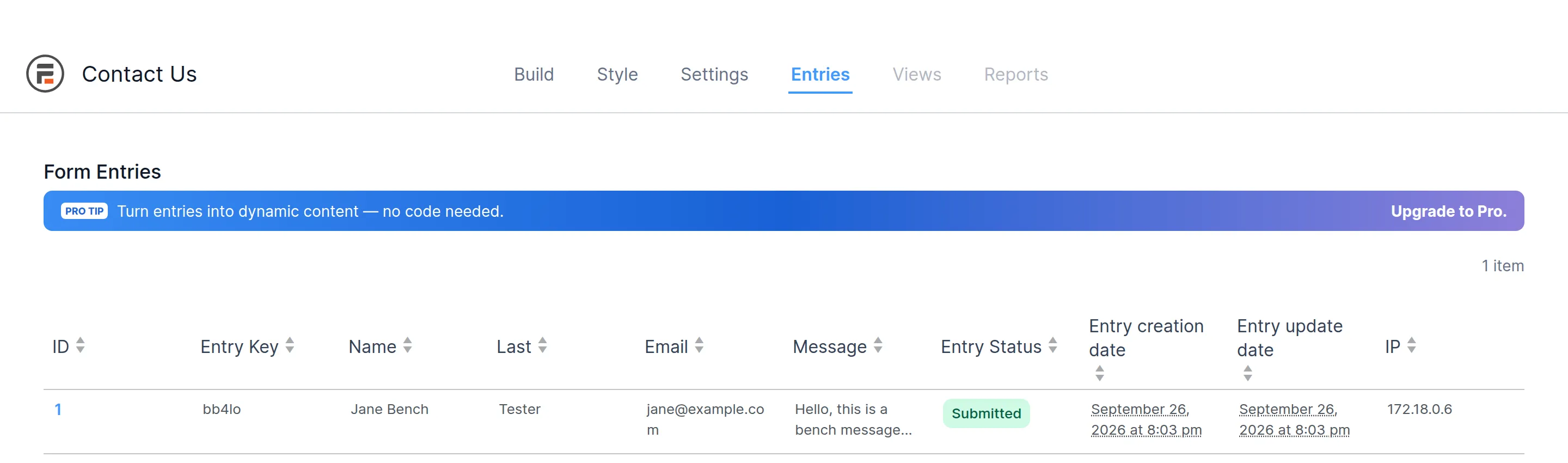
The real message. I filled the form in as a logged-out visitor, then checked two places: did an email arrive, and did a copy of the message land in the database? Finally I deleted each plugin from the Plugins screen, the normal way, and counted what it left behind.
What I measured. How much each plugin adds to the page with the form and to pages without one, how much it slows the server’s first response (median of 15 loads, front end and dashboard), database tables, calls home to the plugin’s company, and leftovers after deleting it.
What I didn’t test. Real spam attacks (I only checked whether protection was switched on), email deliverability, and any paid version.
How I ranked them (the scorecard)
I wrote the scoring rules down before I installed the first plugin, so I couldn’t bend them later to suit a favourite. Each plugin could score 100 points:
| What I scored | Points | How |
|---|---|---|
| What the free version does | 30 | 12 common form jobs, 2.5 points each, checked in the plugin’s own screens |
| Weight on your site | 25 | form page size, files on other pages, speed front and back, database tables |
| Beginner ease | 20 | clicks to a working form, welcome wizards, whether you have to type code |
| Upsells and data | 15 | pre-ticked sharing boxes, locked fields in the builder, calls home |
| Cleanup and upkeep | 10 | leftovers after delete, updates in the last year, security reports |
To be ranked at all, a plugin also had to pass 4 essentials on its own: build the form and put it on a page with a block, email the site owner, show a success message, and offer some kind of spam protection. All 6 passed.
| Rank | Plugin | Free features /30 | Weight /25 | Ease /20 | Upsells /15 | Cleanup /10 | Total |
|---|---|---|---|---|---|---|---|
| 1 | Forminator | 30.0 | 8.0 | 14.7 | 14.8 | 5.1 | 72.60 |
| 2 | Fluent Forms | 25.0 | 17.6 | 10.0 | 11.2 | 6.6 | 70.38 |
| 3 | Formidable | 22.5 | 16.8 | 16.5 | 8.5 | 5.0 | 69.31 |
| 4 | Contact Form 7 | 15.0 | 20.0 | 12.1 | 15.0 | 7.0 | 69.06 |
| 5 | Ninja Forms | 20.0 | 8.4 | 20.0 | 13.5 | 6.0 | 67.95 |
| 6 | WPForms Lite | 15.0 | 8.3 | 14.7 | 2.5 | 2.8 | 43.28 |
The section scores are rounded, so they may not add up to the total exactly.
Here’s how I’d read it. Forminator leads by 2.2 points, which is a real gap. Formidable and Contact Form 7 are 0.25 apart, which is noise, and Ninja Forms is 1.1 behind them. So think of it as three groups: Forminator on top, then four plugins close together, then WPForms Lite far behind. Inside that middle group, pick by the “best for” label rather than the rank.
Two scoring choices you should know about. “Locked items” means locked field types in the builder, because that’s the one list every plugin shows in the same place. And security reports count for 2 points because the rules said so before I started – I explain below why a higher count isn’t a warning sign.
The best free WordPress form plugins side by side
First, the 12 jobs. A tick means it works in the free plugin, with nothing extra to install.
| Job | Forminator | Fluent Forms | Formidable | CF7 | Ninja Forms | WPForms Lite |
|---|---|---|---|---|---|---|
| Drag-and-drop builder | ✓ | ✓ | ✓ | – | ✓ | ✓ |
| Saves messages in WordPress | ✓ | ✓ | ✓ | – | ✓ | – |
| Export to CSV | ✓ | ✓ | ✓ | – | ✓ | – |
| Conditional logic | ✓ | ✓ | – | – | – | – |
| Multi-step forms | ✓ | – | – | – | – | – |
| File upload | ✓ | – | – | ✓ | – | – |
| Copy email to the visitor | ✓ | ✓ | ✓ | ✓ | ✓ | – |
| Custom notification email | ✓ | ✓ | ✓ | ✓ | ✓ | ✓ |
| CAPTCHA option | ✓ | ✓ | ✓ | ✓ | ✓ | ✓ |
| Consent checkbox | ✓ | ✓ | ✓ | ✓ | ✓ | ✓ |
| Payments (extra fee) | ✓ (none found) | ✓ (1.9%) | ✓ (3%) | ✓ (none found) | – | ✓ (3%) |
| Ready-made templates | ✓ | ✓ | ✓ | – | ✓ | ✓ |
| Jobs done free | 12 | 10 | 9 | 6 | 8 | 6 |
And here’s what each one added to the test site. “Added” means compared with the same site before the plugin was installed.
| Forminator | Fluent Forms | Formidable | CF7 | Ninja Forms | WPForms Lite | |
|---|---|---|---|---|---|---|
| Form page weight added | +511 KB (12 files) | +220 KB (5 files) | +194 KB (4 files) | +44 KB (6 files) | +395 KB (7 files) | +384 KB (12 files) |
| Files on pages with no form | 0 | 0 | 1 | 5 | 0 | 0 |
| Database tables added | 8 | 12 | 5 | 0 | 11 | 11 |
| Dashboard slower by | ~27 ms (~45%) | none | none | none | ~18 ms (~30%) | ~27 ms (~45%) |
| Clicks to a working form | 17 | 25 | 14 | 13 | 8 | 17 |
| Calls home to its company | 0 | 0 | 3 | 0 | 2 | 9 |
| Tables + settings left after delete | 41 | 30 | 34 | 0 | 29 | 72 |
Where does your message actually go?
This is the test I most wanted to run, and nobody else in these search results has done it. I sent one message through each form and went looking for it.
Four plugins kept a copy inside WordPress: Fluent Forms, Ninja Forms, Forminator and Formidable. Each has an entries screen where you can read every message, even if the email never arrives.
Two didn’t. Contact Form 7 is honest about it. Its own list screen says it “does not store submitted messages anywhere” and warns that you “may lose important messages forever if your mail server has issues”. It points you to Flamingo, a separate plugin from the same author.

WPForms Lite is less obvious. It counted my message and logged it for its stats, but my test text was in 0 database tables. The Entries screen is a Pro feature. Lite does offer “Lite Connect”, which backs up entries to WPForms’ own servers so you get them back if you buy Pro.
The email side had its own surprises.
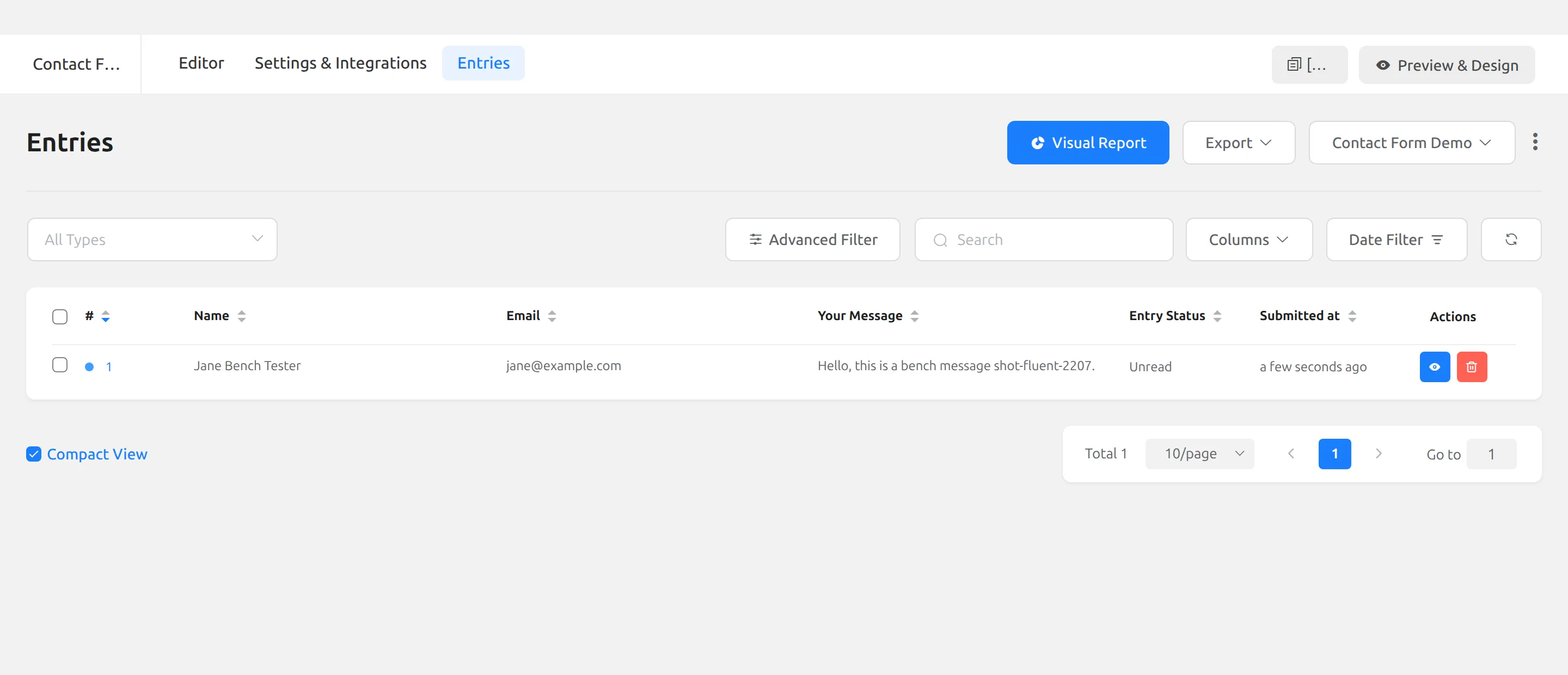
- Fluent Forms sent nobody an email. Its demo contact form has no email notification at all – the Email Notifications screen says “No Data”. You have to build one from scratch: 8 clicks, and the message body is a required field. The message was still safe in Entries, but I’d never have known it arrived.
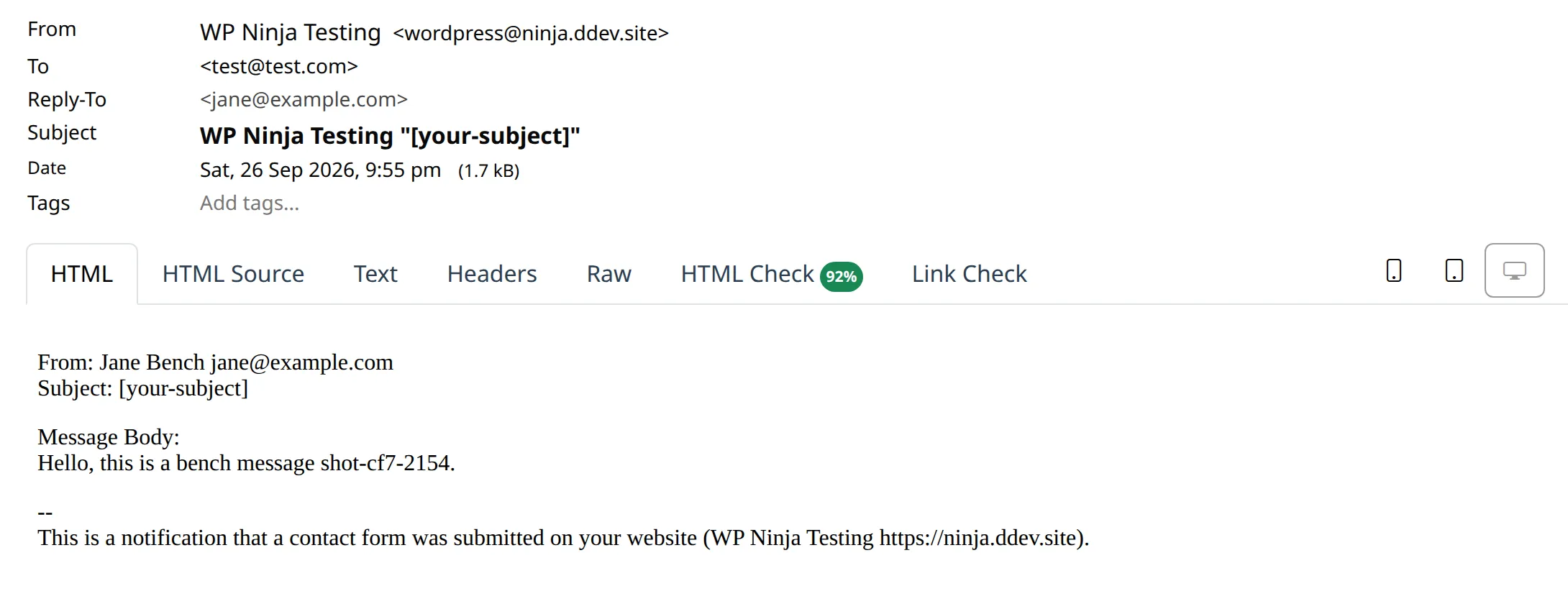
- Contact Form 7 sent a broken subject line. I removed the Subject field from its starter form, and CF7 saved without a single warning. The email arrived with “[your-subject]” in its subject line – the raw tag, not a subject.
- Ninja Forms emailed my test visitor a copy of everything they typed. That’s on by default. Handy, but know it’s happening.
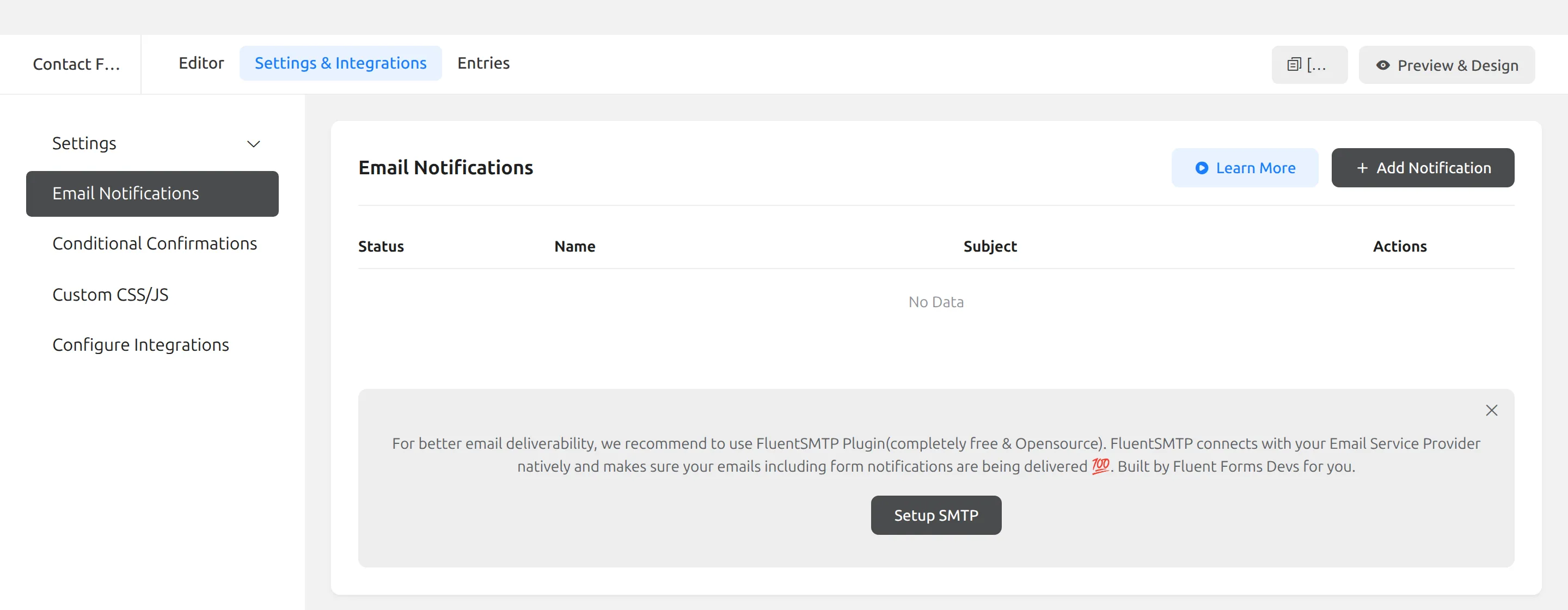
What to do. On Fluent Forms, open your form’s Settings & Integrations, then Email Notifications, and add one before you publish. On CF7, check the Mail tab after you delete any field and remove its tag. On CF7 and WPForms Lite, send yourself a test message every so often, because the email is your only copy.
1. Forminator – the most free features
Forminator, from WPMU DEV, did every one of my 12 jobs in its free version. It’s the one I’d pick if you need payments, file uploads or multi-step forms without paying.
Setup. There’s no wizard. Activating it drops you back on the Plugins screen, and its dashboard greets you with “Let’s create your first form!” and 3 starter cards: Contact Form, Quote Request and Newsletter Signup.
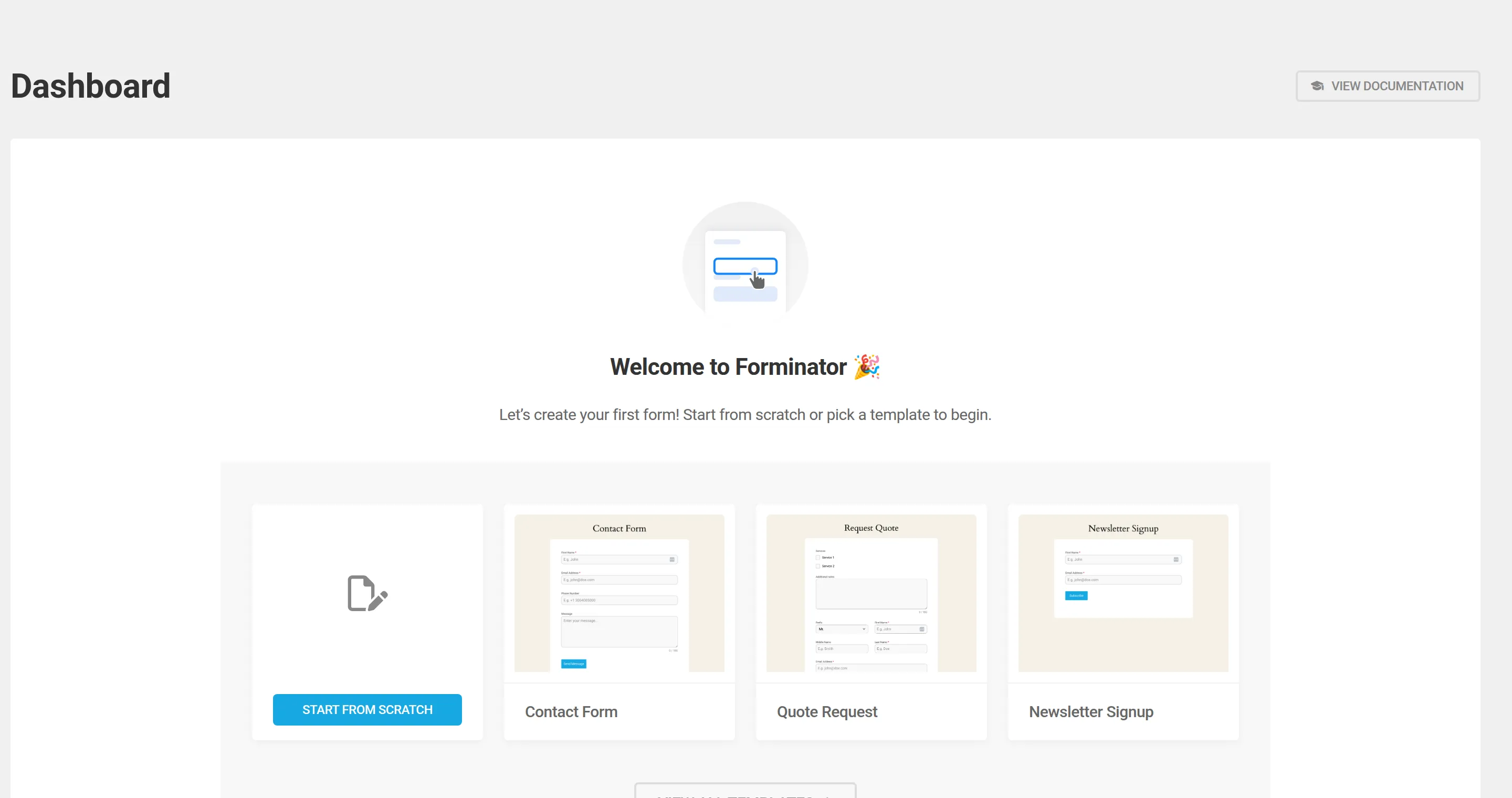
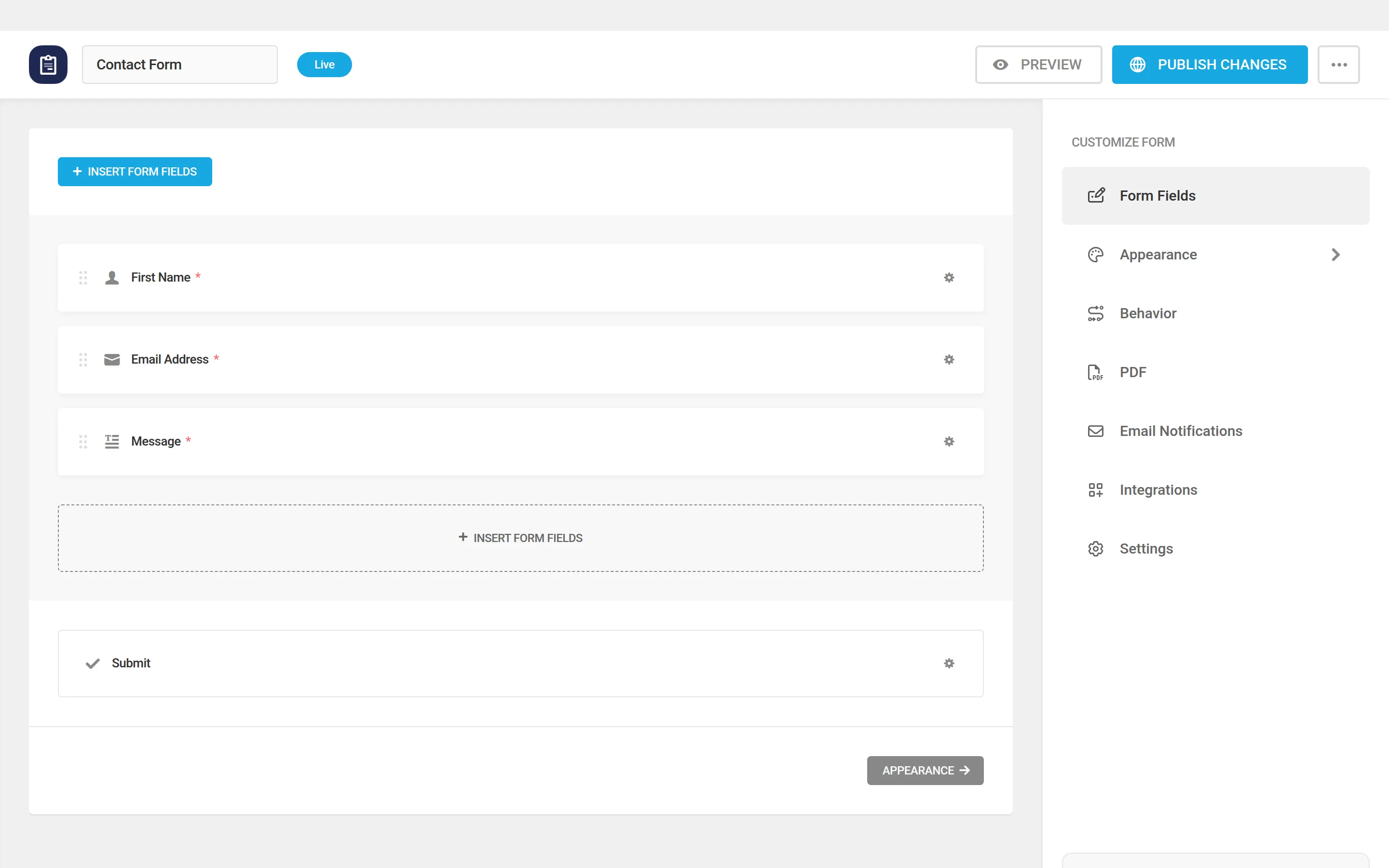
The contact template comes with an optional Phone field, and the Message box is optional too. It also saves as a draft, so nothing is live until you press Publish. With Phone removed and Message made required, I needed 17 clicks.
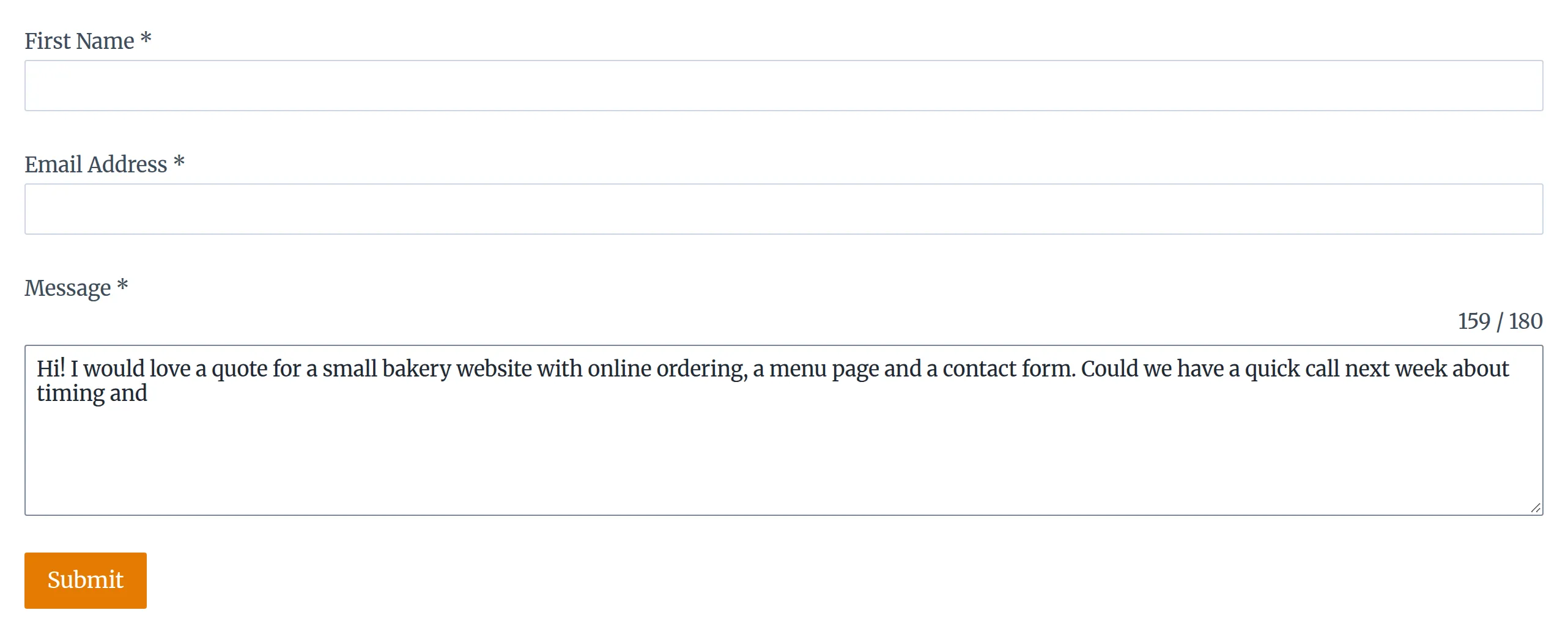
The surprise: messages are capped at 180 characters. The template’s Message box stops people after about 2 sentences, and your visitor sees a little “159 / 180” counter as they type. If you want longer messages, open the Message field’s settings and raise or remove the limit.
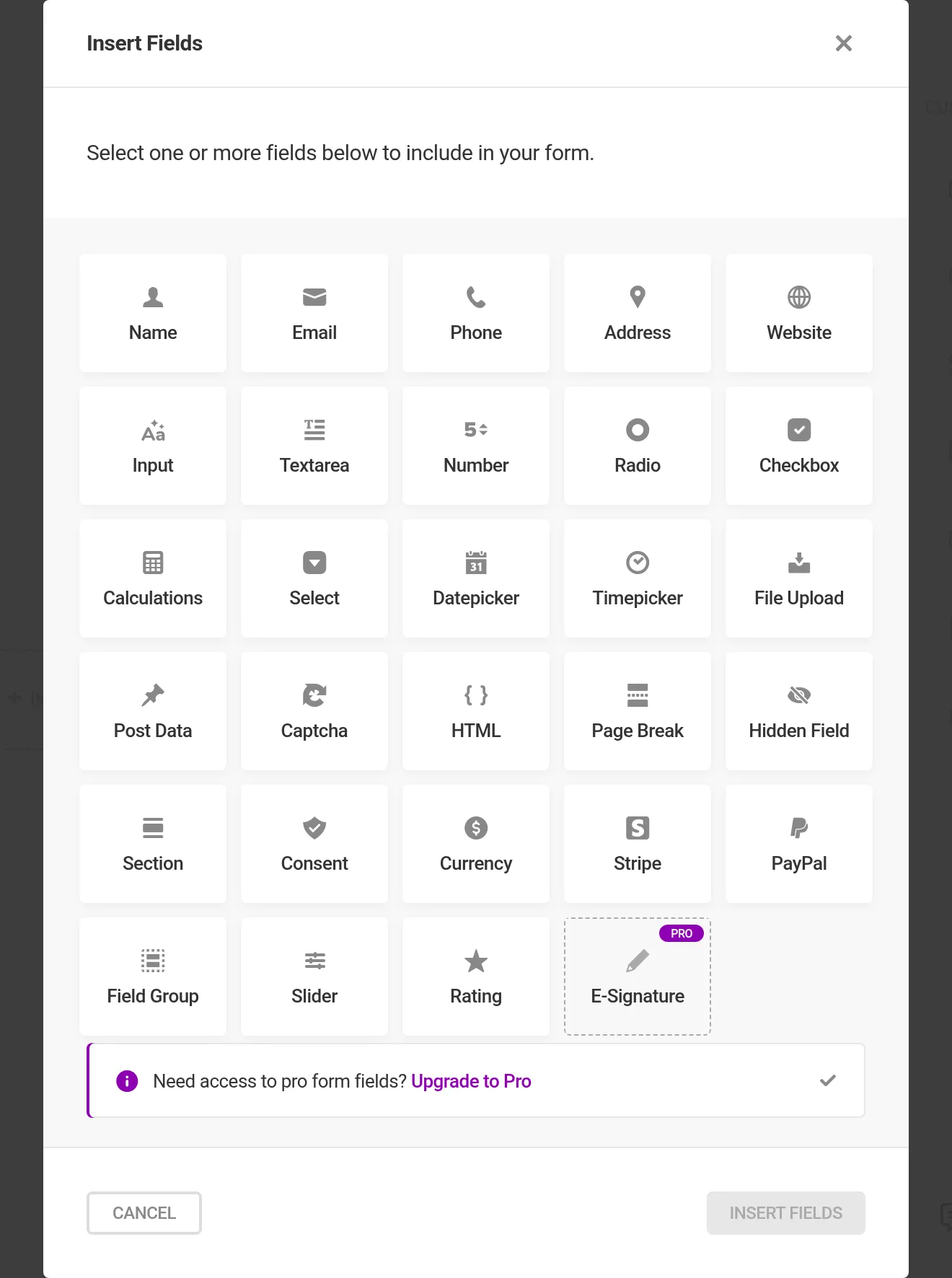
What’s free. All 12 jobs, including conditional logic, a Page Break field for multi-step forms, file uploads, and Stripe and PayPal fields. I searched its code for a payment fee and found none. Of 29 field types, only E-Signature is marked Pro.
What it adds to your site. The heaviest form page of the six: +511 KB across 12 extra files. But pages without a form were untouched. In the dashboard it added about 27 ms to each load, roughly 45% slower than the plain site, and it prints a 291 KB script into the Plugins screen.
The catch. The honeypot (a hidden field that catches spam bots) is off by default, so switch it on in the form’s settings. Deleting Forminator leaves its 8 tables and 33 settings behind unless you first turn on data removal under Settings > Data. And it had the most security reports of the six, which I’ll put in context below.
Best for: payments, multi-step forms and file uploads on a free plan.
2. Fluent Forms – saves every message, light on your dashboard
Fluent Forms is the one I’d pick if you want an inbox inside WordPress without slowing your dashboard down. Just don’t trust its email until you’ve set it up.
Setup. No wizard. It ships 2 demo forms, “Contact Form Demo” and “Subscription Form”, so there’s something to edit straight away.
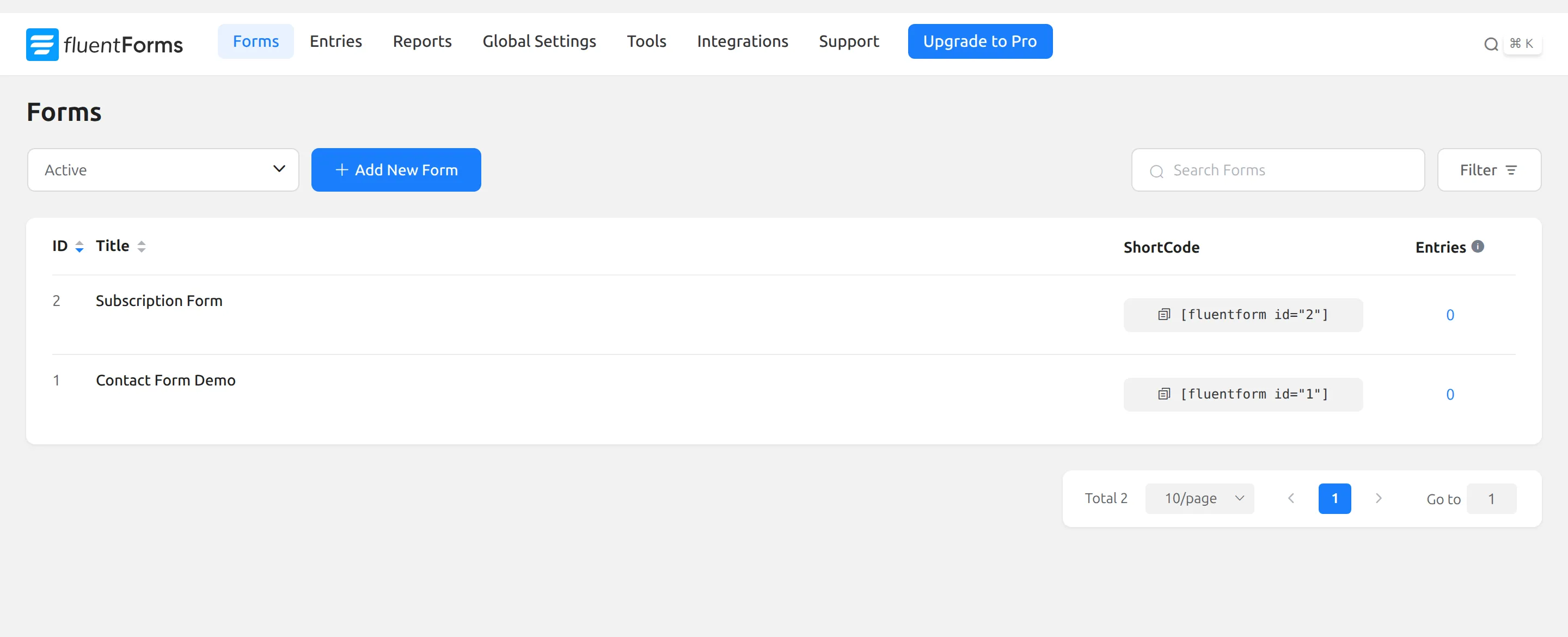
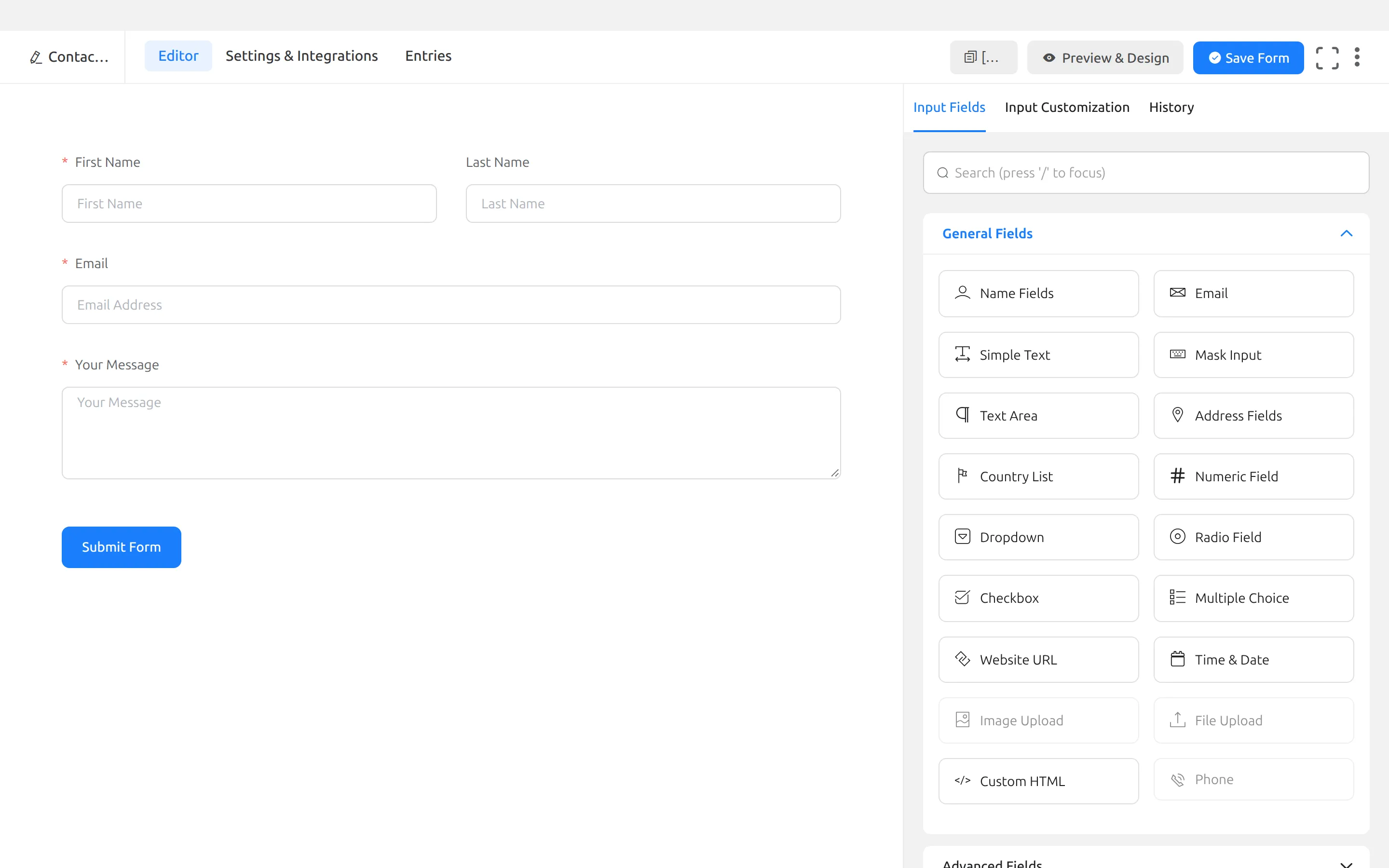
It took the most clicks of the six: 25. The demo has an extra Subject field and its name isn’t required, which took 9 clicks to fix. Then 8 more to build an email notification from nothing, because the demo doesn’t have one.
A small thing that confused me: the “Basic contact form” template’s preview picture shows no Subject field, but the form it creates has one.
What’s free. 10 of 12 jobs. You get saved messages, export to CSV, Excel, ODS or JSON, conditional logic on fields, a copy email to the visitor, CAPTCHA options and templates. Multi-step forms and file uploads are Pro, and 20 field types are locked in the builder.
What it adds to your site. +220 KB on the form page and nothing on other pages. The dashboard ran at the same speed as the plain site. It adds 12 database tables, the most of the six, and made 0 calls home.
The catch. Besides the missing email, its honeypot is off until you tick “Enable Honeypot” in Global Settings > Miscellaneous. Free Stripe payments carry a 1.9% Fluent fee on top of Stripe’s own. And Fluent has no uninstall routine at all: deleting it keeps all 12 tables, your entries included, with no switch to change that.
Best for: anyone who wants every message saved in WordPress and a quick dashboard.
For a deeper look at these two, I ran a full WPForms vs Fluent Forms free comparison.
3. Formidable Forms – the lightest drag-and-drop form page
Formidable made the lightest form page of the five plugins with a visual builder, and it keeps your messages.
Setup. It opens an onboarding wizard. The first step asks you to opt in to “updates, tips, and occasional offers” – nothing is pre-ticked, and Skip is right there. The second step suggests installing add-ons with 4 boxes already ticked: Spam Protection, Stripe Payments, Visual Styler and Save Entries. Those are features, not data sharing, and I skipped the step.
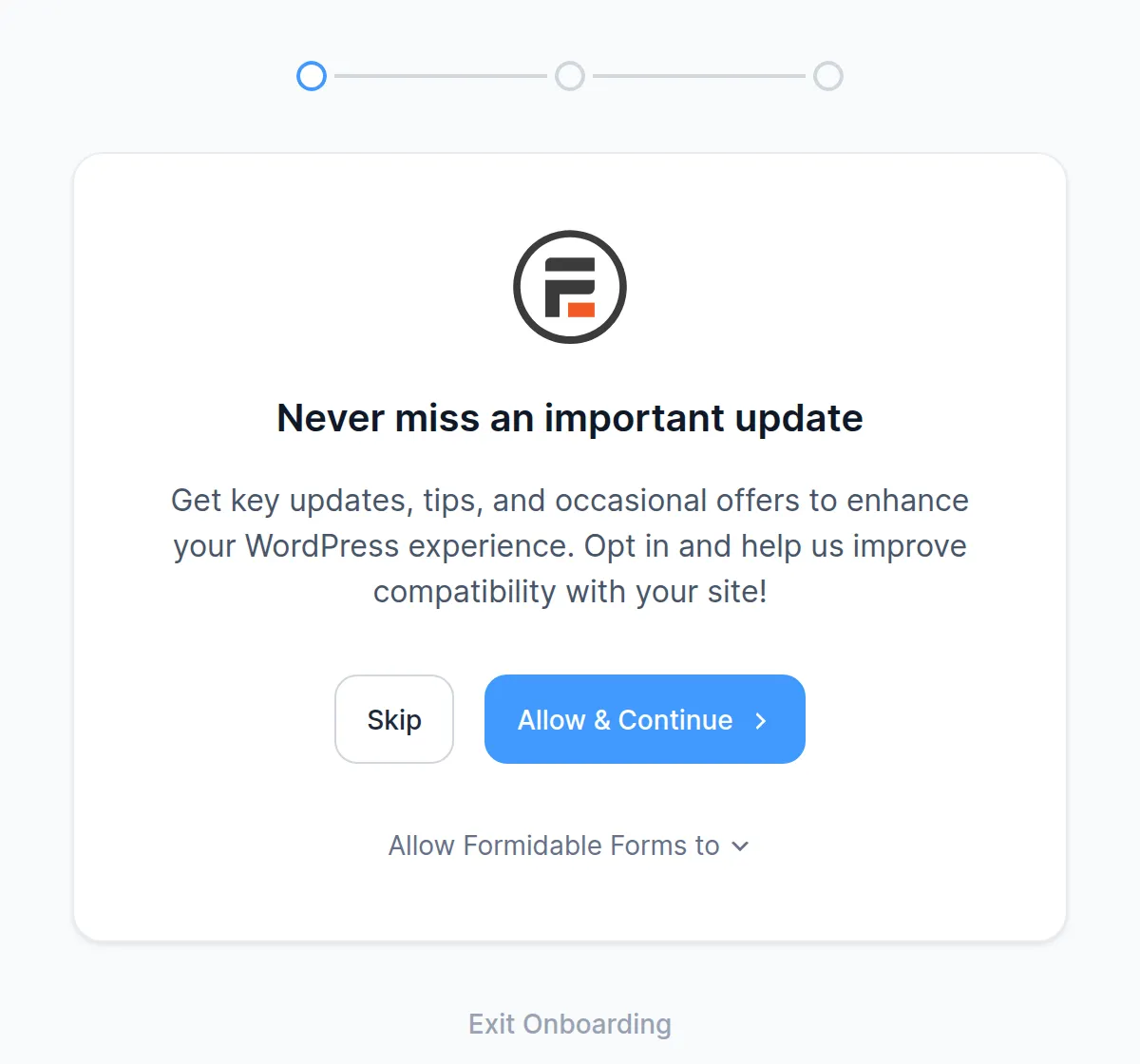
“Exit Onboarding” gets you out in 1 click. Its starter “Contact Us” form has Name, Last, Email, Subject and Message, so I only removed Subject. That delete saves instantly, and I was done in 14 clicks.
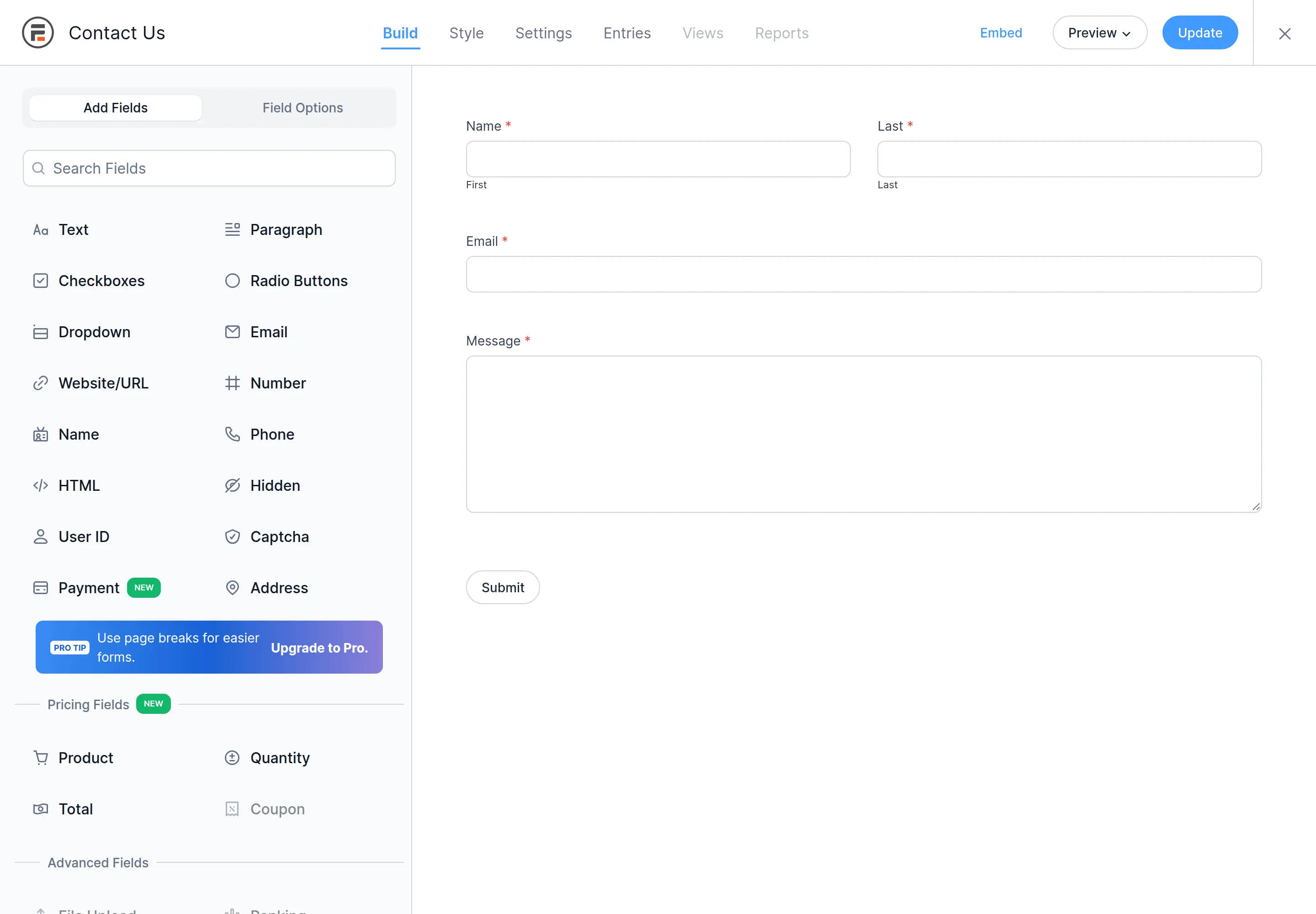
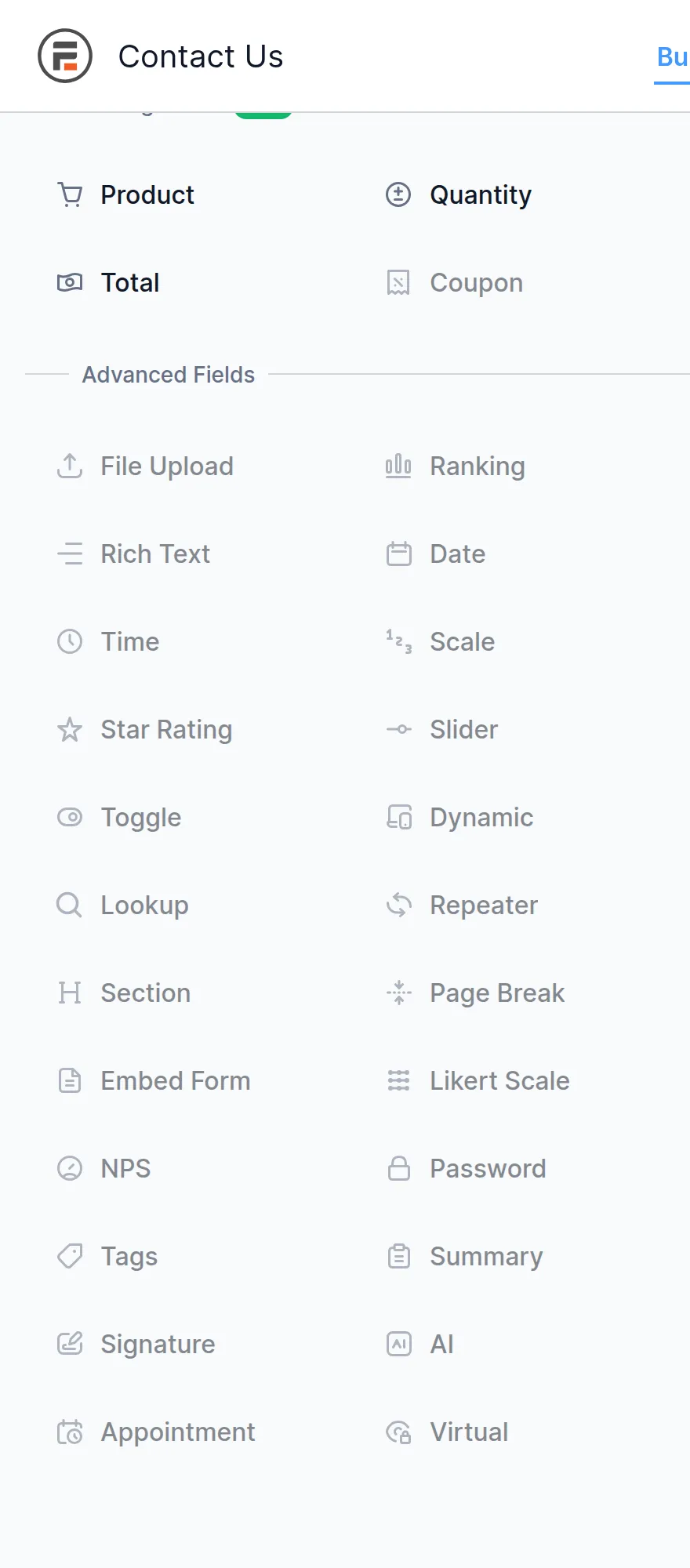
What’s free. 9 of 12 jobs. Messages are saved, and you can export them to CSV from Import/Export (the Entries screen itself has no export button). Conditional logic, multi-step forms and file uploads are Pro, and 25 of its 44 field types show as locked.
What it adds to your site. +194 KB on the form page. But its stylesheet also loads on every other page, adding about 43 KB where there’s no form. It also stores a 36 KB add-on catalogue that WordPress reads on every single page load. The dashboard was fine, and it made 3 calls home.
The catch. Stripe payments on the free version carry a 3% Formidable fee, and the Basic and Plus paid plans still pay it. You get a feedback survey when you deactivate. And that 36 KB catalogue stays behind after you delete the plugin, unless you tick the uninstall box in Global Settings > Misc first.
Best for: a light drag-and-drop form with saved entries.
4. Contact Form 7 – the lightest, if you can live without a builder
Contact Form 7 is the most installed form plugin on WordPress.org, with 10 million+ sites. It’s free with no paid version at all, and it was the cleanest plugin I tested.
Setup. Nothing to click through. It creates “Contact form 1” the moment you activate it. I got to a working form in 13 clicks.
But editing is different from the other five. There’s no drag and drop – you edit a text box full of tags like [textarea* your-message]. Buttons above it insert new tags for you, but you’re still looking at markup.
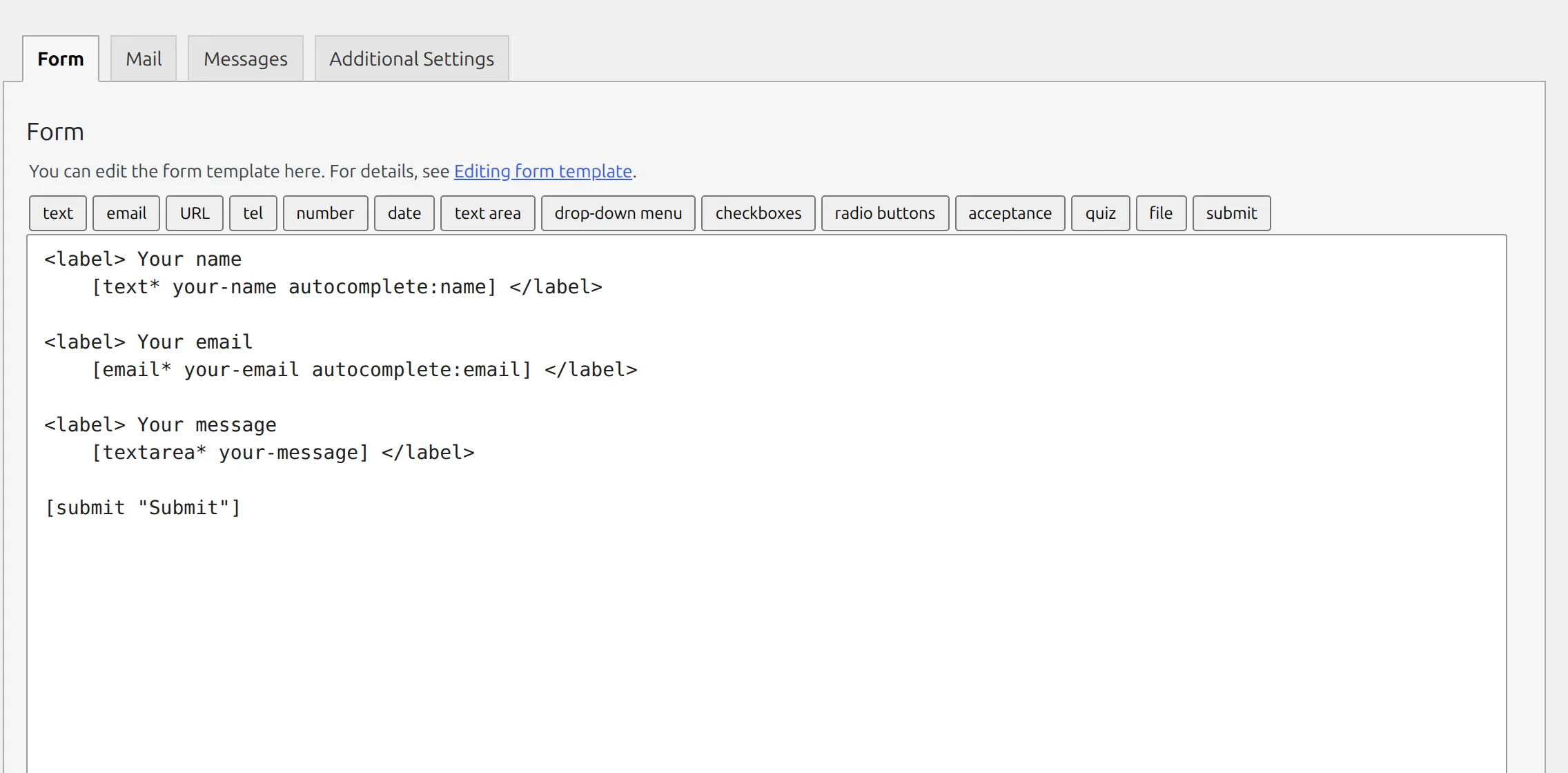
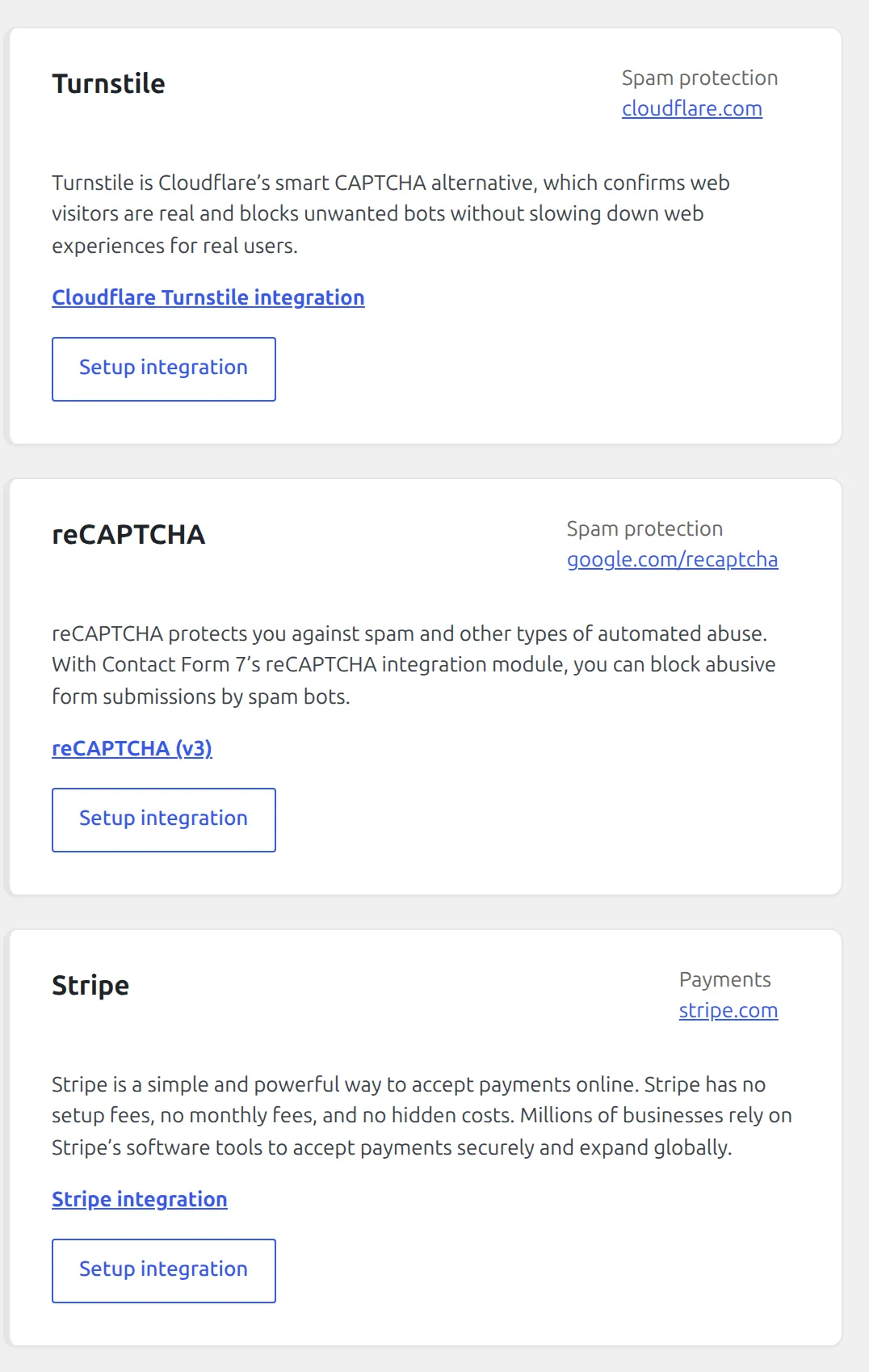
What’s free. 6 of 12 jobs, all built in: file uploads, a second email (“Mail (2)”) you can send to the visitor, Turnstile and reCAPTCHA, a consent checkbox and even a Stripe module. There’s no builder, no saved messages, no conditional logic and no templates.
What it adds to your site. The smallest form page by far: +44 KB. But it loads 5 files on every page of your site, form or not, which added about 41 KB to my test post. It adds 0 tables, 0 background tasks, no dashboard slowdown and made 0 calls home.
The catch. Out of the box there’s no spam protection at all until you add free Turnstile or reCAPTCHA keys. There’s the “[your-subject]” email I showed above.
And CF7 6.2, due in early October, needs PHP 8.3+ and WordPress 7.1+, so check your host before updating.
Best for: people comfortable with a little markup who want the smallest, cleanest plugin.
5. Ninja Forms – the easiest start
Ninja Forms had me live faster than anything else: 8 clicks from activation to a working form on a page.
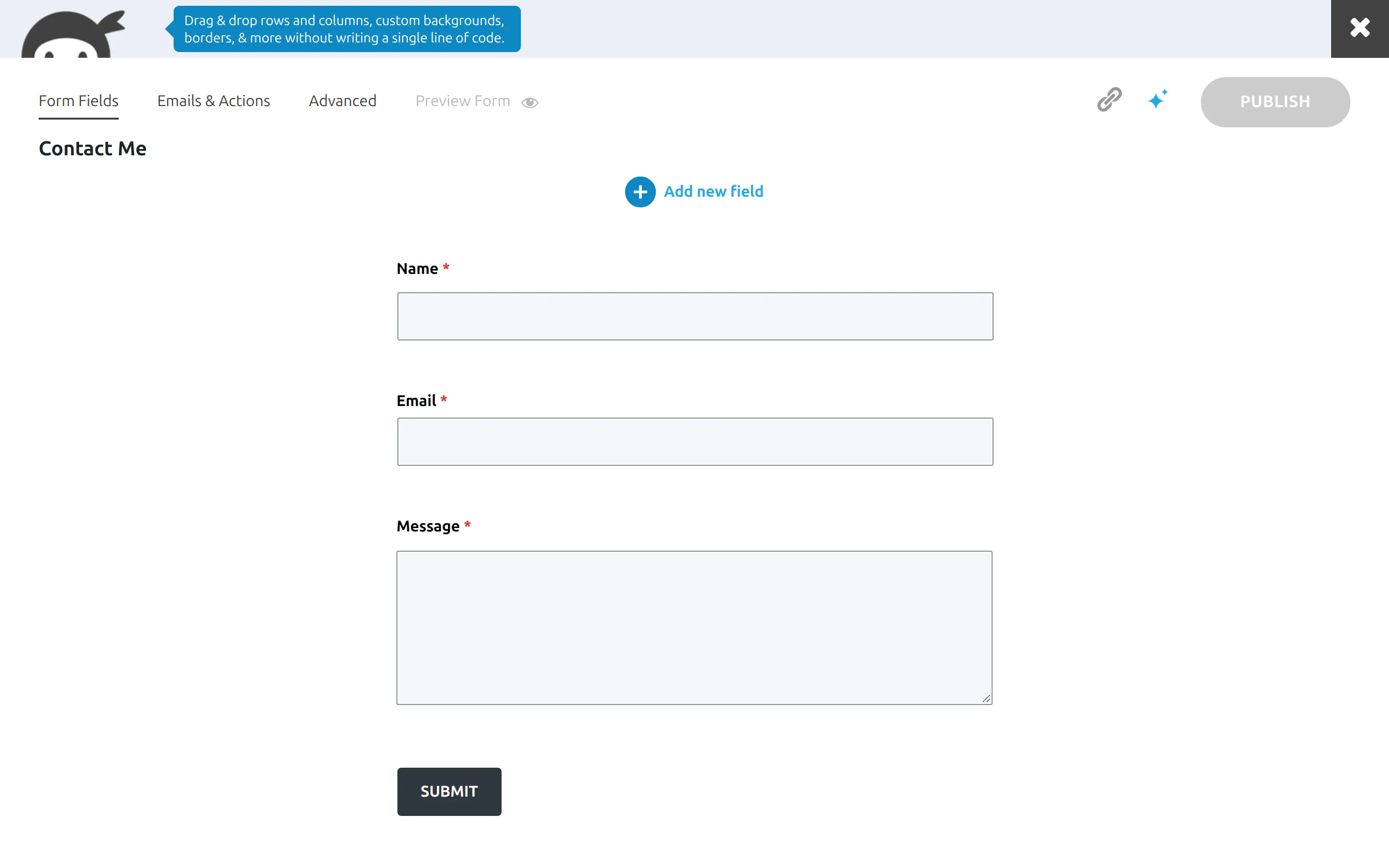
Setup. No wizard. It ships a “Contact Me” form with Name, Email and Message, all already required and already emailing the site owner. It was exactly my test form, so I didn’t edit anything. I only put it on a page.
What’s free. 8 of 12 jobs. It saves messages, exports to CSV, sends the visitor a copy by default, and has its honeypot switched on from the start. Conditional logic, multi-step forms, file uploads and all 5 payment options are paid add-ons. In the builder, 34 actions and 2 field types are greyed out.
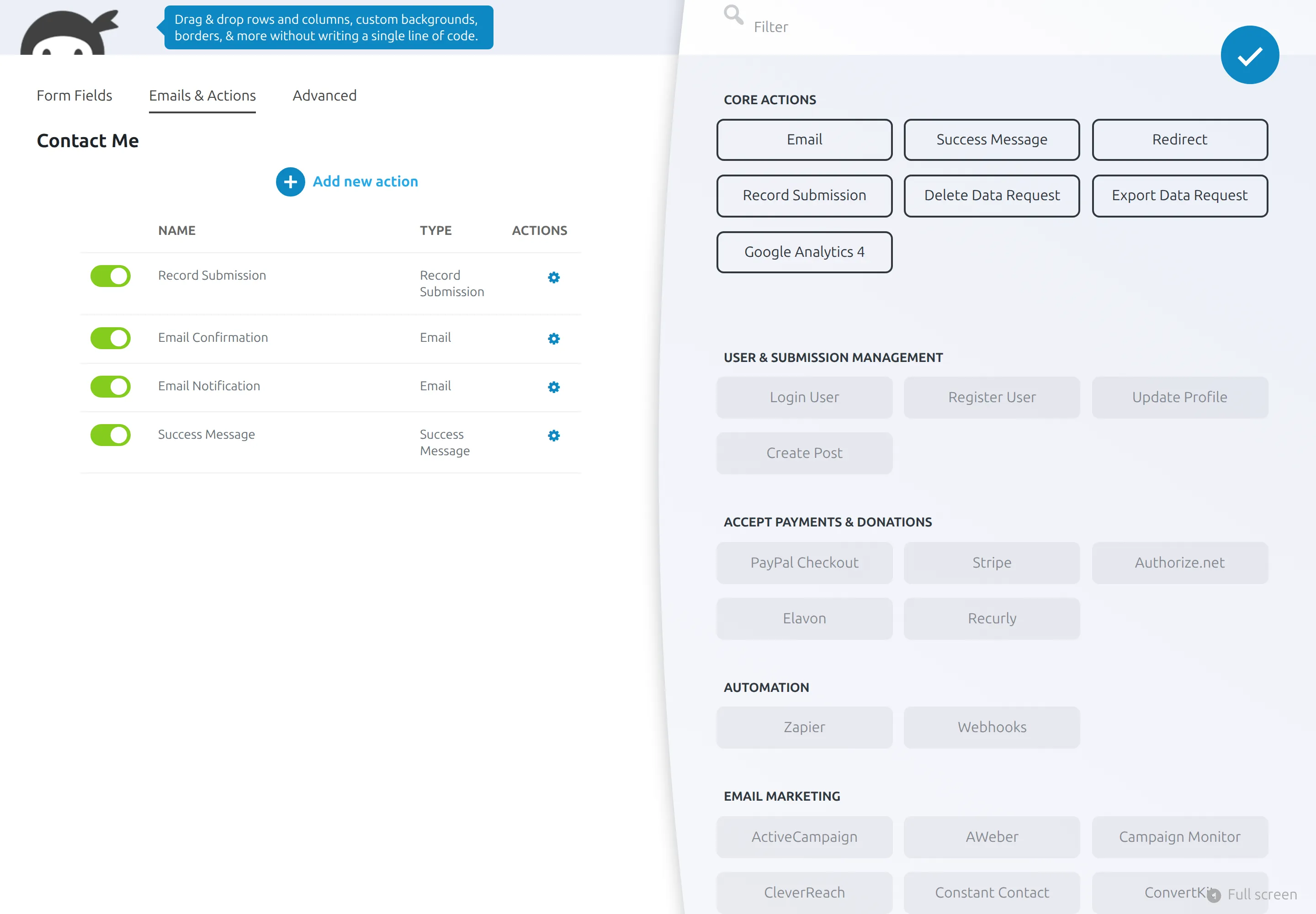
What it adds to your site. +395 KB on the form page. It was the only plugin that measurably slowed every page, adding about 15 ms even where there’s no form (I ran it twice to be sure). The dashboard ran about 30% slower, and it added 11 tables and 2 calls to its add-on feed.
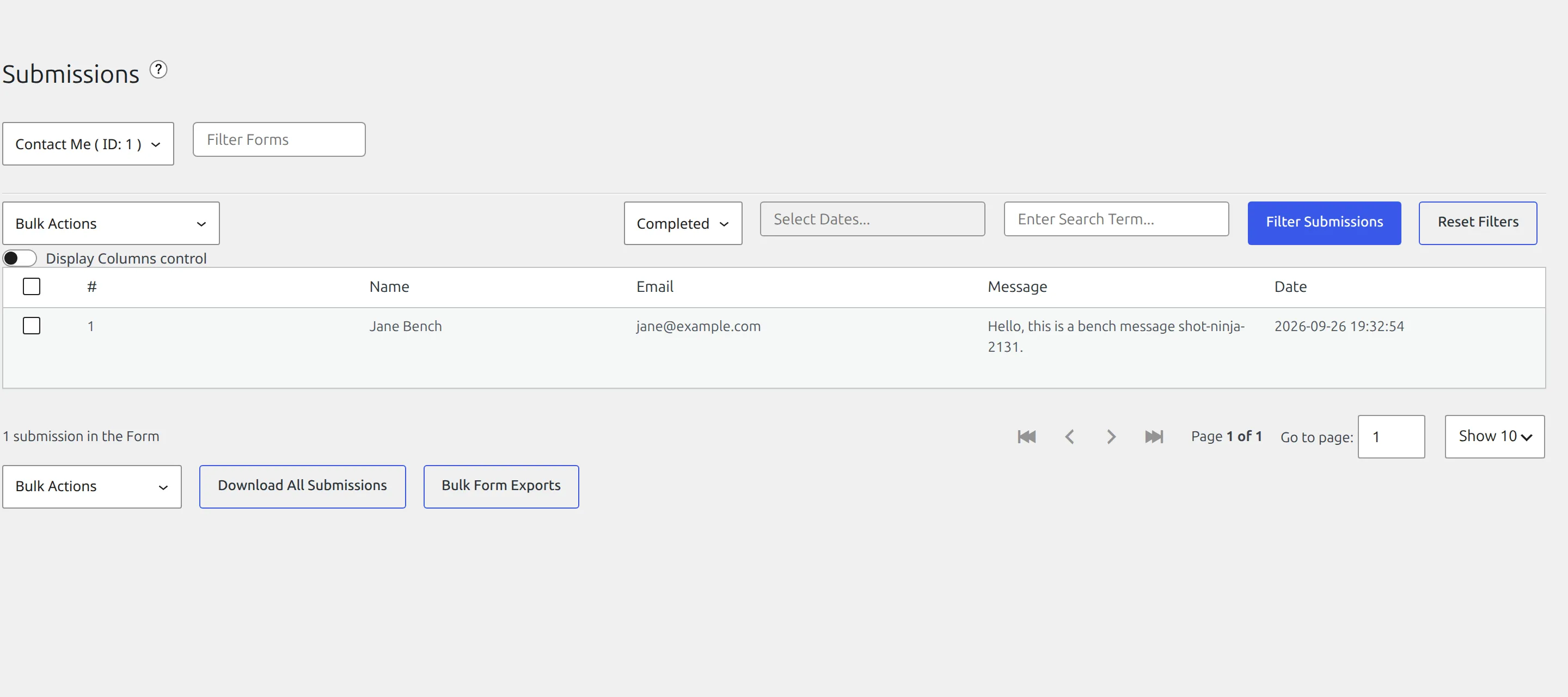
The catch. Deleting it leaves its 11 tables, settings and your submissions, plus 4 scheduled tasks that keep running, 2 of them marketing feeds. To remove everything, use Settings > Advanced > Delete All Data before you delete it. One of those tasks sends usage data only if you opt in – and Ninja never asked me.
Best for: getting a working contact form up in about 2 minutes.
6. WPForms Lite – polished, but it doesn’t keep your messages
WPForms Lite has the nicest onboarding of the six and 72 templates. But on the free version it didn’t keep a copy of my message, and it had the most upsells by a wide margin.
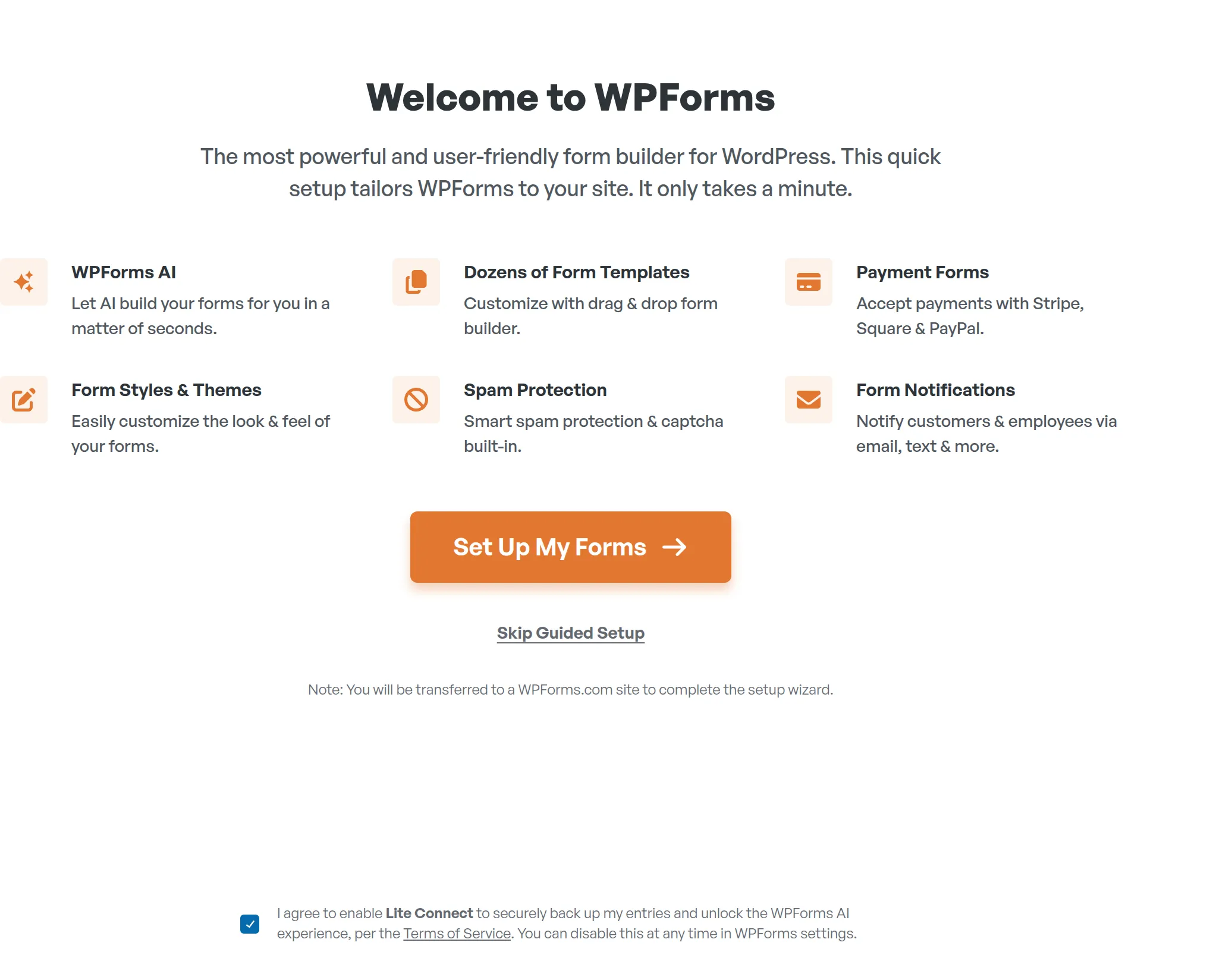
Setup. A full-screen “Welcome to WPForms” wizard opens on activation. At the bottom, the Lite Connect box is already ticked. It only takes effect if you click “Set Up My Forms”, so “Skip Guided Setup” is the 1-click way past it.
The builder then opens a welcome message and a “WPForms Challenge” tour with a 5-minute countdown, which covered the template picker until I dismissed it. Its contact template leaves the Message box optional, so I made it required. Total: 17 clicks.
What’s free. 6 of 12 jobs. You get a drag-and-drop builder, one notification email, CAPTCHA options, a consent field, templates and payments with a 3% fee. Only one notification is allowed, so there’s no copy to the visitor. And 26 of its 45 field types are locked.
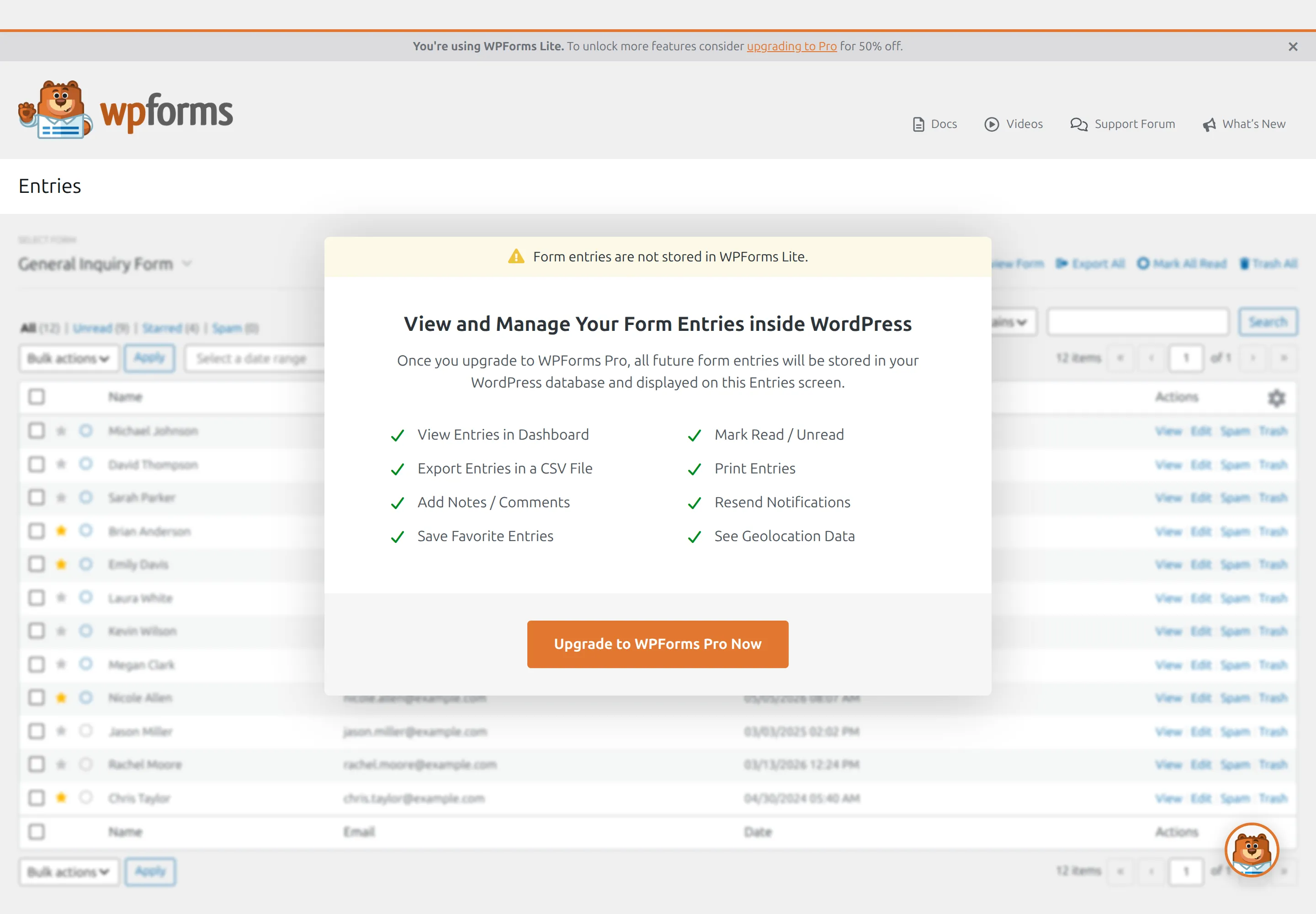
What it adds to your site. +384 KB on the form page, 11 tables, and a dashboard about 45% slower. It made 9 calls home during my test, including 2 to a PayPal signup address while the builder was open, though I never set up payments.
The catch. No stored messages, the 3% payment fee, and cleanup. Deleting WPForms keeps all 72 tables and settings unless you first switch on Settings > Misc > Uninstall WPForms.

Best for: people who plan to buy WPForms Pro. If that’s you, my WPForms vs Fluent Forms comparison goes deeper.
Which form plugin works the moment you turn it on?
Here’s what each plugin gave me before I changed a single setting:
| Forminator | Fluent Forms | Formidable | CF7 | Ninja Forms | WPForms Lite | |
|---|---|---|---|---|---|---|
| Starter form ready to use? | template, needs edits | demo, needs edits | remove 1 field | needs edits | yes | template, needs edits |
| Emails the owner? | yes | no | yes | yes | yes | yes |
| Saves the message? | yes | yes | yes | no | yes | no |
| Spam protection on? | no | no | yes | no | yes | yes |
| Block picks your form? | yes | no | no | no | no | no |
That last row surprised me. Five of the six blocks drop an empty “pick a form” box onto the page, even when you only have 1 form. Only Forminator’s block picked it for me.
Will a form plugin slow your site down?
Mostly on the page with the form, and less than you’d think anywhere else.
Pages without a form. Four plugins added nothing at all. Contact Form 7 loads 5 files everywhere, and Formidable loads its stylesheet everywhere.
The page with the form. Anywhere from 44 KB (CF7) to 511 KB (Forminator).
Server response. On the front end, most differences were within about 10 ms, which is inside the normal wobble between two test runs. Ninja Forms was the exception, adding about 15 ms on every page in 2 separate runs. The dashboard is where it showed: WPForms and Forminator made it about 45% slower, and Ninja about 30%.
If your site already feels sluggish, my guide on why your WordPress site is slow covers the bigger culprits.
One claim I checked. WPForms’ own “best form plugins” page says Fluent Forms loads “under 30KB” of CSS and JavaScript. That’s true for Fluent’s own files once compressed: 29 KB. But Fluent also loads jQuery, which my plain test page didn’t need, so a visitor downloads about 65 KB compressed in total.
What happens when you delete them?
Clicking Delete on the Plugins screen is how most people remove a plugin. Here’s what each one left behind:
| Plugin | Left after Delete | How to remove everything |
|---|---|---|
| Contact Form 7 | nothing | nothing to do |
| WPForms Lite | 11 tables, 61 settings | switch on Settings > Misc > Uninstall WPForms first |
| Forminator | 8 tables, 33 settings | turn on data removal in Settings > Data first |
| Ninja Forms | 11 tables, 18 settings, 4 scheduled tasks | Settings > Advanced > Delete All Data |
| Formidable | 5 tables, 29 settings, incl. the 36 KB catalogue | Global Settings > Misc uninstall checkbox |
| Fluent Forms | 12 tables, 18 settings | no option to remove it |
Leftover tables won’t break anything. But Formidable’s catalogue keeps loading on every page after the plugin is gone, and Ninja’s scheduled tasks keep firing with no code left to run them.
How safe are these form plugins?
Here are the security reports published for each plugin in the last 24 months: Forminator 34, Fluent Forms 22, Ninja Forms 22, WPForms 12, Formidable 8 and Contact Form 7 just 1. The scoring rules gave this 2 points, decided before I started.
But please don’t read that as a safety ranking. Plugins that take payments and uploads get the most attention from security researchers, and a high count often means problems are being found and fixed quickly. Every version I tested had all its known issues already patched.
What actually protects you is updating. Turn on auto-updates for your form plugin, and if you’re nervous about that, here’s how to update WordPress plugins without breaking your site.
What do they cost when you outgrow free?
Prices on each company’s site on 26 September 2026, in US dollars per year. Most are a discounted first year, then the full price:
| Plugin | Cheapest plan (sites) | First year | Renews at |
|---|---|---|---|
| Contact Form 7 | no paid version | – | – |
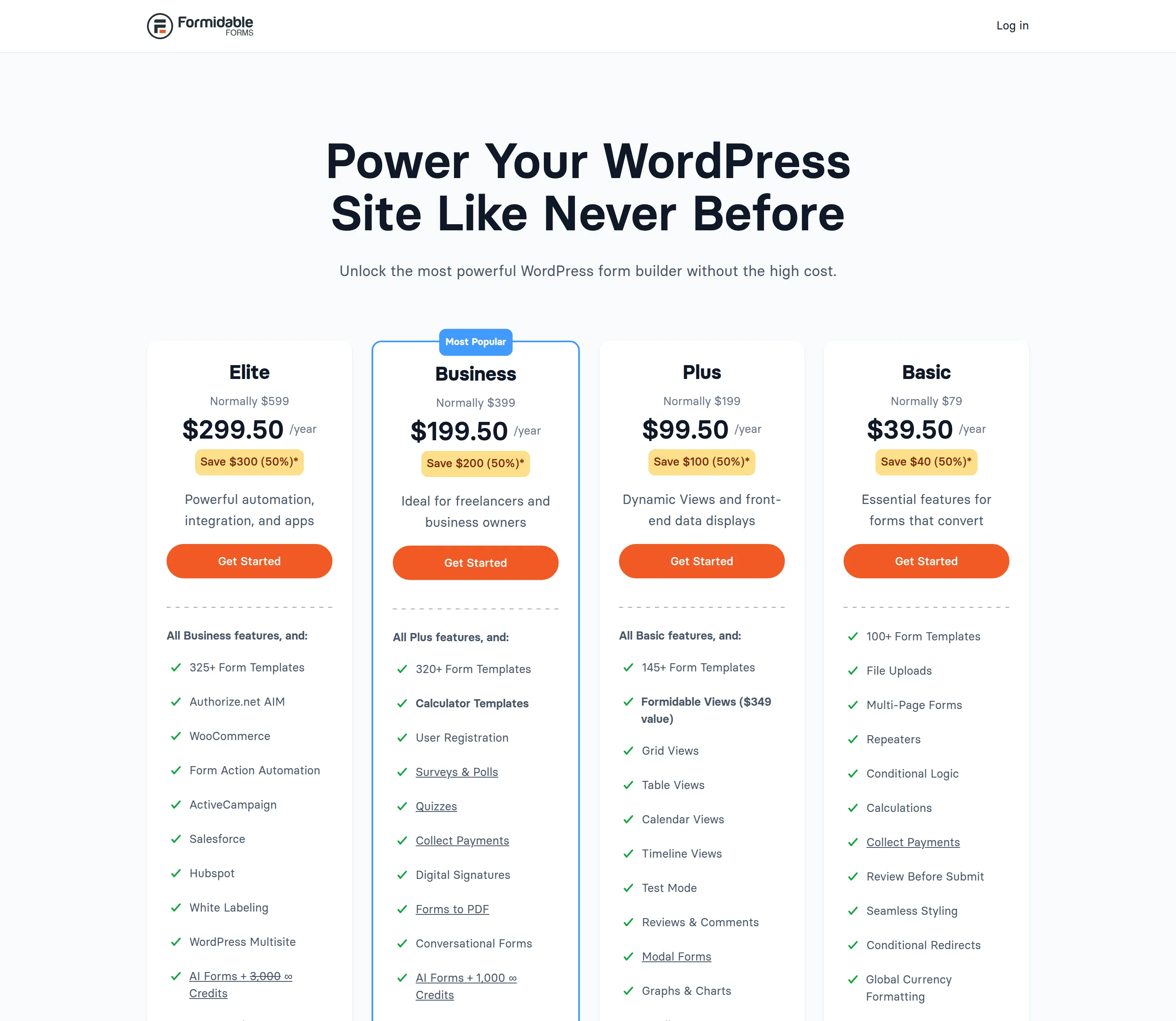
| Formidable | Basic (1) | $39.50 | $79 |
| WPForms | Basic (1) | $49.50 | $99 |
| Forminator Pro | Basic (1) | $50 | not shown |
| Ninja Forms | Plus (3) | $59.40 | $99 |
| Fluent Forms | Single (1) | $63 | $79 |
Fluent Forms is the only one with a lifetime option, from $279 for 1 site. Forminator Pro also comes as an unlimited-sites plan at $9.99 a month ($4.99 for the first 3 months).
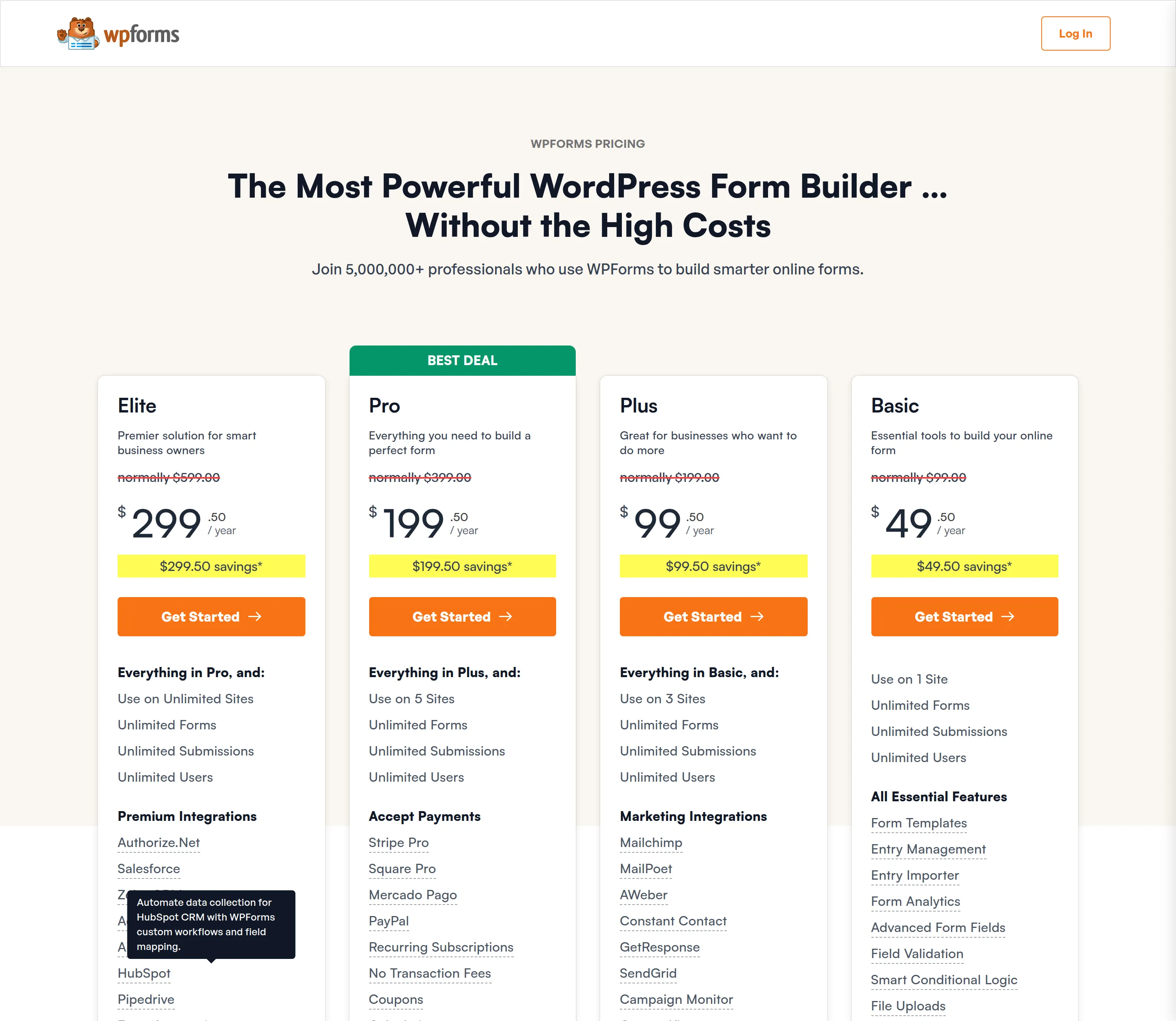
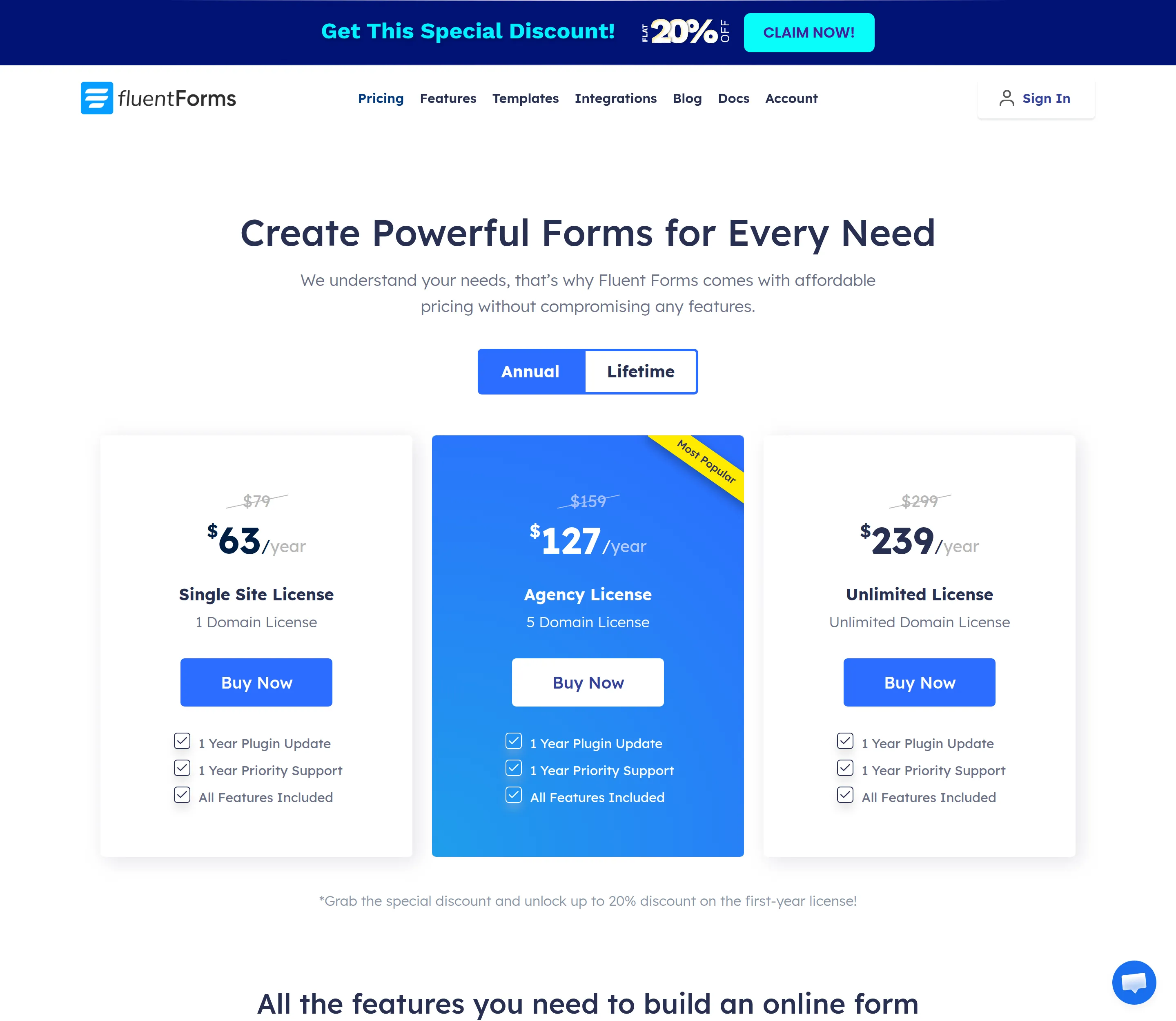
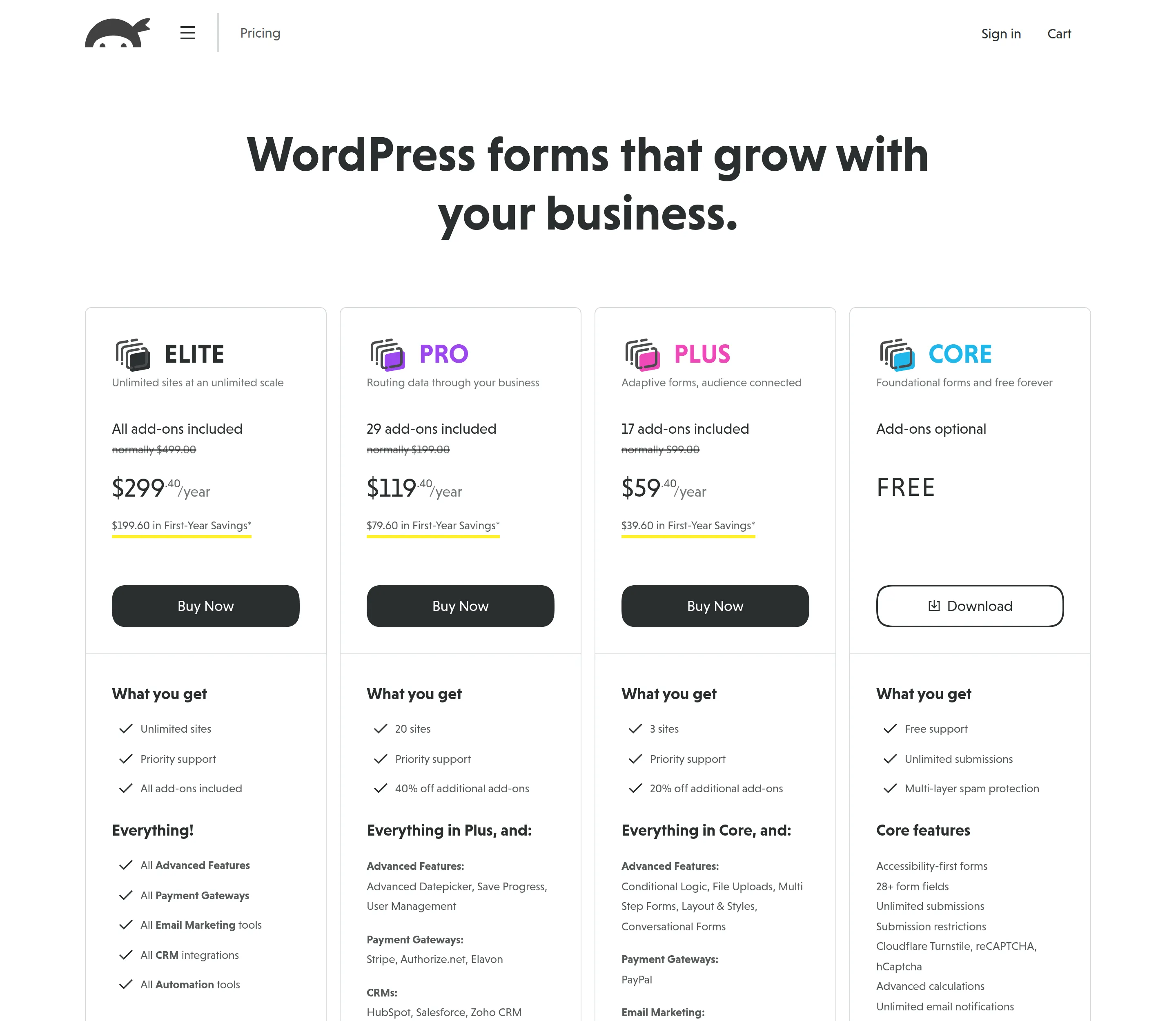
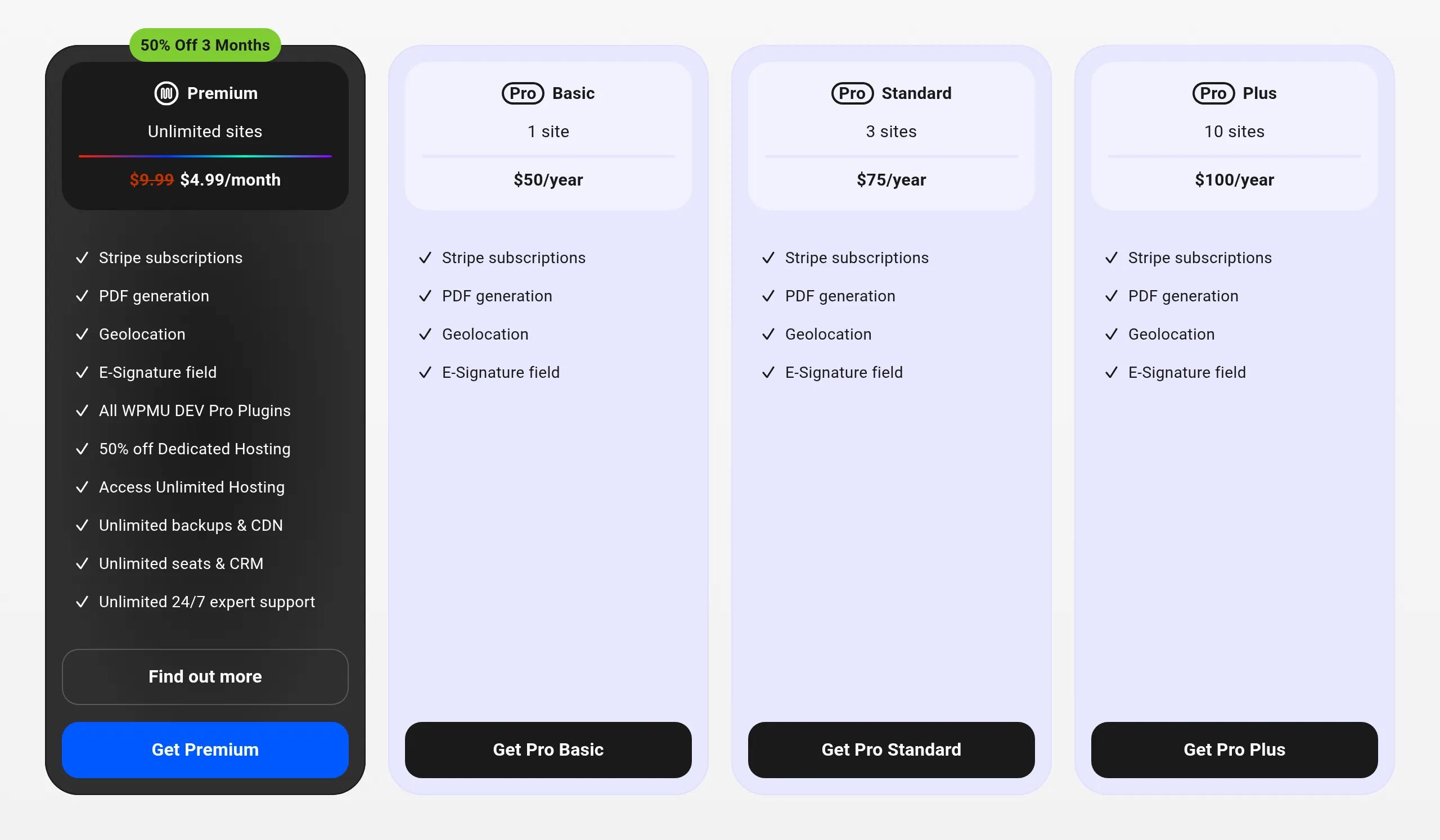
Payment fees on the free versions. This is the cost the other lists skip. On top of Stripe’s own fee, WPForms Lite takes 3%, Formidable Lite takes 3%, and Fluent Forms takes 1.9%. I found no fee in Forminator’s code or CF7’s, and Ninja Forms has no free payments at all. If you’ll take real money, that fee can cost more than a Pro licence.

Other free form plugins worth a look
I didn’t test these, so I can’t give you numbers, but they come up in other lists:
- SureForms – 500,000+ active installs but only 93 ratings when I checked, and it didn’t appear in the ranking lists I read.
- Everest Forms – 90,000+ installs, and its company runs one of the top-ranking “best form plugins” pages.
- WS Form LITE – came up in the ranking pages I checked, alongside Happyforms, weForms and JetFormBuilder.
So which free form plugin should you pick?
- Pick Forminator if you need payments, multi-step forms or file uploads for free. Raise the 180-character message limit and switch on the honeypot.
- Pick Fluent Forms if you want every message saved and a fast dashboard. Add an email notification before you publish.
- Pick Ninja Forms if you want the quickest start. Its default form is ready in 8 clicks.
- Pick Contact Form 7 if you want the lightest plugin and don’t mind tags. Add Turnstile keys, and consider Flamingo to save messages.
- Pick Formidable if you want a light drag-and-drop form with saved entries, and don’t need conditional logic.
- Pick WPForms Lite only if you plan to buy WPForms Pro.
If you’re setting up a new site, my best free WordPress SEO plugins roundup was tested the same way.
Frequently asked questions
Is WPForms free?
WPForms Lite is free, and it did 6 of my 12 test jobs. But it doesn’t keep a copy of your messages in WordPress – you only get the email. Payments carry a 3% fee, and saved entries, file uploads and conditional logic need a paid plan from $49.50 a year.
Is Contact Form 7 free?
Yes, completely. There’s no paid version. It includes file uploads, CAPTCHA and even Stripe, but it has no drag-and-drop builder and doesn’t save messages unless you add the separate Flamingo plugin.
Which free form plugin has conditional logic?
Forminator and Fluent Forms, in my test. Both let you show or hide a field based on another answer in their free versions. In Formidable, Ninja Forms and WPForms Lite it’s a paid feature, and Contact Form 7 doesn’t have it.
Which free form plugin allows file uploads?
Forminator and Contact Form 7. Fluent Forms, Formidable, Ninja Forms and WPForms Lite all lock the file upload field behind a paid plan or add-on.
Does Contact Form 7 save form submissions?
No. Its own screen says it “does not store submitted messages anywhere”. In my test, the message was in 0 database tables. The only copy is the email, so install Flamingo if you want a backup.
Why is my WordPress contact form not sending emails?
First, check the form actually has an email set up. Fluent Forms’ demo form has no email notification at all, so it sends nothing until you add one. If the email is set up and still doesn’t arrive, the usual cause is your host’s mail setup, and an SMTP plugin fixes it.
Forminator vs Fluent Forms – which is better?
Forminator does more for free (12 of 12 jobs, including uploads and multi-step forms) and has no payment fee I could find. Fluent Forms is much lighter: a 220 KB form page against 511 KB, and no dashboard slowdown. Pick Forminator for features, Fluent for speed.
Will a form plugin slow down my site?
Barely, in my tests. Four of the six added nothing to pages without a form, and front-end differences were mostly within 10 ms. Ninja Forms added about 15 ms to every page. The bigger hit was in the dashboard, where WPForms and Forminator made it about 45% slower.