Sports API Hub Review: I Imported a Full NFL Season and Measured It
If you want live NFL scores, box scores and standings on a WordPress site without typing them in by hand, your options come down to about three. Sports API Hub is one of them. Sports API Hub is ours.
So let me be useful instead of flattering. I installed it on a clean test site, imported the entire 2025/26 NFL season – all 285 games including the playoffs – and measured what happened. The plugin broke partway through, I found out why, and the fix shipped the same day. All of that is below.
The short version. The plugin is the cheap part. You’ll pay $119 a year for it and $19.99 a month for the data feed it needs, which is $358.88 for your first year. The plugin is a third of that. If you were hoping to spend $119 and be done, this review is going to disappoint you, and I’d rather do it now than after you’ve paid.
Get it if you want a real sports statistics site and you’ve accepted the API bill. Skip it if you only want an NFL archive with no live scores – there’s a free route for that, and I’ll point you at it near the end.
What Sports API Hub actually does
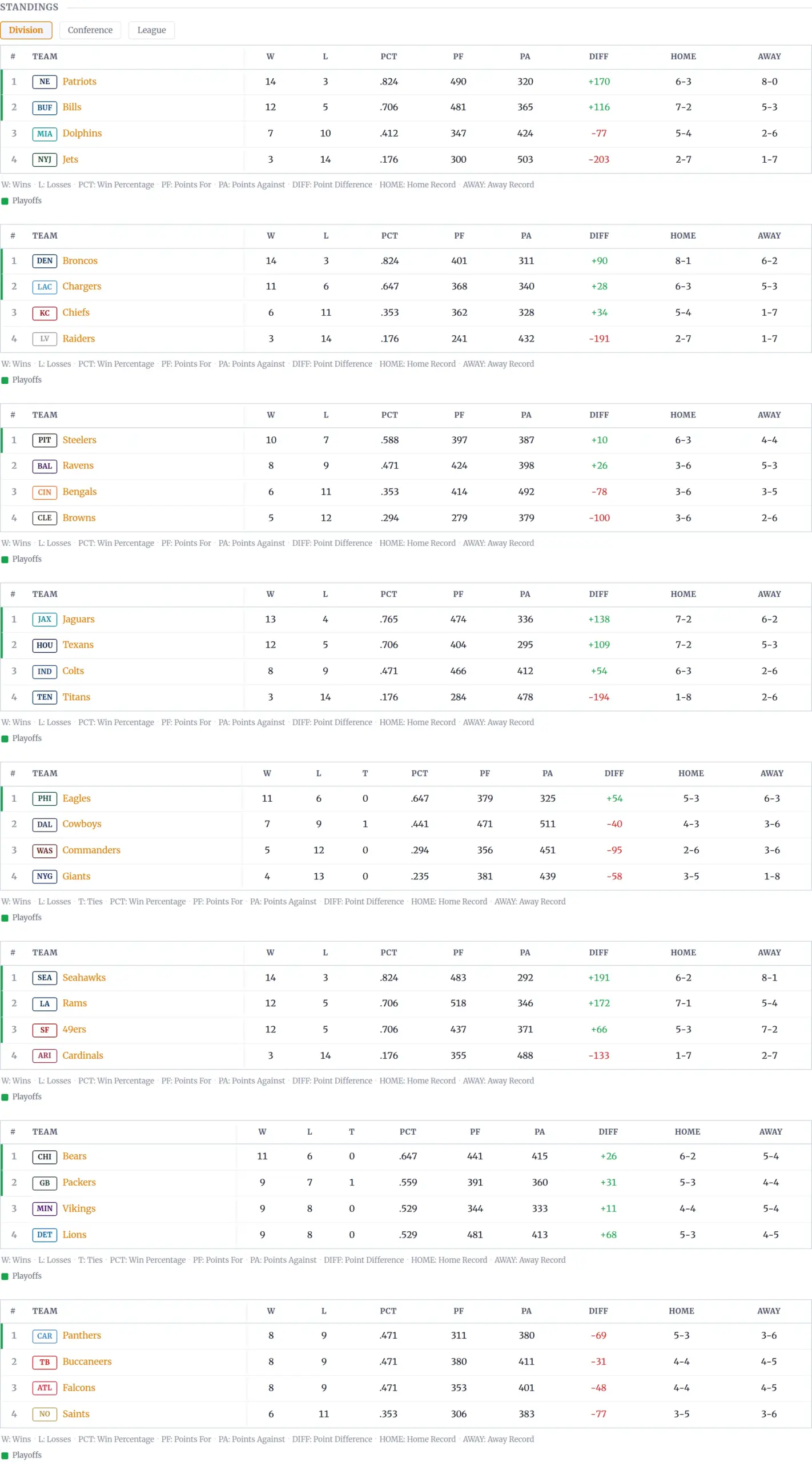
It connects WordPress to a commercial sports data feed and copies the data into your own database. Games, teams, players, standings, box scores, play-by-play. Once it’s in, it’s yours – it renders from your database, not by calling somebody’s API every time a visitor loads a page.
That last bit matters more than it sounds. A plugin that phones an API on page load is a plugin that goes down when the API does, and gets slow when the API is slow. This one imports on a schedule and serves from local tables.
It covers eight sports. I only tested American football, because that’s the one I can check against sources I already trust.
How I tested this
Everything below was measured on a local site, not read off a feature list.
- Sports API Hub 1.3.4, then 1.3.5 (both released 8 September 2026)
- WordPress 7.1, PHP 8.3.33, Kadence theme
- Only one other plugin active, so nothing else muddied the numbers
- Data feed: AllSportsAPI2 Pro on RapidAPI, the $19.99/month plan
- Target: NFL 2025/26, a season that has finished, so every game has a real box score
I took a baseline of the clean site first, installed the plugin, measured again, then imported the season and measured a third time. I ran the import three times in total. Where I quote a number, I ran it at least twice.
How much does a full NFL season cost to import?
This is the number nobody publishes, so here it is.
A complete NFL season is 1,161 API calls and takes about 11 minutes. I ran it twice on the fixed version and got 1,161 calls in 639 seconds, then 1,163 calls in 656 seconds. That’s close enough to trust.
It breaks down as almost exactly four API calls per finished game – one for the game, one for the lineups, one for the team statistics, one for the play-by-play – plus 13 calls to set up the league and season. 285 games times four, plus 13, is 1,163.
The import pulled down 30.6 MB of JSON to do it.
Why you should care: the free tier of the data feed allows 50 requests a day. A season needs 1,161. You’re not importing a season on the free tier, not in a day and not in a month. The free tier is for looking around, and anyone who tells you otherwise hasn’t tried it.
Setting it up
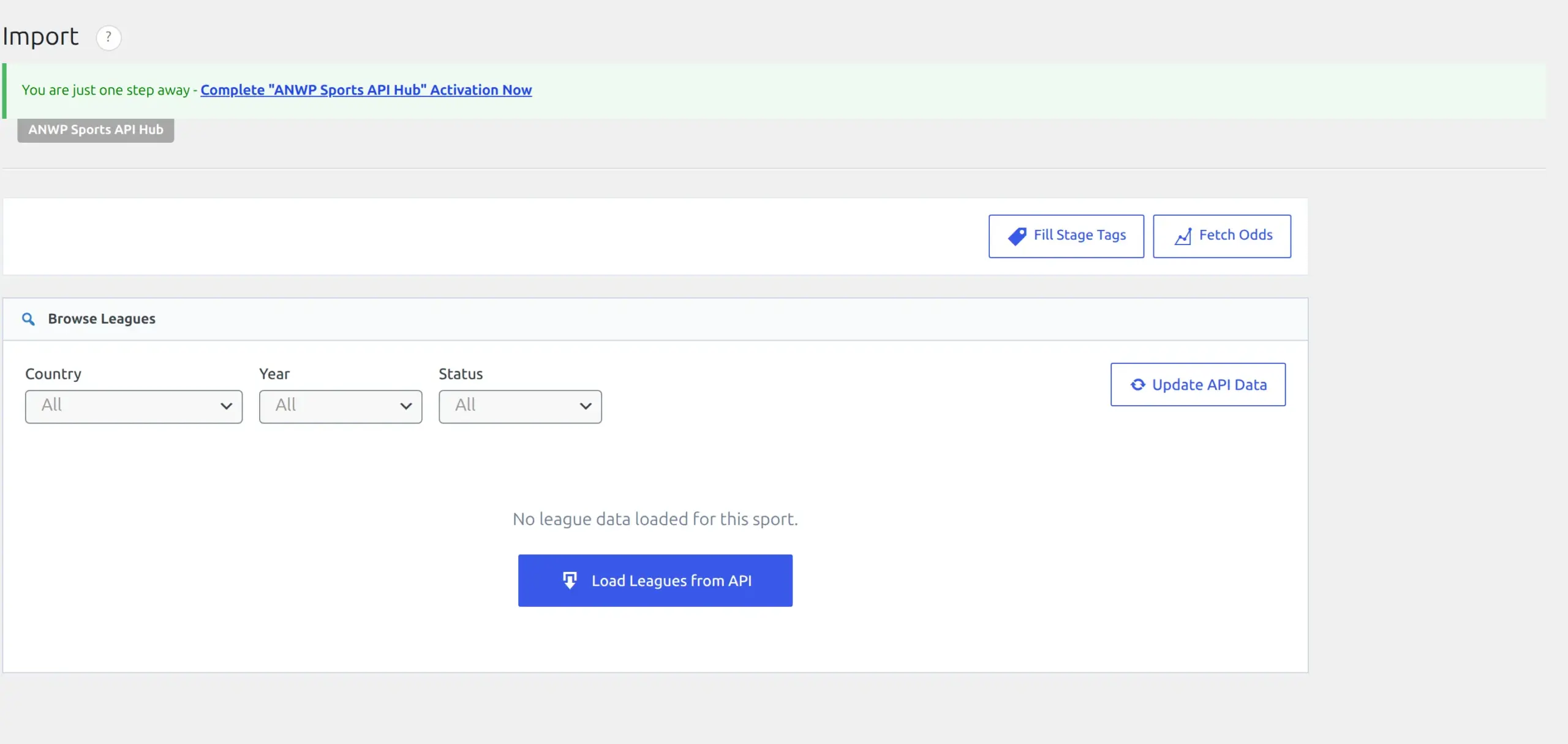
Installation is a normal plugin upload. After that you need a RapidAPI key, which means an account with RapidAPI and a subscription to the data feed. That’s a separate signup from buying the plugin, and it’s the step most people won’t be expecting.
You paste the key into API & Import, pick your provider and your sports, and press Test Connection.
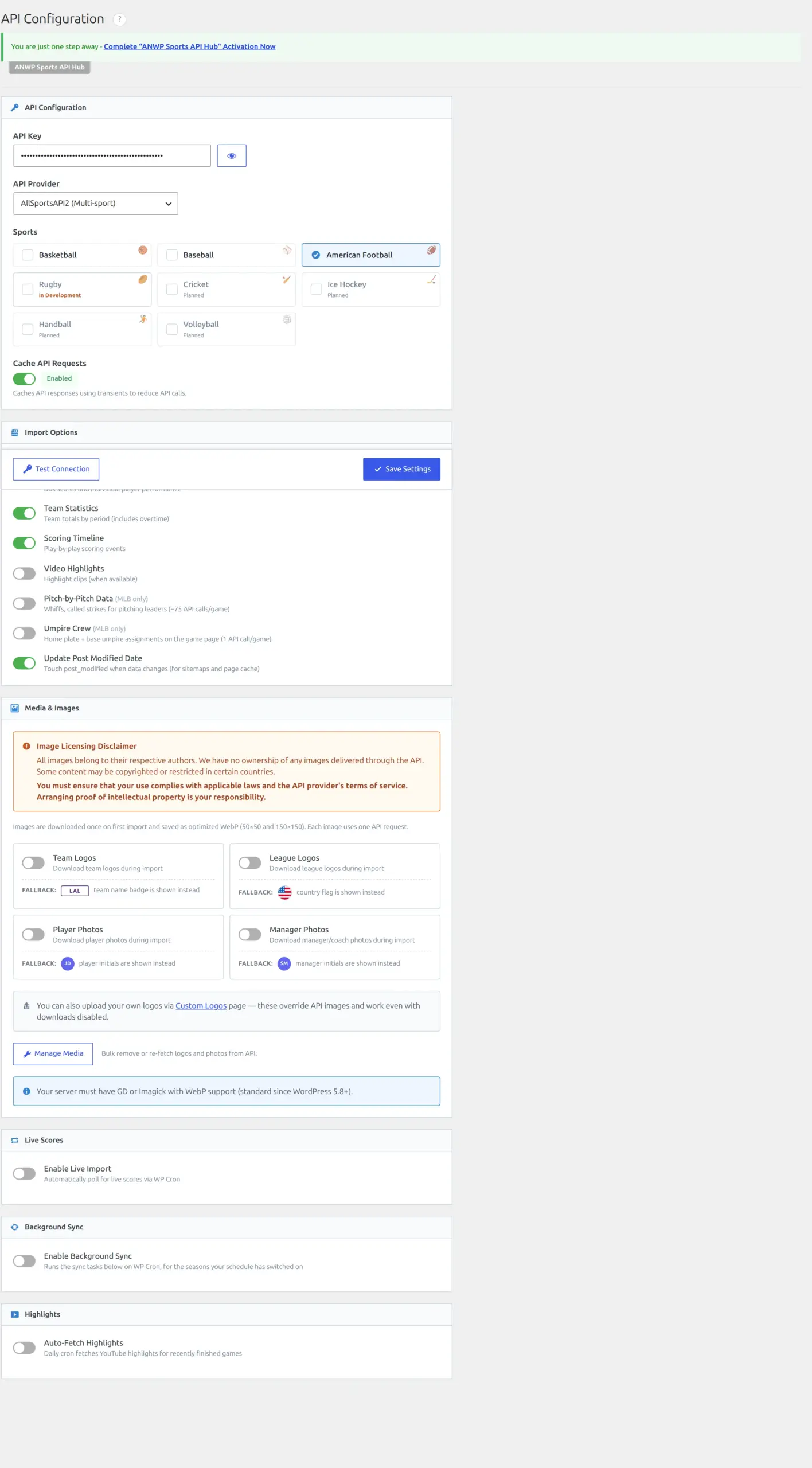
One thing worth knowing before you choose. There’s a cheaper American-football-only feed at $9.99 a month instead of $19.99. If you pick it, you lose bulk odds – I read that out of the plugin’s own code, where the odds request refuses to run on any feed except the main one. The provider setting is also site-wide, so you can’t run American football on the cheap feed and basketball on the other one at the same time.
What it adds to your WordPress site
Here’s the measured cost of turning it on and importing one season, against a clean baseline.
| Clean site | After a full NFL season | |
|---|---|---|
| Database tables | 19 | 40 |
Rows in wp_posts | 116 | 2,600 |
Rows in wp_postmeta | ~281 | 5,251 |
| Scheduled tasks | 16 | 18 |
| Front-end page size | 96,990 B | 97,631 B |
It creates 21 database tables the moment you activate it, before you import anything. That includes stats tables for baseball and basketball even if, like me, you only ever selected American football. They sit there empty, costing about 496 KB.
The bigger number is wp_posts. The plugin gives every game, team, player, venue and manager a real WordPress page, so one NFL season added 2,484 posts to a site that had 116. That’s roughly 22 times bigger. It’s a defensible design – it’s why every player gets a proper URL and template – but it’s your posts table, and you should know it’s coming.
It also parks about 35 MB of cached API responses in your options table. Before you panic: none of it is autoloaded, every entry expires within 24 hours, and WordPress clears them on its own daily schedule. On a site with a proper object cache it never touches the database at all. It’s a day of clutter, not permanent bloat.
The one front-end cost I’d want fixed
The plugin loads a 214 KB stylesheet on every single page of your site, whether that page has sports content or not. I measured it on a recipe post. It compresses to 33 KB over the wire, which softens it, but it’s still 2.26 times the size of the entire HTML document it’s decorating, on a page that uses none of it.
The JavaScript is handled properly – it’s 774 bytes and only loads when a setting calls for it. The stylesheet has no such check. If you care about why WordPress sites get slow, that’s the line item here.
In fairness, the server-side cost is nothing. I measured page generation time with the plugin on and off, 41 requests each way, twice. The difference was smaller than the noise between runs – one measurement with the plugin active came in faster than one with it switched off. It costs you a stylesheet, not server time.
What the pages actually look like
This is where the money goes, and it’s genuinely good.
A game page carries the score header, top performers, a full box score, team statistics and play-by-play. The play-by-play is the one that surprised me – it lists scoring drives with the clock and the running score, which is the kind of detail I expected to be missing at this price.
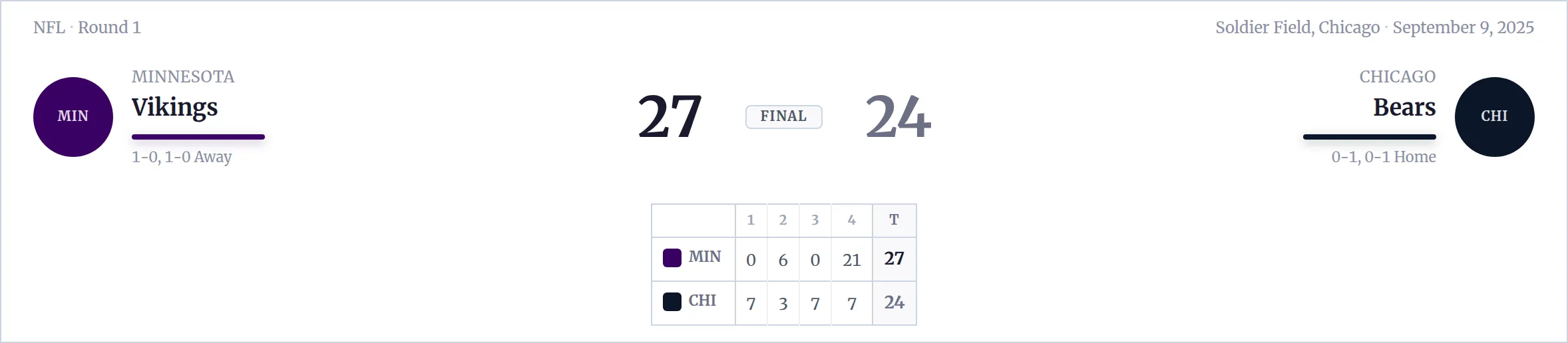

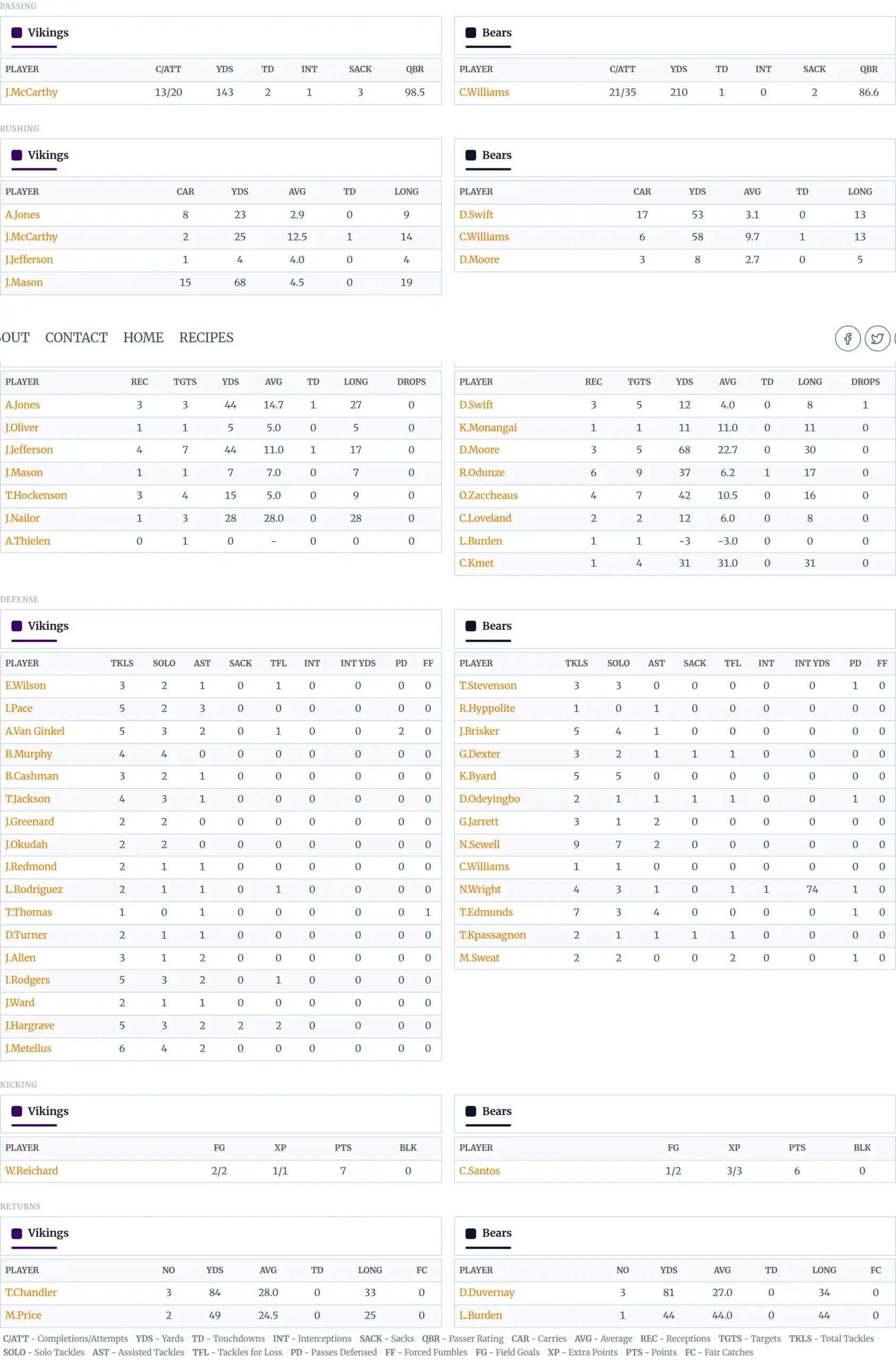
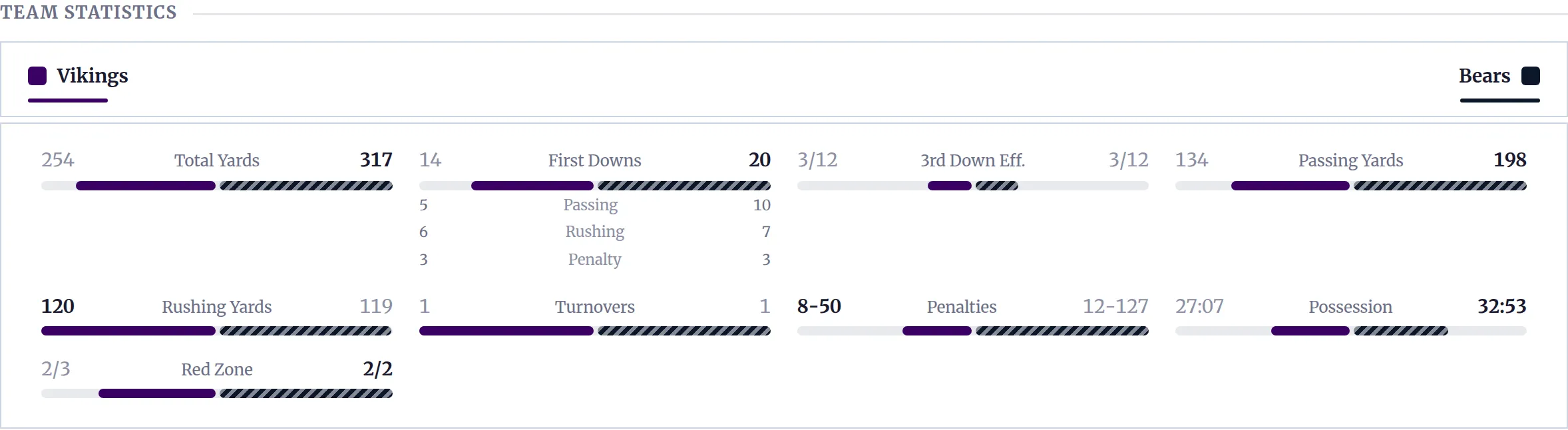
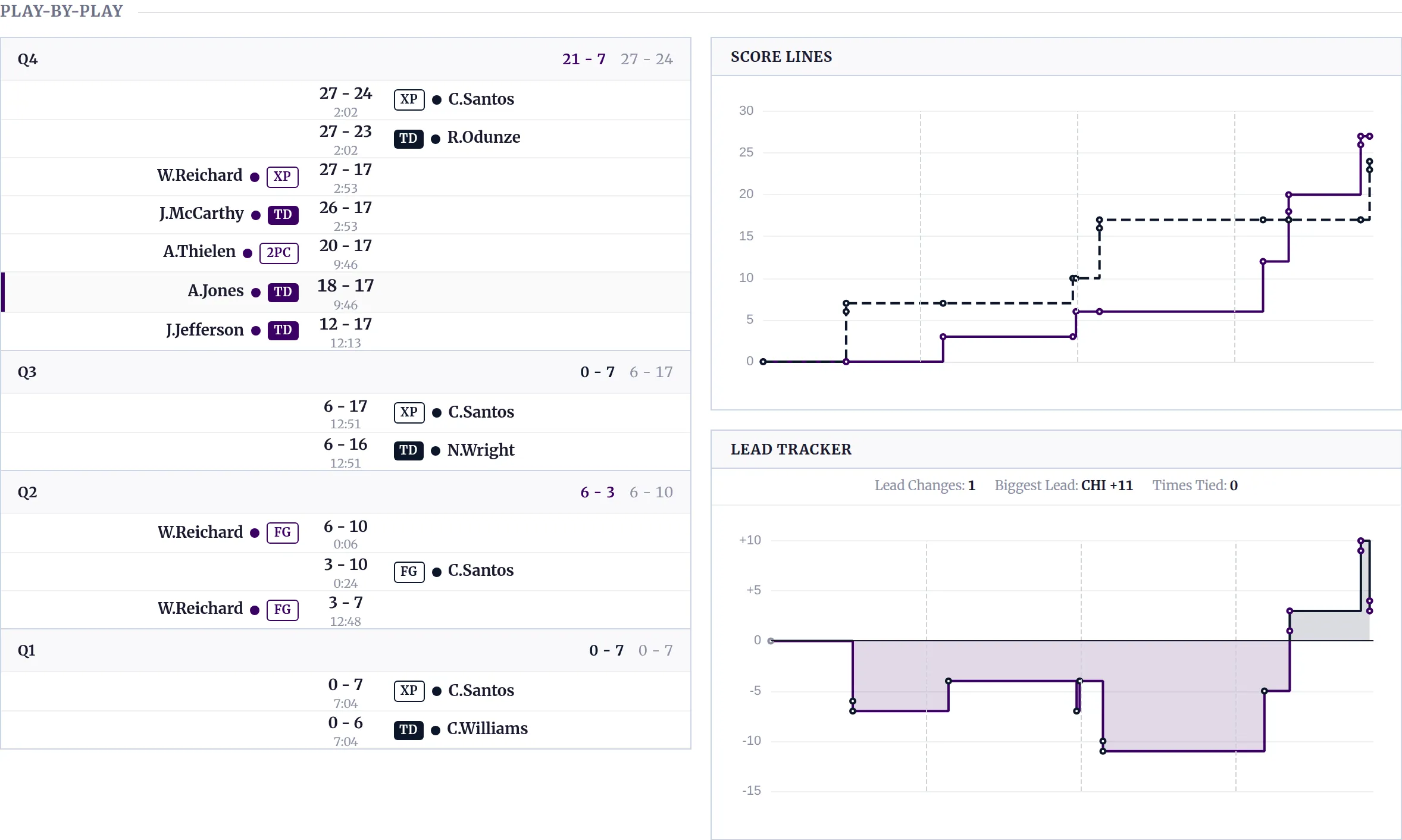
A team page runs to twelve blocks – season record, standings, results, schedule, season stats, player averages, team leaders, form and history.
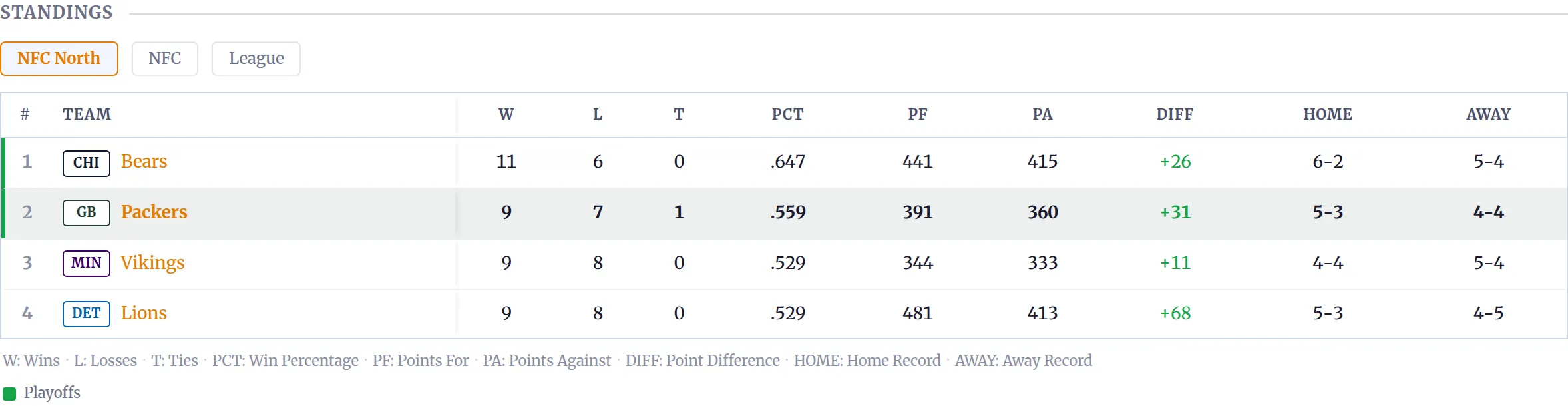
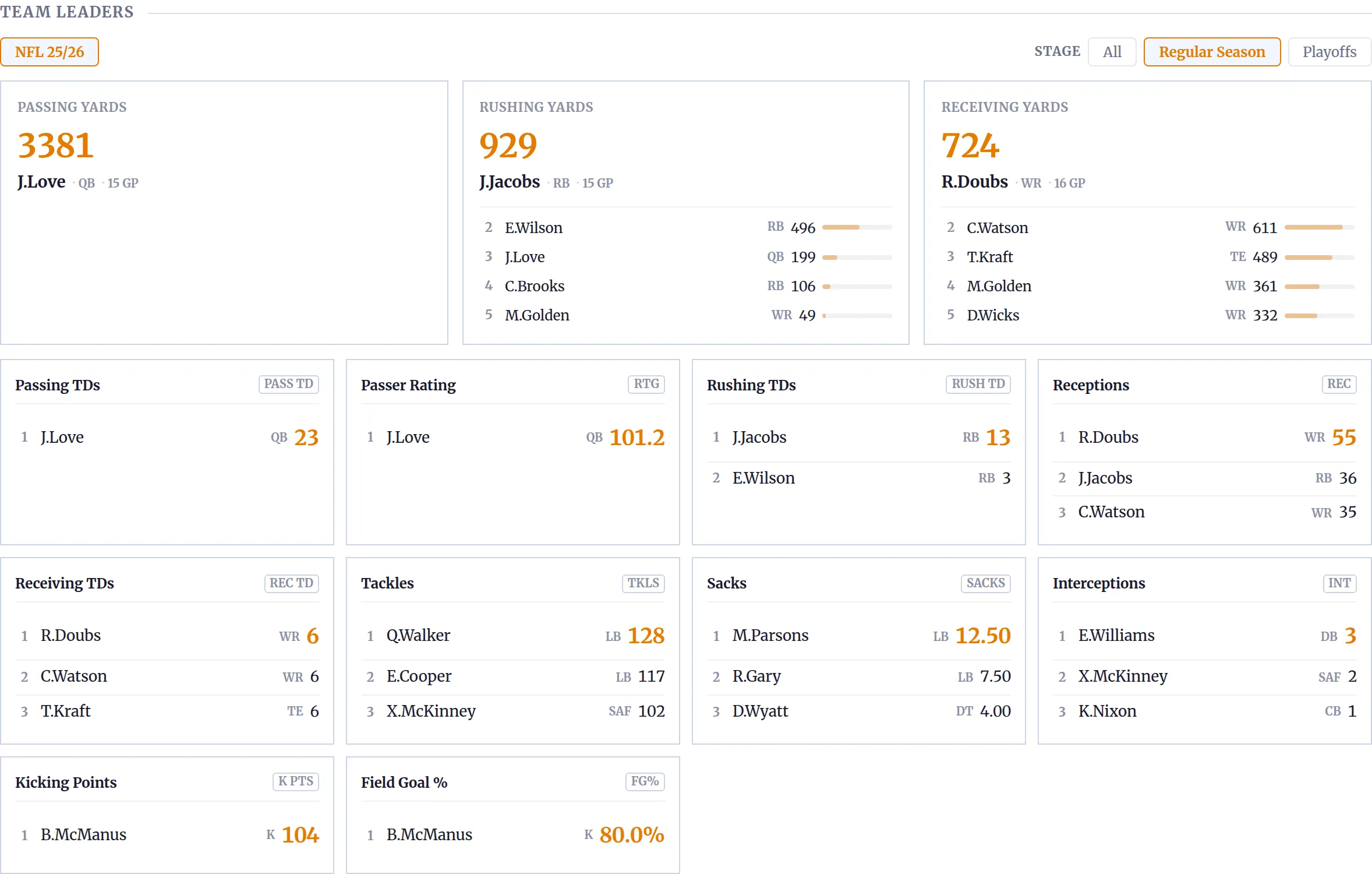
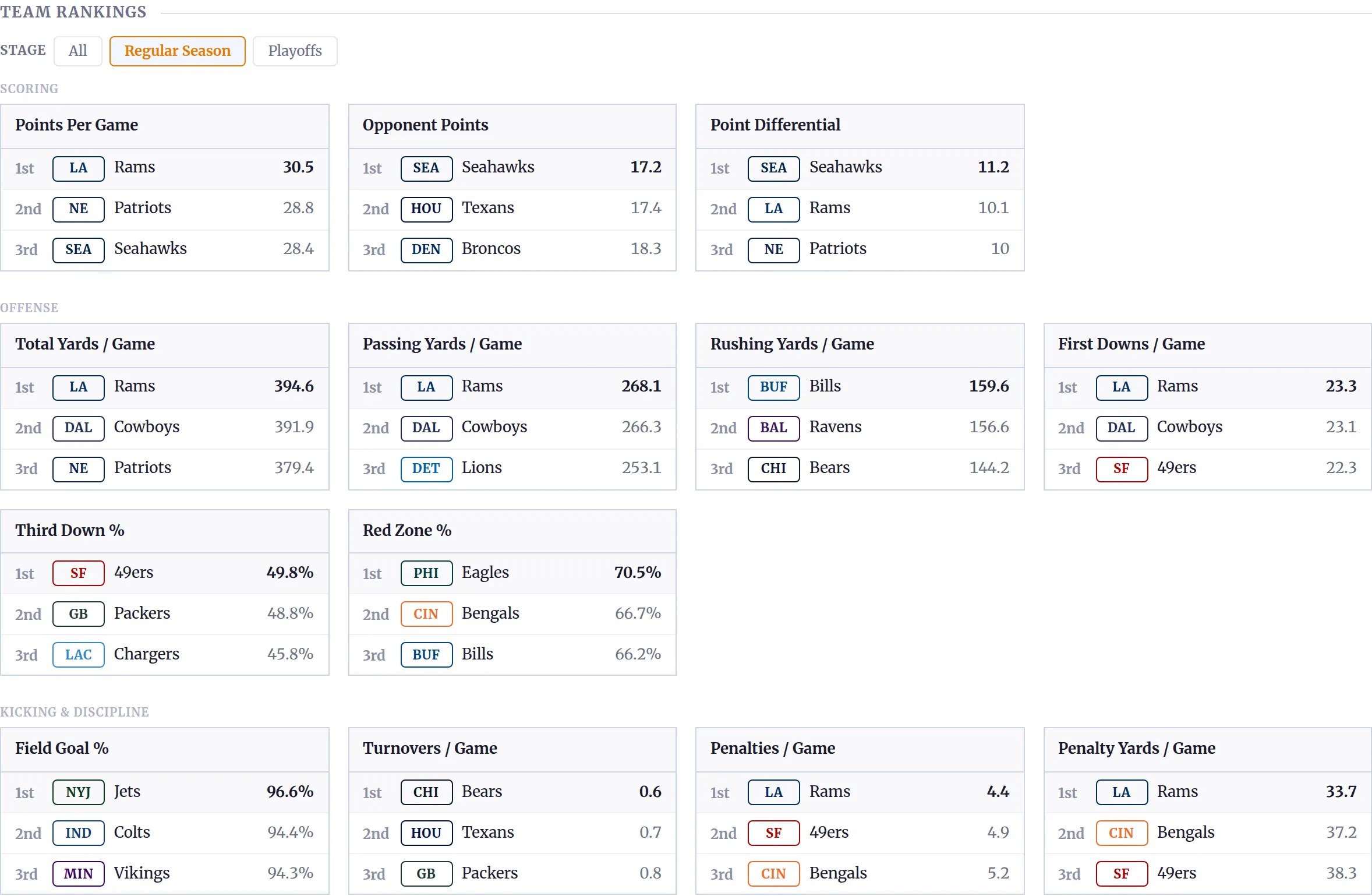
A season page carries standings, results, leaders, team rankings and player averages.
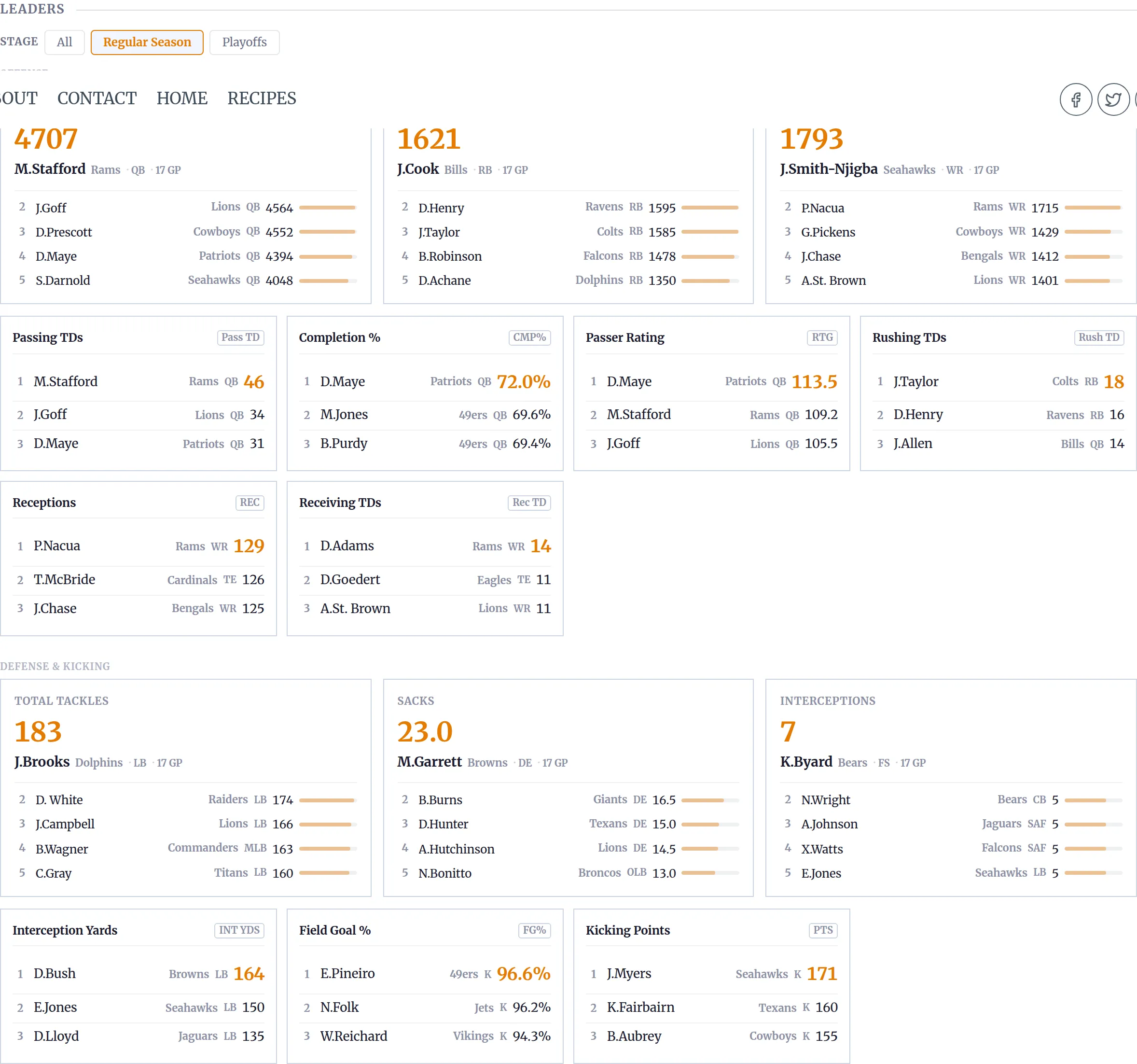
And a player page, for someone who actually played, gives you season highlights, career stats, a game log and splits.
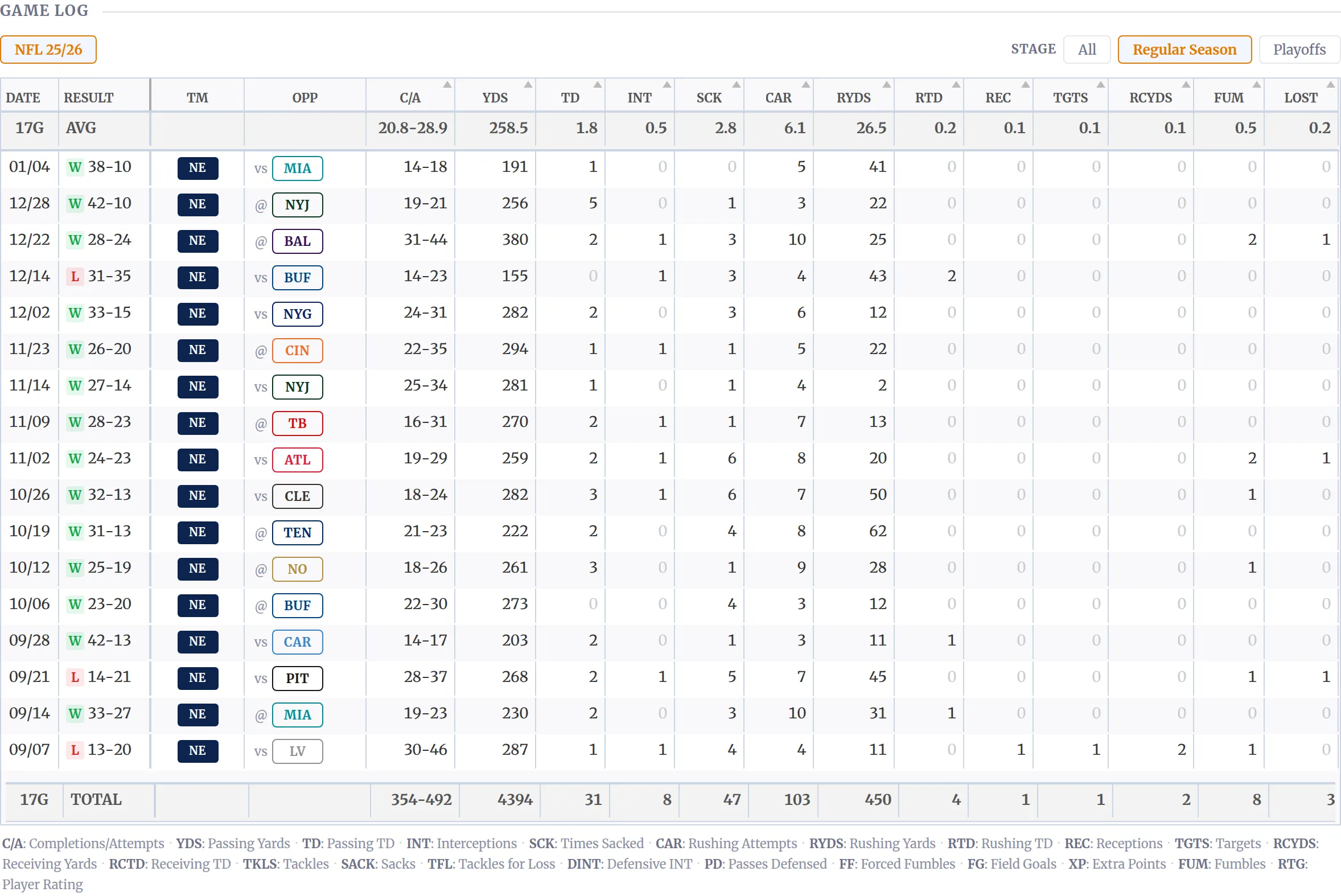
None of that was configured. It’s what you get after an import with the default layouts.
What’s it like to use day to day?
Once the import is done, most of your time is spent not touching it. That’s the point. The sync runs on a schedule and the pages update themselves.
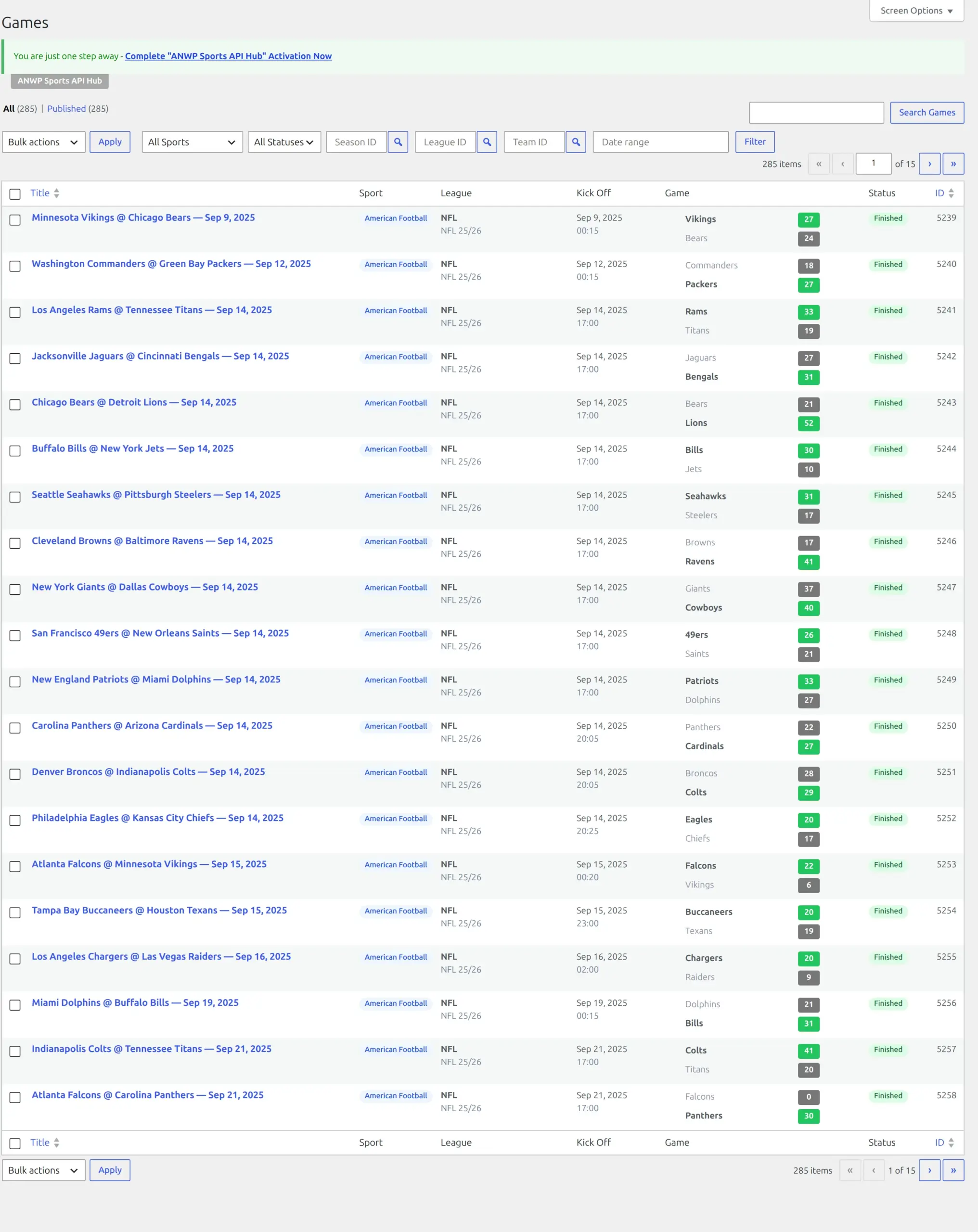
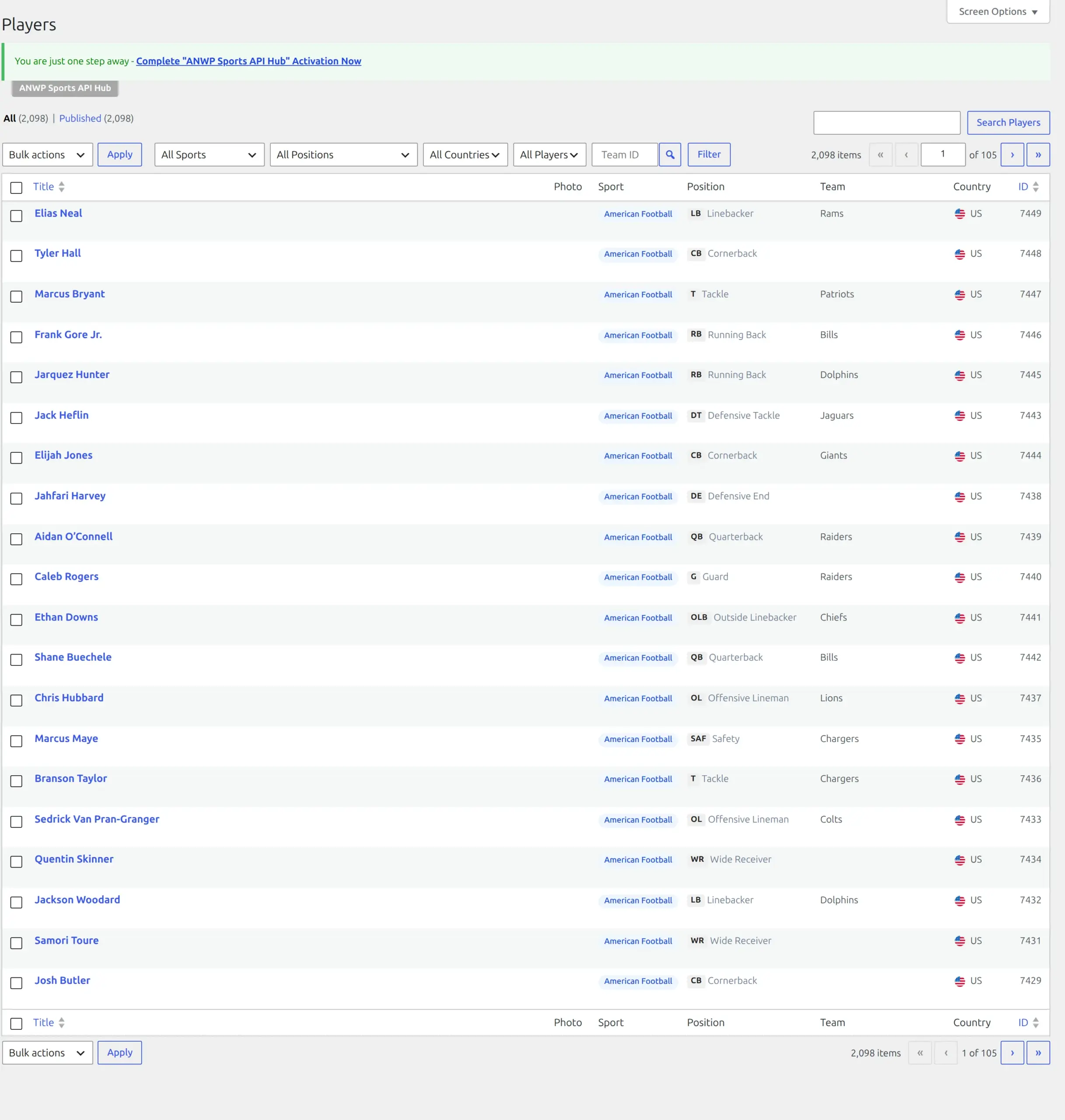
When you do go looking, your imported data sits under Hub Data as ordinary WordPress lists. Games, teams, players, venues, managers and seasons each get their own screen, and they behave like the Posts screen you already know – search, filter, sort, click in to edit.
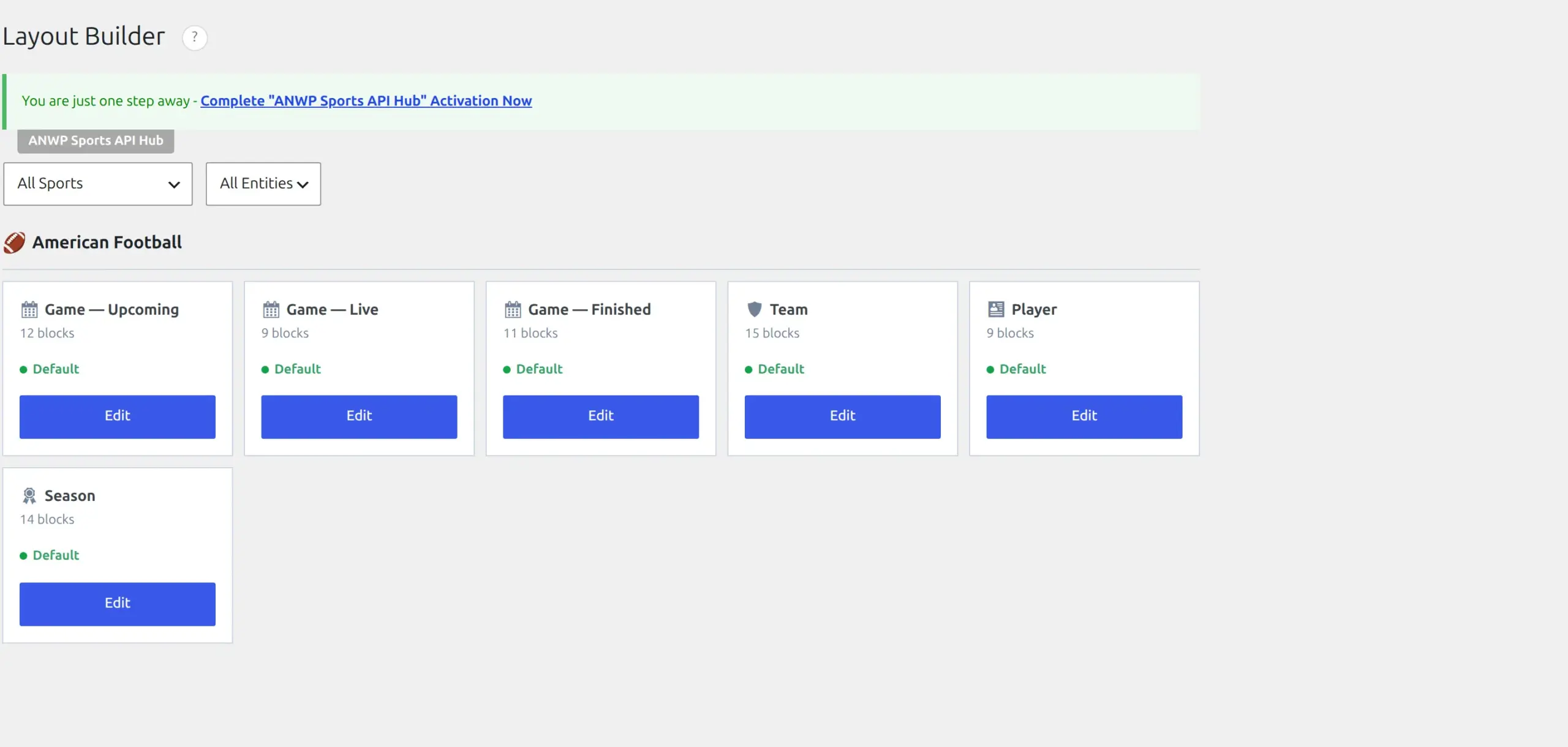
The Layout Builder is where you decide what appears on a game, team, player or season page, and in what order. It ships with working defaults for each sport, which is why every screenshot in this review is untouched output rather than something I assembled.
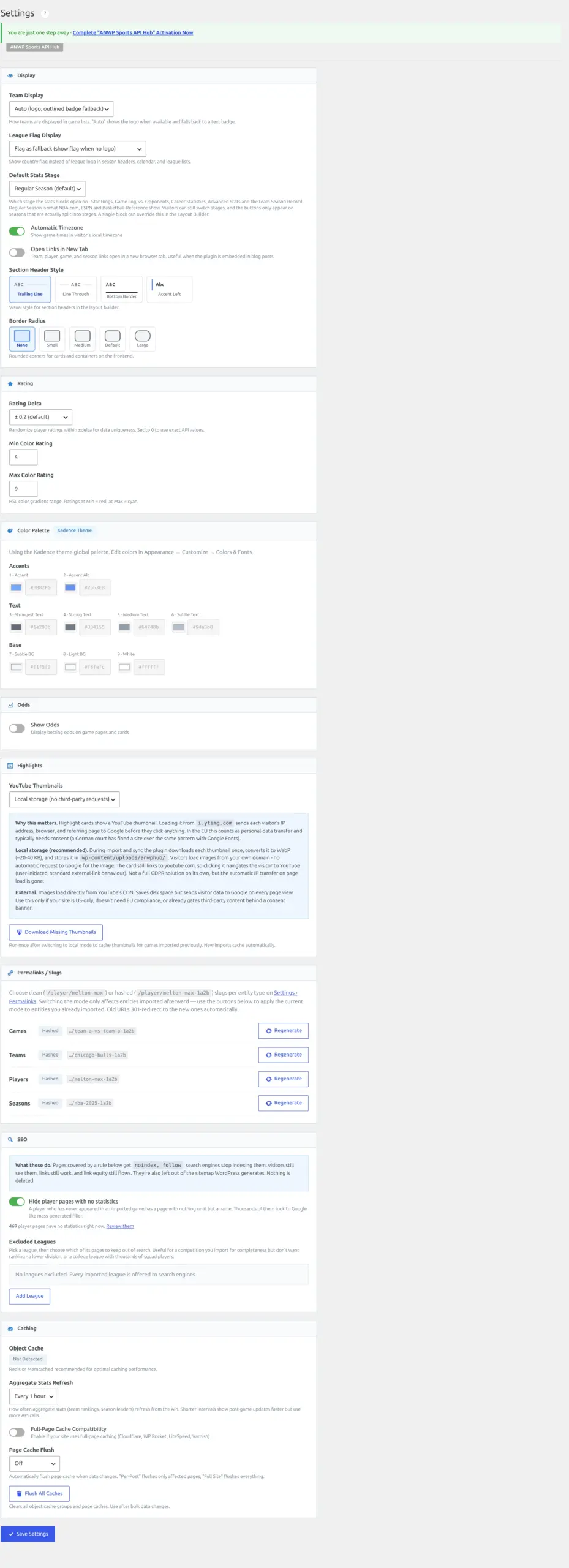
The Settings screen is long. That’s not a complaint – a plugin covering eight sports across scores, standings, statistics, images, sync timing, SEO and translations is going to have settings. But set aside an afternoon if you intend to read all of it.
One thing to expect in wp-admin
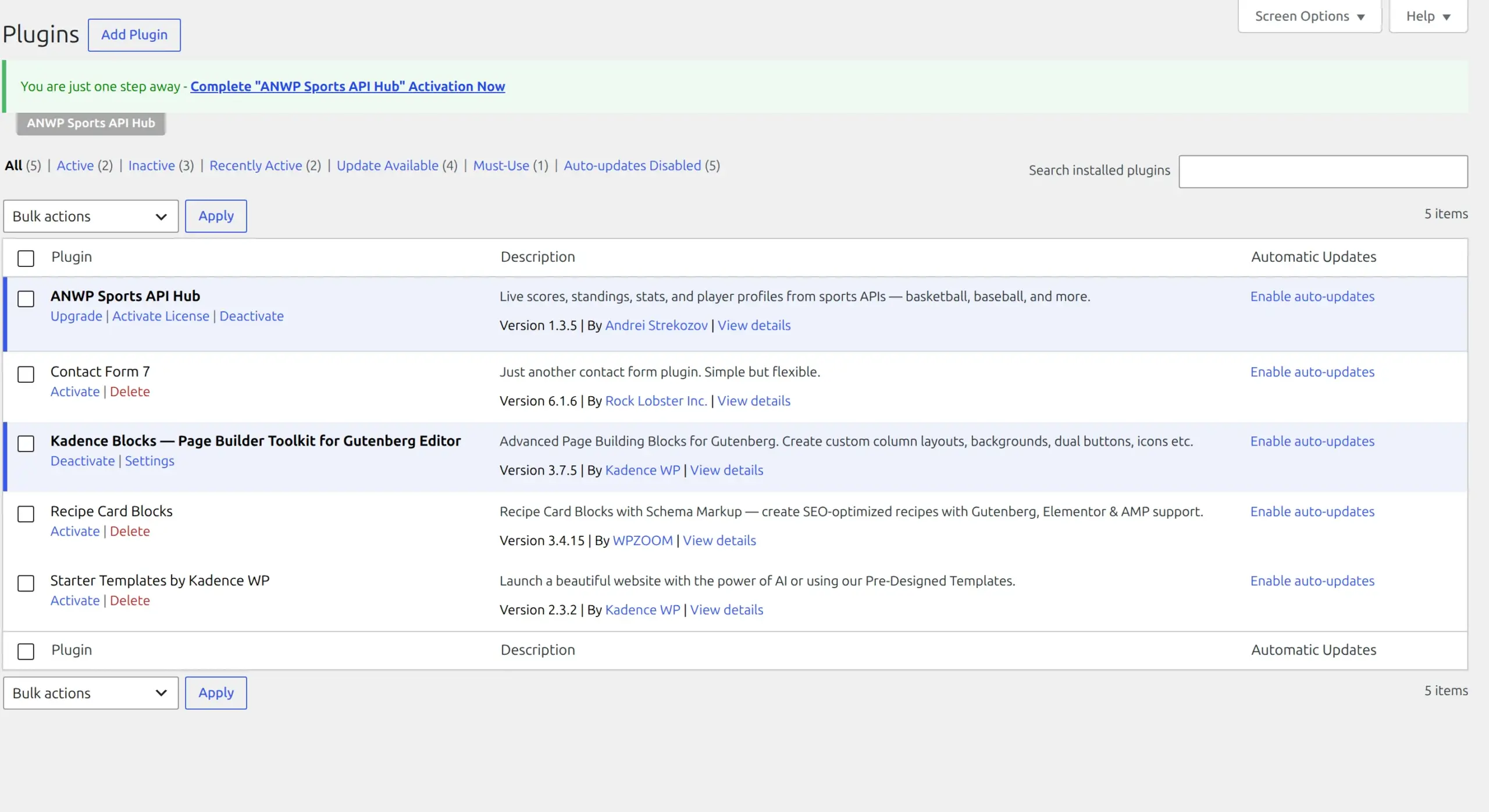
The plugin adds about 13.9 KB to every admin page you load, even ones with nothing to do with sport, and it makes your Plugins screen noticeably heavier. I measured that page going from 77,453 bytes to 144,856 – an increase of 87%, almost entirely the licensing and account interface.
Every admin screen I timed was slightly slower with the plugin active. The gap moved around between runs, so I won’t put a precise figure on it, but the direction was the same every time. On the front end I couldn’t measure a difference at all.
The thin-page problem, and the thing they got right
Importing a season creates 2,098 player pages. Of those, 1,629 have at least one recorded statistic and 469 have none at all – squad members who didn’t take the field. Their pages are a name, a team, a position and nothing else.

Publishing 469 near-empty pages is exactly how a site gets a thin-content problem. So I checked what the plugin does about it, expecting to have to complain.
It’s already handled, and it’s on by default. Every statless player page ships a noindex instruction, and they’re kept out of the sitemap too. I counted the player sitemap: 1,629 URLs, matching the 1,629 players who have statistics, exactly. The 469 empty ones aren’t in it.
That’s the sort of thing that usually gets missed, and I’d rather say so plainly than bury it.
Where the paid wall is
There isn’t one, in the usual sense. There’s no free version with features greyed out, because there’s no free version at all. I went looking through the plugin’s code for the switches that normally hide premium features and there aren’t any – there’s nothing to hide, because the whole plugin is the paid product.
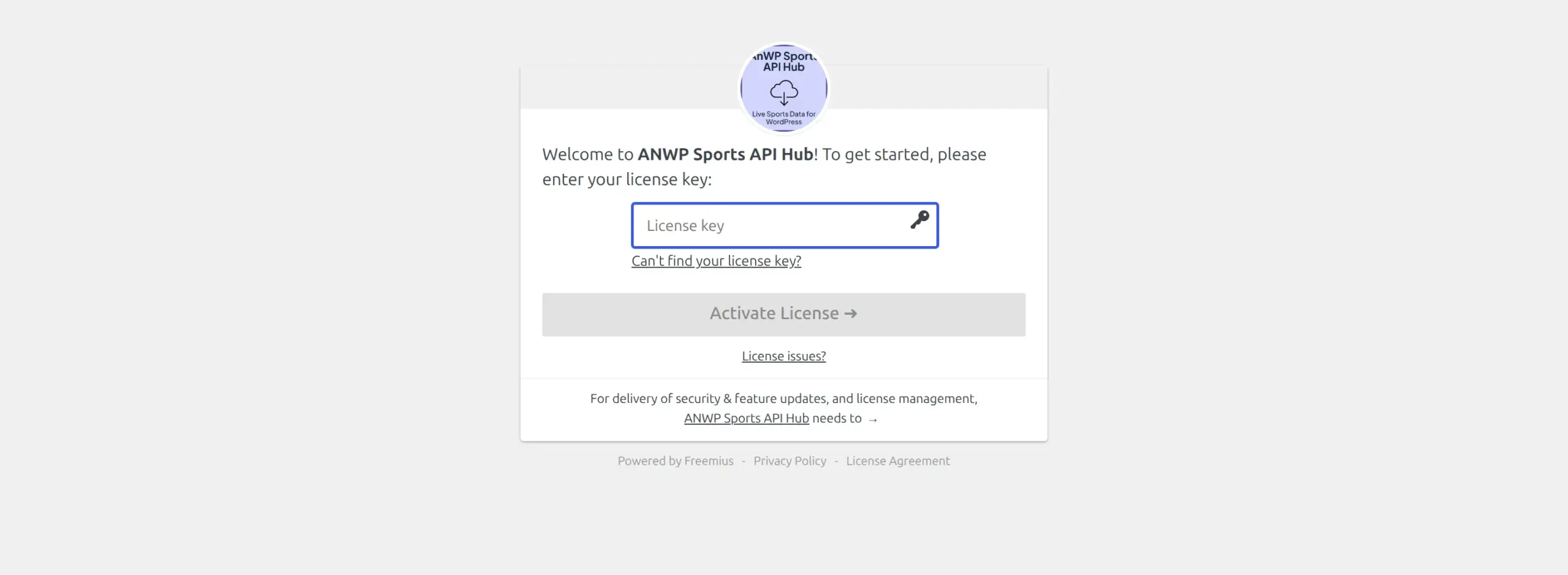
So the wall is the front door. You can’t install it and try it, and there’s no trial key. What you get instead is a 7-day money-back guarantee, which isn’t the same thing but isn’t nothing either. You pay, you try it properly, and you ask for a refund inside a week if it’s not for you.
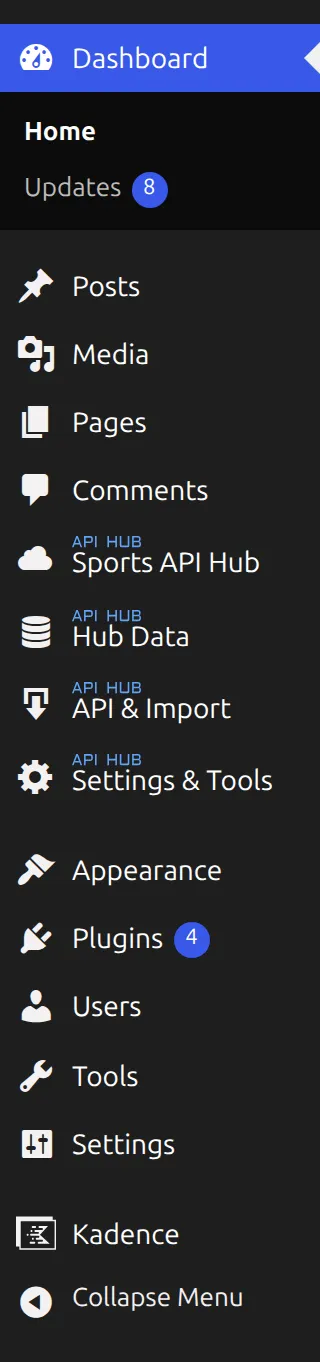
It’s also worth knowing the plugin adds four top-level items to your admin menu – Sports API Hub, Hub Data, API & Import, and Settings & Tools. The rest of my admin menu was eleven items, so one plugin made it about a third longer.
What happened when the import broke
This is the part I’d want to read, so it stays in.
On version 1.3.4, my first full import created all 285 games but only filled in box scores for 120 of them. It told me it had finished. It hadn’t.
What happened: the data provider hiccuped and returned three server errors in a row. The plugin has a safety cut-out that stops it hammering a connection that’s gone dead – that part is sensible and it’s there to keep your site up. The problem was that once the cut-out tripped, the import couldn’t tell “the connection is gone” apart from “there’s nothing left to do”. It raced through every remaining batch in an instant, wrote nothing, and reported success.
Pressing Import again gained about five more games and reported success again. After two full runs, 160 of 285 games still had no box score, and nothing on screen said so.
I reported it. Version 1.3.5 fixes it, and I re-ran the whole thing on the fixed version: 285 of 285 games, no failures, twice. The import now stops when the connection drops, says so, and tells you how long to wait before retrying.
Two things I want to be fair about. The server errors came from the provider, not the plugin. And nothing was ever lost or corrupted – the games it missed stayed correctly queued, which is why re-running kept finding them. The defect was the reporting, not the protection.
What happens when you uninstall it?
Not much, and that’s the finding.
I removed the plugin properly, using the uninstall command rather than just deactivating. The front end cleaned up perfectly. The database kept nearly everything: all 21 tables, the imported season, the cached API responses, and a scheduled task still pointing at code that no longer existed.
Your API key stays too. I checked, and the settings row still held the full key after the plugin was gone. If you ever hand the site to someone else, export the database, or push a copy to staging, that key goes with it. That’s worth a minute of your time to clear out, and it’s not something the plugin will do for you.
Getting back to a genuinely clean database took manual work.
Is it secure? An honest non-answer
I can’t tell you, and neither can anyone else.
Sports API Hub isn’t on the WordPress.org plugin directory – I checked directly, and the API returns “Plugin not found”. That means there’s no install count, no public review pile, and no version history for anyone to audit.
It also has no entry in Patchstack’s vulnerability database. That isn’t the same as having no vulnerabilities. Those databases are built around plugins distributed through WordPress.org. No record means nobody outside the company has looked, which is a different and less comforting statement.
Compare that with something like SEO Simple Pack, where I could point at a specific CVE, a severity score and the version that patched it. Or NinjaFirewall, where two databases scored the same old bug differently and I could show you both numbers. Here there’s nothing to point at in either direction. You’re trusting the developer, and you should know that’s what you are doing.
What it costs, as of September 2026
| Price | Full price | |
|---|---|---|
| Plugin, monthly | $12/month | $15/month |
| Plugin, annual | $119/year | $149/year |
| Plugin, lifetime | $399 once | $499 |
| Data feed (AllSportsAPI2 Pro) | $19.99/month | – |
| Realistic first year | $358.88 |
All plugin plans cover 2 websites and carry the 7-day money-back guarantee. The left column is an early-access discount of 20%, which the vendor says is locked for as long as you keep the subscription active. Check the current price before you buy – the sales page carries more than one deadline for the offer and they do not agree with each other.
The vendor’s own site quotes about $359 a year for plugin plus feed. I checked the arithmetic and it’s honest: $119 plus twelve months at $19.99 is $358.88.
There’s a cheaper feed if you only care about American football. AmericanFootballApi is $9.99 a month instead of $19.99, which takes a year down to about $239 all in. It carries NFL and college on the same data, so if the NFL is the whole point of your site it’s worth a look. The trade-off is the one I mentioned earlier – no bulk odds, and the setting is site-wide, so it’s the right call only if American football is all you’ll ever import.
One small correction while I’m here. The sales page says the plugin creates 19 custom tables. I counted 21, twice, on two versions.
Who should buy this, and who shouldn’t
Buy it if you want a real sports statistics site – live scores, box scores, standings, player pages that update themselves – and you’ve made your peace with paying for a data feed forever. At $30 a month all in, it’s cheaper than the hours you’d spend typing scores in, and far cheaper than the professional feeds that start around $500 a month.
Don’t buy it if you want an NFL archive and don’t need live scores. There’s a free project called nflverse that publishes finished season data as spreadsheet files with no API and no key at all. I go through that route and the other free options in my guide to getting American football stats into WordPress. Start there and only come back here if you find it isn’t enough.
Don’t buy it yet if you’re not sure you’ll keep paying the feed. The plugin keeps your data if you stop – it’s in your own tables – but the pages stop updating, and a sports site full of last season’s scores is worse than no sports site.
Look elsewhere if you run a local club rather than a professional league. This plugin imports professional feeds. It has no way to enter your Sunday league results by hand, because that isn’t what it’s for.
Frequently asked questions
Do I need to pay for an API as well as the plugin?
Yes, and it’s the larger bill. The plugin is $119 a year and the data feed is $19.99 a month. The free 50-requests-a-day tier can’t import a season, which needs 1,161 requests.
How long does importing a season take?
About 11 minutes for a full NFL season, measured twice at 639 and 656 seconds. It imports in the background, so you don’t have to sit and watch it.
Will it slow my site down?
Not measurably on the server side – I couldn’t detect a difference in page generation time. It does load a 214 KB stylesheet on every page, including pages with no sports content, which is the real cost.
Can I try it before I buy it?
No. There’s no free version and no trial key. There’s a 7-day money-back guarantee, so the practical answer is that you buy it, test it properly in the first week, and ask for a refund if it isn’t right.
What happens to my data if I stop paying?
It stays. Everything lives in tables in your own database, so the pages keep working – they just stop updating. If you uninstall the plugin, the tables and your API key are left behind, so clear those out yourself.
Does it work for college football?
Yes. The same feed carries NCAA box scores and player statistics, which I verified separately when I wrote about American football data sources.