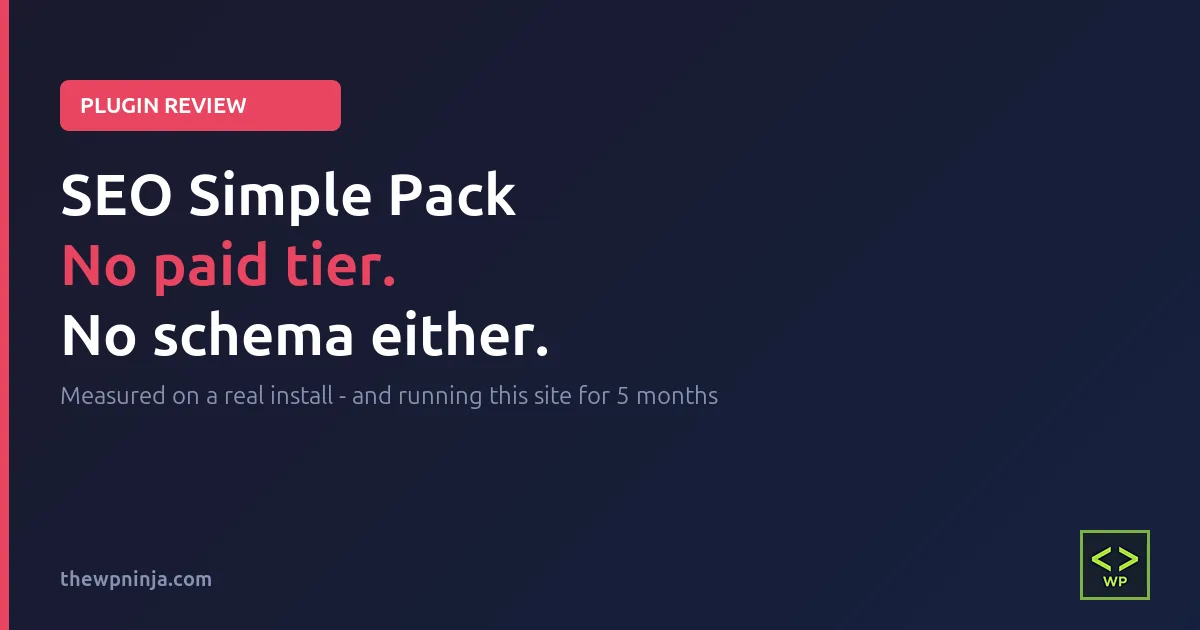
SEO Simple Pack Review: I’ve Run It on This Site for Five Months
Short answer: SEO Simple Pack handles your title tags, your meta descriptions and your social sharing tags, it does all three properly, and it does nothing else at all. If that’s the whole of what you want, it’s the lightest way I’ve found to get it – no database tables, no background jobs, and about 2 milliseconds added to your page load. If you need schema markup, redirects or a 404 log, close this tab and go elsewhere, because none of those exist here.
Here’s the thing that surprised me most while writing this SEO Simple Pack review: there is no paid version. No locked tab, no greyed-out toggle, no “Pro” badge sitting there waiting to nag you. I searched all 24 PHP files in the plugin for the words every freemium plugin needs – is_pro, premium, upgrade, license, purchase, freemius, edd_ – and the only matches in the entire codebase were the two License: lines in the plugin’s own file header.
Every competing plugin in this category is freemium. This one just isn’t.
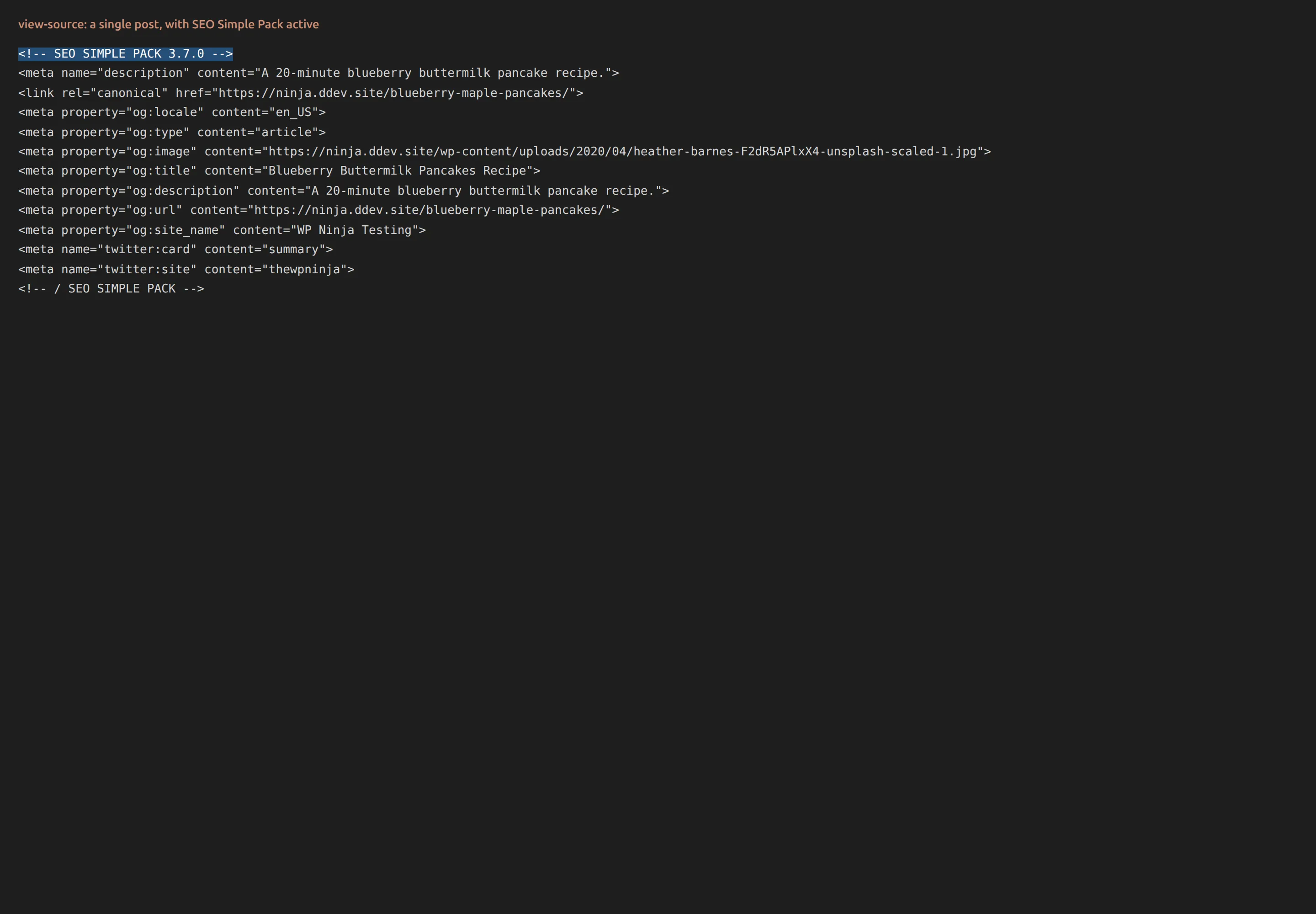
And I’m not reviewing it from the outside. SEO Simple Pack 3.7.0 is the plugin that has been writing the title tag and description on this site since 6 April 2026. That’s five months and all 34 posts published in that window. You can check that claim without taking my word for it – view the source of any page here and the fingerprint is sitting in the head:
<!-- SEO SIMPLE PACK 3.7.0 -->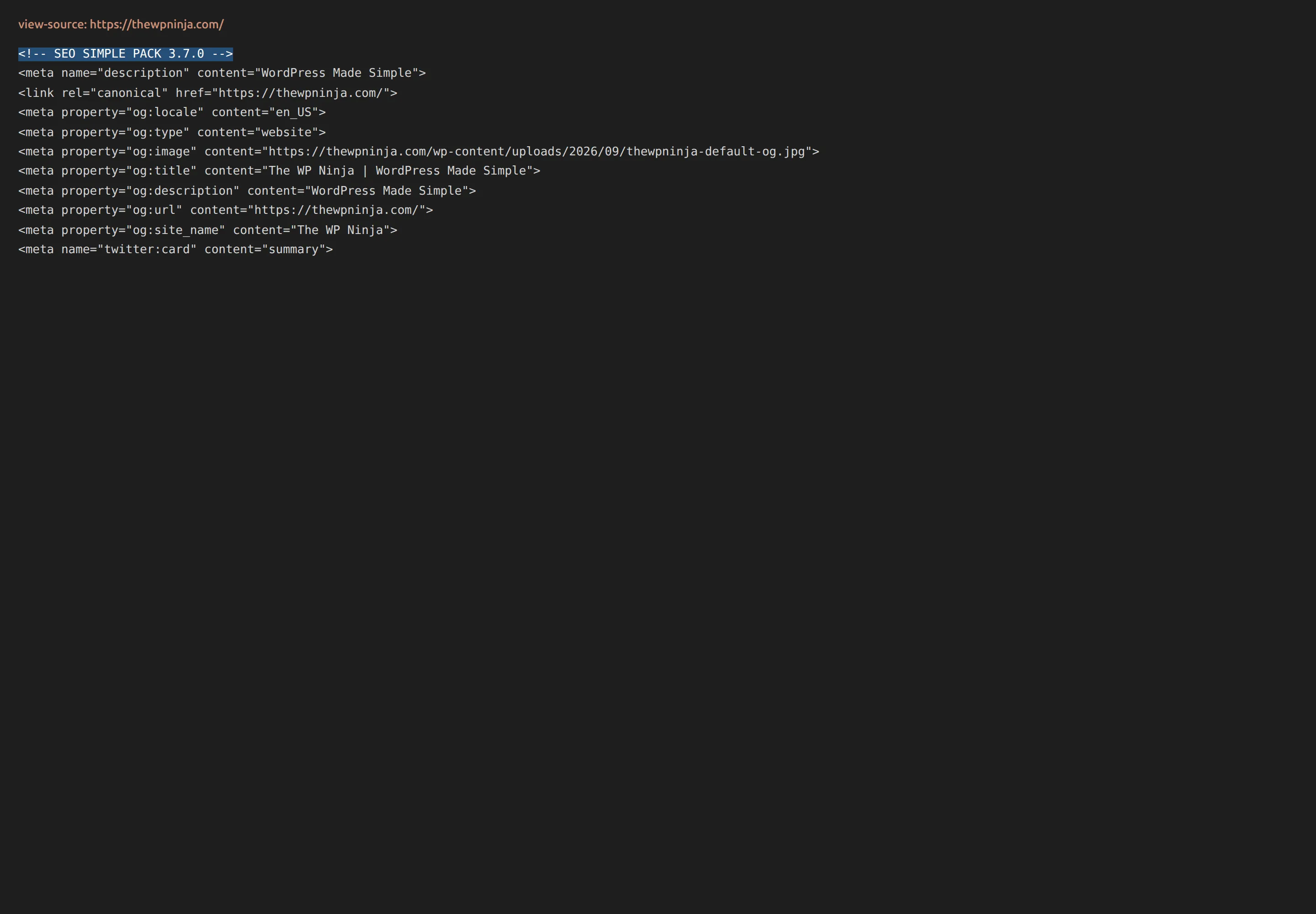
How I tested this
I installed the plugin on a clean local WordPress site and measured it against a baseline I’d recorded earlier, restored, and proved twice – once before the run and once after, to make sure nothing had drifted underneath me.
| Plugin | SEO SIMPLE PACK 3.7.0 |
| Author | LOOS Inc. (looswebstudio), Japan |
| Last updated | 22 May 2026 |
| In the WordPress repo since | 14 July 2018 |
| Requires | WordPress 4.9+, PHP 7.0+ |
| Tested up to | 7.0.4 |
| Measured on | 6 September 2026, WordPress 7.1, PHP 8.3.33 |
| Theme | Kadence 1.4.5, unchanged across every run |
| Other plugins active | Kadence Blocks only, unchanged |
That “tested up to 7.0.4” line deserves a pause. WordPress is on 7.1, so the plugin isn’t marked compatible with the current release. That sounds worse than it is – this is a plugin that prints meta tags, and there’s very little surface area for a core update to break. But it does tell you something real about how often it ships, and I come back to that near the end.
About the five months. I want to be exact here, because “I’ve used this for ages” is the easiest sentence in the world to write and the hardest for a reader to check. SEO Simple Pack 3.7.0 is active on this site and has supplied the title and meta description on all 34 posts published since 6 April 2026. I confirmed that by querying the database for the ssp_meta_title field rather than trusting my own memory of when I installed it.
The og:image I had left empty for five months
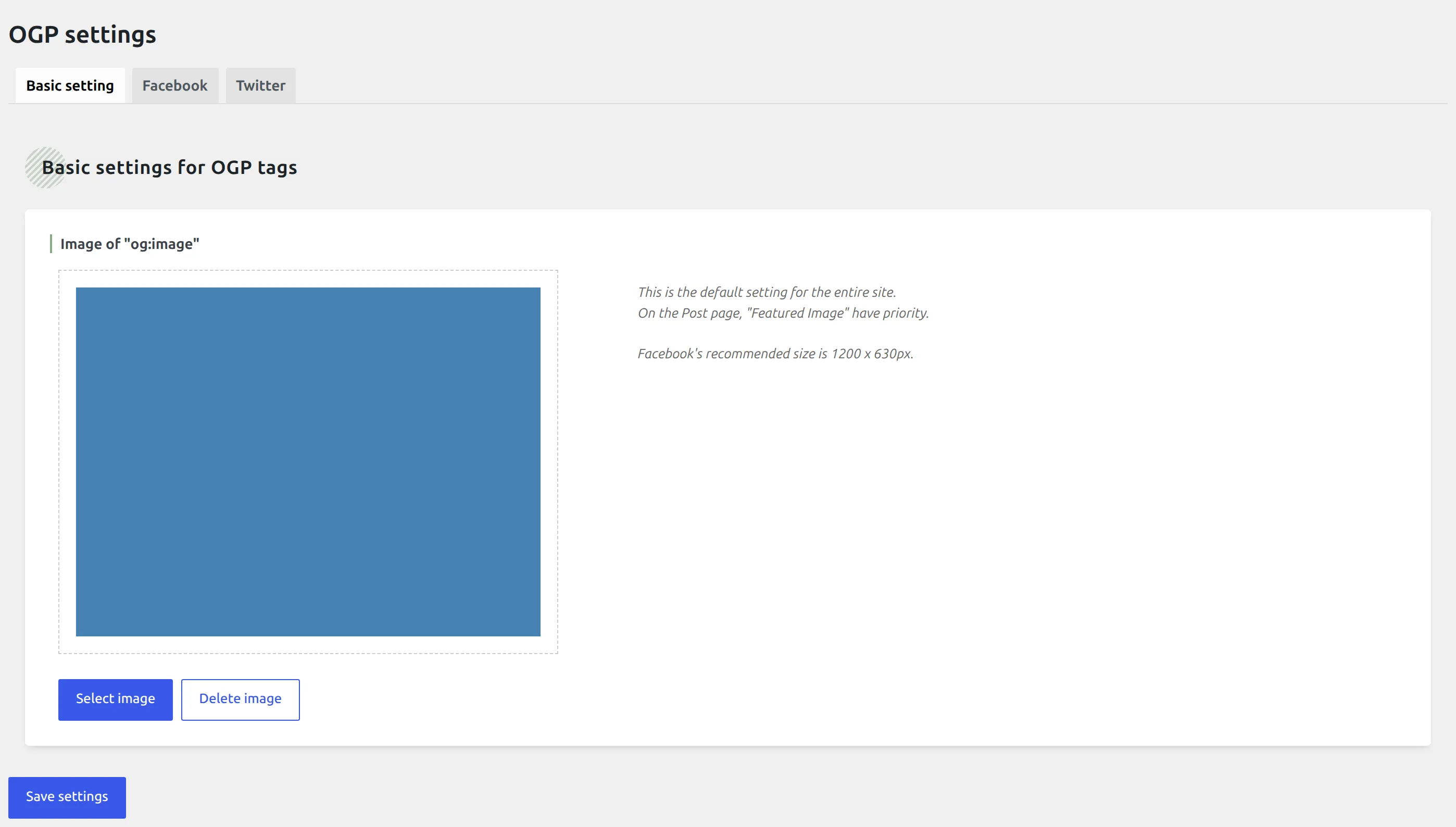
Something I found while checking, which I’d rather tell you than quietly fix: this site’s homepage had been shipping with no og:image at all for the whole five months. The field on the OGP settings screen was empty. Every person who shared the homepage on Facebook or LinkedIn in that time got a bare link with no picture attached.
That isn’t the plugin’s fault. It’s an empty box I never filled in, on a settings screen I configured once in April and never opened again. It’s fixed now. If you’re wondering how something that visible survives five months unnoticed, so am I – and it’s the same species of problem as an old logo that won’t stop showing up in Google search results.
What does SEO Simple Pack actually do?
Three things. It’s worth knowing exactly what they are before you decide whether three is enough.
Title tags. The text that becomes the clickable blue headline in Google, and the text in your browser tab. WordPress writes one by itself; an SEO plugin lets you write a better one.
Meta descriptions. The grey summary underneath that headline. Google doesn’t always use what you write, but when it does, it’s the difference between a click and a scroll straight past. There’s more on this in my piece on writing a meta description that gets clicks.
Open Graph and Twitter tags. The title, description and image that show up when somebody pastes your link into Facebook, LinkedIn, X or Slack. Without them the platform has to guess, and it guesses badly.
That’s the job. Sitemaps, schema, redirects, content scoring, internal link suggestions – as far as this plugin is concerned, all of that is somebody else’s work.
What is the setup like?
There isn’t one. That’s the entire answer.
No wizard. No five-step onboarding flow. No account to create, no email address to hand over, no “connect your site to our service” screen. You activate it and it starts working, and further down I put a number on exactly how much of it works.
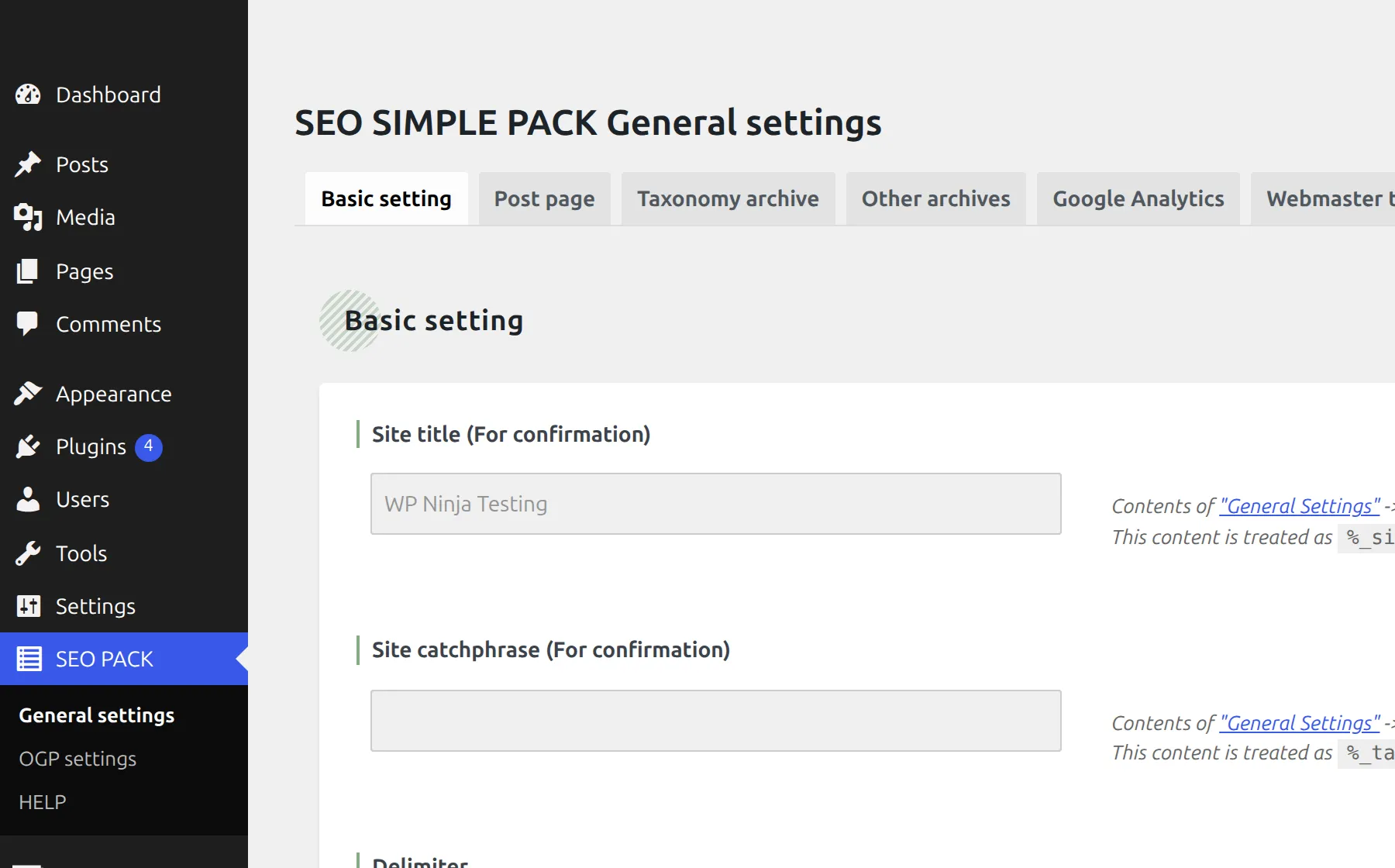
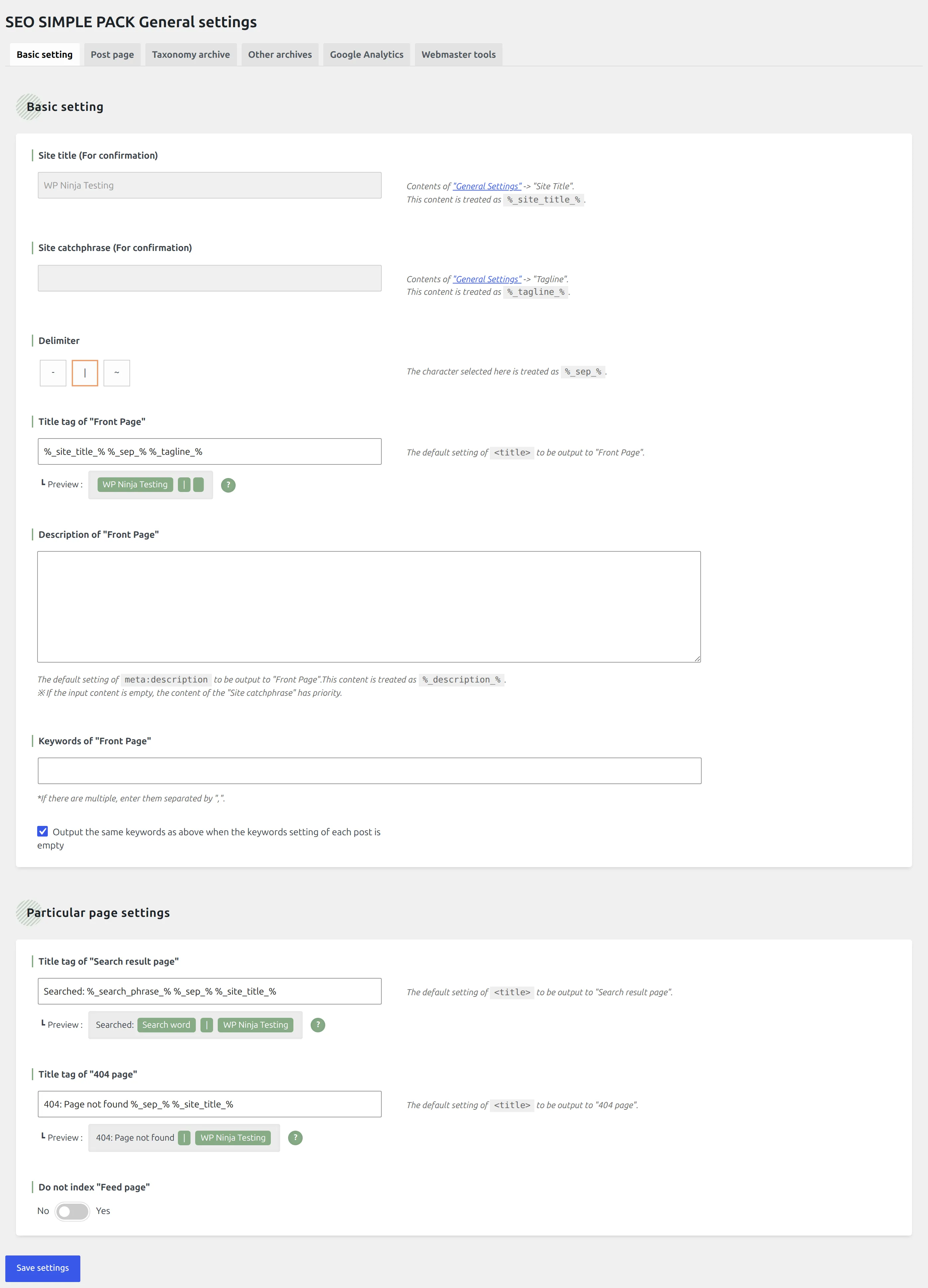
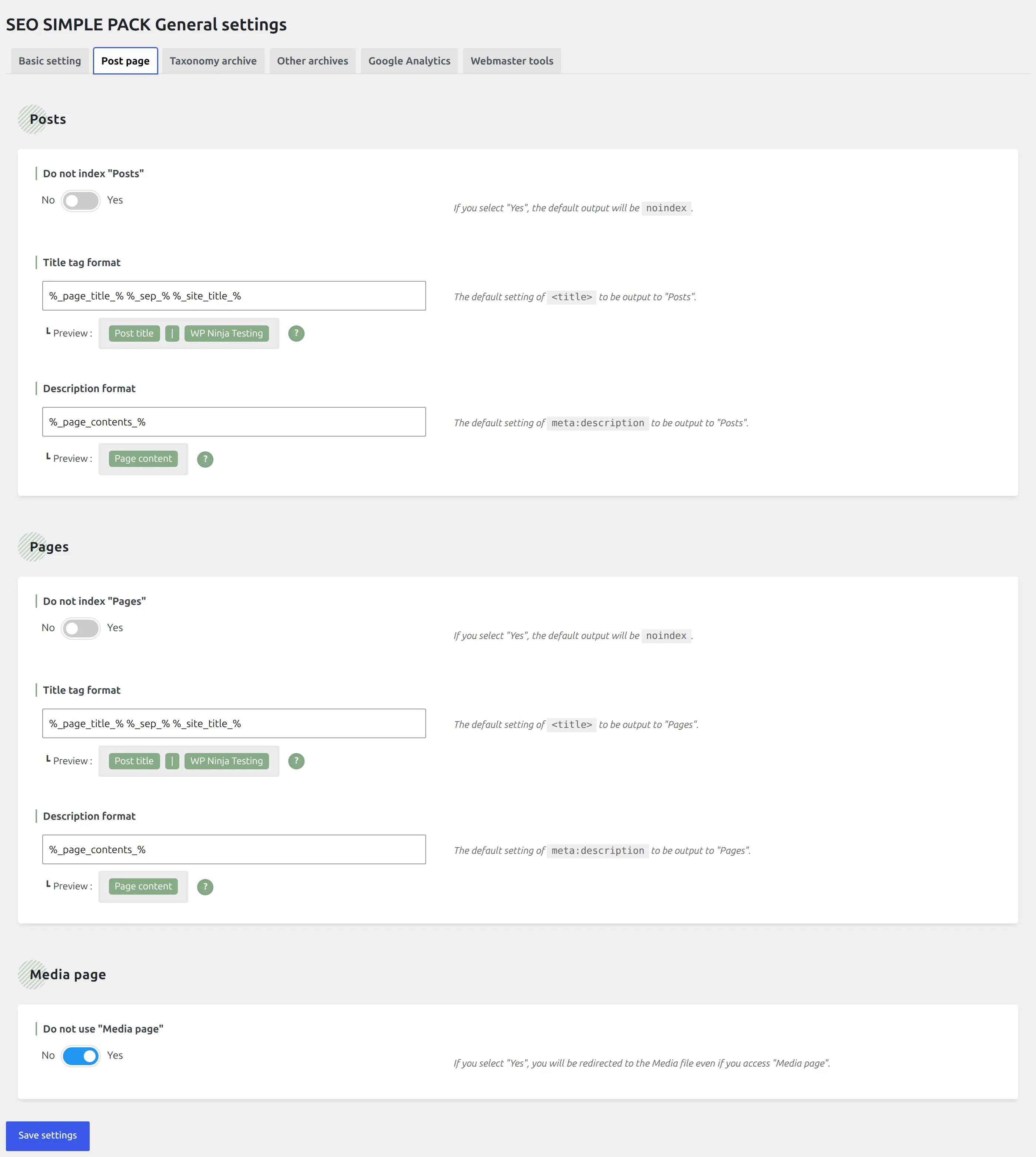
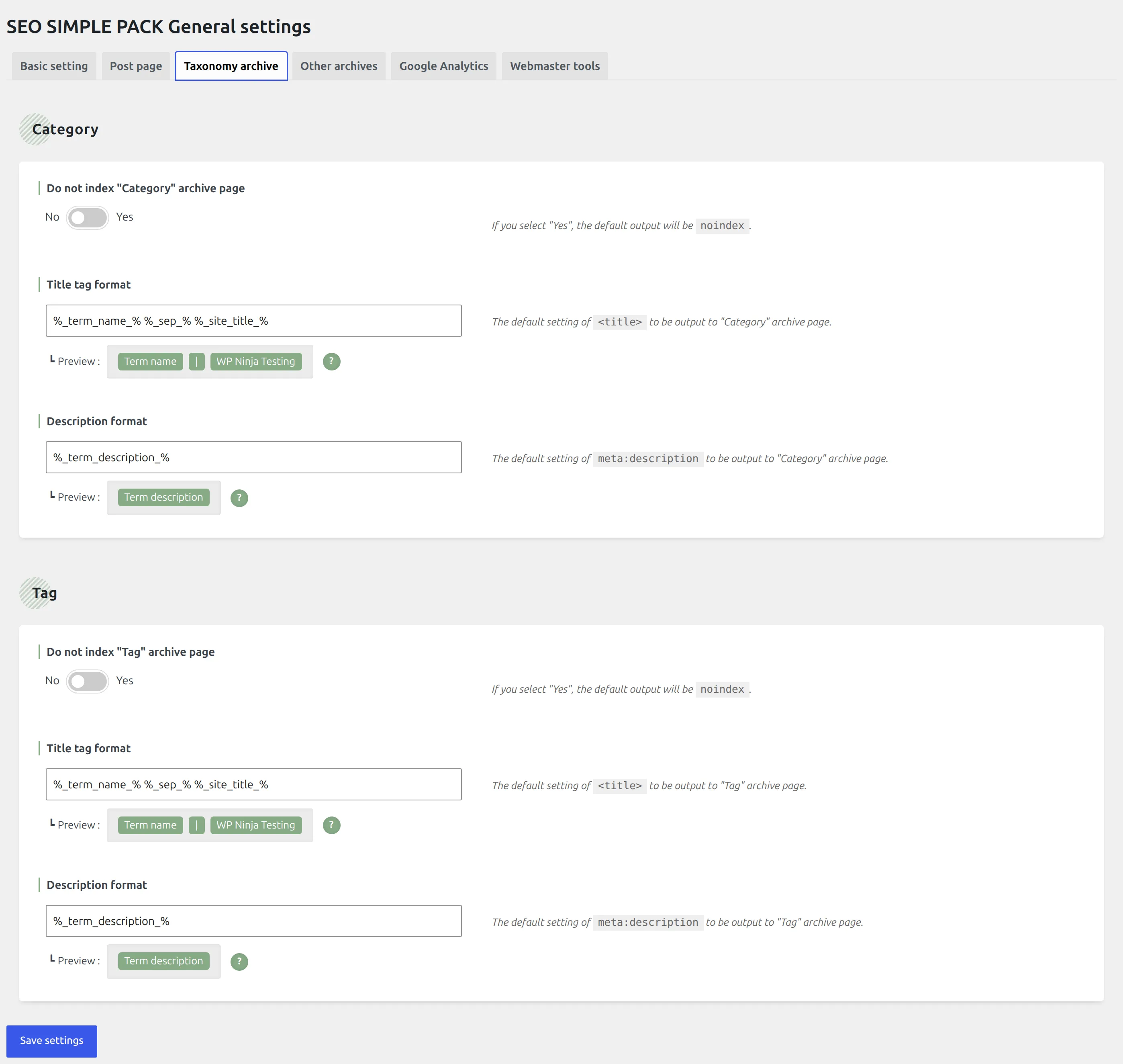
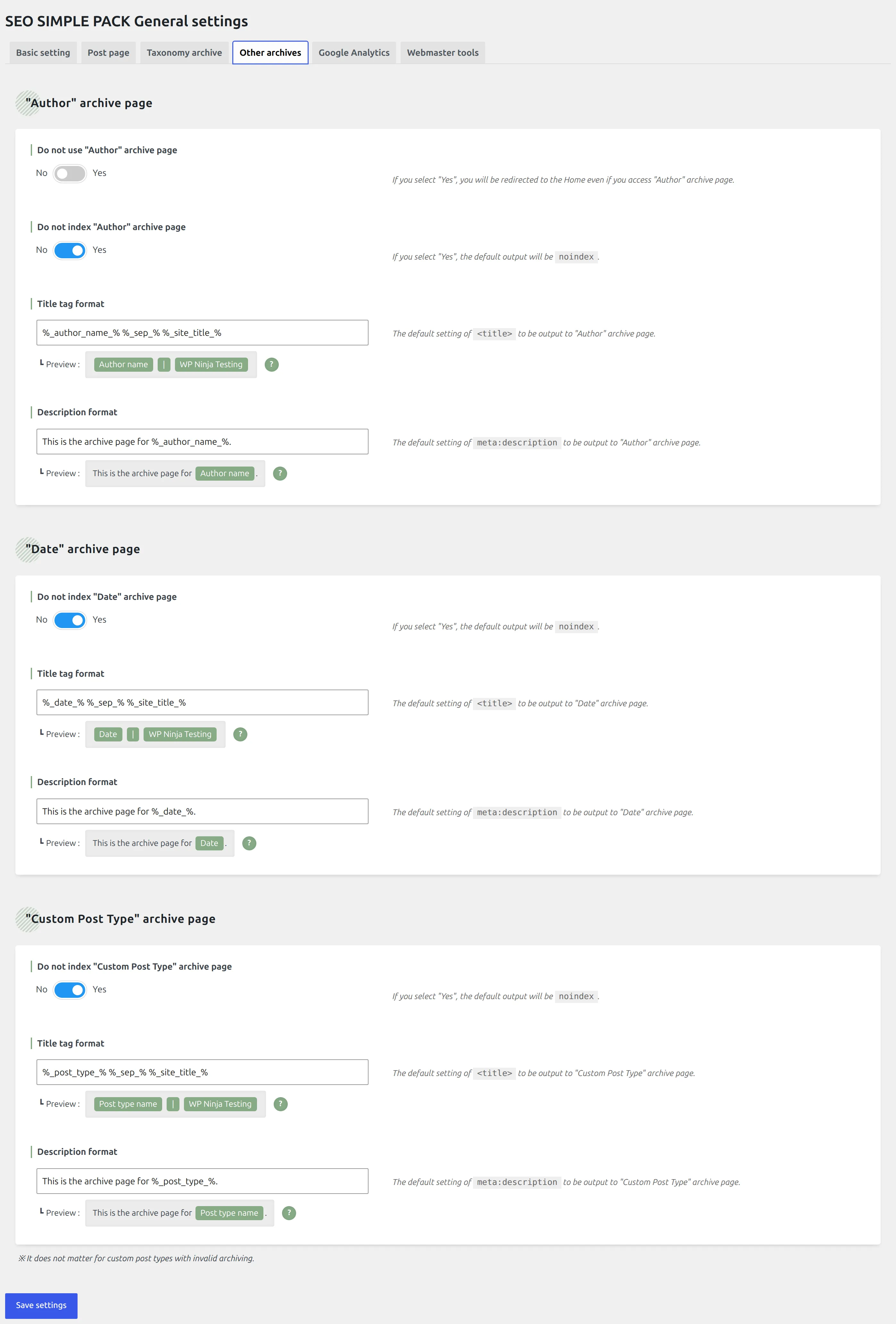
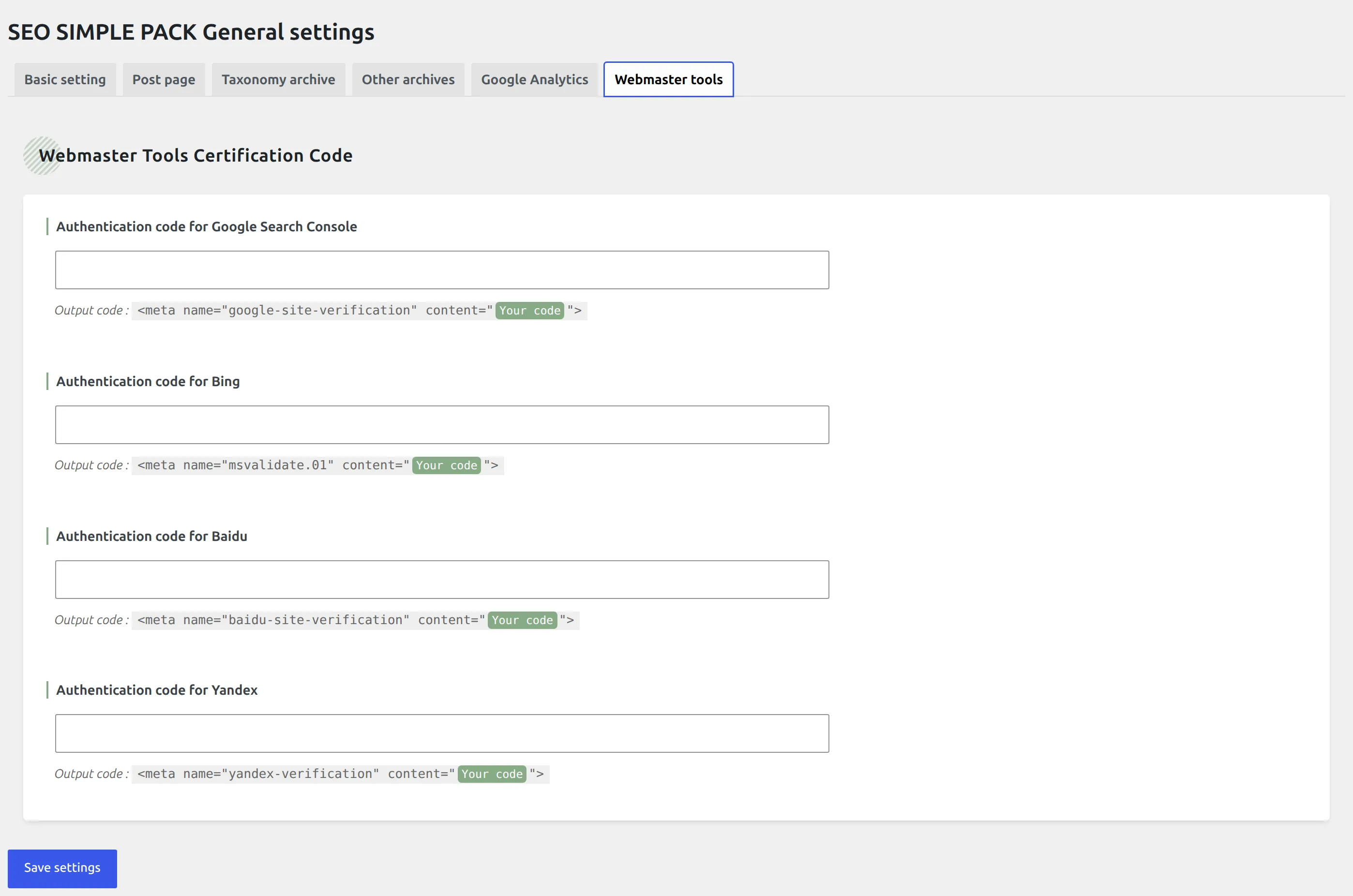
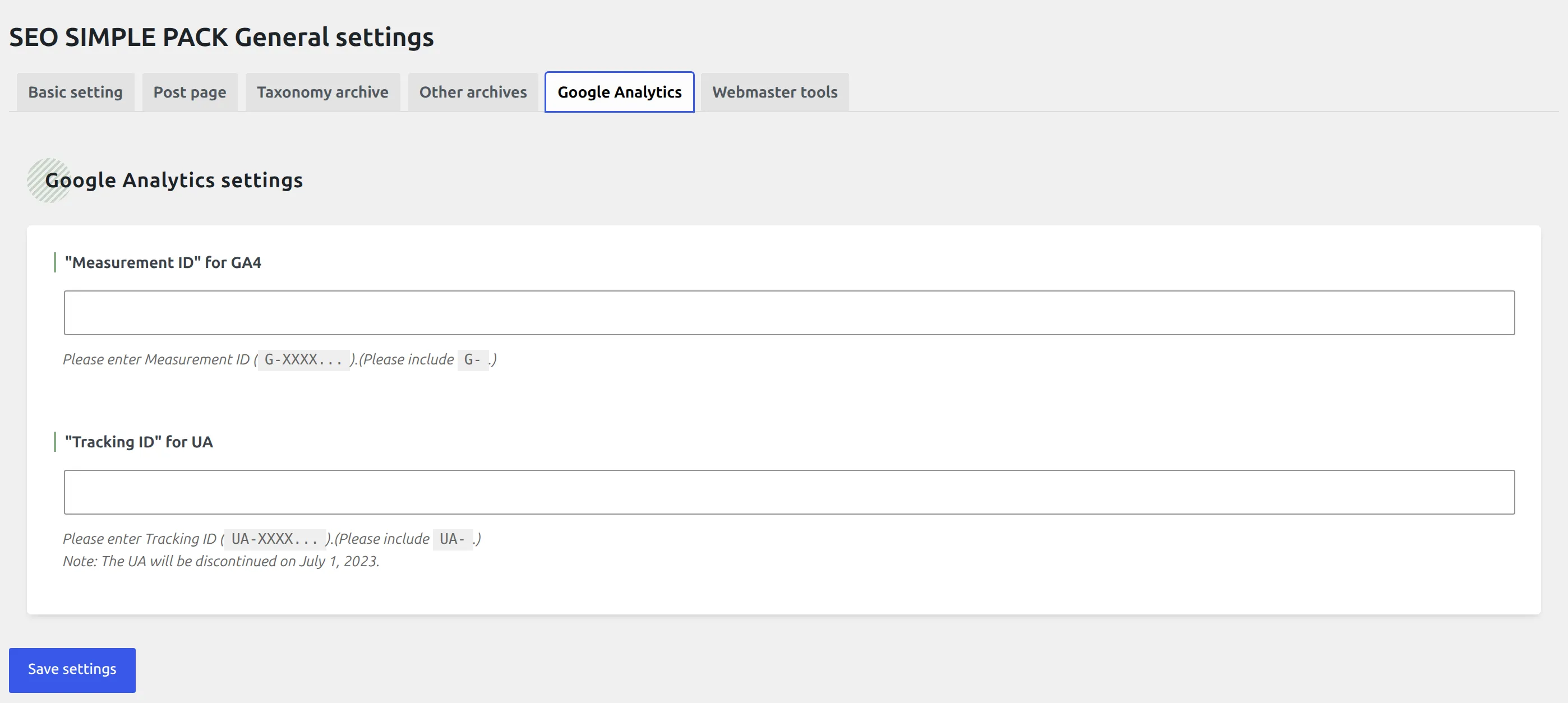
What you get is one SEO PACK item in the admin menu with three screens under it: general settings, OGP settings, and a help page. All three are plain server-rendered PHP. There’s no React app, no dashboard widget, and no notification bar appearing on screens that have nothing to do with SEO.

What does SEO Simple Pack add to your site?
This is the table I care about most, and it’s the one no competing page publishes – because publishing it means actually installing the thing and measuring it.
| Clean site | With SEO Simple Pack | Difference | |
|---|---|---|---|
| Database tables | 19 | 19 | none added |
| Scheduled background jobs | 16 | 16 | none added |
| Its own settings rows | – | 3 | +3 |
| Front-end HTML on one post | 96,990 B | 97,860 B | +870 B |
Tags in the <head> | 25 | 34 | +9 |
| CSS and JS files loaded for visitors | 10 | 10 | none added |
| Structured data blocks | 0 | 0 | none added |
| Server response time, median of 15 requests | 0.0894 s | 0.0913 s | +1.8 ms |
Zero tables. Zero cron jobs. Three settings rows. Nothing loaded for your visitors beyond 870 bytes of text in the page head.
On disk it’s 268 KB across 34 files – 24 PHP files, 3,547 lines of PHP, three JavaScript files totalling 2,068 bytes, four stylesheets totalling 8,263 bytes, and no bundled third-party libraries at all. There’s no vendor/ directory. For scale, measured on the same test site for my Wordfence comparison: Wordfence is 627 files and 22 MB, Kadence Security is 1,710 files and 25 MB.
It also makes no external HTTP requests. I searched for wp_remote_*, curl_ and file_get_contents('http and got nothing back. No phone-home, no telemetry, no usage tracking, no licence check. There’s nothing to opt out of, because there was never an opt-in modal to begin with.
What it costs you in the admin
Most reviews measure the front end and stop. But you spend your day in wp-admin, not on your own homepage, and plenty of plugins cost far more there.
| Screen | Clean site | With SEO Simple Pack | Extra page weight |
|---|---|---|---|
| Dashboard | 0.0548 s | 0.0602 s | +1,579 B |
| Posts list | 0.0598 s | 0.0687 s | +1,426 B |
| Plugins screen | 0.0581 s | 0.0648 s | +3,614 B |
| Block editor | 0.1136 s | 0.1215 s | +7,881 B |
Call it 5 to 10 milliseconds per admin screen. I’m deliberately not quoting those to three decimal places, because they’re single-digit millisecond differences on an idle local machine and they sit close to ordinary run-to-run noise. What’s meaningful is that the direction is the same on all four screens and the size never gets interesting.
Which features work the moment you turn it on?
All of them.
I measured the plugin freshly activated with nothing configured, then went through and set a homepage description, a default OG image, a Twitter handle, a Google Search Console token, and a custom title and description on a test post. Then I measured again.
The difference between “just activated” and “fully configured” was 2 bytes of HTML and one extra tag.
That’s the finding, and it matters more than it looks. In my Rank Math versus Yoast comparison the setup wizard nearly produced a completely reversed conclusion, because a plugin that hasn’t finished its wizard emits almost nothing and looks feather-light next to one that works immediately. SEO Simple Pack has no dormant state to be caught out by. Activate it and it’s already doing the whole job.
Here’s what lands in your <head> the second you switch it on, with nothing configured:
- <title>Blueberry Buttermilk Pancakes – WP Ninja Testing</title>
+ <title>Blueberry Buttermilk Pancakes | WP Ninja Testing</title>
+ <!-- SEO SIMPLE PACK 3.7.0 -->
+ <meta name="description" content="Lorem ipsum dolor sit amet, consectetur adipiscing elit, sed do eiusmod tempor incididunt ut labore et dolore magna aliq">
+ <link rel="canonical" href="http://ninja.ddev.site/blueberry-maple-pancakes/">
+ <meta property="og:locale" content="en_US">
+ <meta property="og:type" content="article">
+ <meta property="og:image" content="...heather-barnes-F2dR5APlxX4-unsplash-scaled-1.jpg">
+ <meta property="og:title" content="Blueberry Buttermilk Pancakes | WP Ninja Testing">
+ <meta property="og:description" content="Lorem ipsum ...">
+ <meta property="og:url" content="http://ninja.ddev.site/blueberry-maple-pancakes/">
+ <meta property="og:site_name" content="WP Ninja Testing">
+ <meta name="twitter:card" content="summary">
+ <!-- / SEO SIMPLE PACK -->
- <link rel="canonical" href="..." /> (WordPress core's, removed)Two small things to notice. It swaps WordPress’s en dash title separator for a pipe. And it removes core’s canonical link and prints its own, rather than leaving you with two of them.
What is it like to use every day?
You get one metabox under the post editor with six fields: title, description, keywords, canonical URL, robots directives, and an image. That’s your whole daily interaction with the plugin. Fill in the two fields you care about, publish, move on.
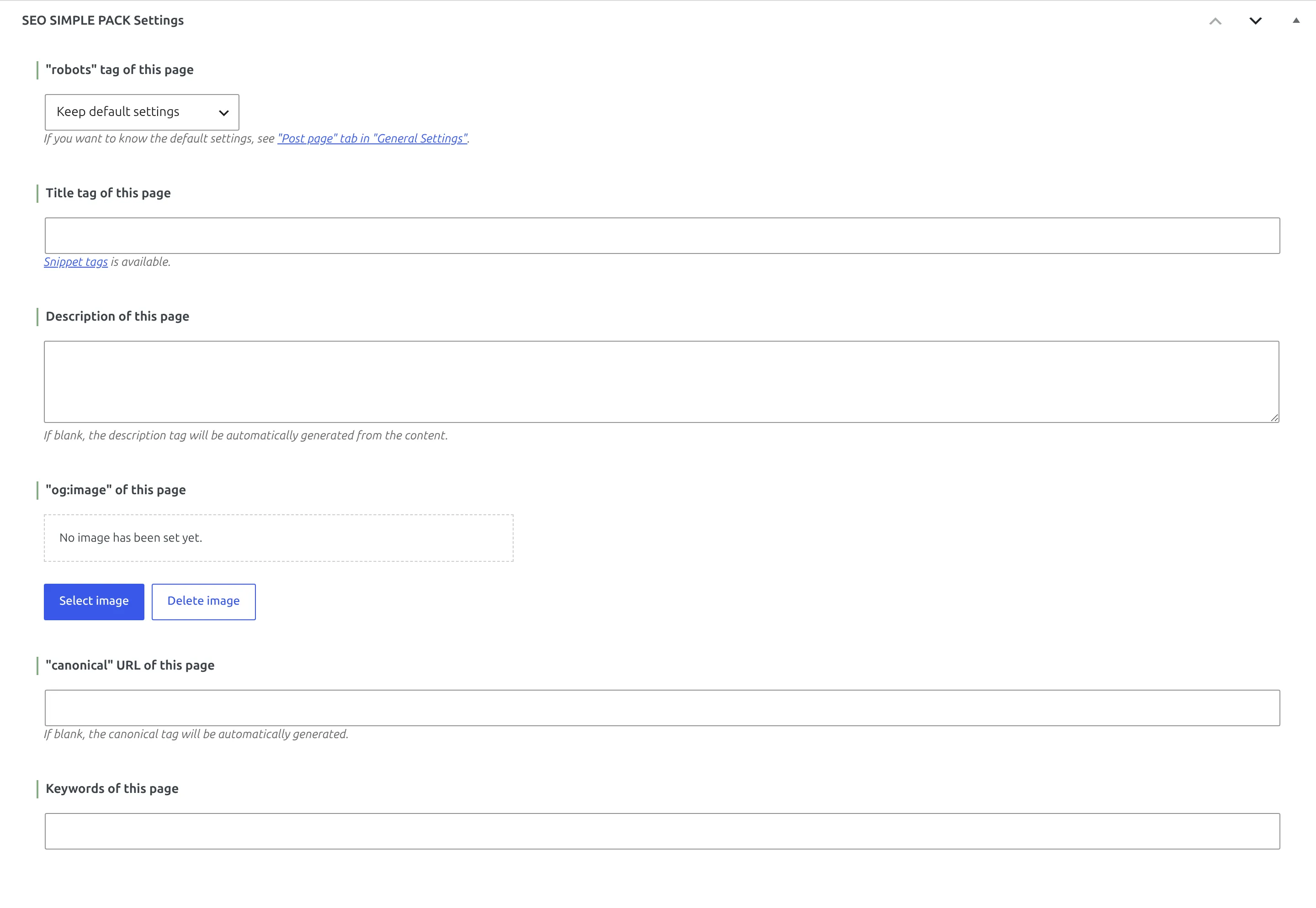
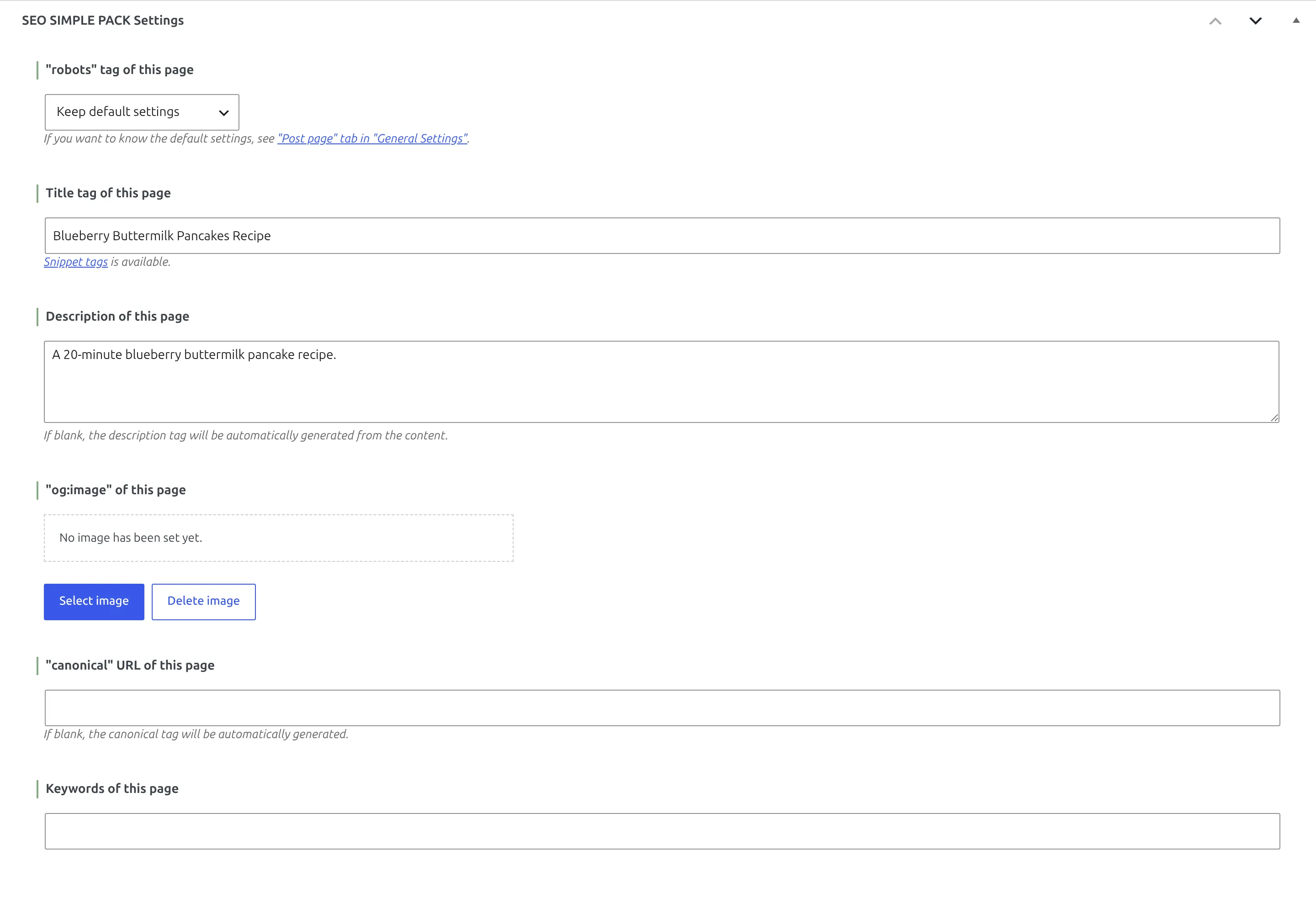
One gotcha, and it’s a real one. A custom title in that box replaces your entire title tag. It doesn’t append your site name.
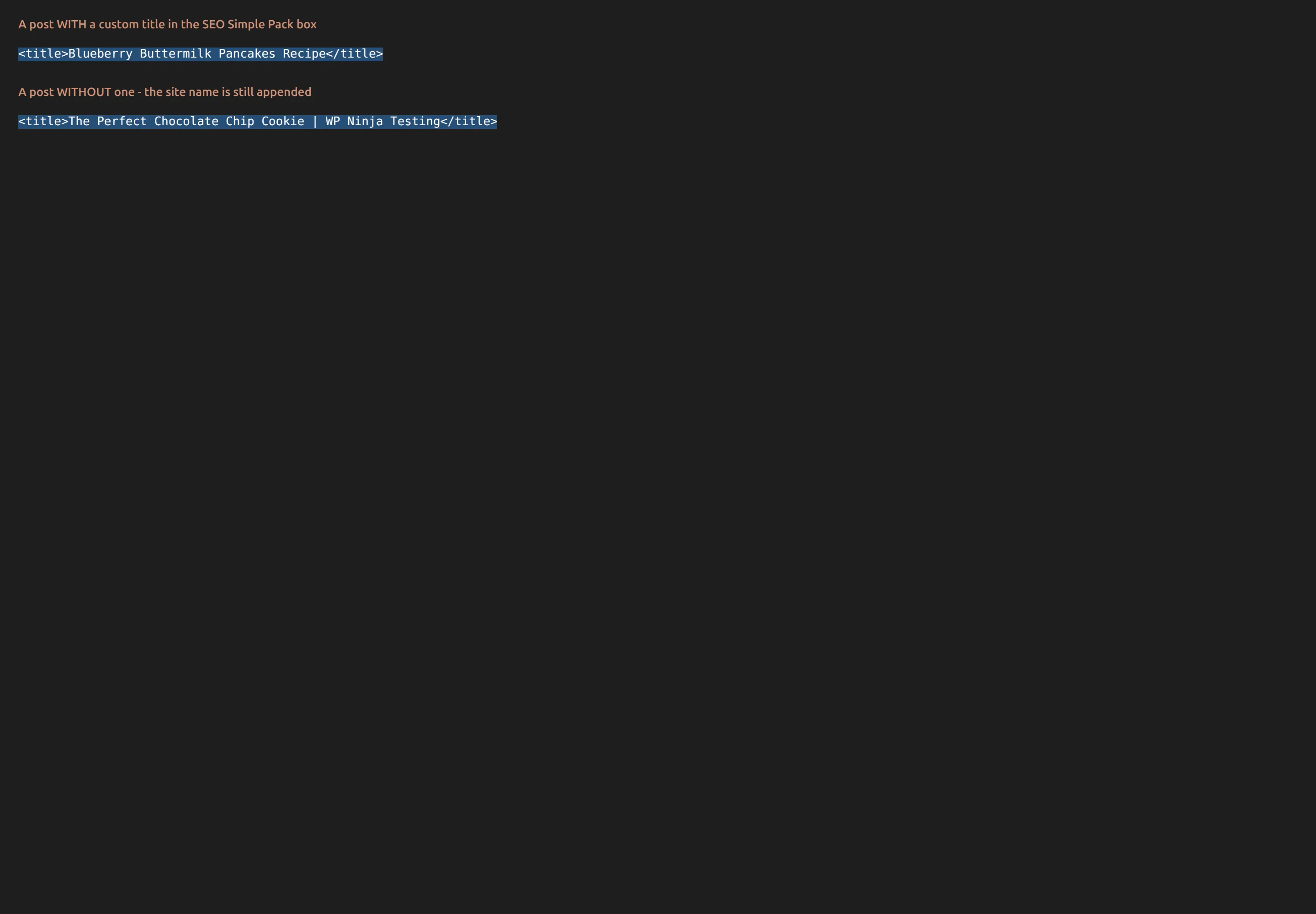
I measured this. With the per-post title set to “Blueberry Buttermilk Pancakes Recipe”, the page shipped this:
<title>Blueberry Buttermilk Pancakes Recipe</title>No | WP Ninja Testing on the end. The template you configured in settings – %_page_title_% %_sep_% %_site_title_% – only applies when the per-post field is empty. Type anything into that box and you’ve silently opted out of your own site-name suffix, and nothing on screen tells you so.
Whether that’s good or bad depends on you. Dropping the site name buys you characters in a tight headline, which is often the right trade. But you should be choosing it, not discovering it six months later. If you want your site name back on that post, type it in yourself – and if you’re not sure what your site name even is at the moment, here’s how to change it.
What does it put in your page head, and what will it never put there?
This is the section that decides whether the plugin is right for you, so I read the output code rather than the feature list.
The complete inventory is 16 tags. That’s not a selection, that’s everything it’s capable of emitting, grepped out of class/output.php:
canonical, description, keywords, robots, twitter:card, twitter:site, article:publisher, fb:admins, fb:app_id, og:description, og:image, og:locale, og:site_name, og:title, og:type, og:url.
And here’s what it will never emit, each one checked by searching the source:
- No
application/ld+json– no structured data of any kind - No
og:image:width,og:image:heightorog:image:alt - No
twitter:title,twitter:descriptionortwitter:image– these fall back to the Open Graph tags, which is valid behaviour, but worth knowing - No
article:published_time,article:modified_timeorarticle:author - No
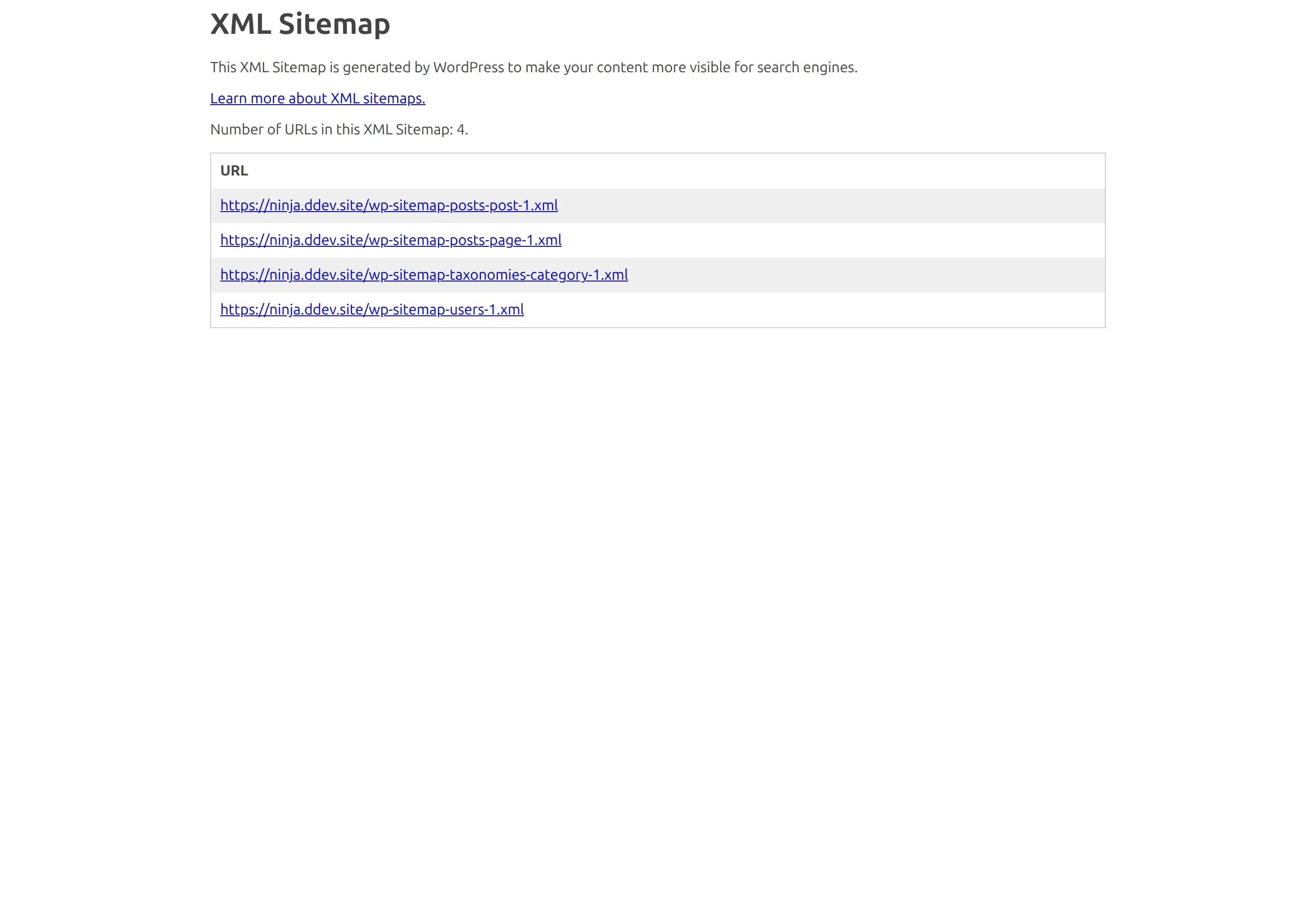
rel="next"orrel="prev", and nohreflang - No sitemap code whatsoever – WordPress core’s own
wp-sitemap.xmlis what serves your sitemap
The missing schema has an explanation, and it’s a good one
“No structured data” reads like an oversight until you find out where this plugin comes from.
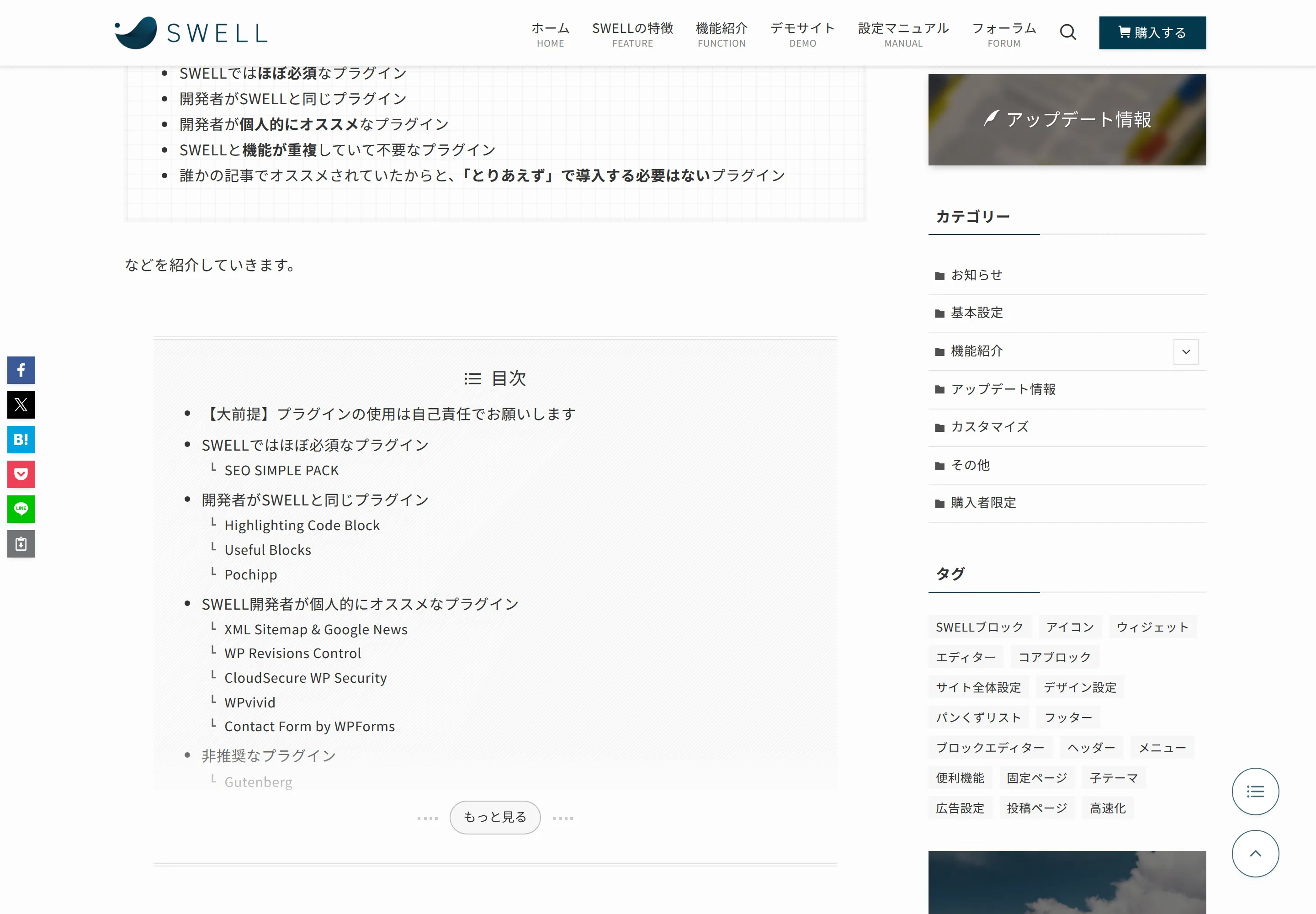
LOOS Inc. also makes SWELL, one of the most popular commercial block themes in Japan. SEO Simple Pack is the SEO companion to that theme, written by the same developer, and SWELL’s own documentation says so in plain terms. From SWELL’s official recommended-plugins page:
SWELL itself has no function to generate meta tags such as OGP, so a plugin that can set meta tags is essential.
The word it uses for “essential” is 必須 – mandatory. And when I looked at the developer’s own documentation page, the division of labour was right there in the HTML:
  26  <!-- SEO SIMPLE PACK 3.1.0 -->
1334  <!-- JSON-LD @SWELL -->
1335  <script type="application/ld+json">{"@context":"https://schema.org", ...
The plugin does the meta tags. The theme does the schema. In the ecosystem this was built for, nothing is missing at all.
But you are probably not using SWELL. And if you’re not, you get neither half – no schema from the plugin, and no schema from your theme either, unless your theme happens to add its own. That’s the honest version of this finding, and it’s the version that matters to a reader on Kadence or Astra or Blocksy.
The same SWELL page separately recommends installing a sitemap plugin, which is the theme’s own developer confirming the sitemap gap I found in the code.
The automatic meta description stops at 120 characters
If you leave the description box empty, the plugin writes one for you from the start of your post body. I went looking for how much of it. From class/output.php line 804:
$word_count = apply_filters( 'ssp_description_word_count', 120 );
...
$replace = mb_substr( $content, 0, $word_count );
120 characters, cut with a hard substring – no ellipsis, no rounding to the nearest word. Google renders roughly 155 to 160. So the automatic description under-fills your snippet by about a quarter and can slice a word in half on the way out.
There’s a filter to change it, which is a one-line job for a developer and out of reach if you don’t write code. The practical fix costs nothing: write the description yourself, in the box the plugin already put on your editor screen.
Two smaller things I measured
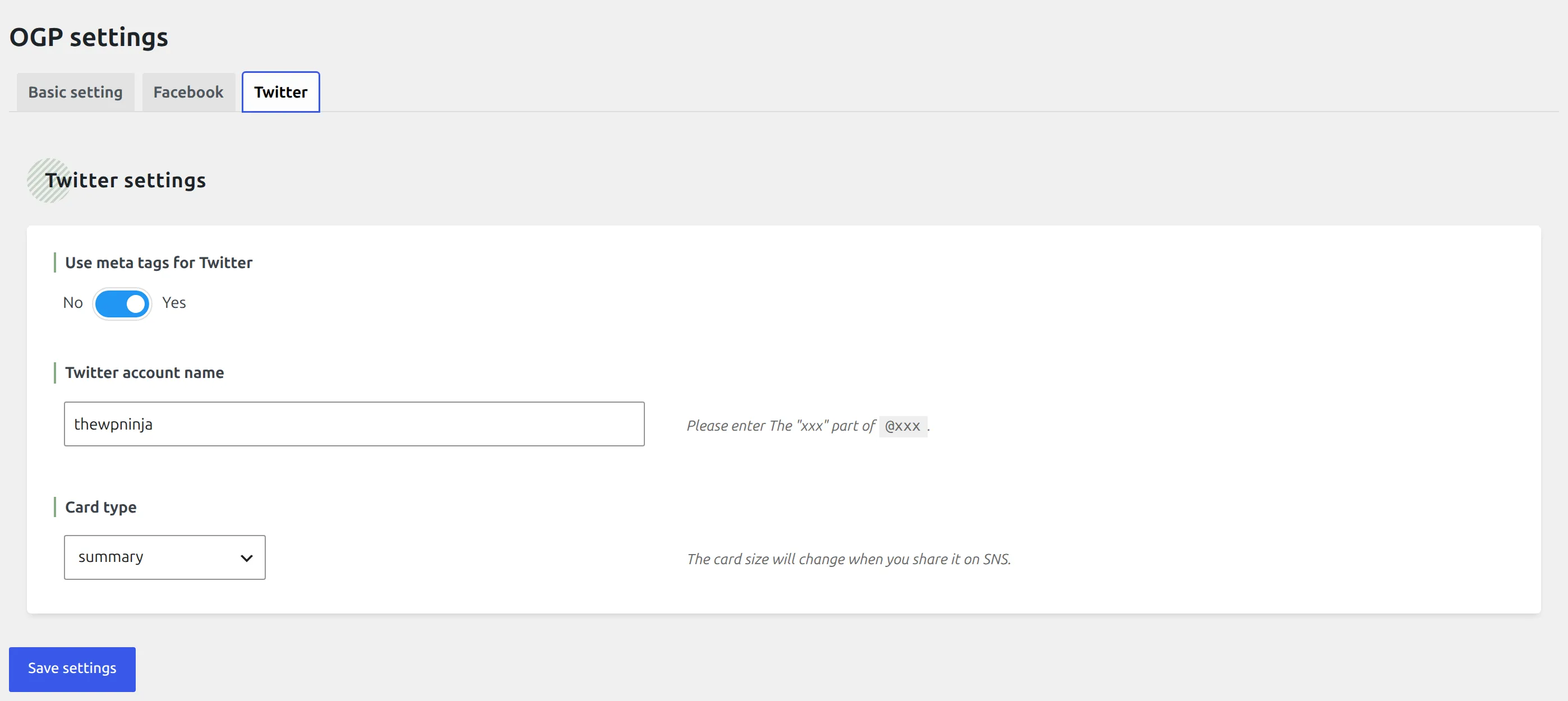
The twitter:site tag ships without the @. The settings field asks you, word for word, to “enter the xxx part of @xxx” – and then the plugin prints exactly what you typed. So you get content="thewpninja" where the convention documented across every card validator is content="@thewpninja".
I wanted to confirm that against X’s own specification and couldn’t: the card markup page now sits behind a paywall and the developer documentation redirects. So I’ll tell you what I measured and what’s widely documented, and stop short of calling it a spec violation on a source I can’t reach. Either way your fix takes two seconds – type the @ into the field anyway.
The attachment redirect turns a 301 into a 302. WordPress core already redirects attachment pages to the file itself. SEO Simple Pack has a setting that does the same job, on by default, and it uses wp_safe_redirect() – which defaults to a temporary redirect. Measured on a locally uploaded image, same URL both ways: plugin off gave a 301, plugin on gave a 302.
A 301 is the correct permanent signal; a 302 tells search engines the attachment page might come back. The destination is identical and the practical impact is close to nothing, so treat this as a footnote rather than a reason to avoid the plugin.
Defaults a beginner would be surprised by
| Setting | Default | What that means |
|---|---|---|
| Author archives | noindex | hidden from Google |
| Date archives | noindex | hidden from Google |
| Post format archives | noindex | hidden from Google |
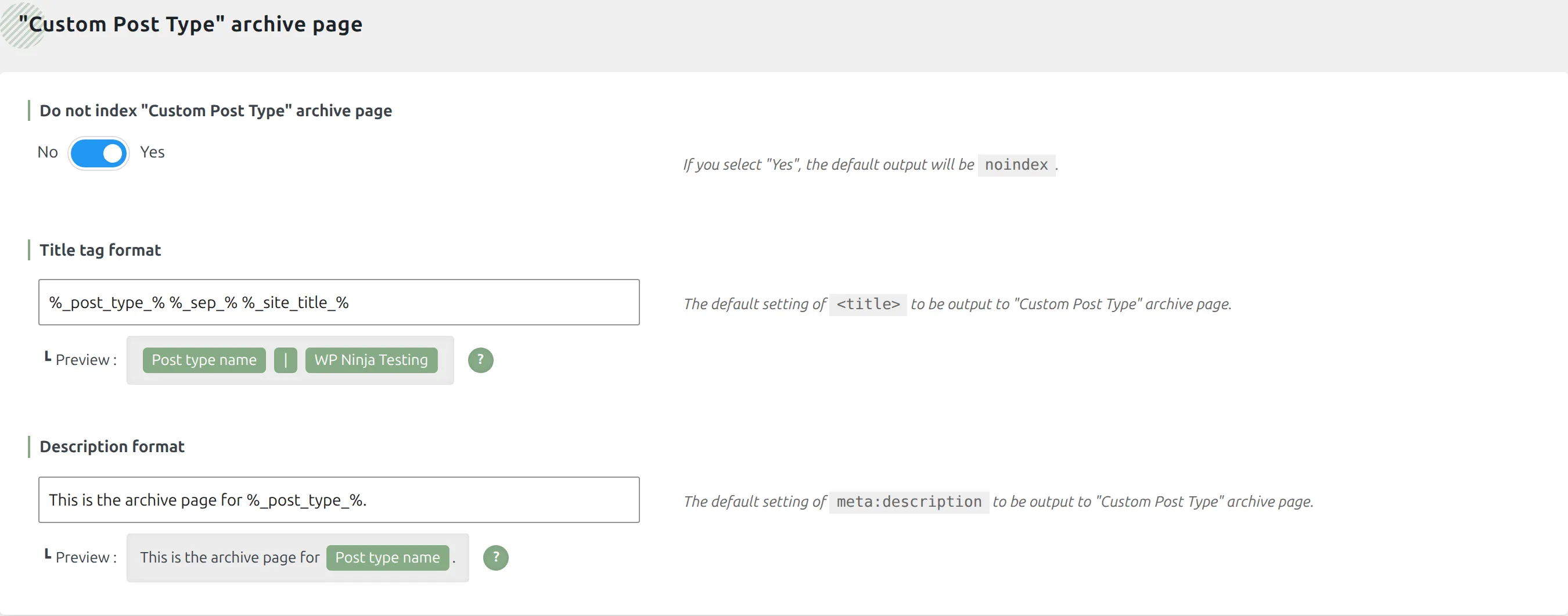
| Custom post type archives | noindex | hidden from Google |
| Attachment pages | redirected | sent to the file itself |
| Category archives | indexable | visible to Google |
| Tag archives | indexable | visible to Google |
| Feeds | indexable | visible to Google |
| Post descriptions | automatic | pulled from the post body |
Most of that is sensible for a blog. The one to watch is custom post type archives. If you run a portfolio, a shop, a directory, or anything else with its own archive page, that archive is hidden from Google the moment you activate this plugin, and nothing tells you it happened.
Where’s the paid version?
There isn’t one, so this section becomes a different question: what are you giving up by choosing it?
Not features held behind a price. Features that don’t exist:
- No schema markup – no review stars, no recipe cards, no FAQ blocks, no product data in search results
- No sitemap control – core’s sitemap or nothing
- No redirect manager – change a URL and you fix the old one yourself
- No 404 log – you won’t find out which broken links people are hitting
- No content analysis – no readability score, no keyword traffic lights
- No internal link suggestions
- No breadcrumbs
Each of those is a genuine reason to pick something else, and I’ll say who should at the end. But notice what’s not on the list: there’s no feature you can see, want, click, and then be told to pay for. The plugin’s admin has no upsell surface anywhere in it.
What happens when you delete it?
I tested this the way you would delete it – through the wp-admin Delete button, not with a command line shortcut that skips the plugin’s own cleanup routine.
| Result | |
|---|---|
| Database tables it created | 0 |
| Scheduled jobs it created | 0 |
| Settings rows left behind | 0 of 3 |
| Term metadata left behind | 0 |
| Per-post SEO text left behind | yes |
| Tables and cron jobs afterwards | back to 19 and 16, exactly the baseline |
Both halves of that are worth saying. Its own settings are removed completely by a real uninstall routine, which is more than most plugins manage. But the titles and descriptions you wrote on individual posts stay in your database.
That second half is arguably a feature. Reinstall the plugin and every custom title and description you ever wrote is still there waiting. It’s also the reason the premise of this article was checkable at all – the five-month claim came from querying exactly those rows on this site.
It even tidies up after itself between versions, deleting empty SEO fields on update rather than leaving a blank row per post per field. Most SEO plugins don’t bother.
For contrast: in my Wordfence comparison, Wordfence keeps all 26 of its database tables when you remove it, by design.
Has SEO Simple Pack ever had a security problem?
Once, in eight years.
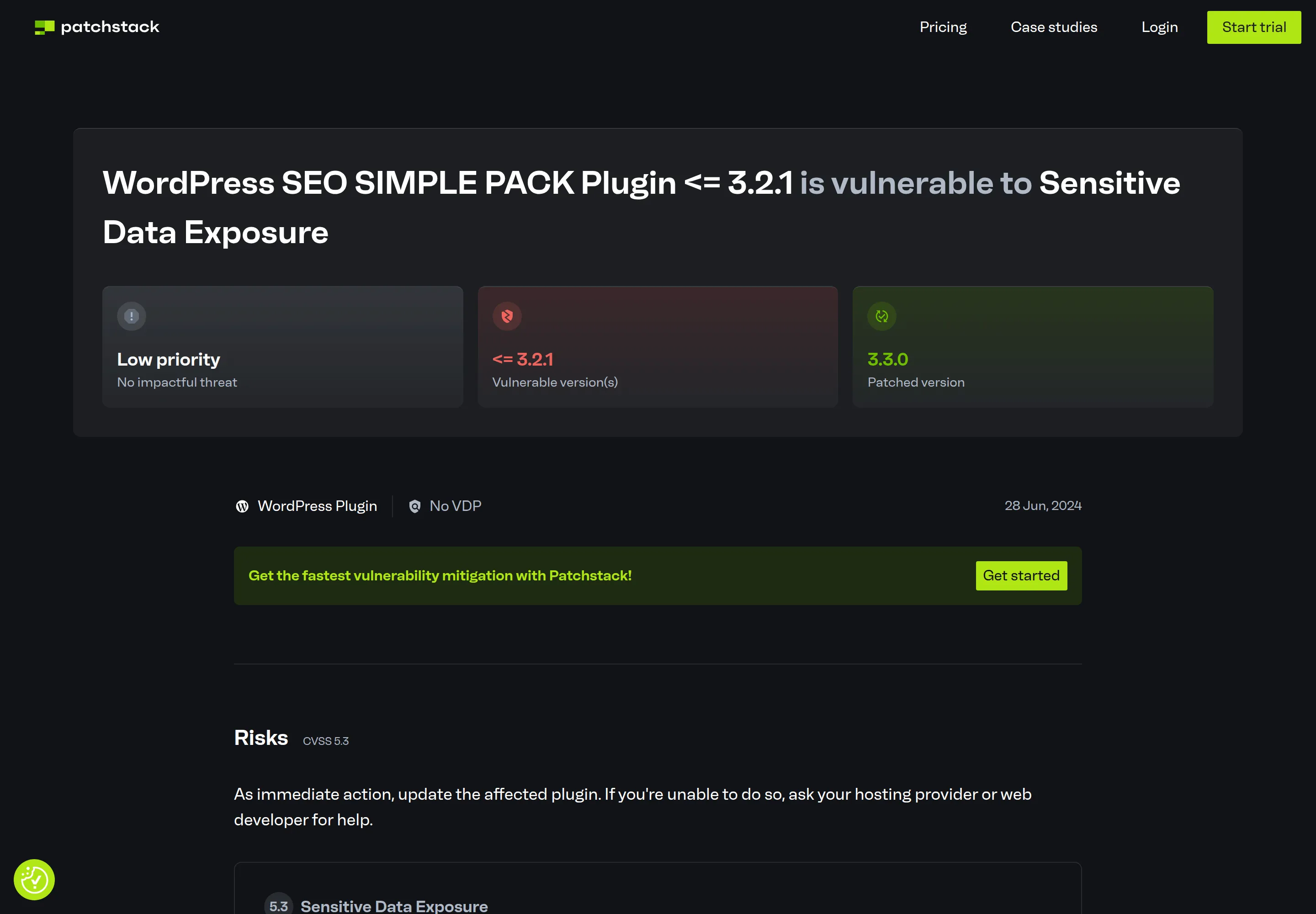
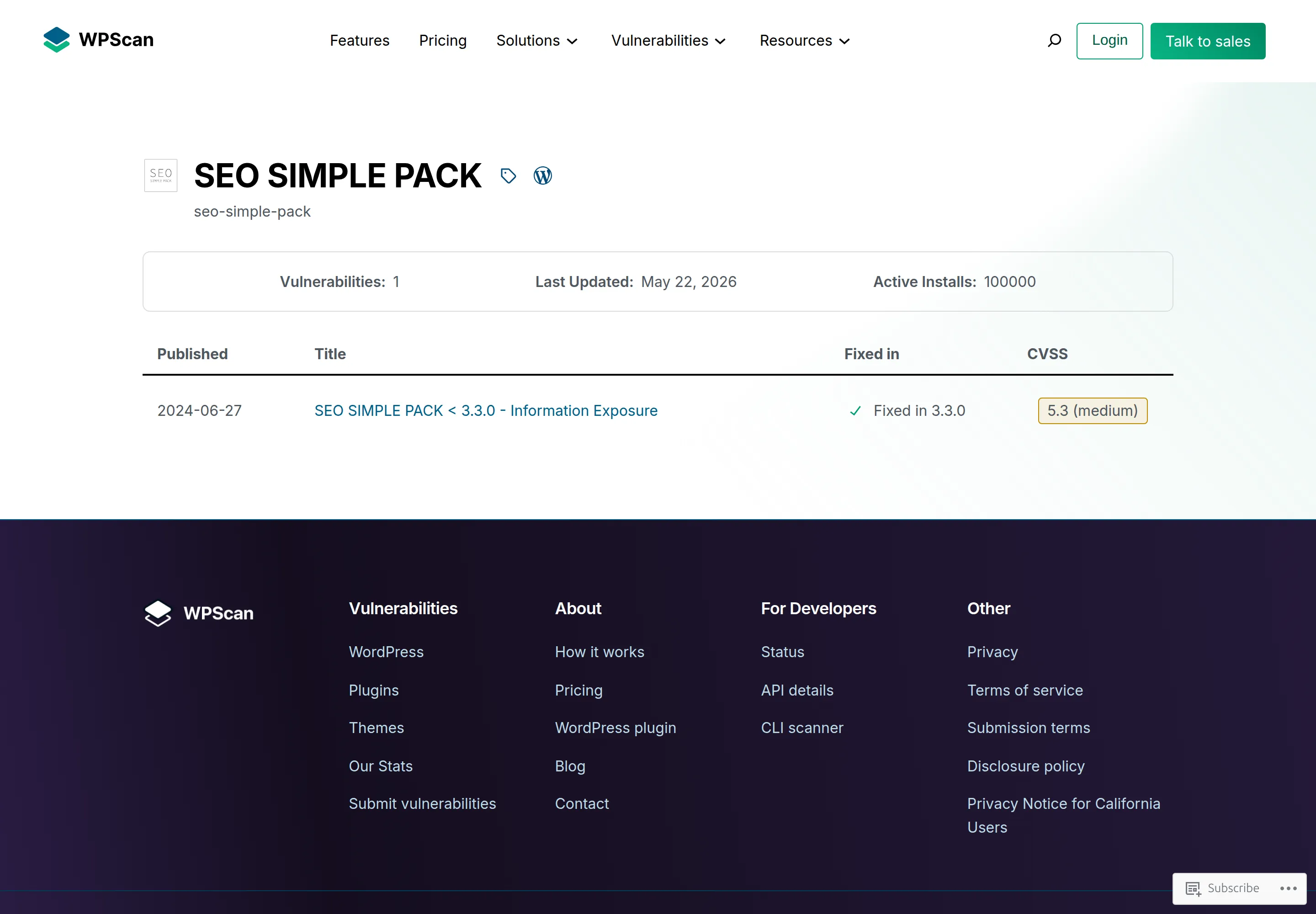
CVE-2024-2795, an information exposure issue affecting version 3.2.1 and earlier, patched in 3.3.0. Scored 5.3, which is the low end of medium. Patchstack published it on 28 June 2024. I checked it on Patchstack and WPScan directly rather than taking it from a summary.
The detail that makes it interesting: the leak came through the automatic meta description on password-protected posts – the same 120-character auto-description covered further up this page. If you password-protected a post, the description tag could still print the first 120 characters of its contents.
There’s no open advisory now, and 3.7.0 is far past the affected range. One medium-severity issue in eight years on a plugin with 100,000 installs is a good record, and I’m not going to manufacture alarm about a bug that was fixed two years ago.
What does SEO Simple Pack cost?
Nothing, and there’s nothing to sell you later. No renewal price, no tiers, no licence key, no seat count. This is the shortest section in the review and that’s the whole story.
The numbers from the WordPress.org API, fetched on 6 September 2026:
| Active installs | 100,000 |
| All-time downloads | 1,353,913 |
| Rating | 92/100 |
| Number of ratings | 14 |
| Support threads in the last two months | 2 |
| …marked resolved | 0 |
Fourteen ratings against 100,000 installs looks broken until you know about SWELL. Most of this plugin’s users came to it because a Japanese commercial theme told them to install it, and they aren’t leaving reviews on an English-language plugin listing.
That “0 of 2 resolved” is a real signal though, and I won’t spin it. If you have a problem with this plugin, the WordPress.org forum isn’t where it gets solved.
It’s also a Japanese plugin, and that shows. Every code comment in the source is in Japanese. The only translation it ships is Japanese. The developer’s own documentation page is in Japanese. If you go looking for help with a specific setting, most of what you find will need a translator.
Who should use SEO Simple Pack, and who shouldn’t?
Use it if you want your title tags, meta descriptions and social sharing tags handled correctly and you want nothing else on top. Use it if you’re on SWELL, where it’s the intended other half of your theme. Use it if you’ve opened Yoast or Rank Math, felt the dashboards close in on you, and wanted a plugin that just does the thing and gets out of the way.
Don’t use it if you need schema markup of any kind – review stars, recipes, FAQs, product data. Don’t use it if you need a redirect manager, a 404 log, or content analysis. Those aren’t coming in a future version, and there’s no paid tier where they’re hiding.
The honest alternative
If any of the “don’t use it” list applies to you, install Rank Math or Yoast instead. Both do schema, redirects and sitemap control properly, and I’ve already measured what each of them costs you in Rank Math vs Yoast. The trade is real – you get a great deal more capability and you pay for it in page weight, database tables and dashboard noise.
The way to choose is to be honest about which list you’re on. If you’ve read this far and none of the missing features bothered you, SEO Simple Pack is the correct answer and it will cost you 870 bytes.
Frequently Asked Questions
Is SEO Simple Pack completely free?
Yes, completely. I searched the whole plugin for licensing and upgrade code and found none – no Freemius, no licence key field, no locked settings, no upsell screens. The only mentions of the word “license” anywhere in 24 PHP files are the two GPL lines in the plugin header.
Does SEO Simple Pack generate a sitemap?
No. There is no sitemap code in the plugin at all. WordPress core has generated wp-sitemap.xml for you since version 5.5, and that’s what serves your sitemap.
For a normal blog that’s fine. You lose image sitemaps and per-post sitemap exclusion beyond a plain noindex.
Does the SWELL theme need an SEO plugin?
Yes, and SWELL’s own documentation says so – the theme deliberately ships no meta tag or OGP output, and calls a meta tag plugin mandatory. SEO Simple Pack is written by SWELL’s own developer for exactly that gap. The theme supplies the structured data and the plugin supplies the meta tags.
How do I add meta tags without Yoast?
This is what SEO Simple Pack is for. Install it, activate it, and you have title tags, meta descriptions and Open Graph tags immediately, with no wizard to finish. You’ll get a metabox under every post with six fields, and no readability score anywhere.
What is the best lightweight SEO plugin for WordPress?
On what I measured, SEO Simple Pack is the lightest that still does a complete job on meta tags: no database tables, no cron jobs, no front-end CSS or JavaScript, 870 bytes of extra HTML and under 2 milliseconds of server time. “Best” depends on whether you need schema and redirects. If you do, lightweight is the wrong thing to be optimising for.