Wordfence vs Solid Security in 2026: I Installed Both and Measured Everything (And Solid Security Has a New Name)
Short answer on Wordfence vs Solid Security: Wordfence protects more of your site on day one, and it’s the one I’d install on a beginner’s blog. Solid Security is the lighter, quieter option, but you have to finish its setup wizard before it does anything at all.
There’s a bigger thing you need to know first, though. Solid Security isn’t called Solid Security any more.
I rewrote this article from scratch because the old version was wrong in six places. Not slightly wrong. Wrong about which plugin is heavier, wrong about whether one of them has a firewall, wrong about what a paid licence costs, and wrong about a setting it told you to go and switch off.
So this time I installed both plugins on a clean WordPress site, one at a time, and measured what each one actually did to it.
Database tables. Background jobs. Page weight. What survives when you delete them.
Wait, what happened to Solid Security?
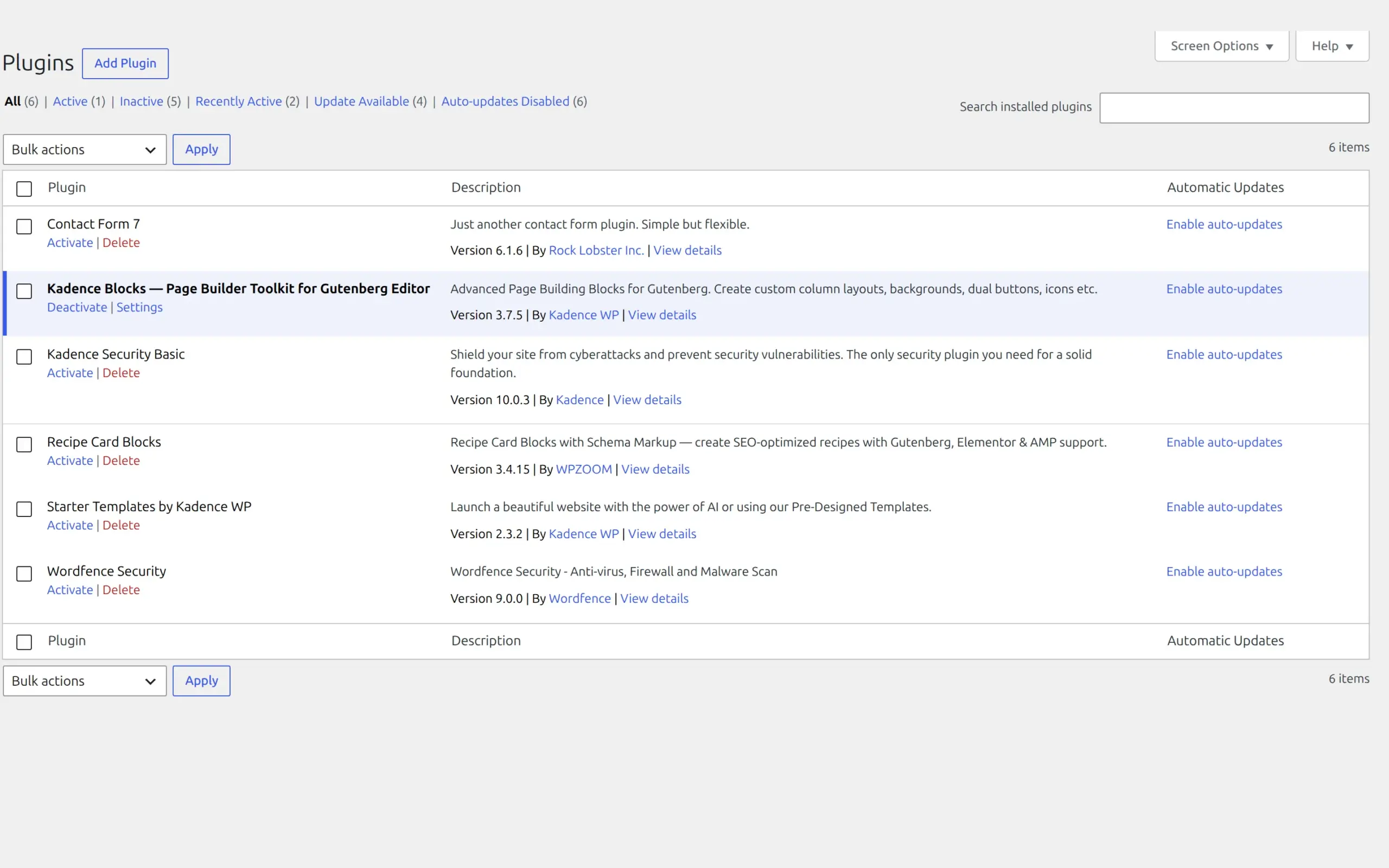
It’s now called Kadence Security.
If you go to install it, you’ll still search for the same plugin and land on the same wordpress.org listing. The plugin folder is still better-wp-security. But open the plugin file and the name at the top says something else:
Plugin Name: Kadence Security Basic
Plugin URI:  https://www.kadencewp.com/
Author:      Kadence
Version:     10.0.3
The full history goes: iThemes Security, then Solid Security, then Kadence Security. Its own readme still carries the line “Formerly iThemes Security.”
Here’s the proof that convinced me it’s a real rebrand and not a branding experiment. I asked for the old Solid Security product page, solidwp.com/security/, and got redirected to liquidweb.com/software/kadence/add-ons/ – a page that doesn’t contain the word “Solid” anywhere.

The rename is only skin deep in the code. Internally it’s still solid-security everywhere – the telemetry setting, the consent pop-up’s HTML id, and every support link, which still points at go.solidwp.com. Even Patchstack’s vulnerability database still files it under “Solid Security.”
But the words you’ll actually see have changed. When the plugin blocks someone now, it tells them their IP “has been flagged as a threat by the Kadence Security network.”
I’ve kept “Solid Security” in the title because that’s what you typed to get here. From here on I’ll call it Kadence Security, because that’s what’s on your screen.
And if you use the Kadence theme, note that your security plugin now comes from the same company.
How I tested this
Everything below came from one test site, measured the same way for both plugins.
| Tested on | 6 September 2026 |
| WordPress | 7.1 |
| PHP | 8.3.33 |
| Theme | Kadence 1.4.5, unchanged throughout |
| Other plugins | Kadence Blocks only, unchanged throughout |
| Content | 6 posts |
The versions I tested, and when they came out:
| Plugin | Version | Last updated | On wordpress.org since |
|---|---|---|---|
| Wordfence Security | 9.0.0 | 10 August 2026 | April 2012 |
| Kadence Security Basic | 10.0.3 | 27 July 2026 | October 2010 |
One practical difference before we go further. Wordfence runs on WordPress 4.7 and PHP 7.0. Kadence Security needs WordPress 6.5 and PHP 7.4. If you’re on older hosting that you can’t upgrade, that decision may already be made for you.
I measured a clean baseline first, then installed one plugin, measured, then restored the site from a database backup before installing the other. That matters more than it sounds. Deactivating a plugin leaves its tables and settings sitting in your database, and if I hadn’t wiped between runs, the second plugin’s numbers would have included the first plugin’s leftovers.
It’s the same method I used on Rank Math and Yoast, and it produced the same kind of surprise: the plugin I expected to win didn’t.
What does a security plugin actually do?
Both plugins are doing four separate jobs, and it helps to keep them apart in your head.
Stop people guessing your password. Both lock an IP address out after a set number of failed attempts – Kadence Security’s defaults are a 15-minute lockout and a permanent ban after 3 of them.
Block bad requests before they reach WordPress. That’s the firewall, looking for the shapes of known attacks like SQL injection.
Tell you when something has changed. Either by scanning your files against known-good copies, or by checking your plugins against a database of known vulnerabilities.
Add a second step to logging in. So a stolen password isn’t enough on its own.
Neither plugin cleans up a site that’s already infected. That’s a different job.
What do you get for free?
Both free tiers are genuinely useful, which is not something you can say about every “free” WordPress plugin.
| Wordfence Free | Kadence Security Basic | |
|---|---|---|
| Firewall | Yes, application-level | Yes, Patchstack engine |
| Firewall rules | Community feed, 30 days behind | Included |
| Real-time IP blocklist | No, Premium only | No |
| Malware file scanning | Yes | No |
| Vulnerability scanning | Yes | Yes |
| Brute-force lockouts | Yes | Yes |
| Two-factor authentication | Yes | Yes |
| Passkeys | Yes | No, Pro feature |
| Force 2FA on other users | Yes | No, Pro feature |
| Change your login URL | No | Yes |
| Country blocking | No, Premium only | No |
The 30-day delay on Wordfence’s firewall rules gets quoted everywhere, and for once the internet is right. It’s stated twice in Wordfence’s own code (Rule updates delayed by 30 days) and again on their pricing page. New rules go to paying customers first, and free sites get them a month later.
What does each one actually add to your site?
This is the part nobody else measures, so here it is.
| Baseline | Wordfence | Kadence Security | |
|---|---|---|---|
| Database tables | 19 | 45 (+26) | 33 (+14) |
| Space those tables use | – | 1,056 KB | 752 KB |
| Scheduled background jobs | 16 | 20 (+4) | 25 (+9) |
| Page size, one blog post | 96,990 bytes | +0 | +0 |
Tags added to <head> | 25 | +0 | +0 |
| Extra CSS or JS files loaded | 10 | +0 | +0 |
| Server response time | 0.085s | 0.097s (+12ms) | 0.097s (+12ms) |
Two things jump out.
Neither plugin puts a single byte on your public pages. No extra stylesheets, no extra scripts, no extra markup in your <head>. I measured the same blog post before and after installing each one and got the identical byte count. If you’ve been worrying that a security plugin will bloat your pages, it won’t. That’s not where the cost lives.
The cost is server work, and it’s about 12 milliseconds. Both plugins added the same 12ms to how long my server took to start sending a page. On a real site with real attack traffic that number would be higher for both, because they’d have something to inspect. But on an ordinary day, on ordinary hosting, this is not the thing that makes your site slow.
If your site feels sluggish, the cause is almost always somewhere else, and the lever that actually moves the needle is a caching plugin rather than anything you change in here.
Where they genuinely differ is the database. Wordfence creates 26 tables. Kadence Security creates 14. Wordfence keeps far more history – it has separate tables for blocked IPs, file changes, scan issues, traffic rates, security events and audit events.
But flip it around and Kadence Security schedules more than twice as many background jobs – nine, against Wordfence’s four. It registers the same itsec_cron hook eight separate times, seven daily and one hourly.
So “which one is lighter” has no clean answer. One writes more to your database, the other wakes up more often. I’d rather give you both numbers than pick a winner and hide the other half.
About the download size
The old version of this article said Solid Security had the lighter footprint. That was wrong, and here’s the measurement:
| Wordfence | Kadence Security | |
|---|---|---|
| Disk size | 22 MB | 25 MB |
| Files | 627 | 1,710 |
| Lines of PHP | 146,888 | 105,668 |
| JavaScript files | 20 (2.2 MB) | 727 (5.4 MB) |
Kadence Security is the bigger download. Its settings screens are built in React, which is why it ships 727 JavaScript files against Wordfence’s 20. Wordfence carries 40% more PHP because its admin is built the old-fashioned way.
None of that JavaScript loads on your public site. It’s only there when you’re looking at the settings. A bigger download is not a slower website, and I want to be clear about that rather than scoring a point.
Which one protects you the moment you turn it on?
This is the question I’d actually want answered, and the two plugins behave completely differently.
Kadence Security does nothing until you finish its wizard. I mean that literally. On a fresh activation the admin menu has exactly two items – “Setup” and “Get More Security”. If you try to visit the settings, tools or logs pages directly, WordPress tells you “Sorry, you are not allowed to access this page.” Nothing is protecting you yet.
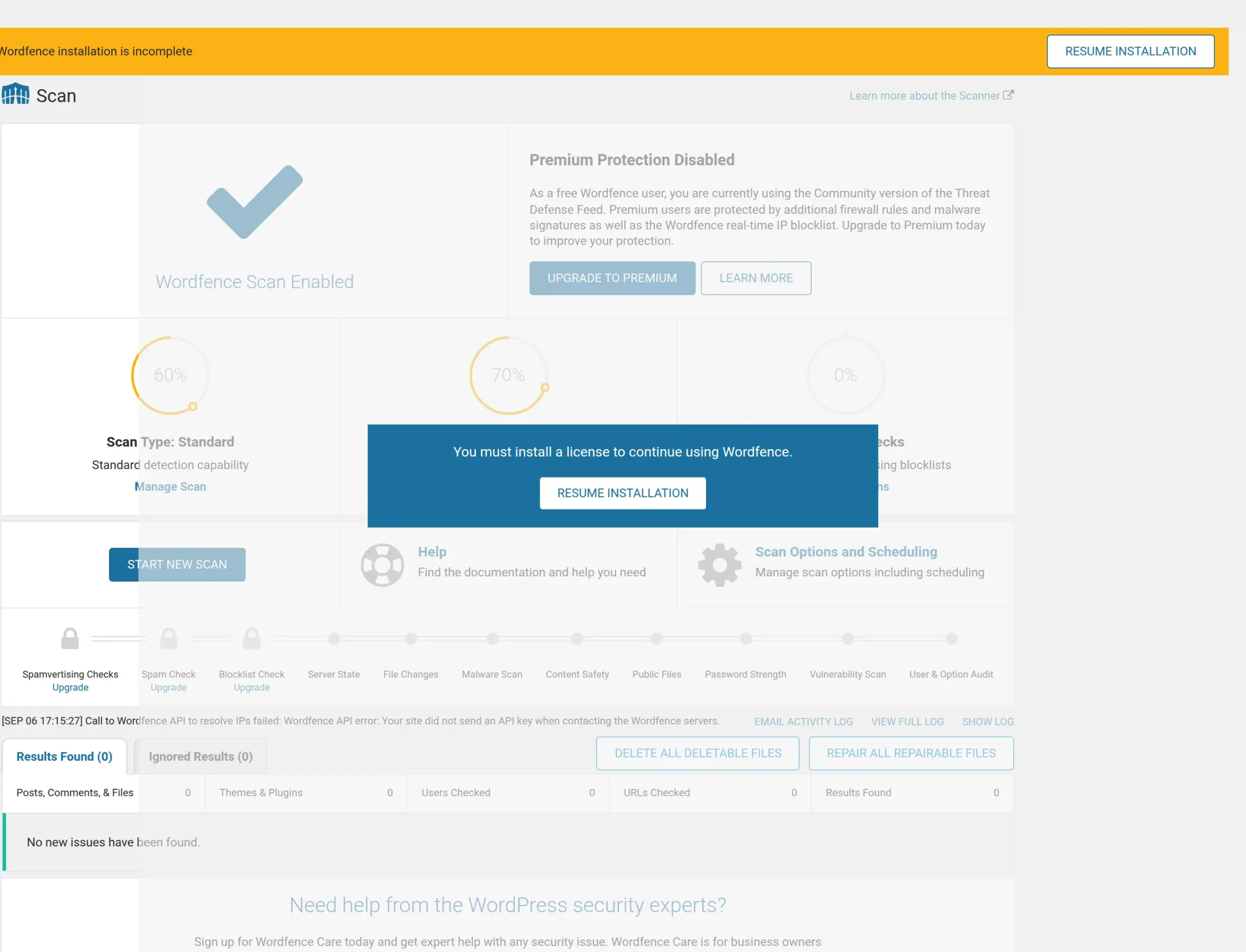
Wordfence starts working immediately, but not all of it. Its dashboard scores itself at 48% and shows a banner saying “Wordfence installation is incomplete.” Brute-force protection is on and scores 100%. The firewall, though, is in learning mode.
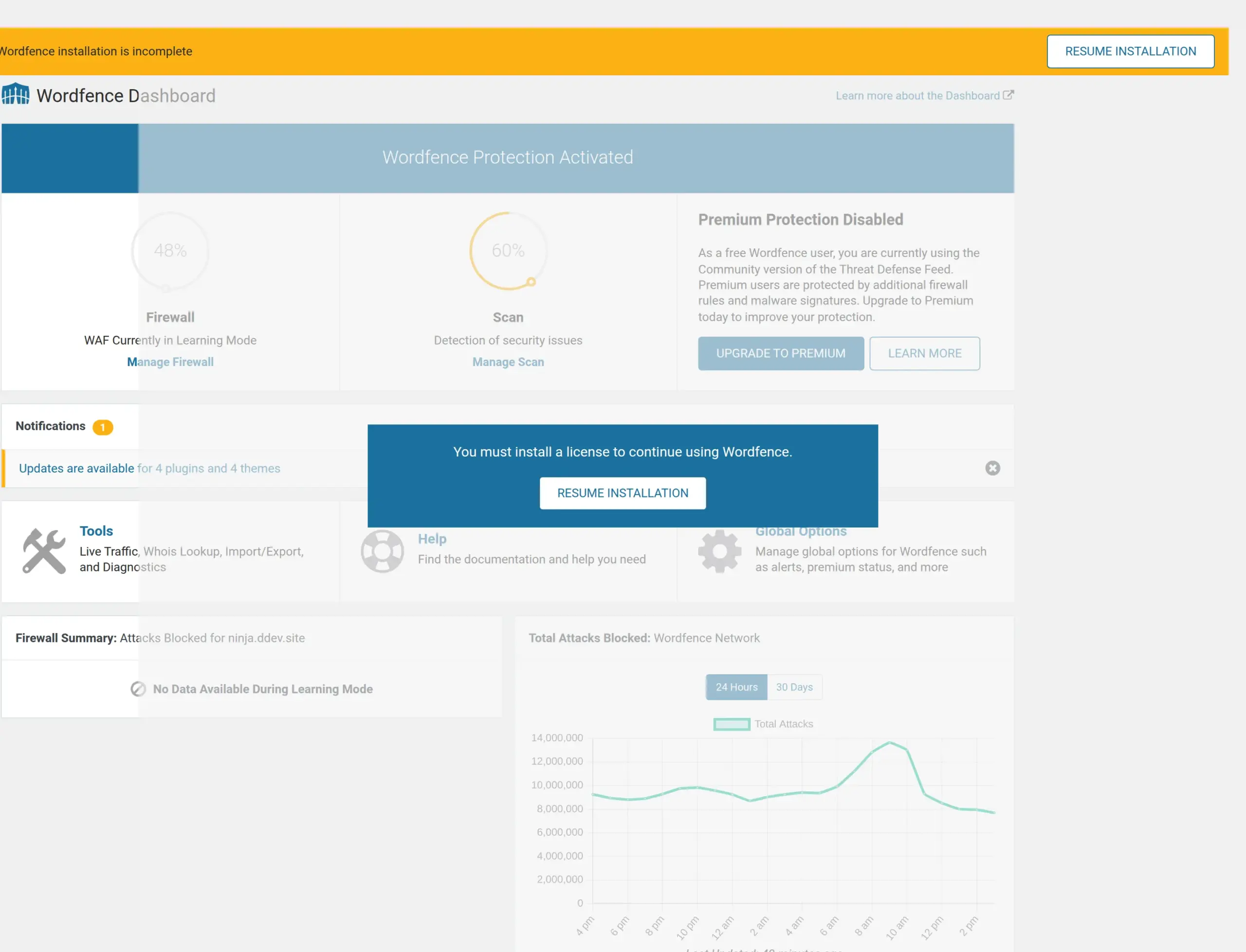
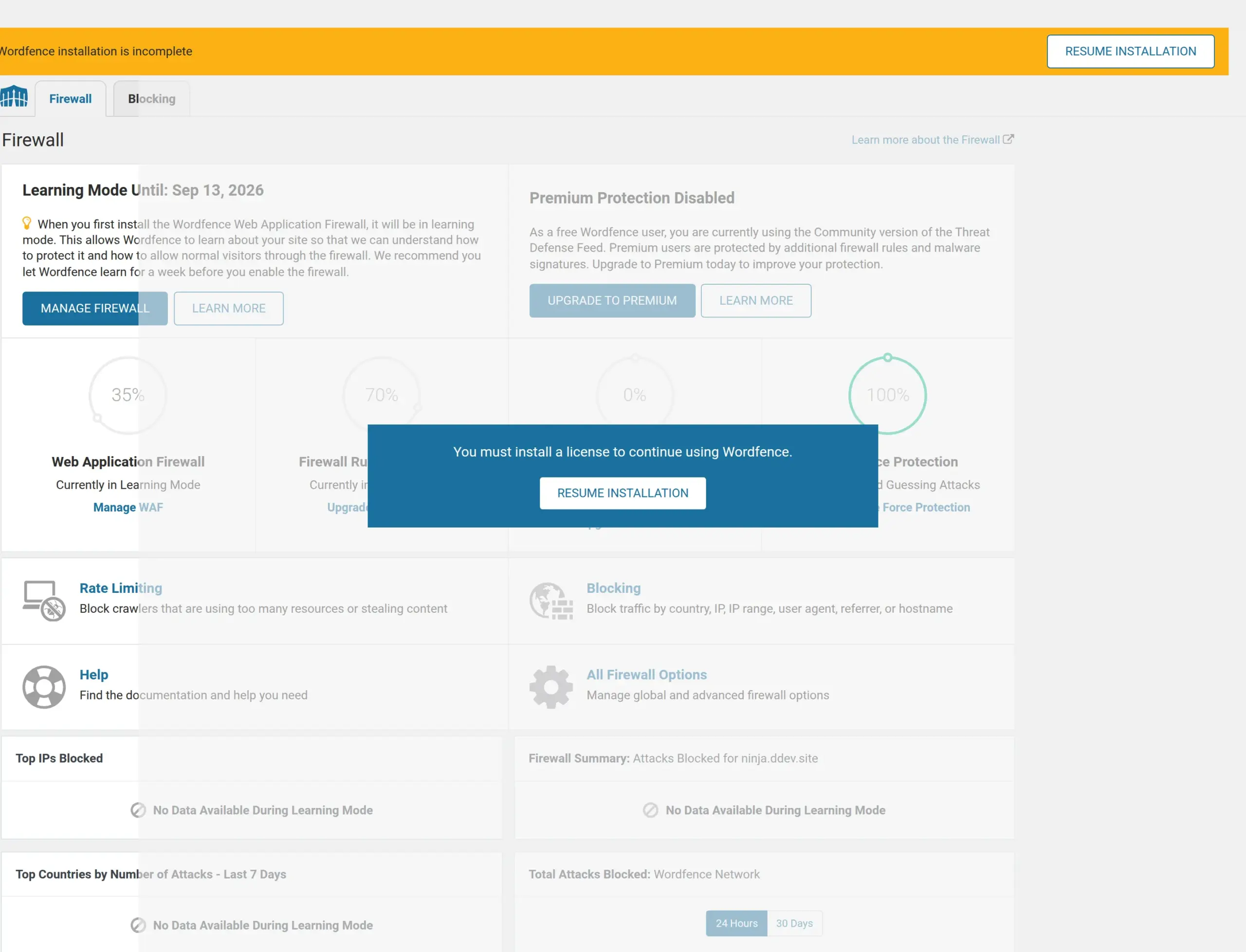
Here’s what the firewall screen told me, word for word:
Learning Mode Until: Sep 13, 2026
“When you first install the Wordfence Web Application Firewall, it will be in learning mode. This allows Wordfence to learn about your site so that we can understand how to protect it and how to allow normal visitors through the firewall. We recommend you let Wordfence learn for a week before you enable the firewall.”
Seven days. And I appreciate that it gives you the date rather than being vague about it. Every panel that would normally show blocked attacks just reads “No Data Available During Learning Mode.”
There’s one more thing Wordfence doesn’t do on its own. Its firewall can run at the server level, loading before WordPress does, which is what makes a firewall genuinely useful. After activation I checked the site’s folder and neither of the files that would do that (wordfence-waf.php or .user.ini) existed. Until you run the firewall optimisation from the settings, Wordfence loads as an ordinary plugin – after WordPress has already started handling the request.
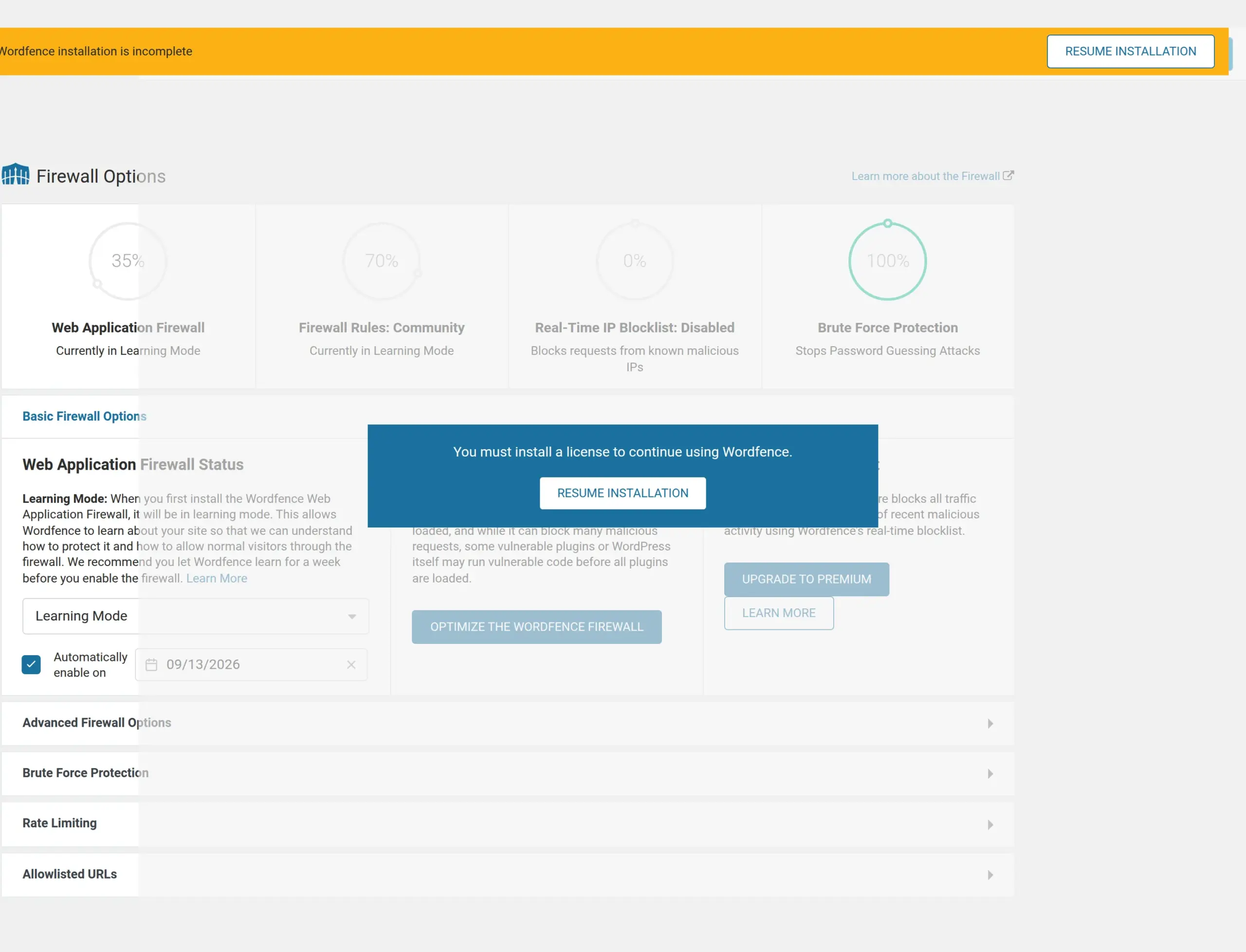
So the honest scoreboard on day one: Wordfence gives you brute-force protection straight away, a firewall in a week, and a stronger firewall whenever you get round to the optimisation step. Kadence Security gives you nothing until you sit down with the wizard, and then gives you most of it at once.
What is Kadence Security’s setup like?
Ten screens. The old version of this article said five questions, which I can only assume I guessed.
The very first thing it shows you isn’t a security setting at all. It’s a consent box asking permission to collect usage data and to email you “updates, important product and marketing information, and exclusive offers.”
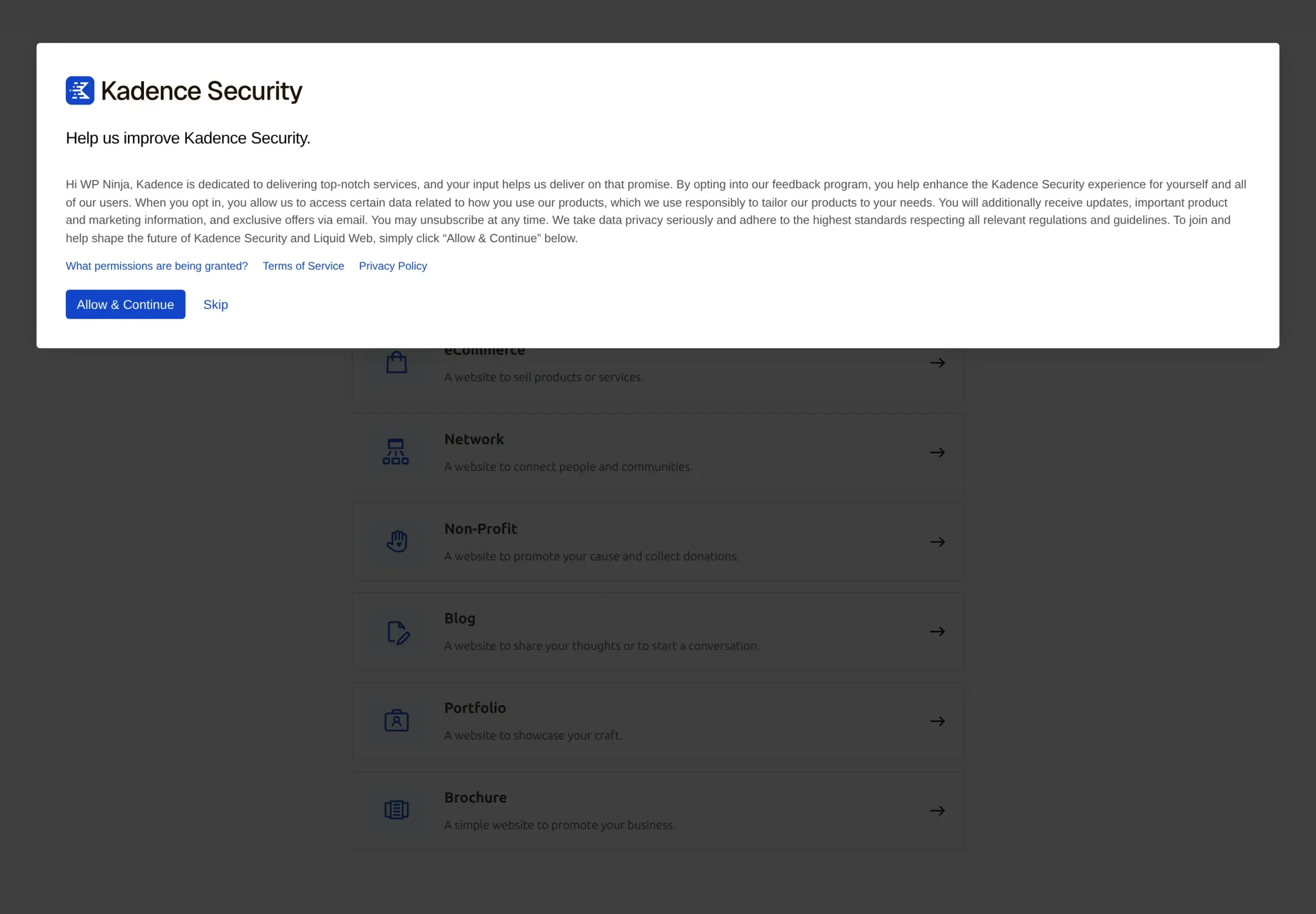
The button that agrees is the big blue one, “Allow & Continue.” Declining is a small text link, “Skip.” Skipping works fine and leaves tracking off, and I skipped it. But I’d rather you knew that was the first decision the plugin asks you to make.
After that it walks you through what kind of site you have, an optional scan, brute-force settings, password rules, two-factor, whether the site is yours or a client’s, and how your server sees visitor IP addresses.
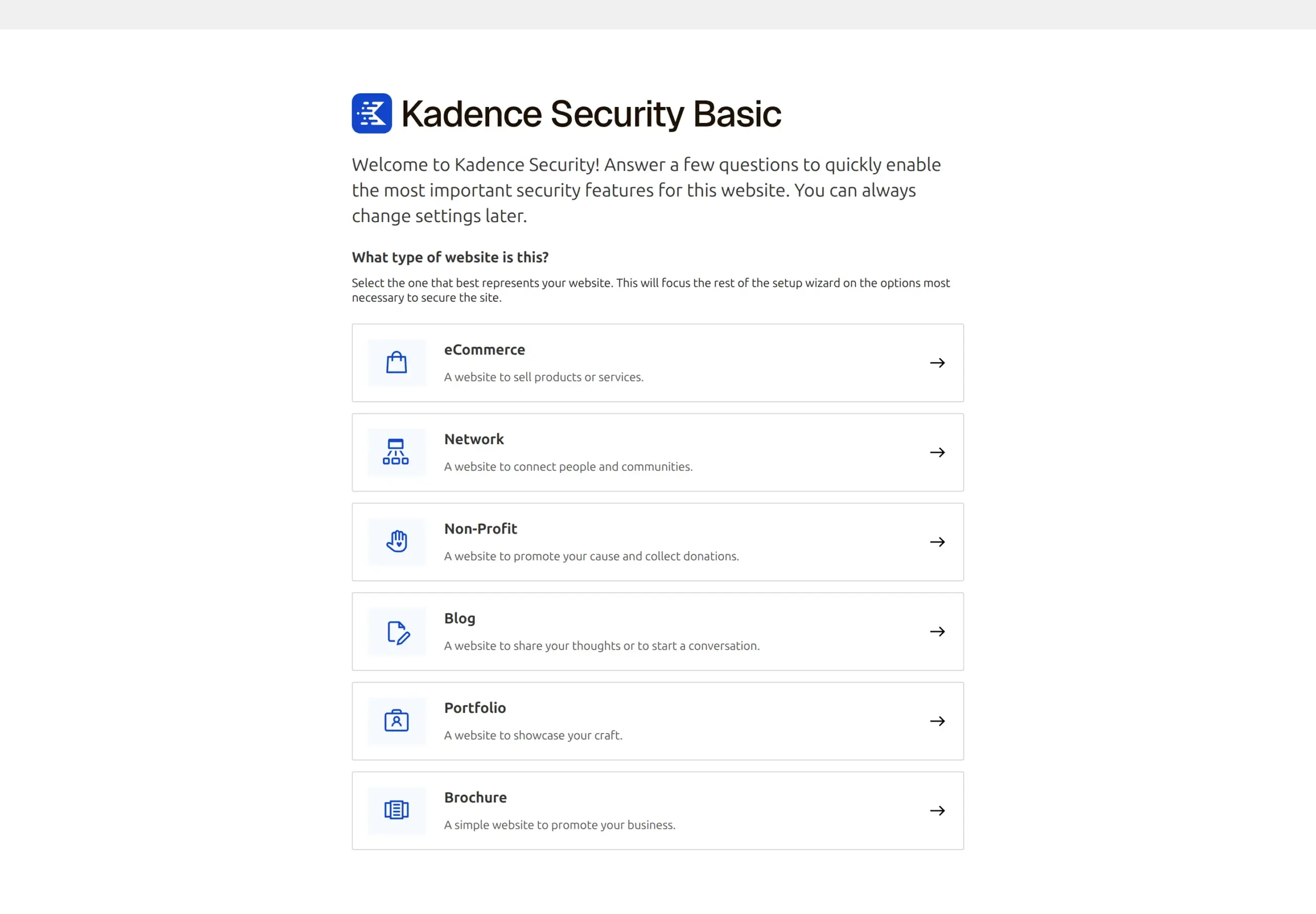
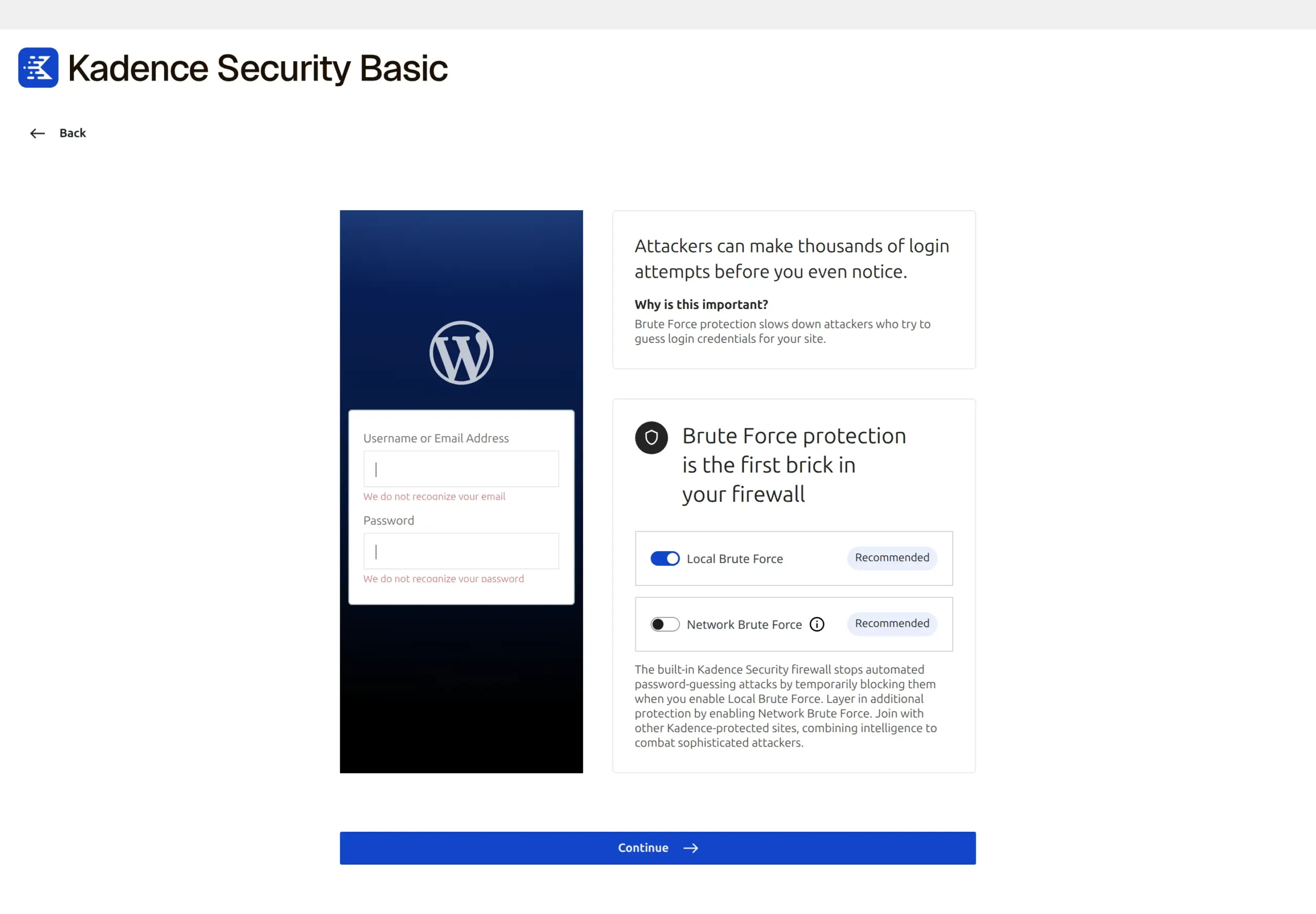
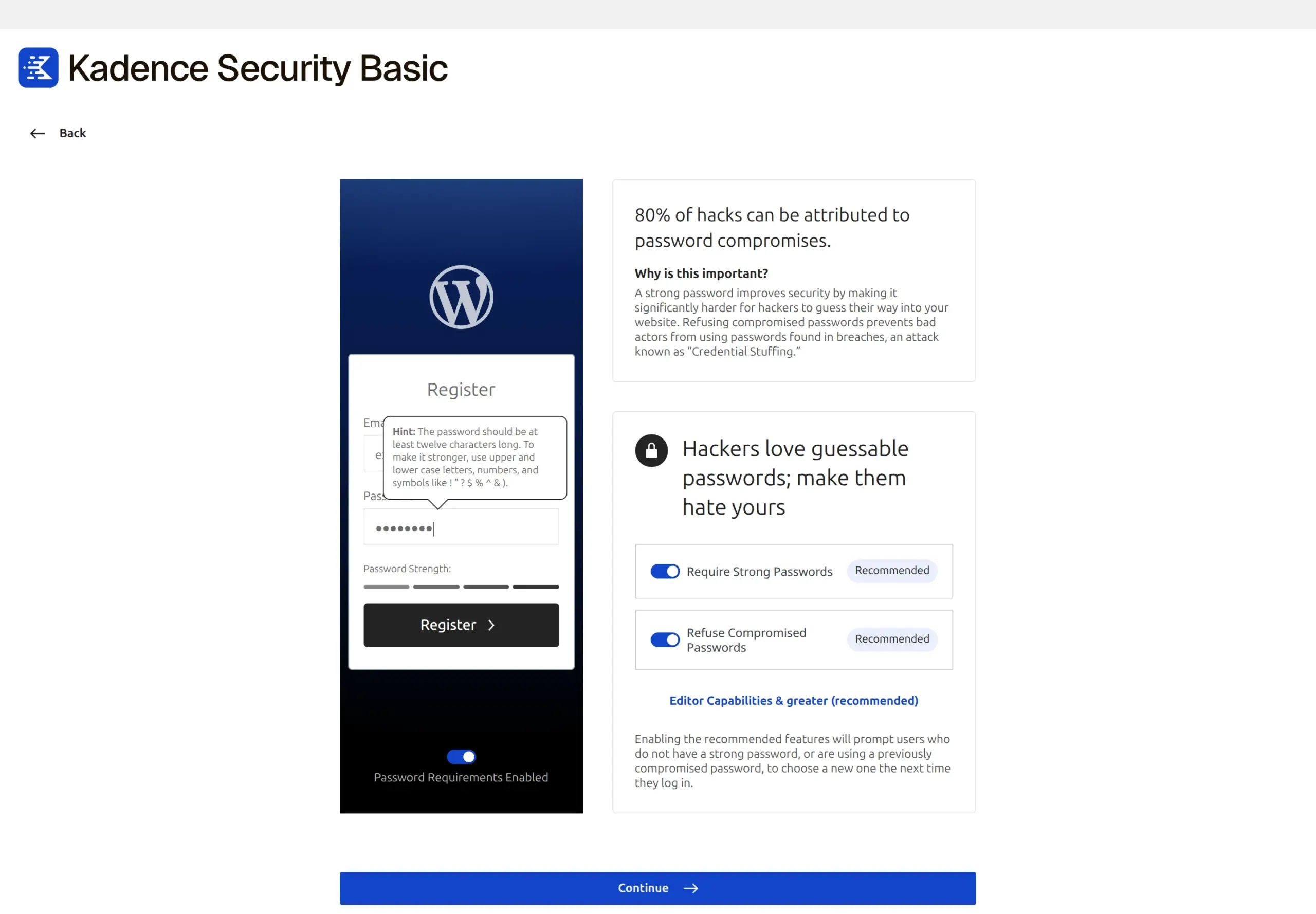
Two of those screens are worth pausing on.
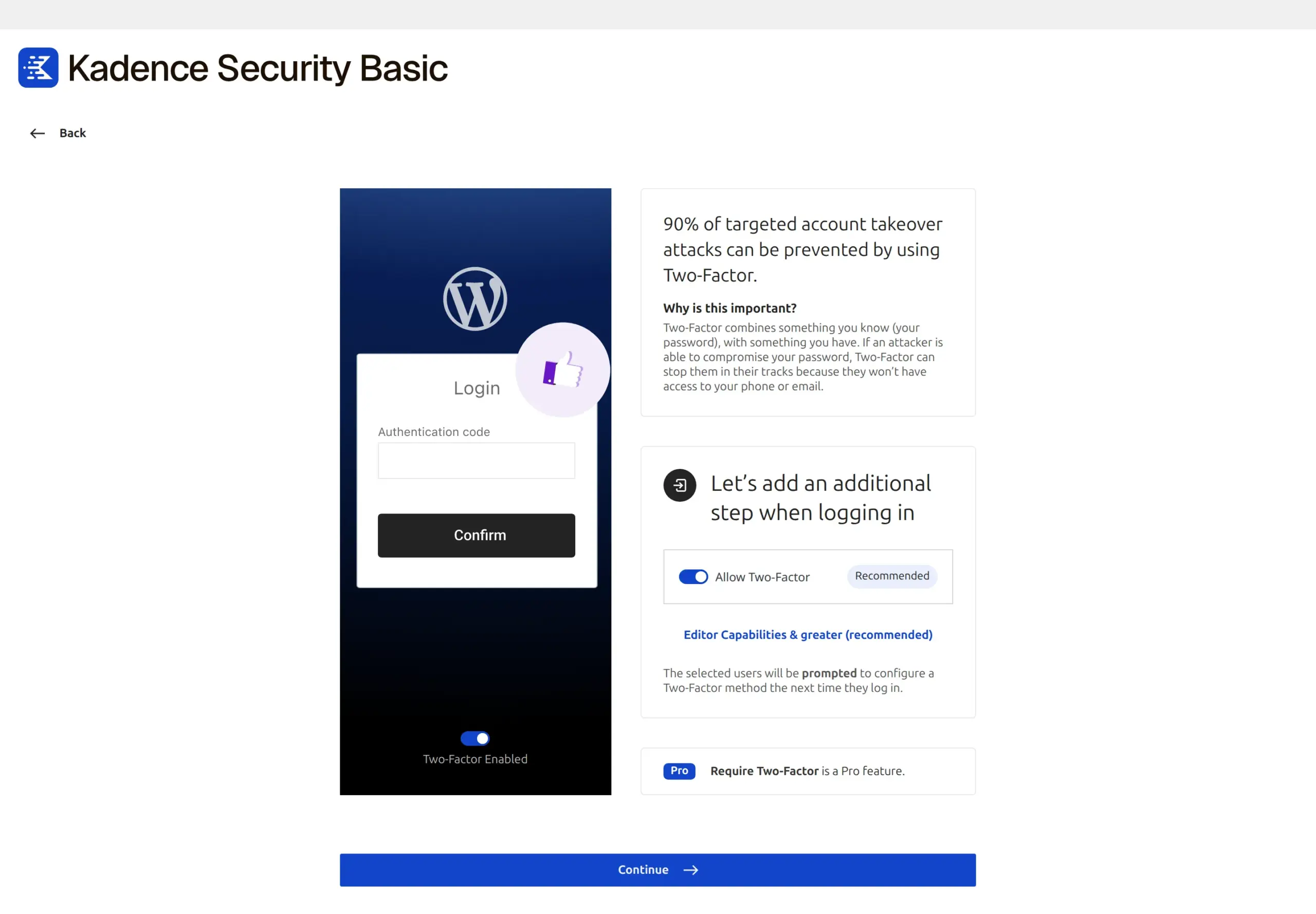
The two-factor step shows you the free tier’s ceiling right there in the interface: you can allow two-factor for free, but “Require Two-Factor is a Pro feature.” So on the free plan you can offer 2FA to your users, but you can’t make them use it.
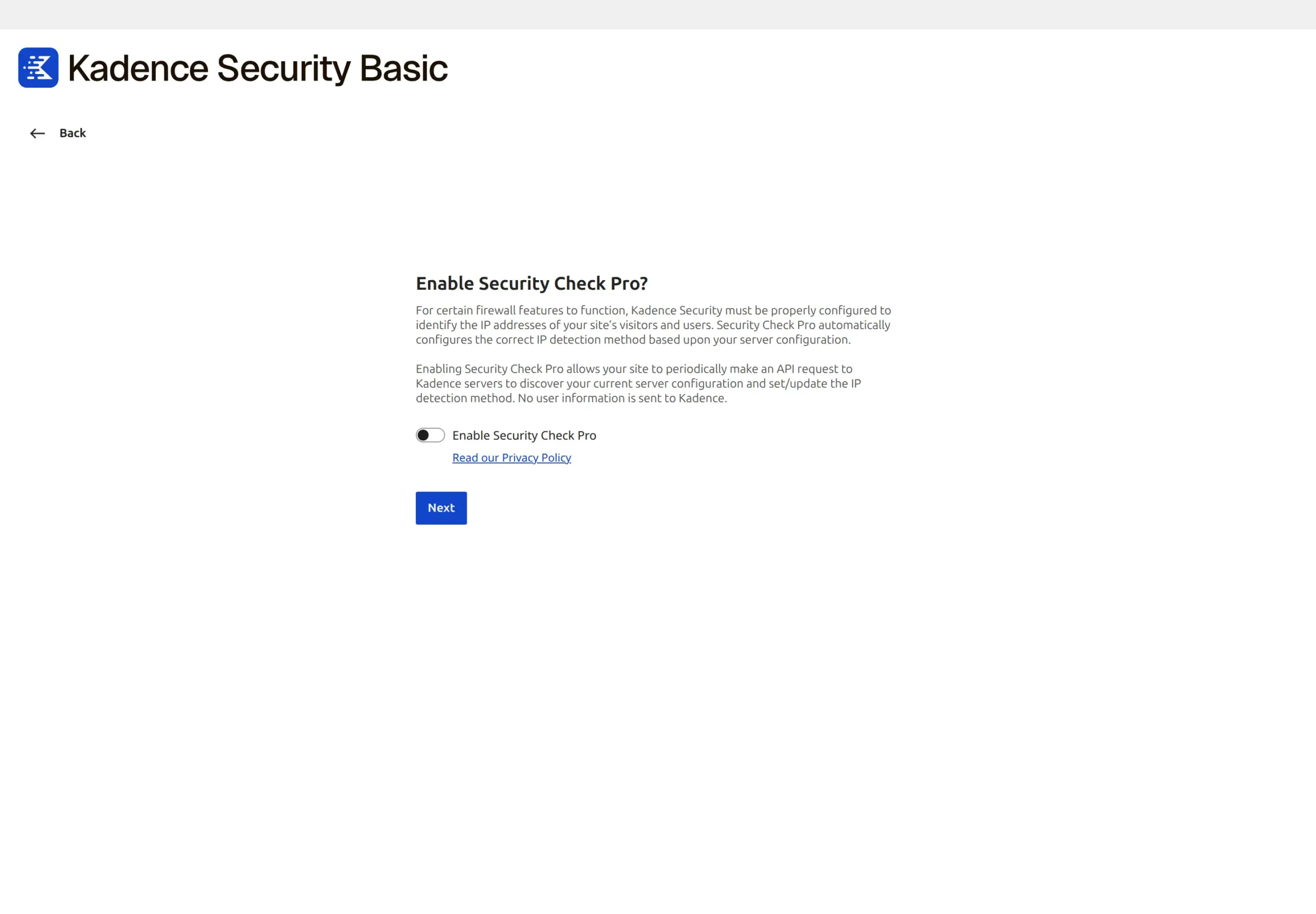
The other is a screen asking you to enable “Security Check Pro,” which lets the plugin periodically call Kadence’s servers to work out how your host reports visitor IPs. It’s a sensible feature and the firewall needs the IP detection to be right. It’s also, again, a data-sharing decision rather than a security setting.
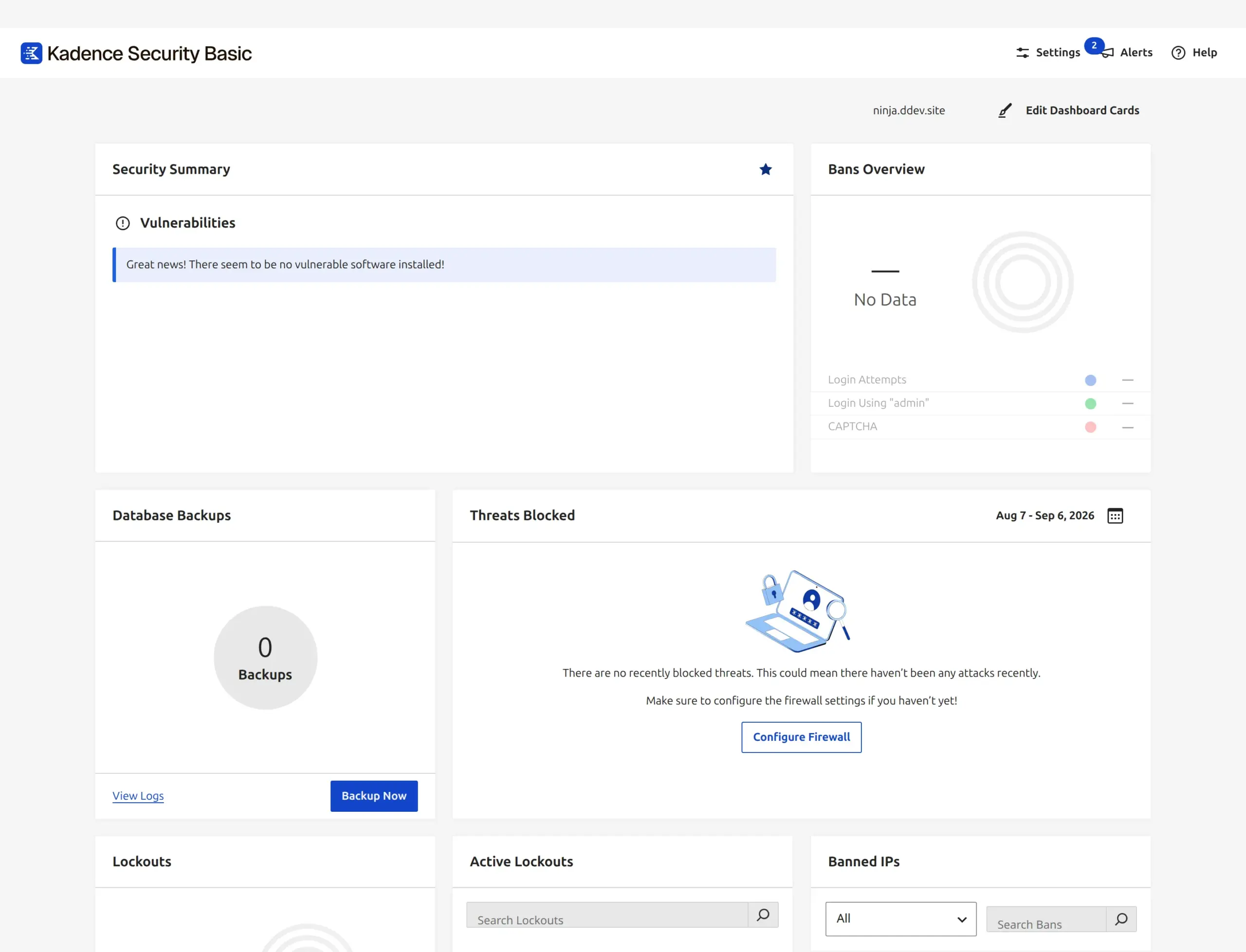
When it’s finished you land on a dashboard that’s noticeably calmer than Wordfence’s – one column of cards, no percentage scores, no upgrade banner across the top.
The thing that caught me out
I finished the wizard, went to log in again, and couldn’t get into the site.
My password was accepted. But instead of the dashboard I got a “Setup Two-Factor” screen. Completing the wizard with two-factor enabled – which is its recommended default – puts that screen in front of the next login for every affected user.
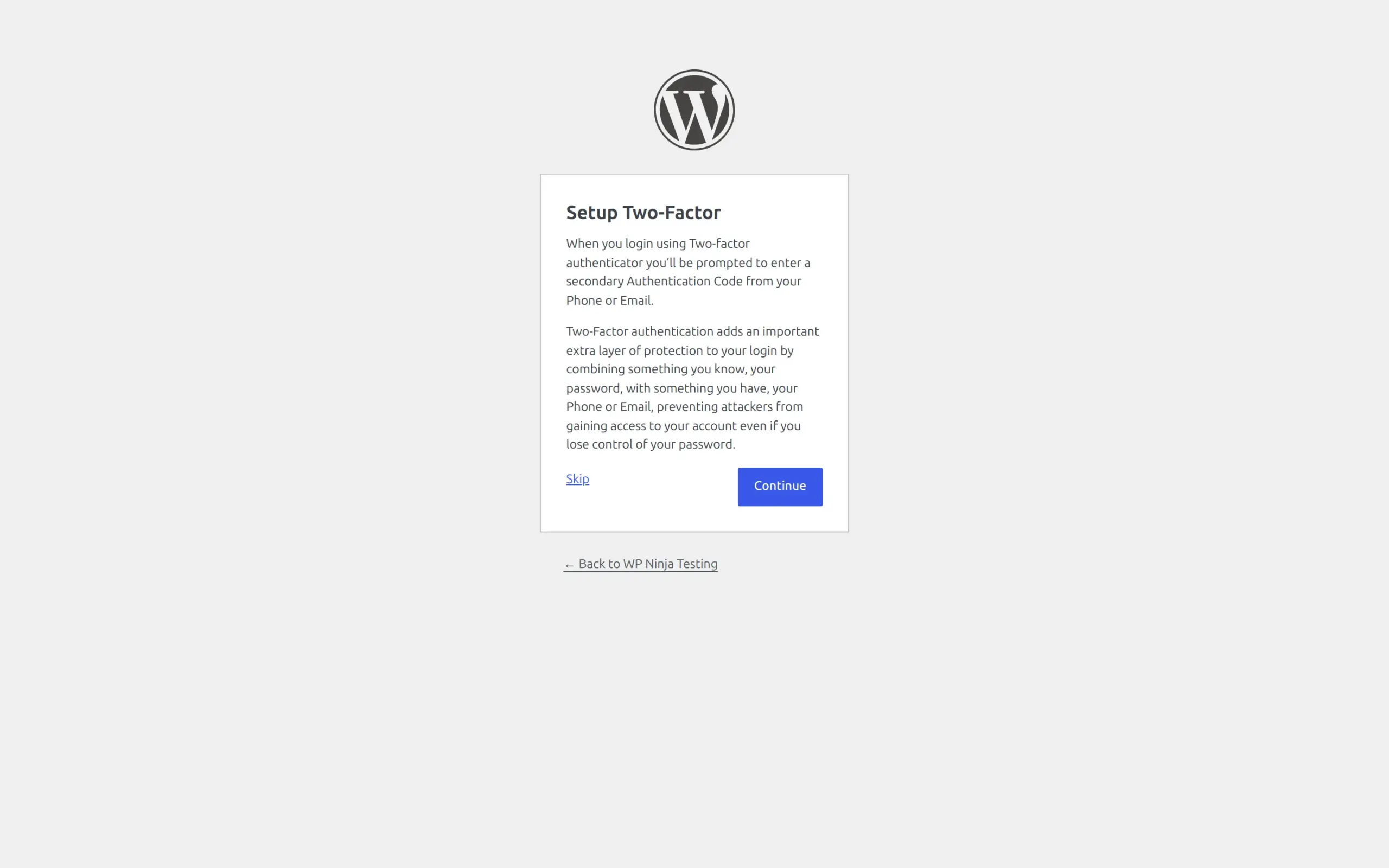
It has a “Skip” button, so it’s an interruption rather than a lockout. Nobody gets locked out of their own site. But if you set this up for a client, or for a family member, the next time they log in they’ll hit a screen they weren’t expecting and they will phone you about it. Worth a heads-up.
Does Kadence Security have a firewall or not?
It does. And I want to be direct about this, because it’s the single most repeated mistake about this plugin.
The old version of this article said “Solid Security has nothing equivalent. It’s a hardening plugin, not a WAF.” The article currently ranking first on Google for this comparison says “Solid Security doesn’t include a firewall.” Both are wrong.
Three separate pieces of evidence from my install:
The plugin bundles patchstack/firewall in its vendor folder. That’s Patchstack’s firewall engine, not one Kadence wrote.
It creates a database table called wp_itsec_firewall_rules.
And after the wizard, its own list of active modules reads firewall: true.
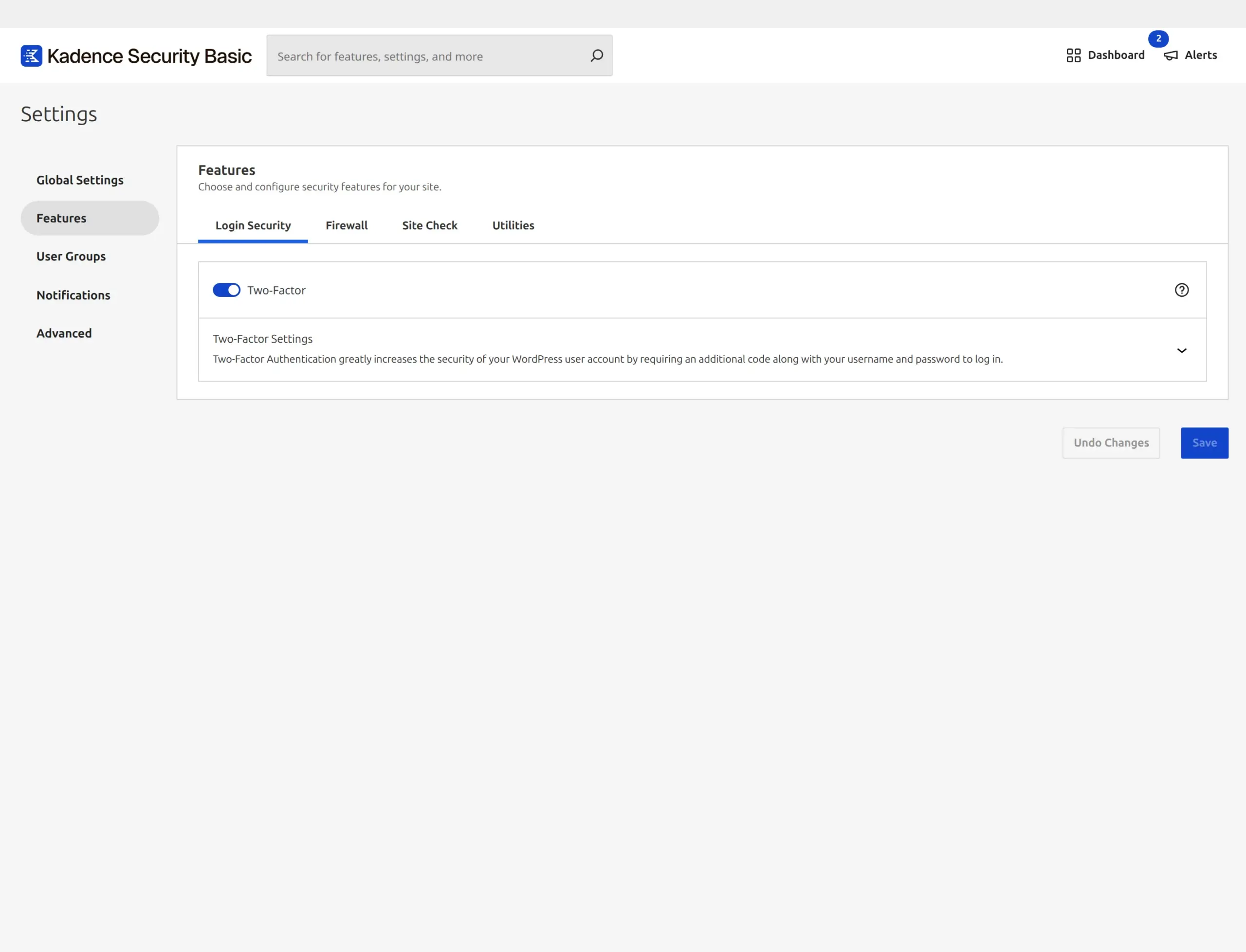
Its own wizard describes it in plain words too: “The built-in Kadence Security firewall stops automated password-guessing attacks.”
The two firewalls aren’t the same shape, though, and that’s the real distinction worth making. Wordfence’s inspects incoming requests against a rule set it maintains, and can run before WordPress loads. Kadence Security’s leans on Patchstack’s vulnerability data – it’s better described as virtual patching, protecting known holes in plugins you have installed.
Both are firewalls. They’re aimed at different things.
How do they handle password-guessing attacks?
Both lock out an IP after a set number of failed logins, and both were on and working in my tests.
Kadence Security gives you more control here, and it’s easier to find. The global settings screen lets you set minutes to lock out, days to remember a lockout, and a ban threshold after which a repeat offender is banned permanently. It also has a genuinely useful safety net turned on by default: whenever an administrator visits the site, their IP is protected from lockout for 24 hours.
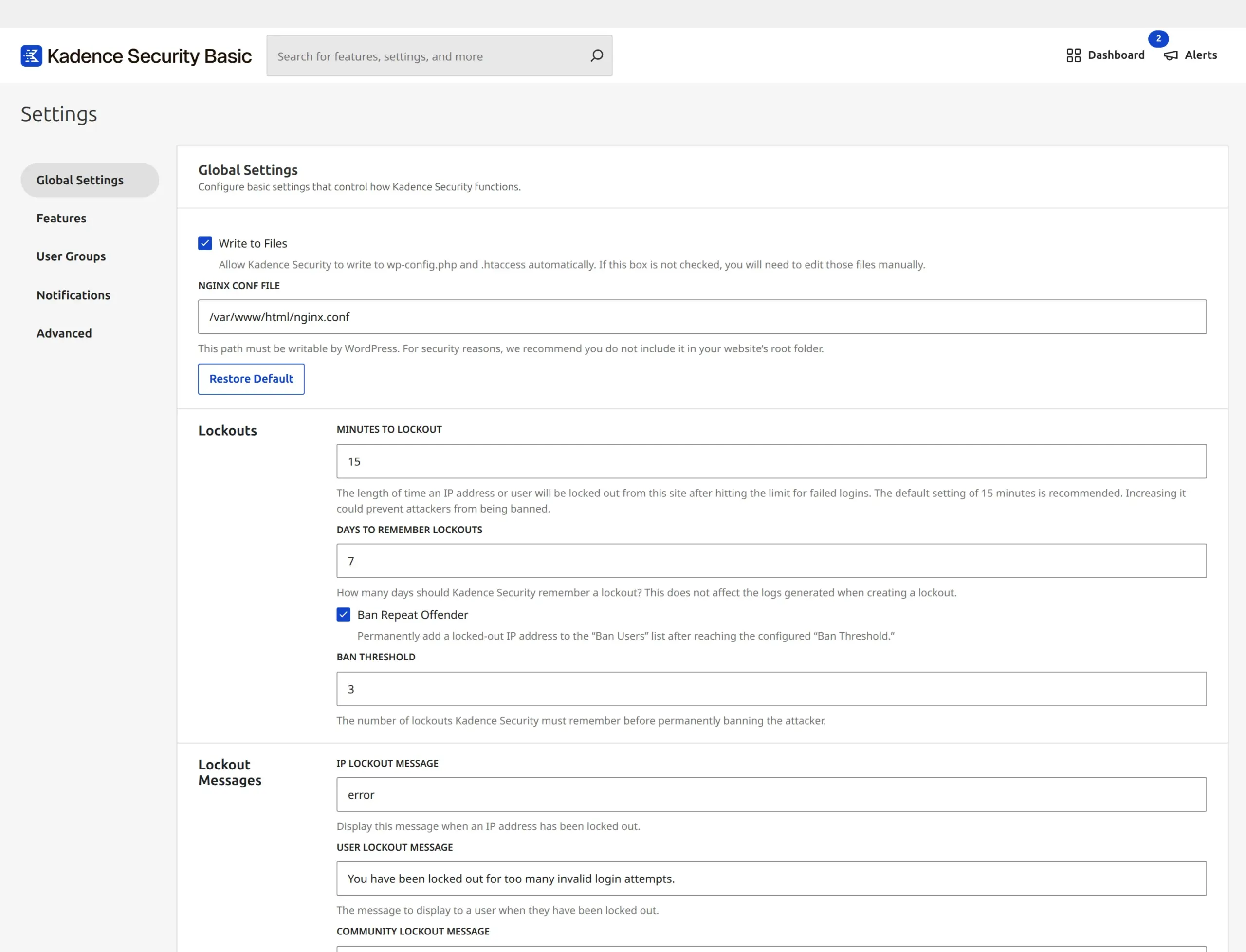
Wordfence scores brute-force protection at 100% on a fresh install, so it’s the one part of Wordfence that’s fully working from the first minute.
The old version of this article said the real fix is hiding your login URL, and that Solid Security can do it while Wordfence can’t. That part still holds. Changing your login address from /wp-login.php to something only you know stops most automated attacks before either plugin has to think about it, and it’s built into Kadence Security.
One caveat I’d add now that I didn’t before: if you change your login URL and then forget it, you have locked yourself out of your own site. Write it down somewhere that isn’t the site.
Malware scanning or vulnerability scanning?
These sound like the same thing and they really aren’t.
Wordfence scans your actual files. It compares your WordPress core, plugin and theme files against known-good copies, looks for known malware signatures, and flags code that looks suspicious. If something has been changed or injected, this is the kind of scan that finds it.
Kadence Security checks your plugin list against a vulnerability database. It has a wp_itsec_vulnerabilities table and it uses Patchstack’s data. That tells you “the version of this plugin you’re running has a known hole in it,” which is genuinely valuable – but it will not notice a file on your server that shouldn’t be there.
If a plugin you use gets a vulnerability disclosed next week, Kadence Security is well placed to warn you. If someone has already put a backdoor in your uploads folder, Wordfence is the one that finds it.
That’s a real gap in the free tier of Kadence Security, and it’s the main reason my recommendation lands where it does.
I should be fair about the flip side, though. Most WordPress sites get compromised through an out-of-date plugin, not through a mystery file appearing. Keeping things patched matters more than scanning for the aftermath, which is why updating plugins without breaking your site is the highest-value security habit you can build.
Which has better two-factor authentication?
This is where I most have to correct my old article, because Wordfence has moved on and I hadn’t noticed.
The old version said Wordfence “supports Google Authenticator and backup codes. That’s it.” That was true once. In version 9.0.0 Wordfence supports passkeys – the thing where you sign in with your fingerprint, face or device PIN and no password at all.
It’s in the database schema as a wp_wfls_passkeys table, and it’s in the interface, with its own explainer screen:
“A passkey lets you sign in with your device unlock method.”
“Add more than one passkey before turning off passwords.”
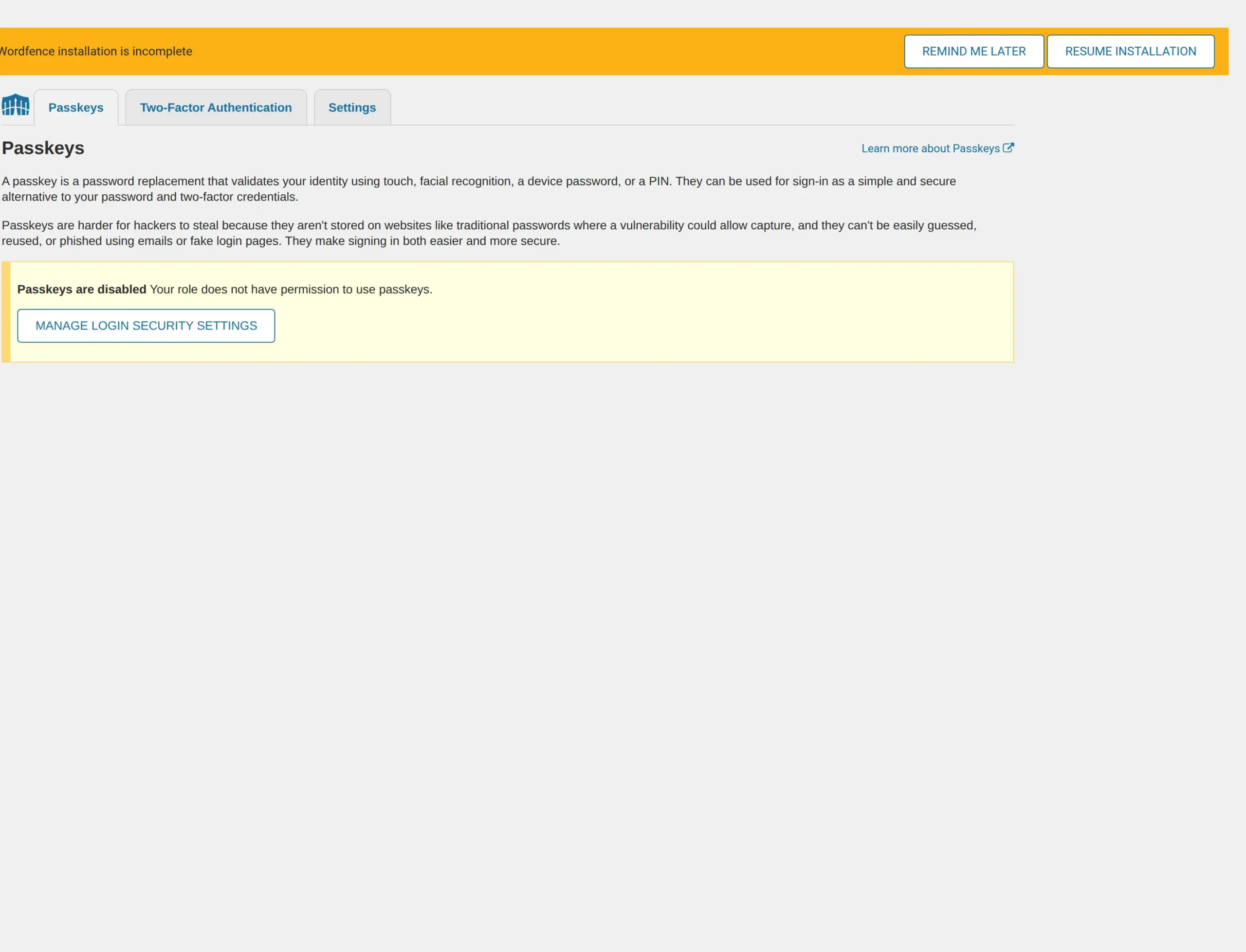
That second line is the important one. Wordfence will let you turn passwords off entirely once you’ve registered more than one passkey. That’s a meaningfully more modern login than anything in Kadence Security’s free tier, and I couldn’t find a single other comparison article that mentions it.
Kadence Security has passkey support too, but it’s locked to Pro. Its database schema lists itsec_webauthn_users and itsec_webauthn_credentials under a constant named PRO_TABLES, and the code that creates them sits inside an is_pro() check. So the tables aren’t created at all on the free plan.
Kadence Security’s two-factor is still good, and it’s still friendlier to hand to a non-technical person. But you can’t require it on the free plan, and passkeys cost extra.
What runs in the background?
Both plugins schedule jobs that WordPress fires as people visit your site.
Wordfence schedules four: two hourly, one daily, and a one-off activity report. Kadence Security schedules nine – it registers itsec_cron eight times over (seven daily, one hourly) plus a one-off test job.
Neither of these is a problem on a normal site. I’m including it because “how heavy is this plugin” usually gets answered with a feeling rather than a count, and because the answer is the opposite of the table-count answer. If someone tells you one of these plugins is definitively lighter, ask them which measurement they used.
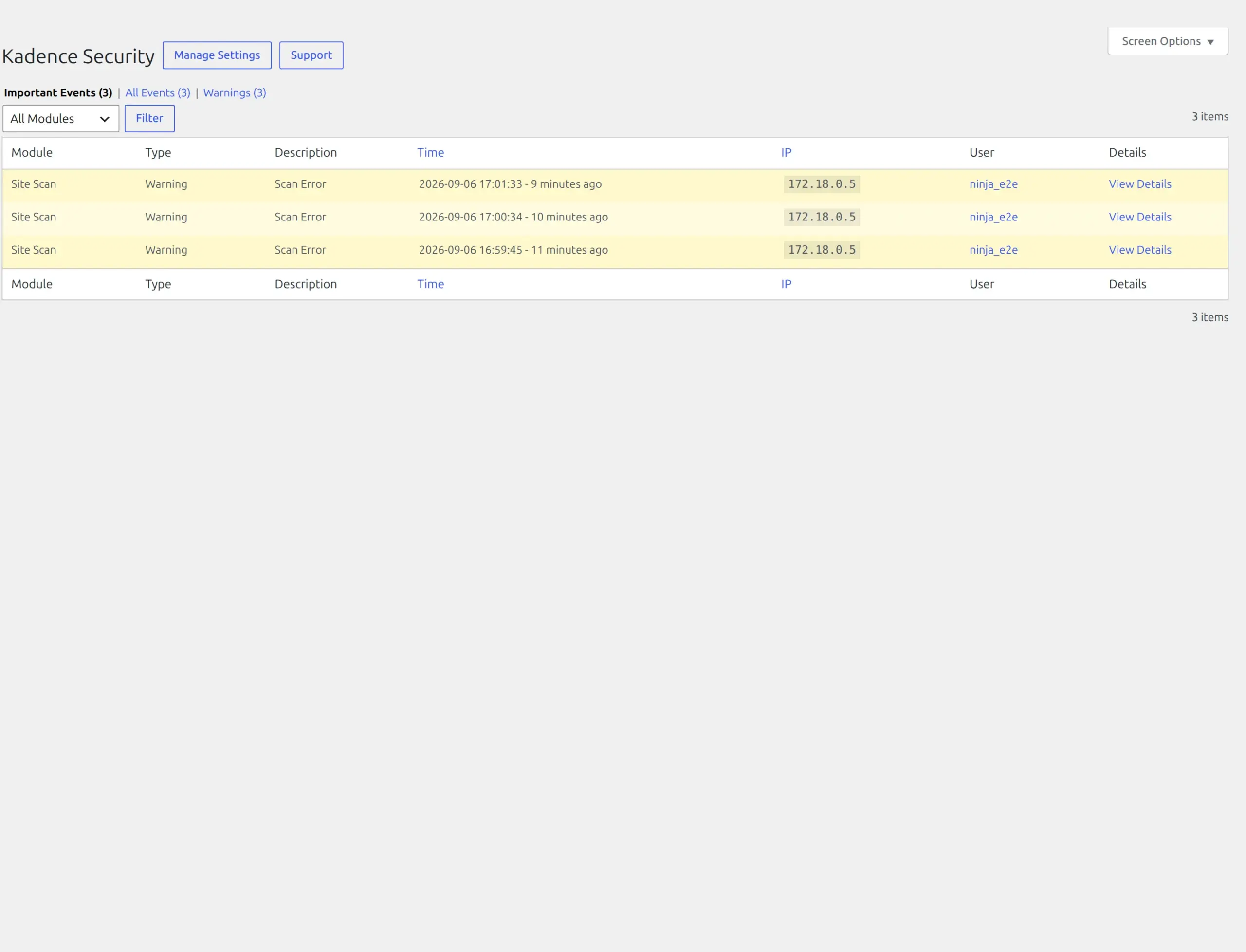
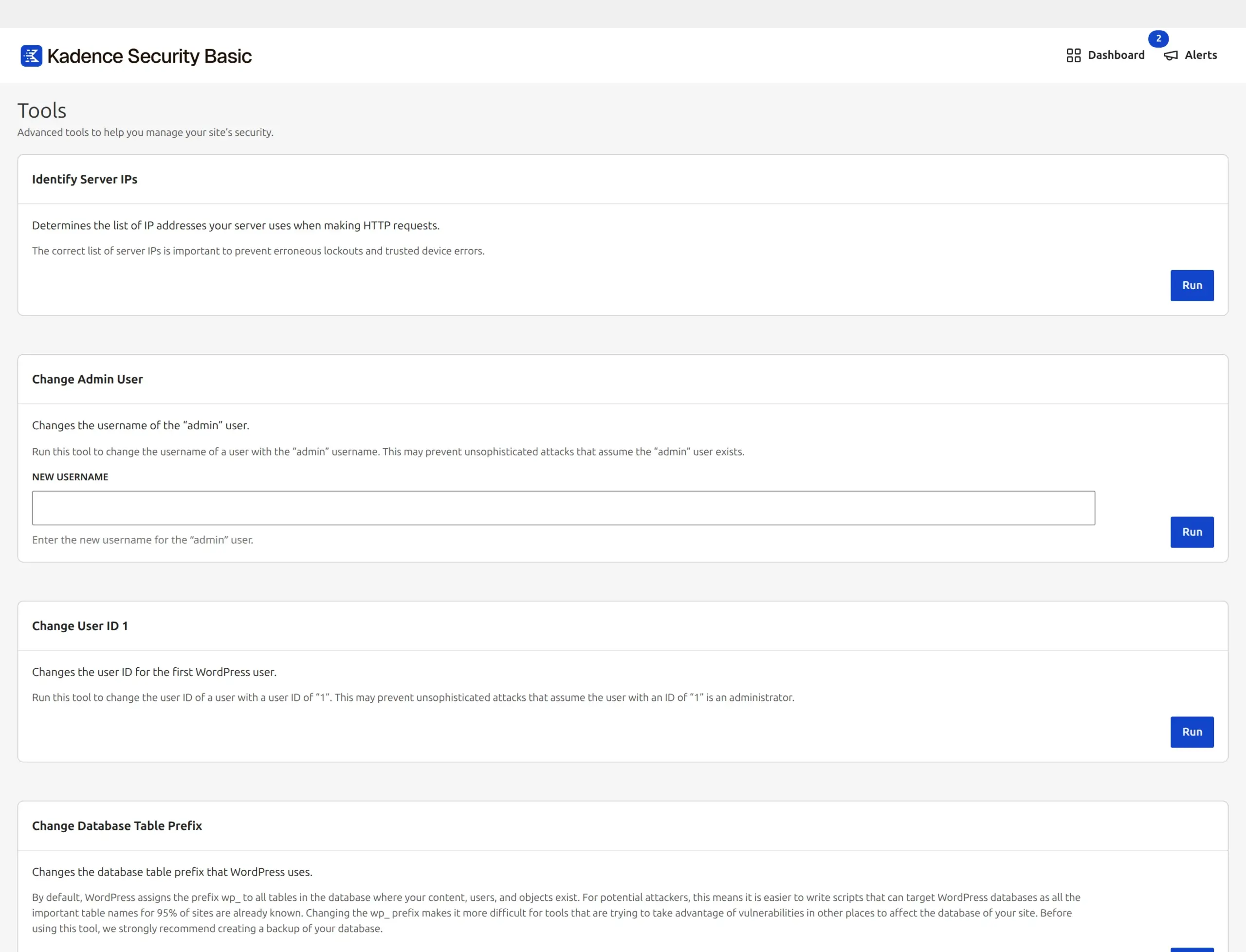
Both give you somewhere to see what they’ve been doing. Kadence Security keeps an event log you can filter, and a tools page for running individual checks by hand.
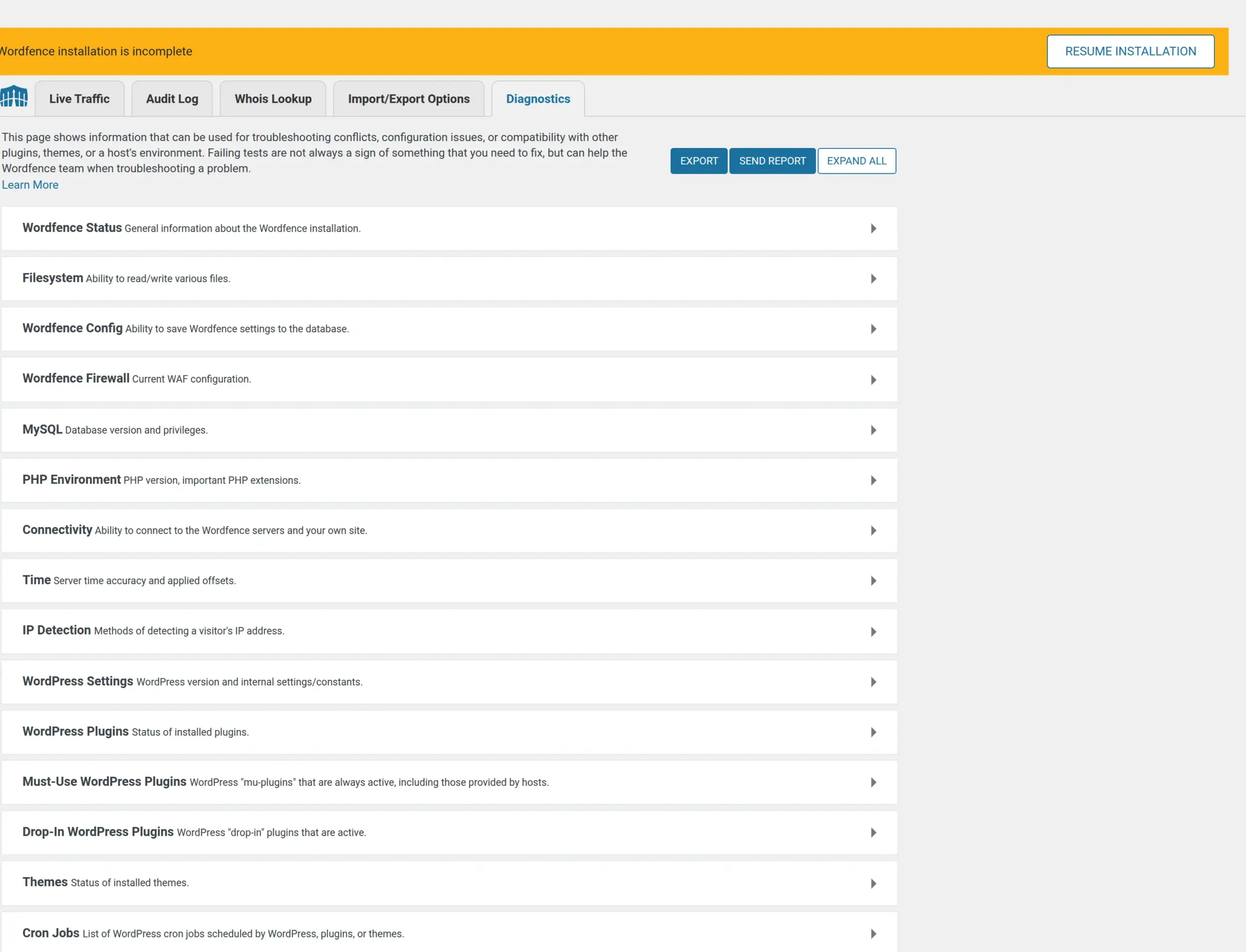
Wordfence’s equivalent is its Tools screen, which is also where Live Traffic lives – the feature the old version of this article told you to go and switch off. It’s already off.
What happens when you delete them?
They behave completely differently here, and I got this wrong the first time I tested it.
The trap: the WP-CLI command wp plugin delete removes the plugin’s files without running its uninstall routine. That’s not a bug, it’s in the command’s own documentation. The Delete button in wp-admin does run it. So my first pass measured a step WordPress never actually skips, and it produced a wrong answer. I redid both plugins with wp plugin uninstall --deactivate, which is what the admin button does.
| Wordfence | Kadence Security | |
|---|---|---|
| Tables it created | 26 | 14 |
| Tables left behind | all 26 | none – all 14 dropped |
| Settings rows left | 6 (18 bytes total) | 1 |
| Scheduled jobs left | 0 | 1 |
Kadence Security cleans up after itself properly. Delete it and your database goes back to where it started – 19 tables on my test site before, 33 with the plugin running, 19 again afterwards. One stray option and one stray scheduled job survive, and that’s it.
Wordfence leaves all 26 of its tables behind, and it does that on purpose. There’s a setting called “Delete Wordfence tables and data on deactivation” and it’s off by default. If you’re only trying Wordfence out, turn that on before you deactivate it. It does clear every one of its scheduled jobs on the way out.
Neither behaviour is a scandal. The reasoning for keeping data is that you might reinstall and want your blocked-IP history back. But if you try both plugins and settle on Kadence Security, Wordfence’s tables are still sitting in your database, and only one of these two plugins gives you a switch to prevent that.
Has either one had security problems?
I checked both against Patchstack’s vulnerability database directly rather than trusting anyone’s summary.
Wordfence: 14 entries in total, and the most recent is from September 2022 – an authenticated stored XSS affecting version 7.6.0 and earlier. Everything else on the list is from 2015 or before. Nothing at all in the last four years.
Kadence Security: 18 entries, most recent June 2024 – IP spoofing leading to denial of service, affecting 9.3.1 and earlier. Before that, an unauthenticated login page disclosure in November 2023 and an open redirect in March 2023.
Both plugins I tested are far past every affected version. Neither has an open advisory. This is a good record for both of them, and I’m not going to manufacture alarm out of it.
The one thing I’d genuinely change: Wordfence ships with auto-updates switched off. Its autoUpdate setting is 0 on a fresh install. A security plugin that’s a version behind is a worse security plugin, so turn that on. It’s the single most useful thing you can do in either plugin’s settings.
What do they cost in 2026?
The pricing in the old version of this article is now wrong for both products, and badly wrong for one of them. Here’s what the vendors’ own pages said on 6 September 2026.
Wordfence, from wordfence.com/products/pricing/, all in US dollars:
| Plan | Price | What it adds |
|---|---|---|
| Free | $0 | 30-day delay on firewall rules and malware signatures |
| Premium | $149/year | real-time rules, IP blocklist of 40,000+ known attackers, country blocking, audit log |
| Care | $590/year | they install, configure and monitor it for you |
| Response | $1,250/year | 24/7/365 incident response, 1-hour response time |
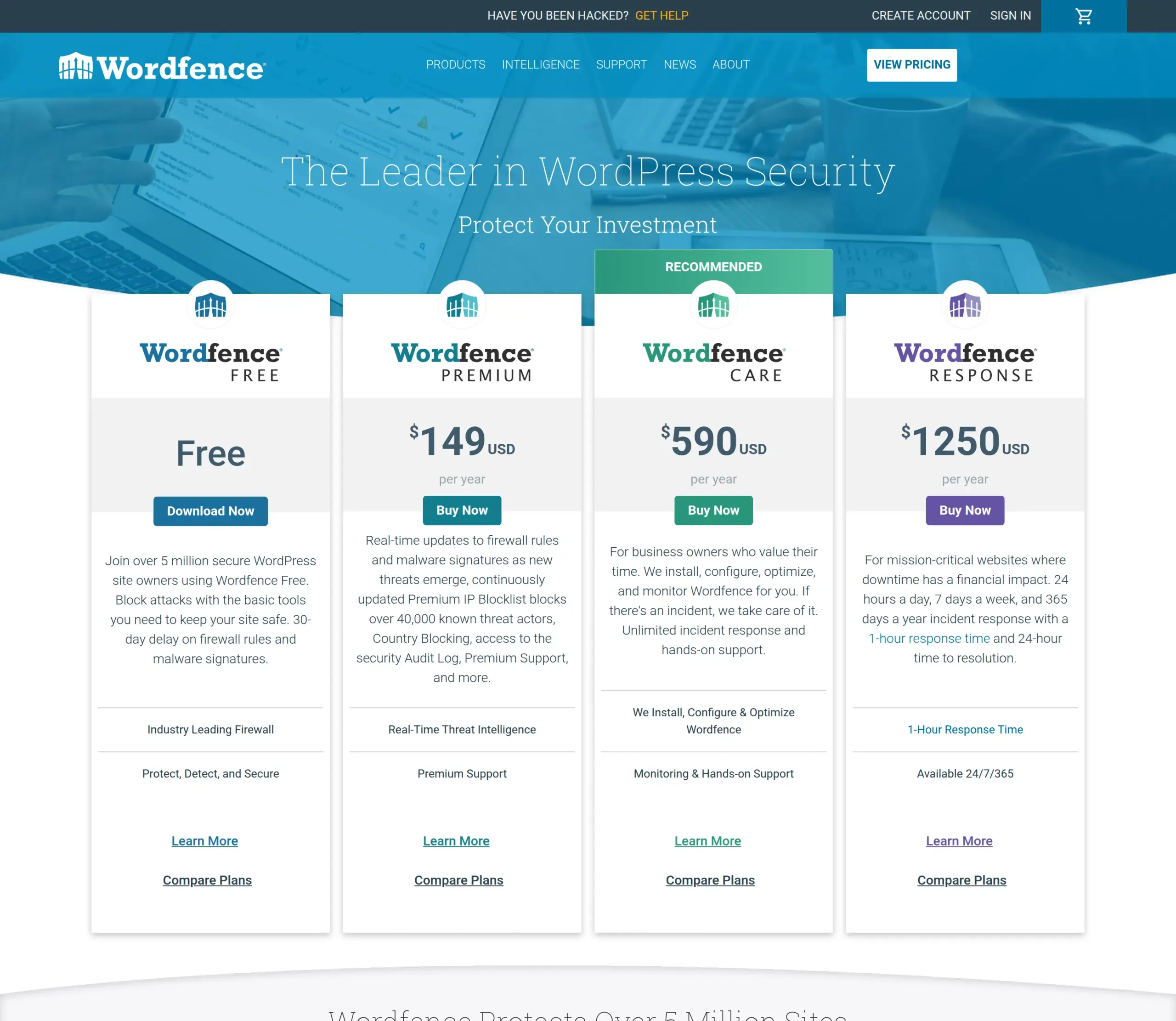
The old article said Wordfence Premium was $119/year. It’s $149.
Kadence Security is the one that’s really changed, and this is the correction I’d most want you to take away.
There is no longer a standalone paid security product. kadencewp.com/pricing redirects to Liquid Web’s Kadence page, and security is now part of a bundle:
| Plan | Price | Security included? |
|---|---|---|
| Kadence Essentials | $99/year | No security features at all |
| Kadence Pro | $299/year | Security firewall, 2FA, virtual patching |
| Kadence Elite | $499/year | everything in Pro, across multiple sites |
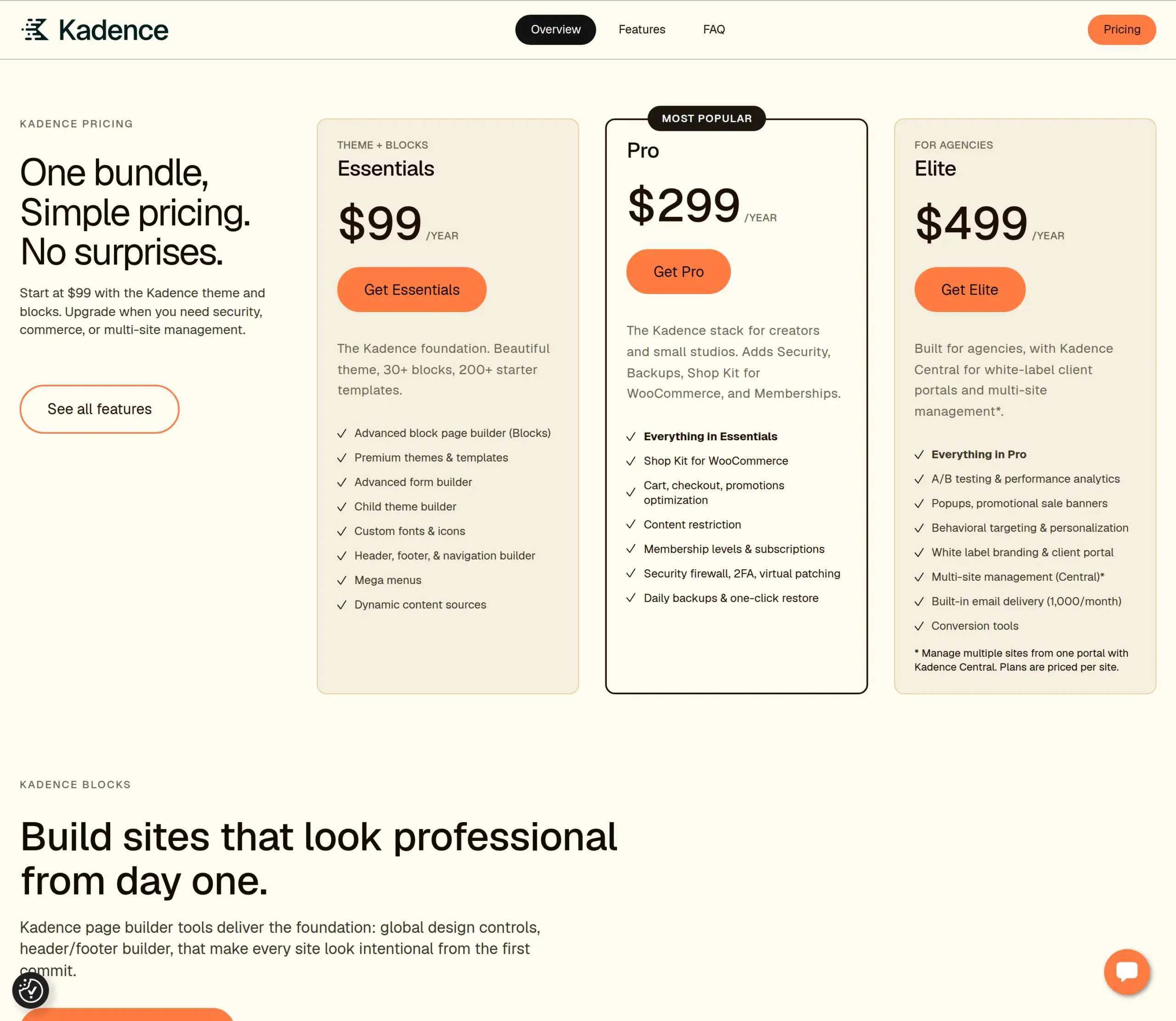
The old article quoted “Solid Security Pro: $99/year per site.” You can’t buy that any more. The cheapest way to get paid security from this vendor is now $299 a year, and it comes bundled with a page builder and a theme whether you want them or not.
That’s a three-fold increase for anyone who just wanted a security plugin. If you already pay for Kadence Pro for the theme, the security is essentially free and it’s a good deal. If you don’t, it’s an expensive way to buy one plugin.
The plugin’s own upgrade screen still calls the paid tier “Kadence Security Pro,” which is a little misleading now that you can’t buy it on its own.
For most beginner sites, both free tiers are fine. Don’t pay for security until you have something worth protecting – a store with customer data, a site where downtime costs you money, or traffic big enough to be a target.
How established is each one?
| Wordfence | Kadence Security | |
|---|---|---|
| Active installs | 5,000,000+ | 700,000 |
| Rating | 94/100 | 92/100 |
| Number of ratings | 4,992 | 3,990 |
| Support threads, last 2 months | 169 | 13 |
| …of those, resolved | 116 (69%) | 7 (54%) |
| On wordpress.org since | April 2012 | October 2010 |
The old version of this article said “both have huge install counts.” Wordfence has seven times as many. That’s not a close pair, and it matters for a beginner in a practical way: when you search for an error message, there are far more people who have already hit it in Wordfence and written about it.
Kadence Security is older – it’s been on wordpress.org since 2010 as iThemes Security – but it’s changed hands and changed names twice, and the smaller support-forum volume reflects the smaller install base.
Wordfence vs Solid Security: which should you install?
Pick Wordfence if:
- You want protection the moment you activate it
- You want file scanning that can find malware, not just flag vulnerable plugins
- You want passkeys, or you want to force two-factor on other users
- You’re on older hosting (WordPress 4.7 and PHP 7.0 are enough)
- You’d rather have a big community when something goes wrong
Pick Kadence Security if:
- You want to change your login URL without a second plugin
- You want fewer database tables and a simpler dashboard
- You already pay for Kadence Pro, in which case the paid tier costs you nothing extra
- You prefer a guided wizard to a dashboard full of options
For a first WordPress site – a blog, a small business site, something you built yourself and want to stop worrying about – I’d install Wordfence, turn on auto-updates, and end learning mode after a week. That combination gives a beginner the most protection for the least ongoing attention.
That’s a change from what this article used to say, and it’s the measuring that changed it. The plugin that does more on the day you install it is worth more than the plugin with the tidier settings screen, because the setup wizard you never get round to finishing protects nothing.
One last piece of advice that applies whichever you pick: install one, not both. Two firewalls fighting over the same login page is a good way to lock yourself out, and overlapping plugins are a common cause of strange WordPress admin errors.
Frequently Asked Questions
Is Solid Security the same as Kadence Security?
Yes. It’s the same plugin under a new name, and the lineage runs iThemes Security, then Solid Security, then Kadence Security.
The wordpress.org listing, the plugin folder (better-wp-security) and your existing settings are all unchanged – only the branding moved. If you already have it installed, you didn’t need to do anything.
Can I run Wordfence and Solid Security at the same time?
You can, but don’t. Both hook into the login page and both apply lockout rules, so they’ll fight over the same requests and you’re likely to lock yourself out or get confusing double alerts. Pick one, and fully delete the other rather than just deactivating it – remember that deactivating leaves its database tables behind either way.
Will a security plugin slow down my WordPress site?
Not in the way people usually mean. I measured the exact same page size with each plugin installed as without – neither adds a single byte, a stylesheet or a script to your public pages. Each added about 12 milliseconds to my server’s response time. If your site feels slow, the cause is almost certainly your hosting, your images or your theme rather than your security plugin.
Does the free version of Wordfence include the firewall?
Yes, but with two catches worth knowing. It starts in learning mode for seven days before it begins blocking anything, and free users get new firewall rules 30 days after paying customers – that’s stated in Wordfence’s own code and on its pricing page. You also need to run the firewall optimisation step yourself if you want it protecting you before WordPress loads.
Does Solid Security have a firewall?
Yes, despite what most comparison articles say. Kadence Security bundles Patchstack’s firewall engine, creates a wp_itsec_firewall_rules table, and has the firewall module switched on after you finish the setup wizard. It works differently from Wordfence’s – it’s closer to virtual patching of known plugin vulnerabilities than to inspecting every incoming request – but calling it “not a firewall” is out of date.
Why can’t I get into my site after setting up Solid Security?
You’re almost certainly looking at its two-factor setup screen, which appears at the next login after you complete the wizard. Your password worked; the plugin is just asking you to add a second factor before it lets you through. There’s a “Skip” button if you’d rather deal with it later.
What happened to iThemes Security?
It became Solid Security in 2023, and then Kadence Security in 2026. Same plugin, same wordpress.org listing, same better-wp-security folder on your server – two changes of branding in three years. Its readme still says “Formerly iThemes Security,” and a lot of the code still says solid-security internally.
What do I do if a security plugin locks me out of my own site?
Don’t panic and don’t reinstall WordPress. If you can still get at your files over FTP or your host’s file manager, rename the plugin’s folder inside wp-content/plugins – that deactivates it and lets you log back in. Wordfence also emails you a recovery link when it locks an administrator out, so check the inbox for the address on your account before you touch anything.
Do I need a security plugin if my host already provides security?
Usually yes, because they’re guarding different things. Your host protects the network and the server, while these plugins protect the application – the login form, and the specific plugins and themes you’ve installed. Host-level protection can’t tell that the contact form plugin you installed last month has a known hole in it.
Do I need to pay for either of these?
For most small sites, no. Both free tiers cover the basics properly. Wordfence Premium at $149/year buys you firewall rules the day they’re written instead of 30 days later, which matters if you run a store or a high-traffic site. Kadence Security no longer sells a standalone paid tier at all – security now comes with Kadence Pro at $299/year.