WooCommerce vs SureCart: Which Is Actually Easier for Beginners?
Short answer on WooCommerce vs SureCart: SureCart is the easier start for digital products, services and subscriptions, and WooCommerce is the safer long-term home for a physical store. But the reasons are not the ones you’ll read on most comparison pages, and two of the most repeated “facts” about SureCart turned out to be wrong when I tested them.
I rewrote this article from scratch. The first version was written from research, and when I finally installed both plugins it was wrong about the fee, wrong about the price of WooCommerce Subscriptions, and wrong about which plugin keeps your blog posts lighter.
So this time I set up the same little store in each one on a clean WordPress site. One product, one checkout, one test order. Then I measured what each plugin added to the site and what happened when I deleted it.
Here’s what I found.
How I tested this
Everything below came from one local test site, measured the same way for both plugins on 26 September 2026.
| WordPress | 7.1.2 (checked at the start and the end) |
| PHP | 8.3.33 |
| Theme | Kadence 1.4.5, unchanged throughout |
| Other plugins | Kadence Blocks only |
| Test product | “Ninja Test Mug”, $19 |
The versions I tested, from wordpress.org:
| Plugin | Version | Last updated | On wordpress.org since | Active installs |
|---|---|---|---|---|
| WooCommerce | 11.1.2 | 22 September 2026 | September 2011 | 7+ million |
| SureCart | 4.9.0 | 23 September 2026 | July 2022 | 80,000+ |
I measured a clean site first. Then I installed one plugin, set up the store the way a beginner would, measured it, and restored the site from a database backup before touching the other one. I proved the restore by re-measuring and getting identical numbers.
Every setup step was done by clicking through wp-admin in a real browser, not by typing commands. That matters, because it’s the only way to see what a first-time user sees. It’s the same method I used for WPForms vs Fluent Forms and Wordfence vs Solid Security.
One thing I couldn’t do alone: SureCart won’t let you do anything until you create a store on its servers. With the site owner’s go-ahead I created one free test-mode store for this article, and I’ll point out every place where that changed what I could measure.
What’s the fundamental difference?
WooCommerce is the traditional approach. Your products, orders, customers and checkout all live on your own WordPress site. It’s a full shop built into WordPress.
SureCart is a hosted store with a WordPress plugin on the front. The shop pages still appear on your site, but the store itself lives on SureCart’s servers. You connect the two when you set it up, and SureCart stores your orders on its side.
Here’s the part the first version of this article got too simple. SureCart is not “nothing in your database”. When I created a product, SureCart made it in the cloud and copied it into a WordPress post so your theme can display it. It also added 7 database tables of its own.
What stays in the cloud is the order. More on that in a moment, because I measured it.
Why does that architecture matter to a beginner?
It changes where your data lives, and who you depend on.
With WooCommerce, every order is a row in your own database. When I placed a test order, it landed in the wp_wc_orders table on my site. You can back it up, export it, and keep it forever, whatever happens to any company.
With SureCart, I placed 2 test orders and counted the rows on my site before and after each one. My site gained zero new posts, zero new post data rows and zero new users. The only thing written locally was one small note linking my user account to a customer ID on SureCart’s side. The orders showed up in my WordPress dashboard, but they were being fetched from SureCart’s servers.
That has two sides:
- Good: thousands of orders won’t pile up in your WordPress database.
- Less good: you need SureCart’s service running to see or manage those orders, and you need an account with them before you can sell anything at all.
Neither of these is a dealbreaker. But you should pick knowing which trade-off you’re making.
Side-by-side comparison
Here’s what each one gives you before you spend any money, checked against the vendors’ own pricing pages on 26 September 2026:
| WooCommerce | SureCart (free Launch plan) | |
|---|---|---|
| Plugin price | Free | Free |
| Extra fee per sale | None | 2.9% on top of your payment processor |
| Account needed with the plugin maker | No | Yes, a SureCart store |
| Subscriptions | Paid extension, $279/year | Included |
| Where orders are stored | Your WordPress database | SureCart’s servers |
| Built-in test payments | No (offline methods only) | Yes, a Test Processor in test mode |
| Buy Now button on product pages | No | Yes |
| Shipping zones and rates | Built in | Built in |
| Extensions marketplace | Very large | Much smaller |
SureCart’s fee page says the Launch plan “includes all of our features and customer support”. The price you pay for all those features is the 2.9% fee. I’ll do the maths on that further down.
What does each one add to your site?
This is the part nobody else measures, so here it is. “Baseline” is the test site with neither plugin.
| Baseline | WooCommerce | SureCart | |
|---|---|---|---|
| Database tables | 46 | 85 (+39) | 53 (+7) |
| Scheduled background jobs | 19 | 25 (+6) | 20 (+1) |
| Extra files loaded on a blog post | 0 | +9 | +23 |
| Blog post HTML size | 98,910 bytes | 103,573 (+4,663) | 157,407 (+58,497) |
| Download size | – | 72 MB, 5,862 files | 114 MB, 9,158 files |
Two things jump out.
WooCommerce makes the database much bigger. 39 new tables, against SureCart’s 7. The first version of this article said “12+ tables”, which undersold it more than 3 times over. Most of those tables sit nearly empty on a small store, but they’re there from the moment you activate it.
SureCart puts more on your ordinary blog posts. This one surprised me, and it reverses a claim I made in the first version. I loaded the same blog post, a pancake recipe with no shop anywhere on the page, and counted what each plugin added:
- WooCommerce added 9 files: 6 of its own scripts, jQuery and jQuery Migrate, and Kadence’s WooCommerce stylesheet.
- SureCart added 23 files: 15 of its own scripts and stylesheets for the cart drawer and checkout, 7 WordPress scripts they depend on, and Kadence’s SureCart stylesheet. The page’s HTML also grew by 58 KB.
And SureCart did that before I’d even connected a store. Simply activating the plugin was enough.
What about page speed?
I loaded each page as a logged-out visitor in a real browser, cache off, and counted every request and every byte. Byte counts are before compression, so they’re bigger than what a well-configured server sends, but they compare fairly.
| Page | Baseline | WooCommerce | SureCart |
|---|---|---|---|
| Blog post | 21 requests, 1.08 MB | 30 requests, 1.36 MB | 46 requests, 1.28 MB |
| Shop page | – | 21 requests, 627 KB | 44 requests, 634 KB |
| Product page | – | 33 requests, 745 KB | 50 requests, 708 KB |
| Checkout | – | 131 requests, 3.19 MB | 142 requests, 2.61 MB |
The checkout row is the one to look at. The first version of this article said SureCart’s checkout was “fast (hosted on their servers)”. It isn’t hosted anywhere else. The checkout page is built on your site, and it loaded 103 scripts, including 4 separate connections to Stripe, even though I’d never connected a Stripe account.
WooCommerce’s checkout loaded 65 scripts and was the heavier of the two by about 580 KB. So both checkouts are big. Neither one is the lightweight option.
I also measured server response time, and I’m not going to publish it. My clean baseline itself drifted by 39 milliseconds between two runs, which is bigger than any difference either plugin made. A number that noisy would only mislead you.
If your site already feels slow, the cause is usually somewhere else, and a caching plugin will help either store more than picking one over the other.
How does setup compare?
I counted every click from “activate the plugin” to “a customer can buy something”. The two setups are shaped very differently, so here they are one at a time.
WooCommerce setup
Activating WooCommerce took me straight into a guided setup. The very first screen has a checkbox that says “I agree to share my data to tailor my store setup experience”. It’s ticked before you touch it. If you click the big “Set up my store” button without noticing, usage tracking is switched on.

The next 2 screens ask where you are in your business and about your store. It guessed my country from my location, which was wrong for the store I wanted, so I changed it to the United States (2 clicks).
Then comes the screen I’d warn every beginner about. It’s called “Get a boost with our free features” and it offers 10 extra plugins, every one of them already ticked:

Click “Continue” and you install all of them: WooPayments, WooCommerce Shipping, PayPal, Jetpack, MailPoet, Google for WooCommerce, WooCommerce Tax and 3 advertising connectors. The list isn’t even fixed. I ran the setup 3 times and got different advertising plugins on different runs. The count and the pre-ticked boxes never changed.
The safe choice is the small “Skip this step” link at the top. I skipped it, and you can always add any of them later when you know you need it.
After that you land on a 5-step checklist: add products, set up payments, customize your store, collect sales tax, and launch.
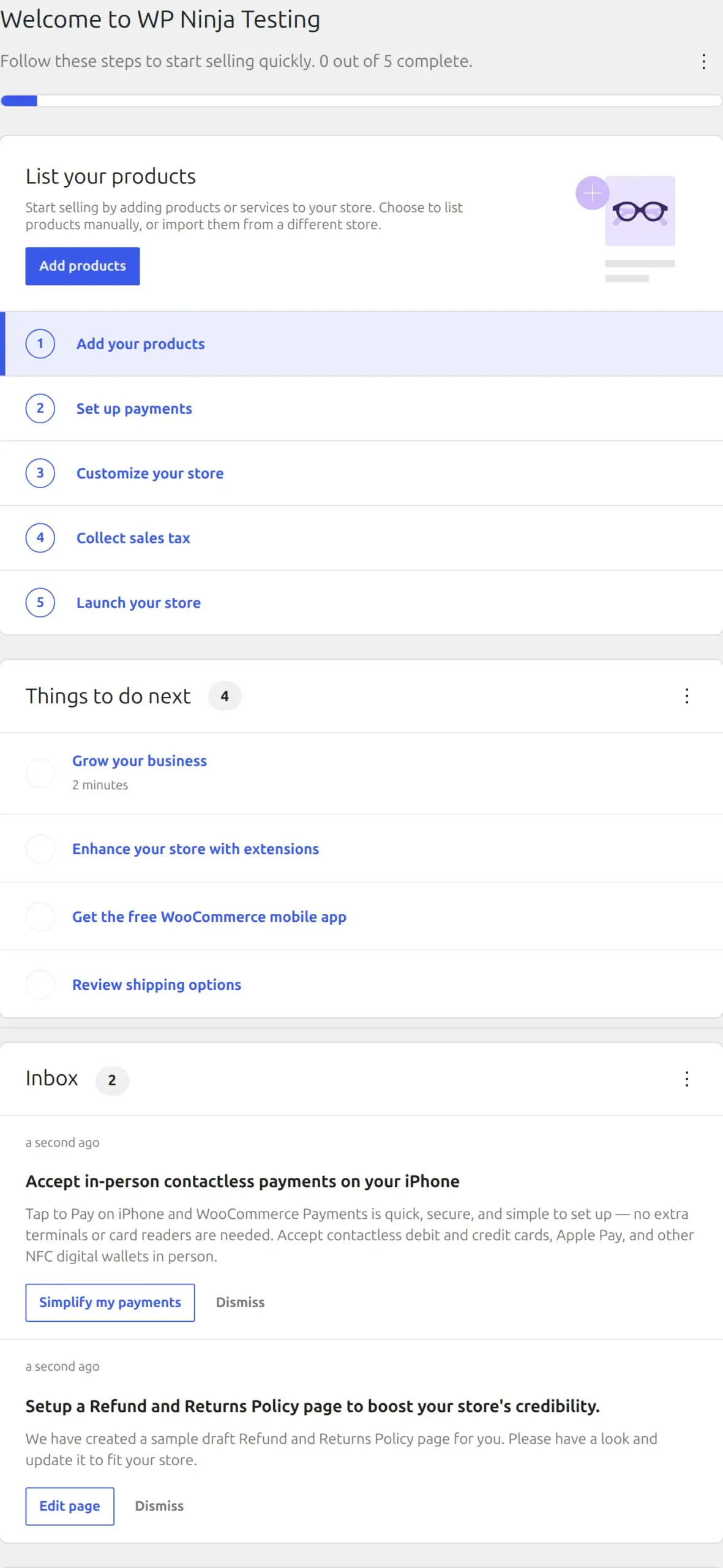
There’s one more thing that caught me out. A new WooCommerce store starts in “coming soon” mode. Logged in as the admin, everything looked normal. But a logged-out visitor opening my product page saw this instead:

That’s actually a sensible default, because it stops people buying from a half-finished shop. Just know it’s there, or you’ll wonder why your friend can’t see your products. Launching the store took 3 clicks.
SureCart setup
Activating SureCart doesn’t take you anywhere. You stay on the Plugins screen, and a new SureCart menu appears with just “Get Started” and “Settings”. Every other SureCart screen says “Sorry, you are not allowed to access this page” until you’ve set up a store.
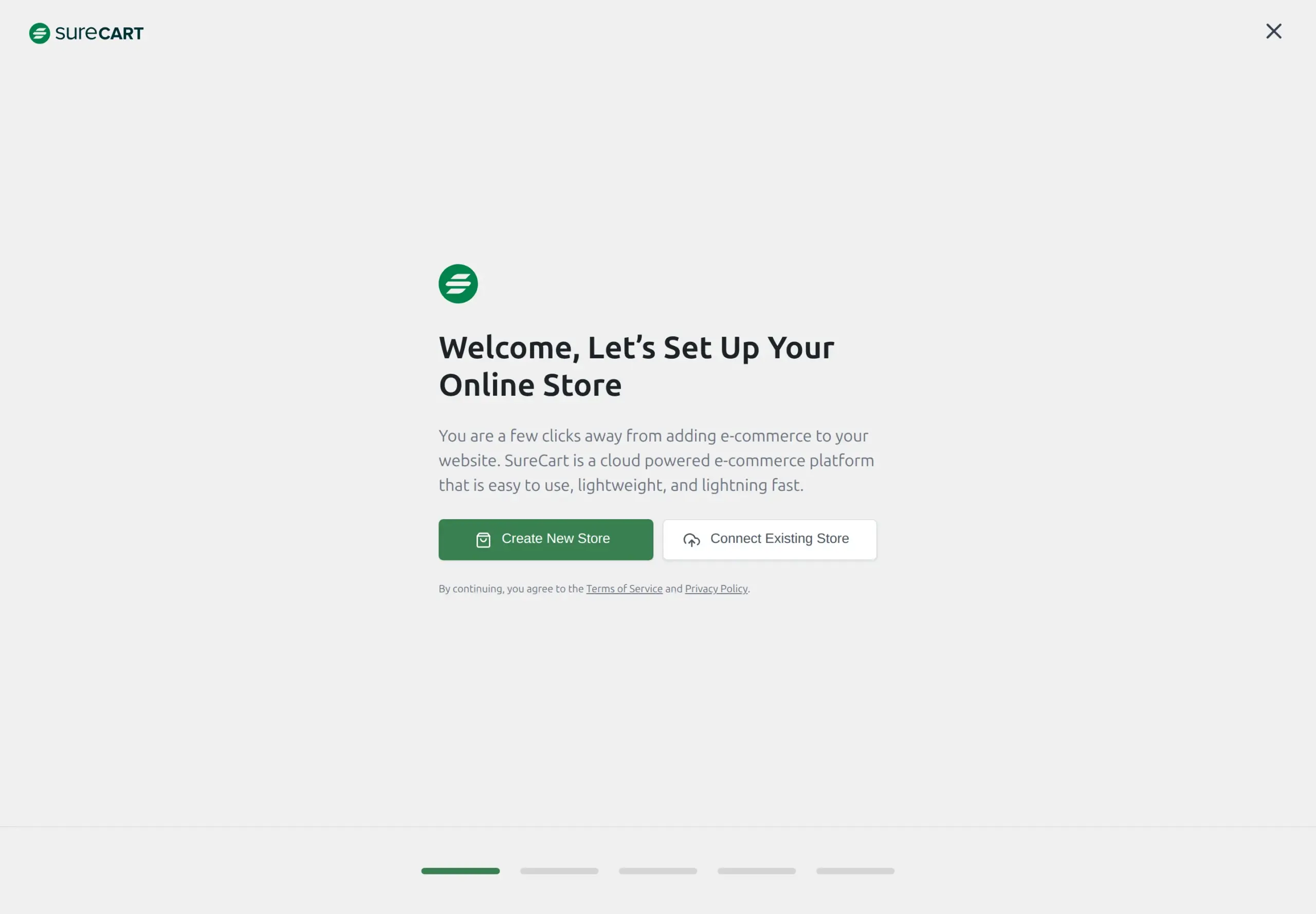
“Create New Store” starts a 5-step wizard. The first real step asks for a brand colour and your currency:
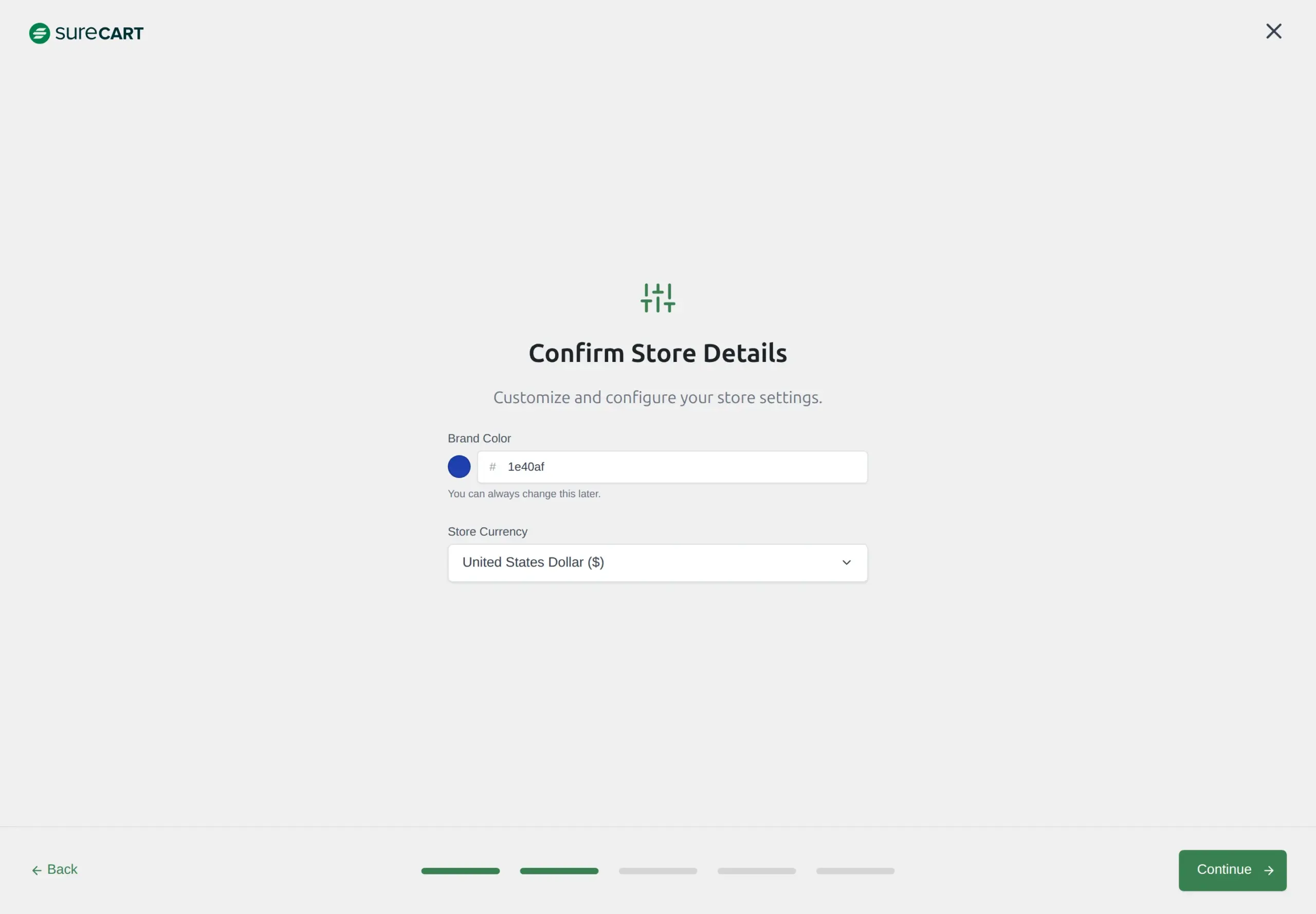
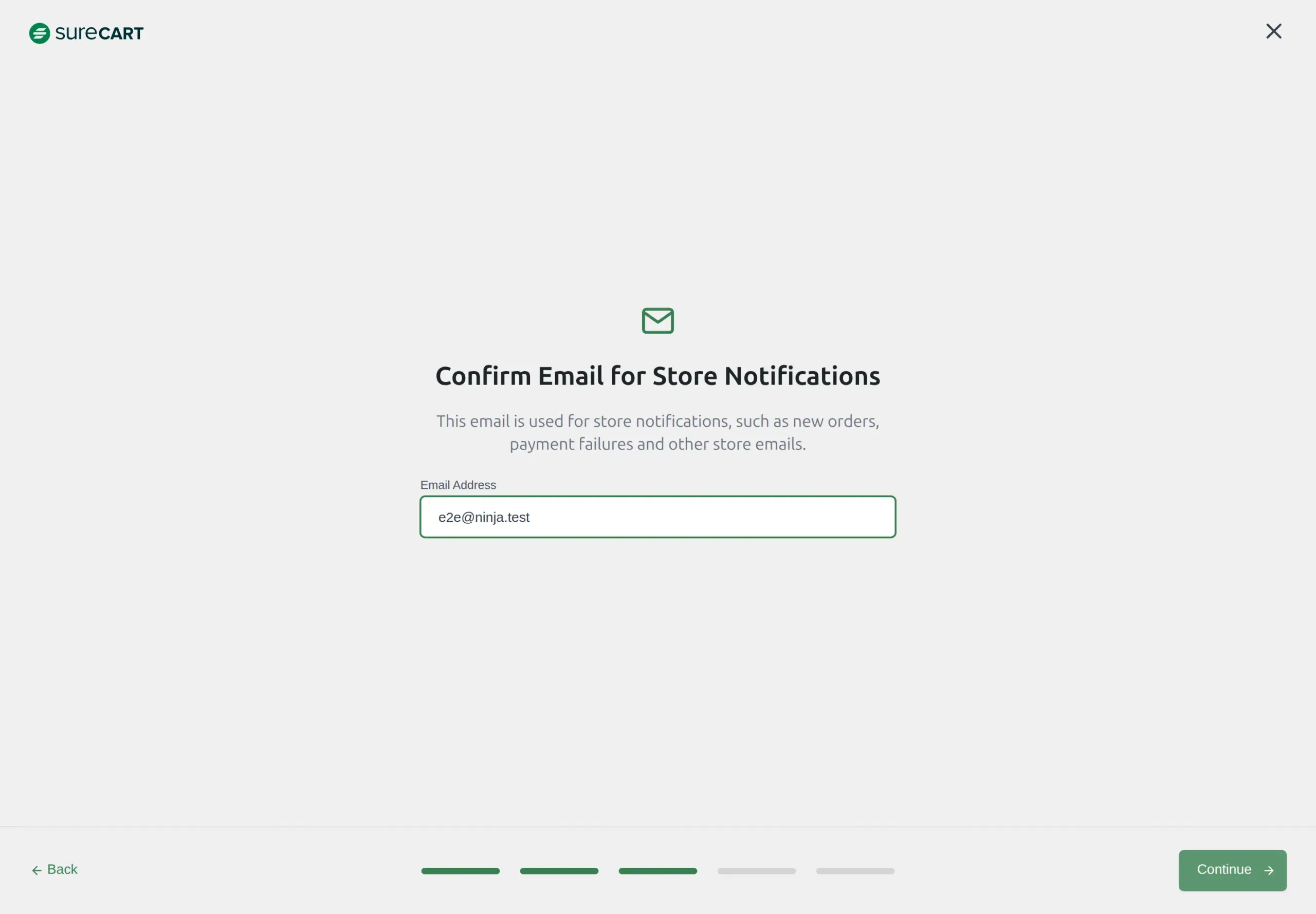
The next step asks for an email address for store notifications. It was already filled in with my WordPress account’s email, so I didn’t have to type anything:
Then you choose a starting point: an empty store, demo products, or a complete site. “Start From Scratch” was already selected.
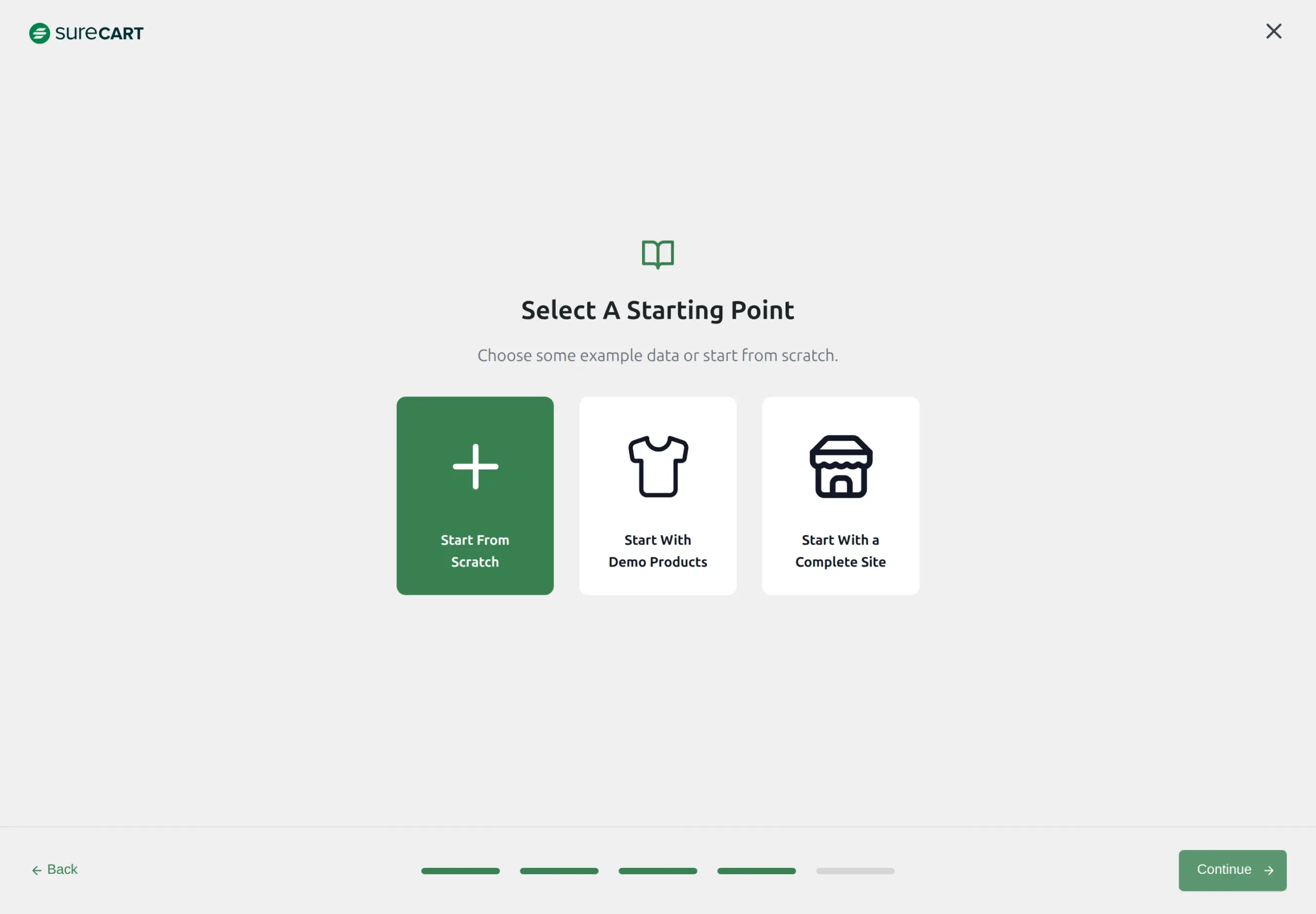
The last Continue sends your site name and address to SureCart and creates your store on its servers. That’s the moment you have a SureCart account. It took 6 clicks in total, and it’s genuinely quicker and calmer than WooCommerce’s setup. No pre-ticked boxes, no extra plugins.
Your new store starts in test mode, with a banner that says “Complete your store setup to go live.”
One more thing SureCart did during activation that I only found by checking: it wrote an encryption key into your wp-config.php file. That’s WordPress’s main settings file. It’s a normal way to store a secret key, but it’s worth knowing a plugin has edited it, and it’s still there after you delete SureCart.
Adding your first product
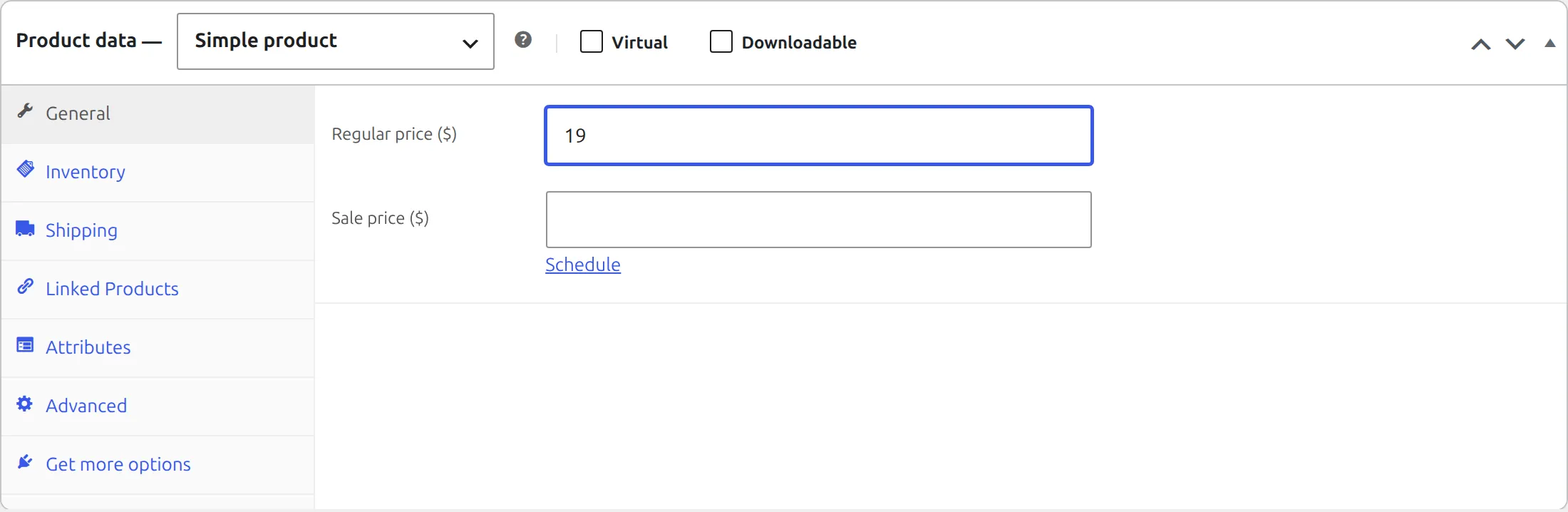
WooCommerce uses the classic product screen. I went to Products, then Add New Product, typed a name and a price, and clicked Publish. That’s 5 clicks.
SureCart’s product editor is its own screen. You give the product a name first, then add a price in a pop-up, where you can also pick a one-time payment, a subscription or “pay what you want”. The product page starts as a draft, so I switched it to Published before saving. That was 12 clicks, the way I did it.
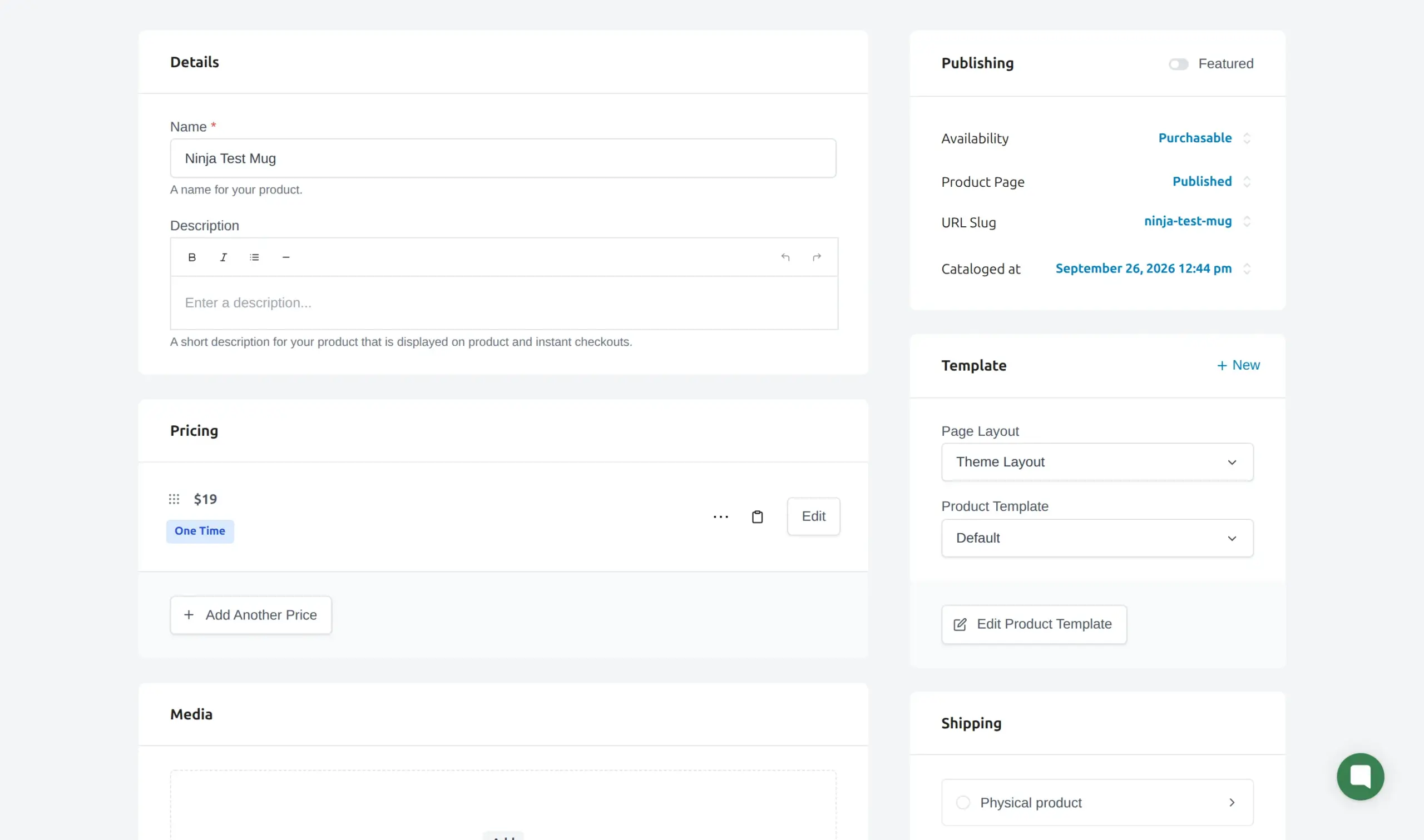
SureCart also treats a new product as “Digital product or service” until you tell it otherwise. That matters for checkout, which I’ll get to.
How do you take payments?
Neither plugin can take real card payments out of the box. Both need an account with a payment company, and that’s normal for any shop.
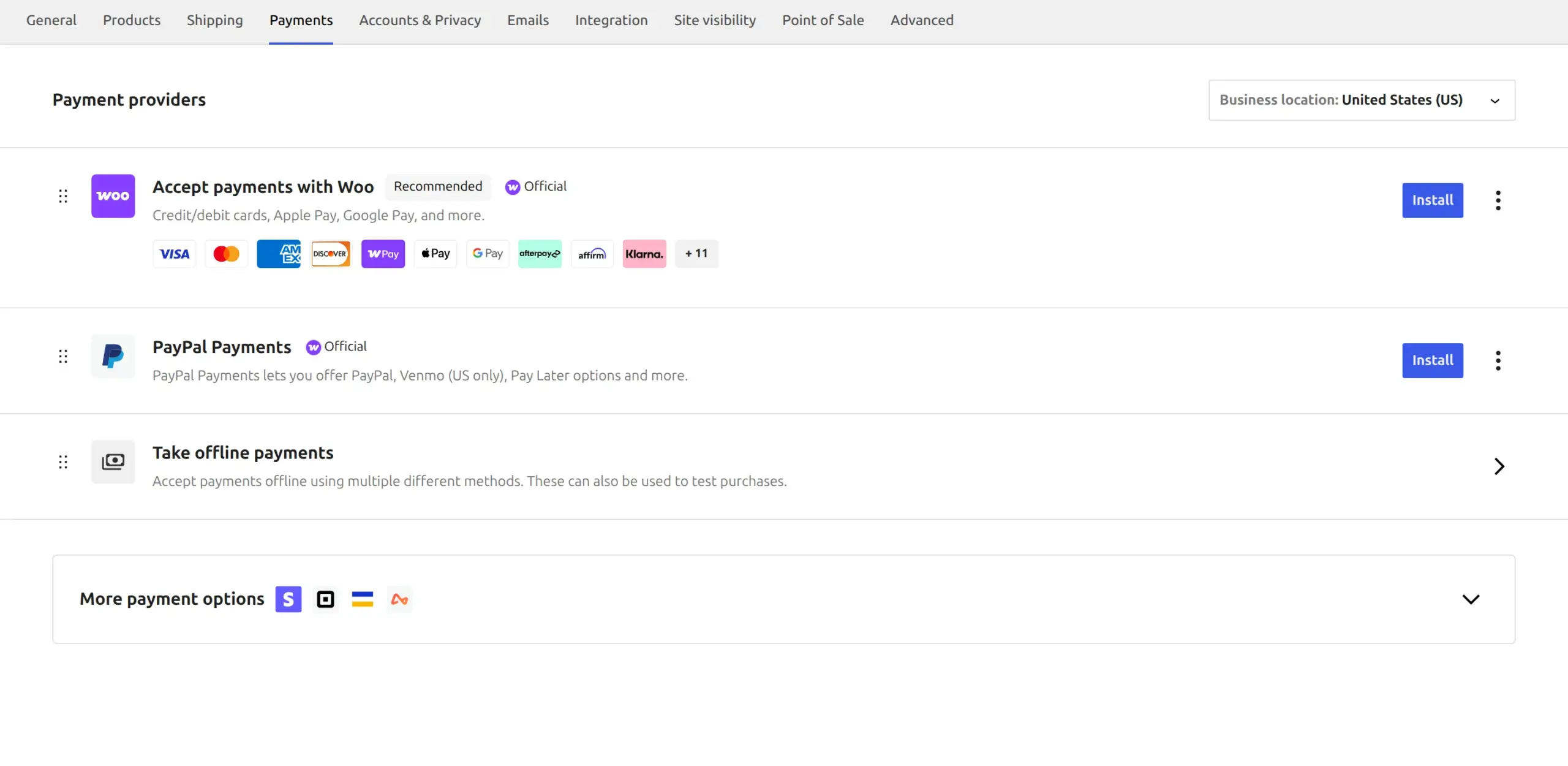
WooCommerce had no payment method switched on at all after setup. The Payments screen offers WooPayments and PayPal, plus a “Take offline payments” option for bank transfer, cheques and cash on delivery. I switched on cash on delivery so I could place a test order. That took 5 clicks.
SureCart lists 5 payment companies: Stripe, PayPal, Mollie, Paystack and Razorpay. Each one needs its own account, and all 5 started out disabled. It also has “manual payment methods” for cash on delivery and similar. I added one, which took 8 clicks and 3 required boxes to fill in.
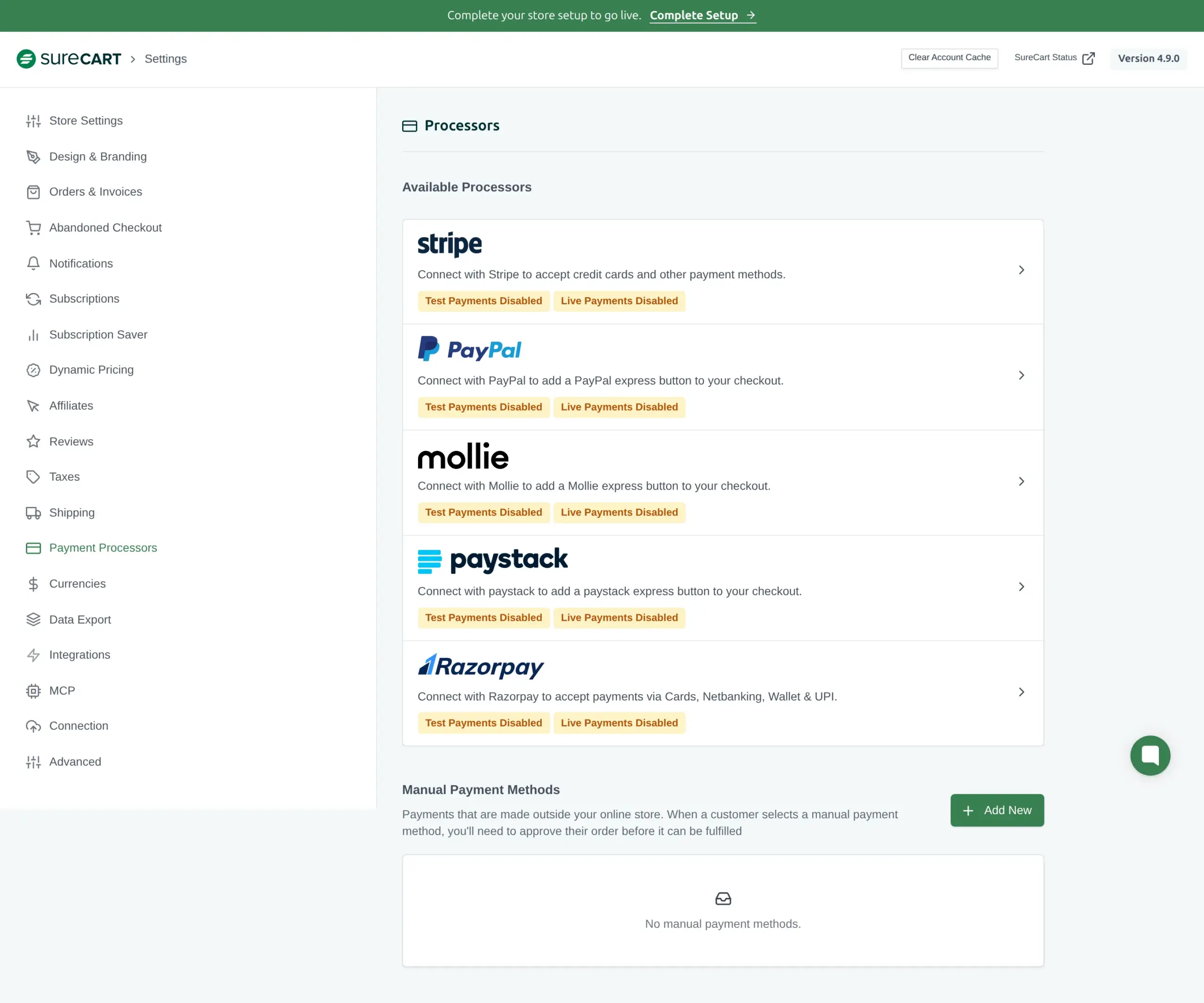
Here SureCart has a real advantage for testing. In test mode it comes with a built-in Test Processor, already selected at checkout. So you can try a full purchase before connecting any payment company. WooCommerce doesn’t have an equivalent, which is why I used cash on delivery there.
Adding it all up, WooCommerce took 20 clicks to reach a live store taking offline payments. SureCart took 18 clicks to reach a test-mode store with a buyable product. They’re not quite the same finish line, because SureCart still needs a payment company connected before it can go live. So call setup a near tie in clicks, with SureCart winning on calm and WooCommerce on independence.
What does checkout look like for your customers?
This is where SureCart is clearly nicer for the buyer.
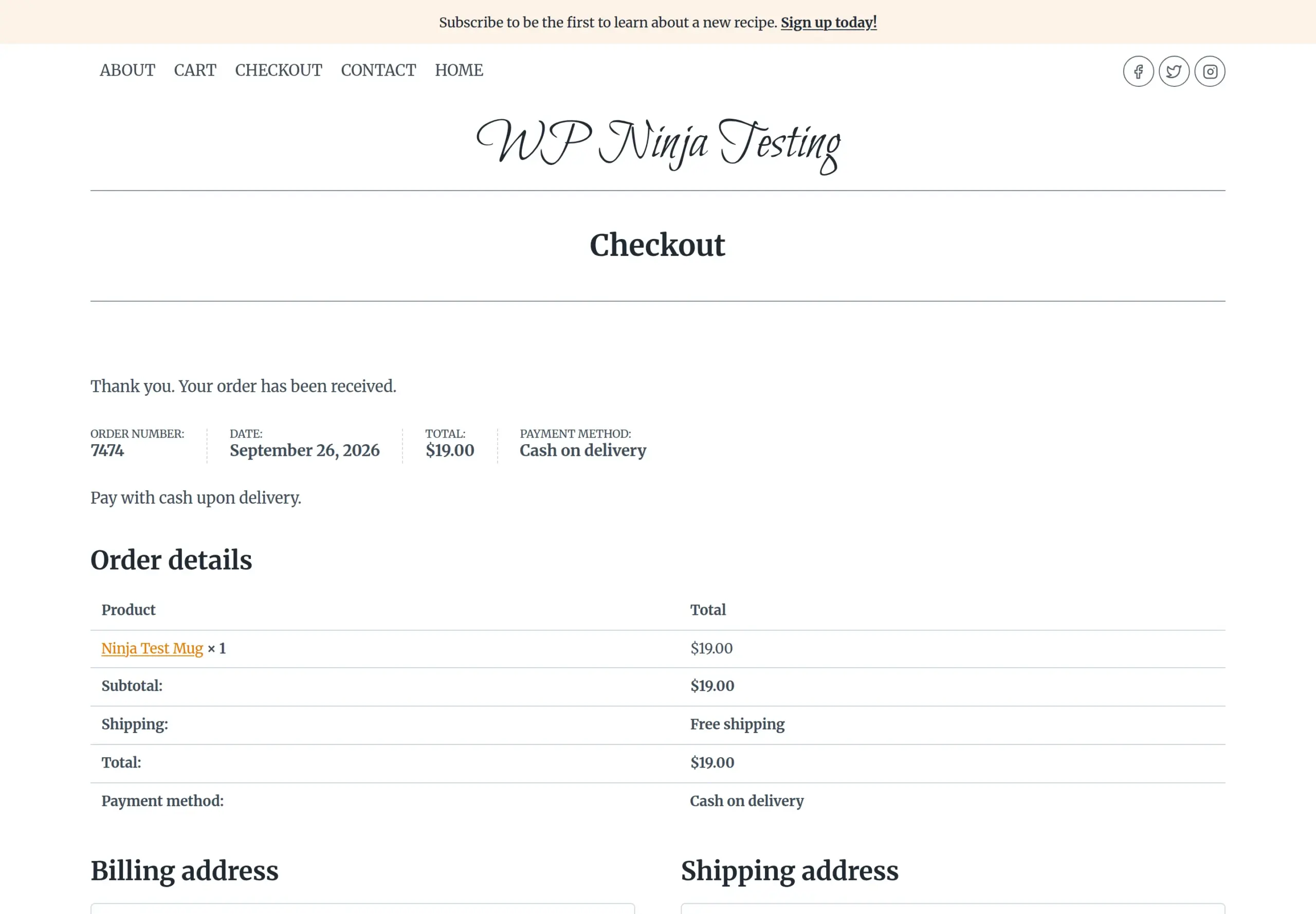
On WooCommerce, a customer clicks Add to cart, then View cart, then Proceed to Checkout, fills in the form, and clicks Place Order. That’s 4 clicks and 6 boxes to type in for a shipped product: email, first name, last name, address, city and ZIP code. The state was already filled in.
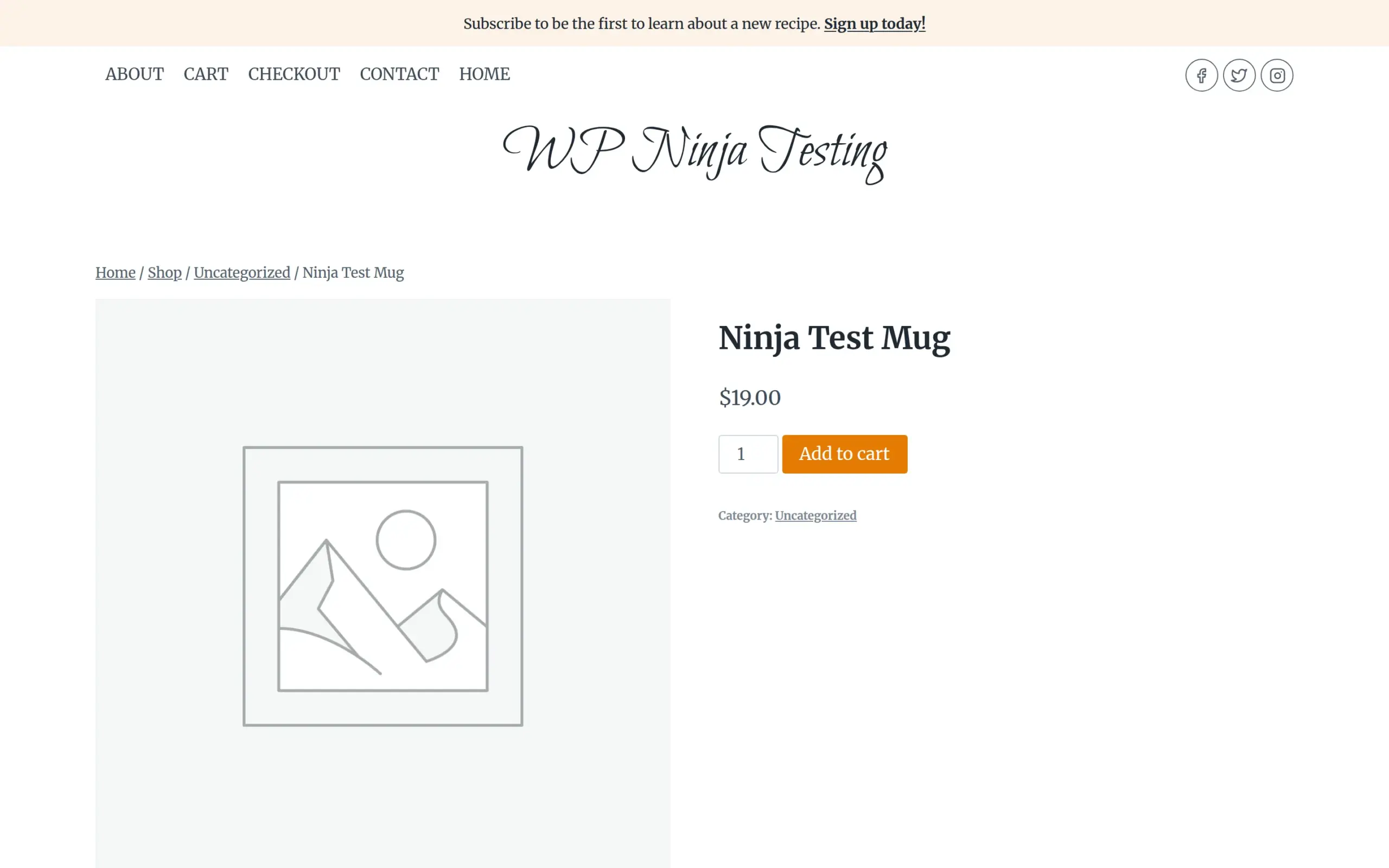
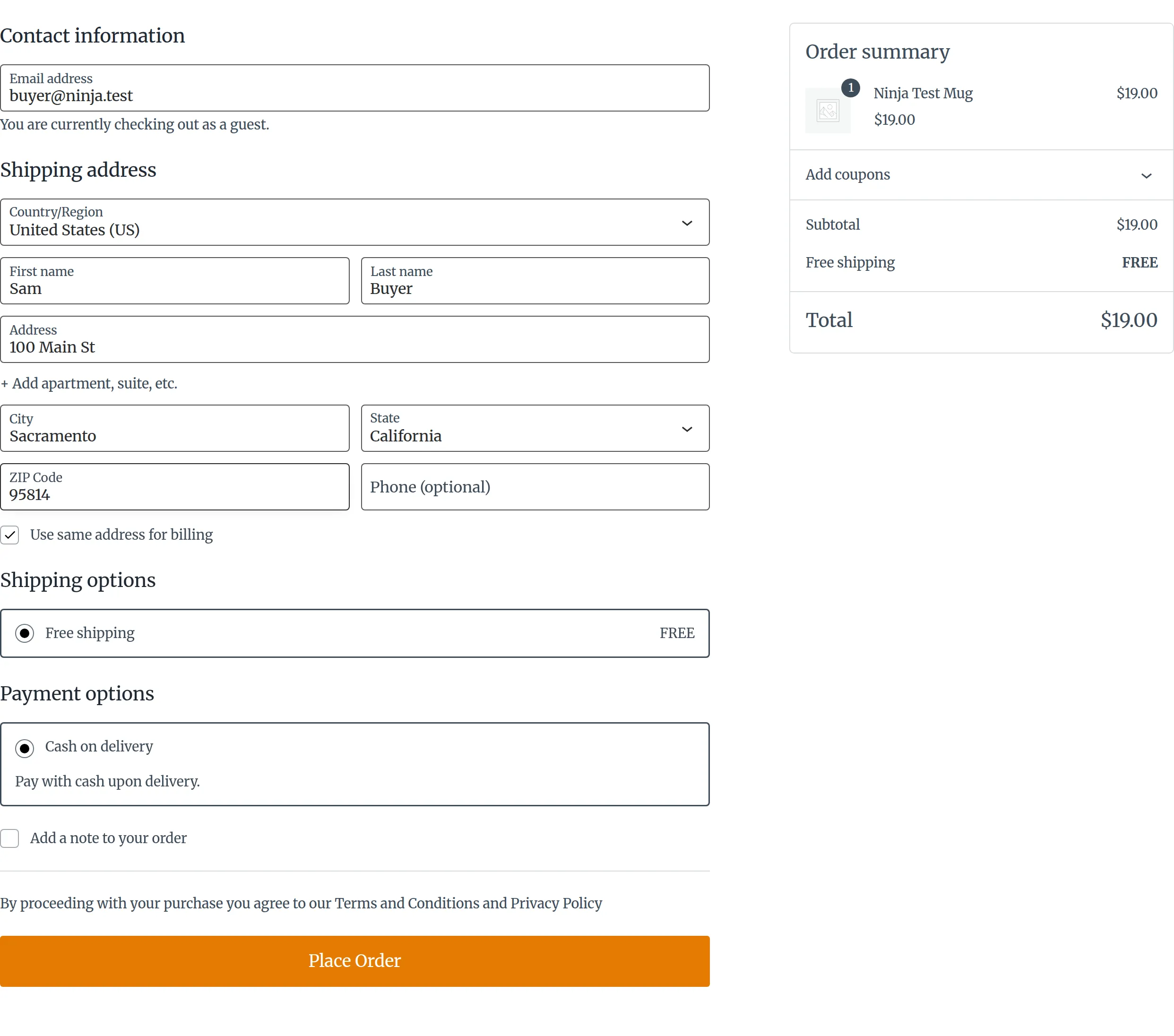
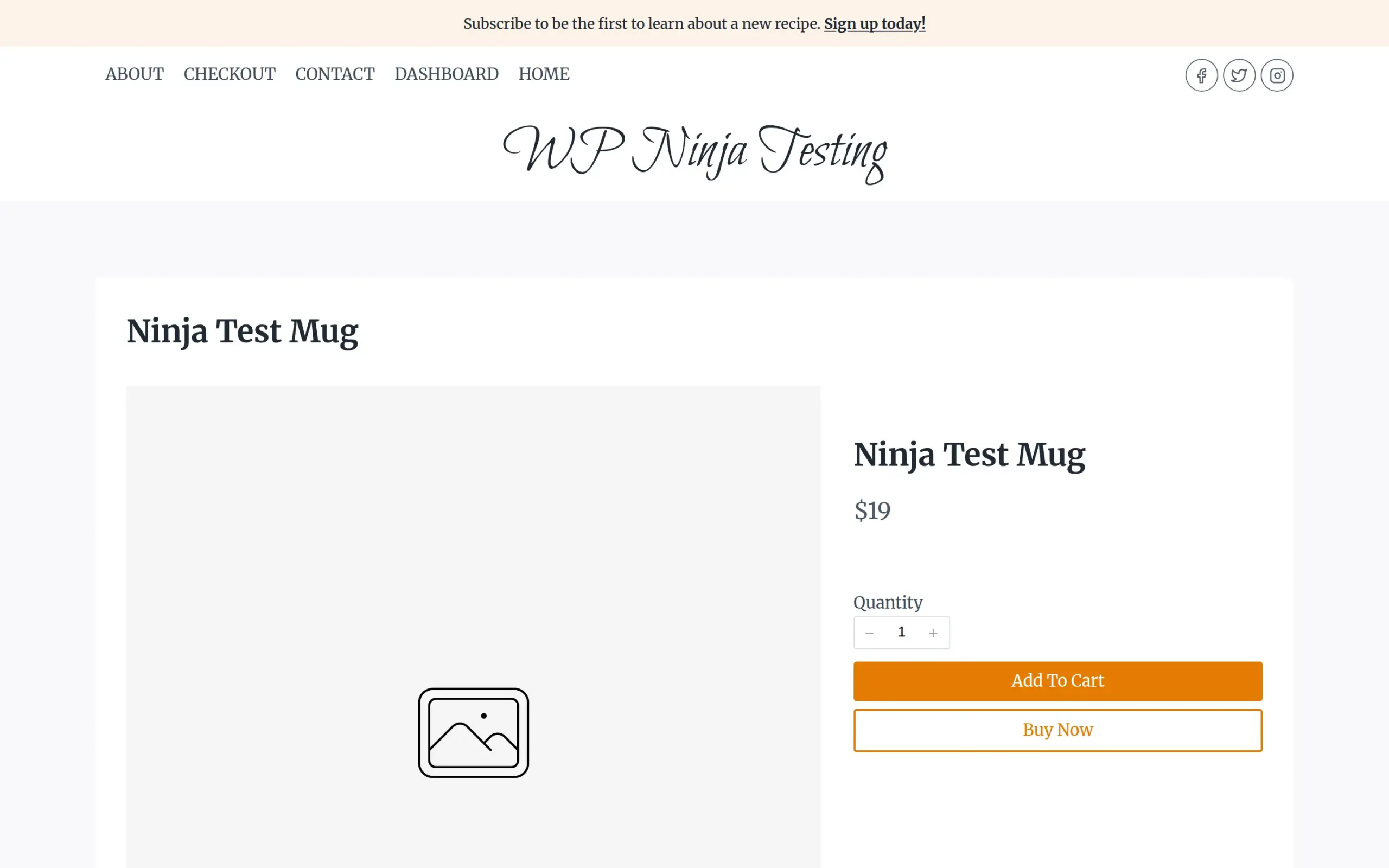
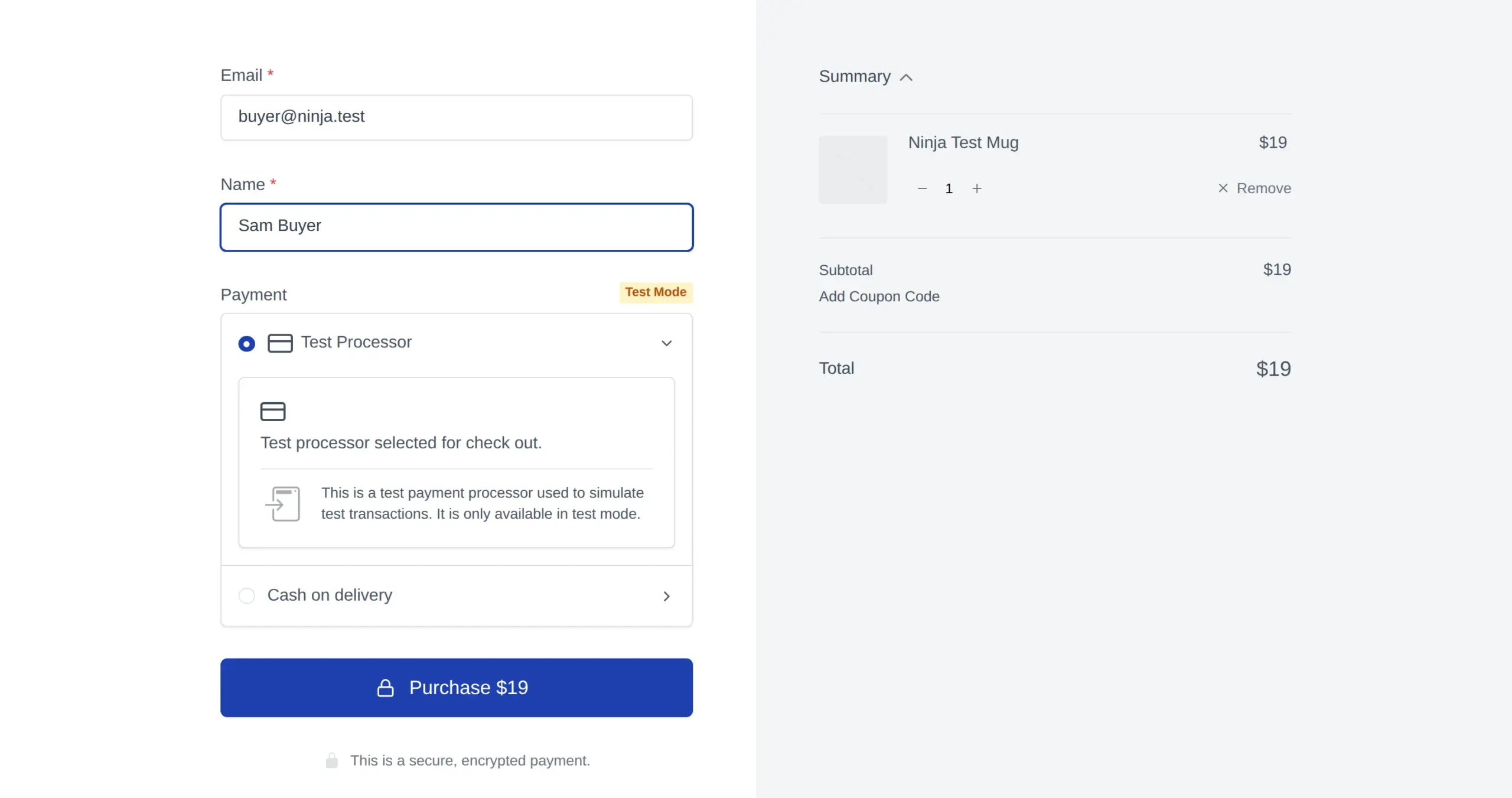
On SureCart, the product page has a Buy Now button that goes straight to checkout. For a digital product the form asked for just an email and a name, then one click on Purchase. That’s 2 clicks and 2 boxes.
That short checkout is partly because SureCart assumed my mug was digital. When I marked it as a physical product, the checkout added a shipping address: country, address, city and postal code. That makes it 5 boxes plus a country menu, which is about the same as WooCommerce’s 6.
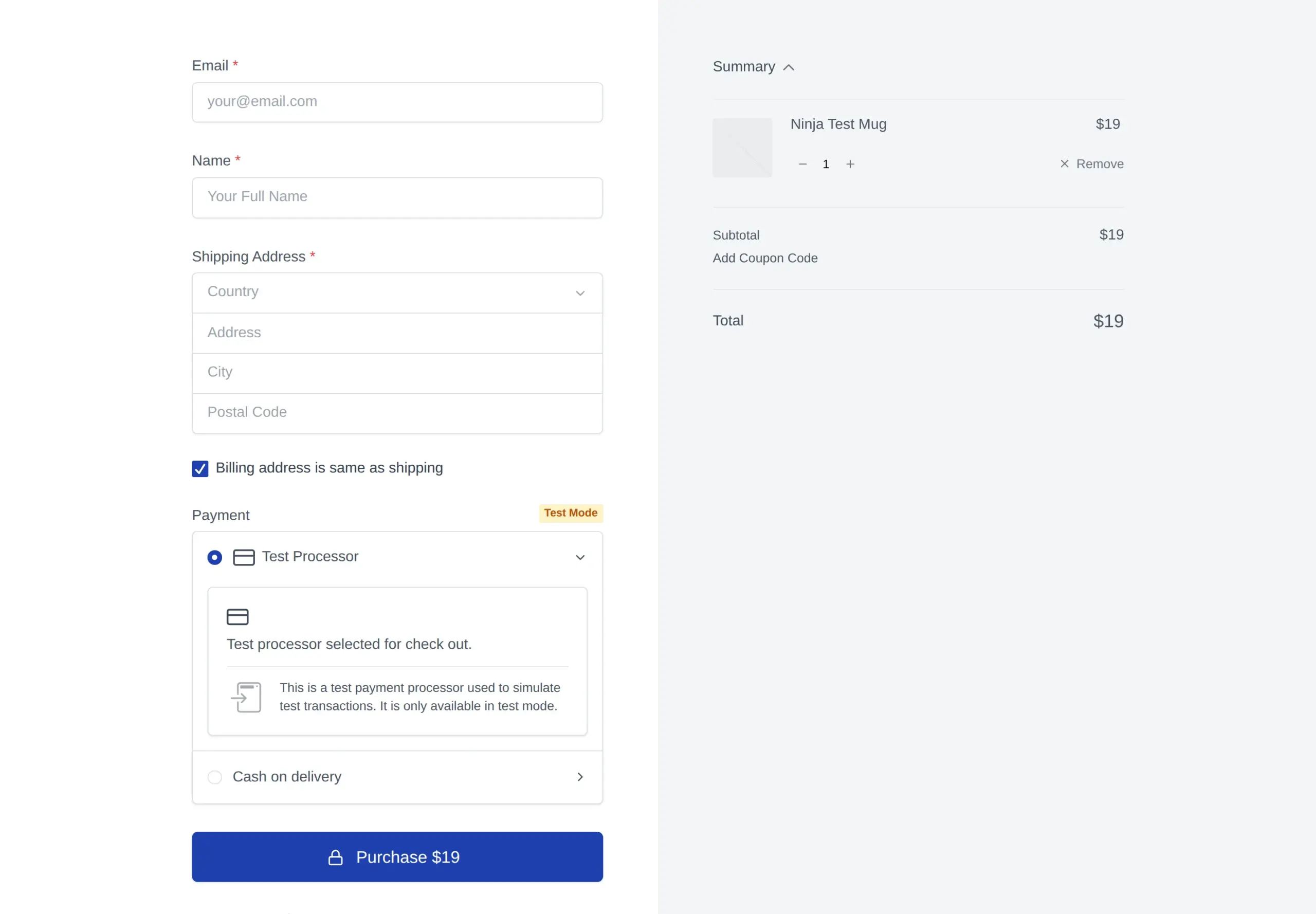
So the fair summary is this: SureCart’s checkout is 2 clicks shorter thanks to Buy Now, and for digital products it’s much shorter. For physical products, both ask about the same questions.
One SureCart quirk will confuse beginners testing their own shop. When I placed a test order as a logged-out visitor, SureCart showed a success message, but no order was created:

It says so plainly: “This is a simulated test checkout, and no orders were processed.” Test orders only become real orders when you’re logged in as the store admin. When I did that, it worked:

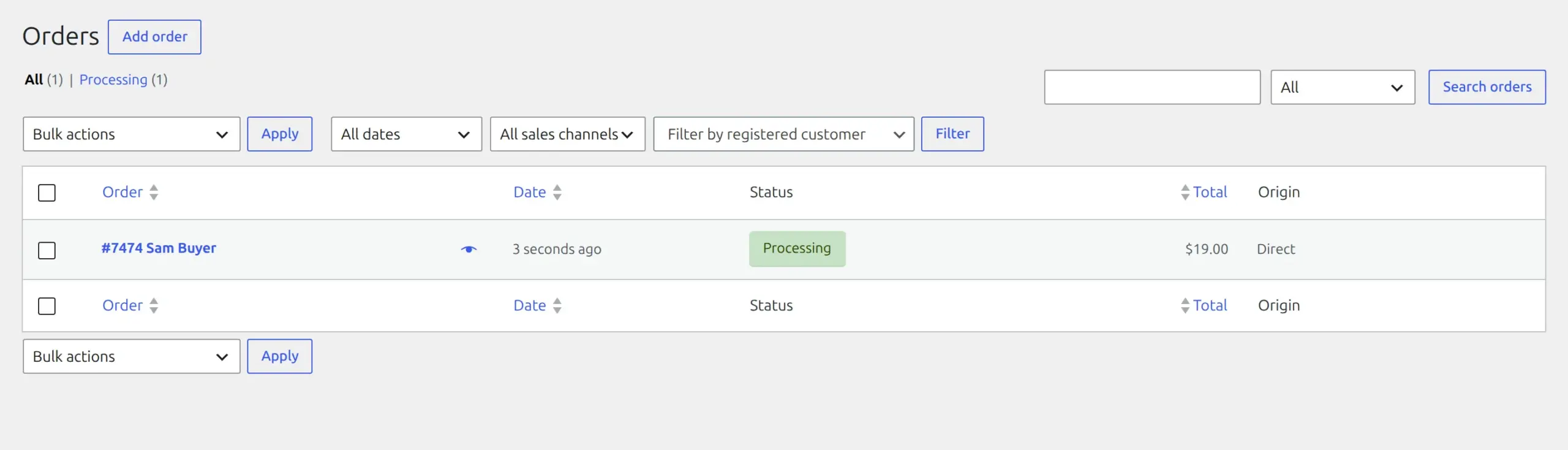
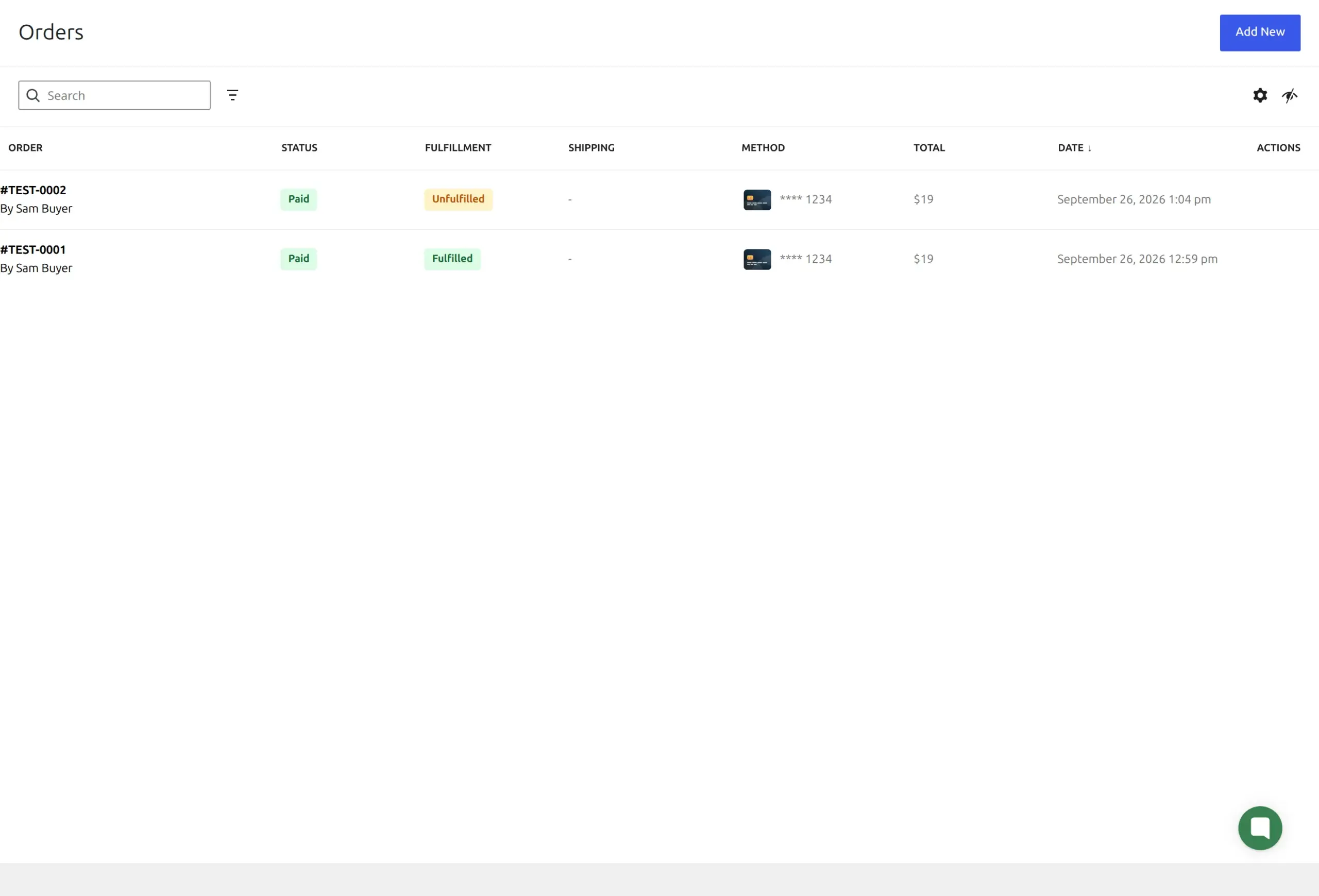
Here are both order lists afterwards. WooCommerce’s order sits in your own database. SureCart’s orders are fetched from its servers, which is why their numbers start with TEST.
Is SureCart really free?
The plugin is free, and the free plan (SureCart calls it “Launch”) includes every feature. But it adds a 2.9% fee to every sale, on top of what your payment company charges.
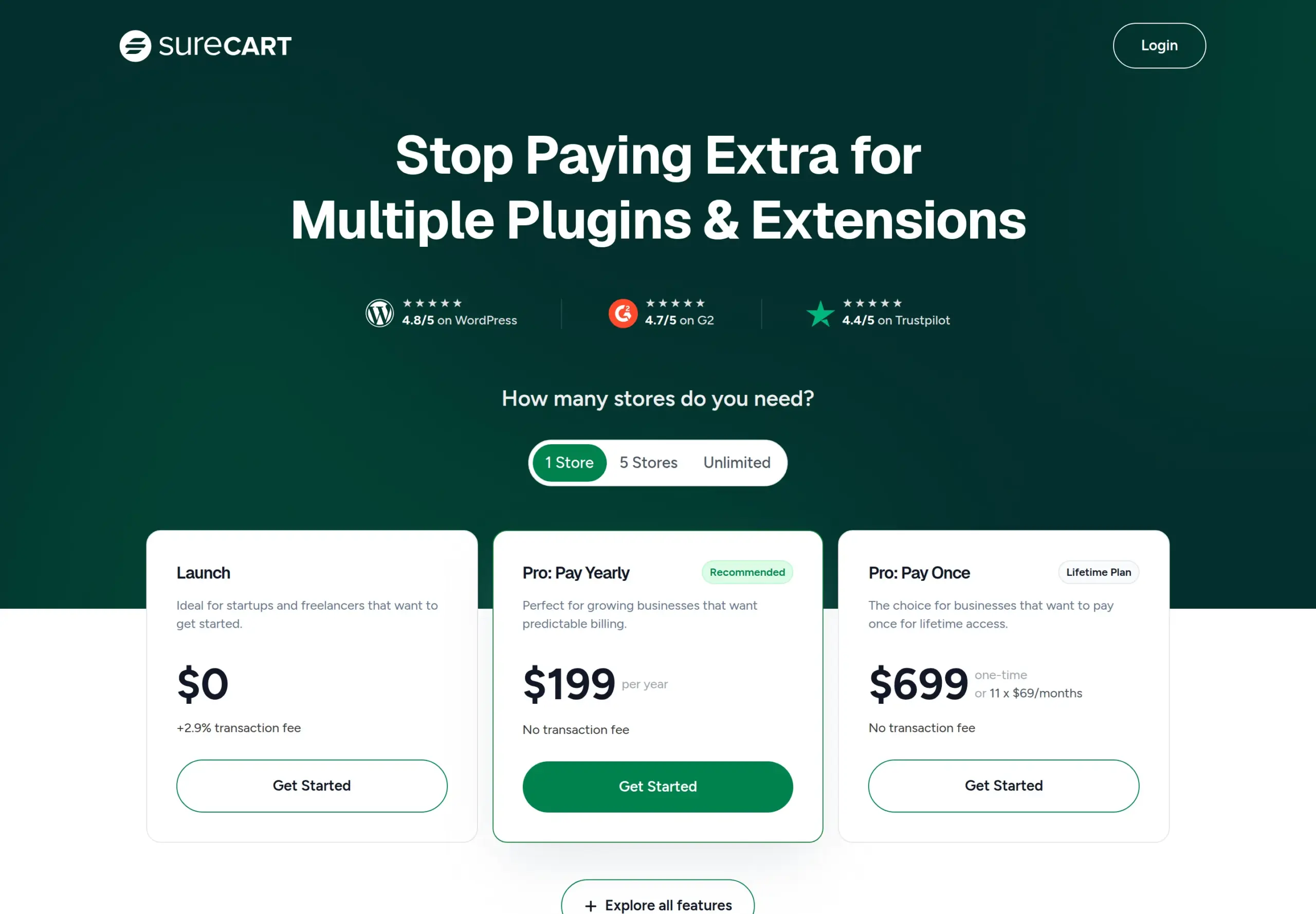
The first version of this article said 1.9%. Most of the pages ranking for this search still say 1.9%, and so does SureCart’s own listing on wordpress.org. But SureCart’s pricing page and its fee documentation both say 2.9%, and those are the ones I’d trust:
Here’s what that does to a $50 sale, using Stripe’s standard 2.9% + 30¢ (the same base rate WooPayments charges for US cards):
| On a $50 sale | WooCommerce + WooPayments | SureCart Launch + Stripe |
|---|---|---|
| Card fee | $1.75 | $1.75 |
| Plugin fee | $0 | $1.45 |
| Total fees | $1.75 | $3.20 |
At 20 sales a month that’s about $29 extra a month with SureCart. At 200 sales a month, about $290.
SureCart’s paid plan, Pro, costs $199 a year (or $699 once, for life) and removes the fee completely. Pro pays for itself once you sell about $6,862 a year. SureCart’s own blog gives the same figure, which is a nice sanity check.
The first version of this article mentioned paid plans “starting at $19/month”. That’s not on the pricing page at all.
Now the WooCommerce side. The core plugin is free, but some features cost extra. The big one is subscriptions:
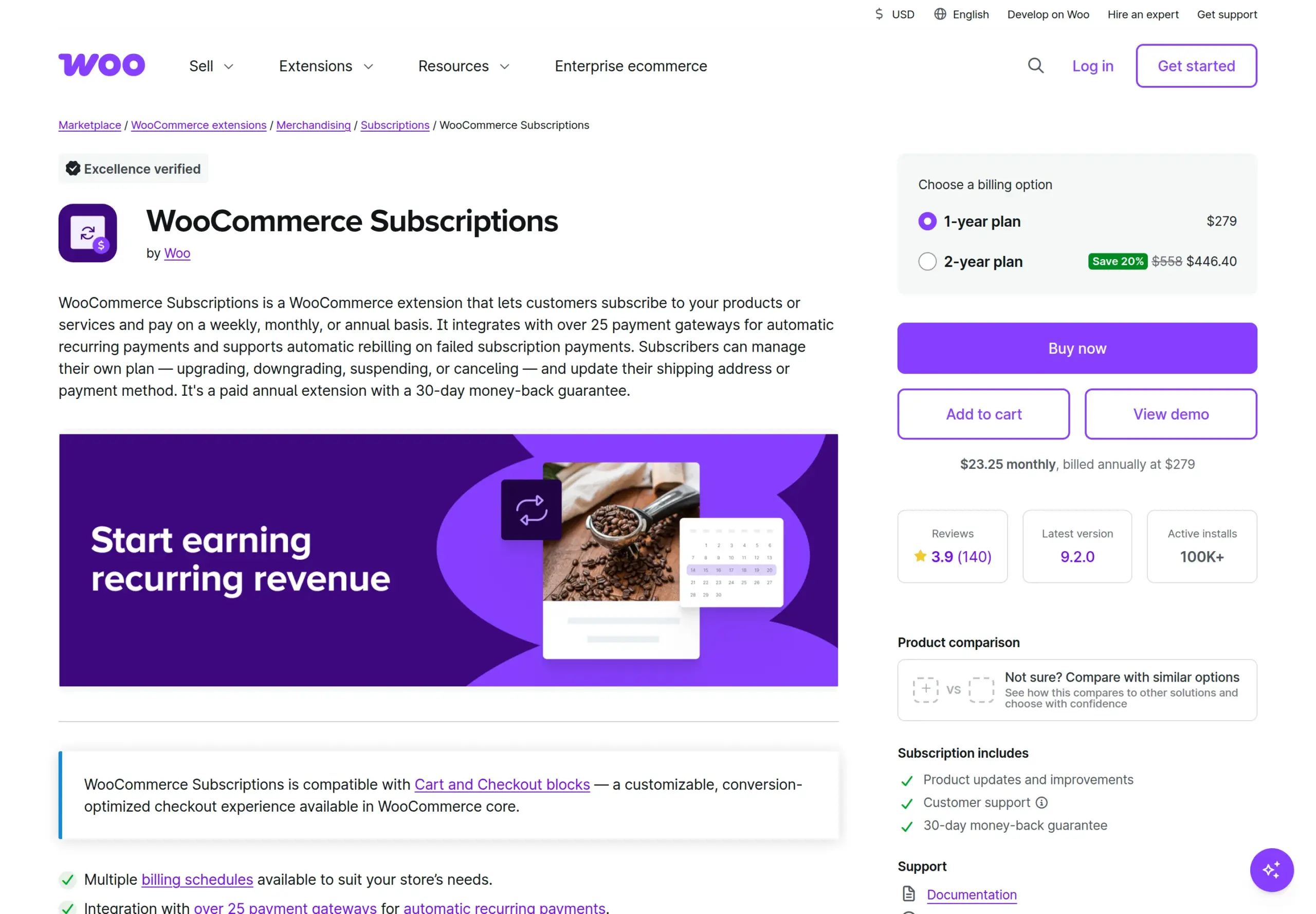
WooCommerce Subscriptions costs $279 a year, not the $199 I wrote the first time. So if you sell memberships or monthly boxes, SureCart’s free plan is cheaper until your yearly sales pass about $9,621. Past that point, SureCart’s 2.9% fee costs more than a year of the Subscriptions extension.
What happens when you uninstall them?
I deleted each plugin the normal way: Deactivate, then Delete, on the Plugins screen. Both times WordPress asked: “Are you sure you want to delete [plugin] and its data?”
Neither one actually deleted its data.
| After deleting | WooCommerce | SureCart |
|---|---|---|
| Database tables | All 39 stay | All 7 stay |
| Settings | 204 settings stay | 19 settings stay |
| Content | Products, orders, Shop/Cart/Checkout pages | The product copy, checkout form, 3 pages |
| wp-config.php | Untouched | Encryption key stays |
For WooCommerce, this is mostly a good thing. Your orders and customers survive if you remove the plugin by accident. If you really want everything gone, WooCommerce only wipes its data when you add a special line to wp-config.php first.
For SureCart, what’s left behind is mostly scaffolding, because your orders were never on your site in the first place. SureCart has a setting that removes its data on uninstall, and it’s off by default. It also popped up a “why are you leaving?” survey when I deactivated it.
Either way, back up before you install or remove a store plugin. It’s the one habit that saves you from every surprise in this section.
Has either one had security problems?
Both have, and both patch them. That’s normal for plugins this size. What matters is that you keep them updated.
According to Patchstack’s database, WooCommerce has 47 recorded vulnerabilities over its whole life, all patched, with none open today. SureCart has 11, also all patched.
SureCart’s recent run is worth knowing about, though. Between July and September 2026 it fixed 3 serious flaws that could let someone take over accounts or give themselves admin access. The most recent was patched in version 4.7.3. The current version, 4.9.0, has no known open issues.
My advice is the same for both: switch on automatic updates for your store plugin, and check your site after each one.
When should I pick SureCart?
SureCart makes the most sense when your store is simple and you’d rather not look after a database full of orders.
Digital products, courses and services. Downloads, license keys, subscriptions, one-click upsells and affiliates are all built into the free plan. On WooCommerce, subscriptions alone is a $279-a-year extension.
Subscriptions on a small budget. Below about $9,621 a year in sales, SureCart’s 2.9% fee costs less than WooCommerce Subscriptions’ $279.
You want a short checkout. Buy Now plus a 2-field checkout for digital products is the quickest buying path I tested.
You want a calm setup. 6 clicks, no pre-ticked tracking box, and no pile of extra plugins.
But be honest with yourself about the 2.9%. It’s a fee on every sale forever, unless you pay $199 a year for Pro.
When should I pick WooCommerce?
WooCommerce is the better choice when you want to own everything, or you need something only its huge extension library has.
Physical products with complex shipping. Zones, weights, carrier rates and label printing are all there or one extension away. For a physical product, SureCart’s checkout asked about the same questions as WooCommerce’s anyway.
You want your orders in your own database. Every order and customer sits in your WordPress database, where you can back it up and keep it without depending on any company.
No fee on your sales. The only fee is your payment company’s. On busy stores, that saves real money.
Bookings, product bundles, print-on-demand, marketplaces. If there’s a niche selling feature you need, it almost certainly exists for WooCommerce first.
Just remember the 3 setup traps I found: untick the tracking box if you don’t want it, click “Skip this step” on the 10 extra plugins, and launch the store when you’re ready.
Can I use both together?
Technically yes, since they’re separate plugins. I didn’t test running them together, and I wouldn’t recommend it for a beginner.
You’d have 2 product lists, 2 checkouts and 2 places to look for orders. With both active, a blog post would also load both plugins’ files: the 9 from WooCommerce plus the 23 from SureCart.
If you’re moving from WooCommerce to SureCart, SureCart’s setup code includes a WooCommerce product import. I didn’t test it, so treat it as something to try on a copy of your site first.
My recommendation
After installing both and building the same store twice, here’s where I’ve landed.
Selling digital products, courses, memberships or services? Pick SureCart. The setup is calmer, the checkout is the shortest I tested, and the features you’ll want are free. Just budget for the 2.9% fee, and move to Pro once you’re selling more than about $6,862 a year.
Selling physical products, or planning to grow big? Pick WooCommerce. You own every order, you pay no extra fee per sale, and there’s an extension for almost anything. Take 2 minutes during setup to untick the tracking box and skip the 10 extra plugins.
Not sure yet? Start with whichever matches the first thing you plan to sell. Both leave their data behind when you delete them, so switching later means some cleaning up whichever you choose.
Frequently Asked Questions
Is SureCart actually free to use?
The plugin and its Launch plan are free, and every feature is included. But SureCart adds a 2.9% fee to every sale, on top of your payment company’s fee. The Pro plan at $199 a year removes that fee.
Do I need a SureCart account?
Yes. SureCart won’t open any of its screens until you create or connect a store on SureCart’s servers. Creating one took me 6 clicks and asked for my email address, which was already filled in.
Does SureCart slow down your website?
It doesn’t slow your server in any way I could measure. But it does add 23 files to every blog post, even pages with no shop on them, and that was before I’d connected a store. WooCommerce added 9 to the same page.
Where is customer data stored in SureCart?
Orders and customer details are stored on SureCart’s servers. I placed 2 test orders and my WordPress database gained no new posts, post data or users. Products are the exception, because SureCart copies them into WordPress so your theme can show them.
Does WooCommerce make your database bigger?
Yes. Activating it and setting up one product added 39 database tables and 6 scheduled background jobs to my test site. SureCart added 7 tables and 1 job.
How much does WooCommerce cost per year?
The WooCommerce plugin itself is free. You pay your payment company’s fees, such as 2.9% + 30¢ per US card sale with WooPayments, plus any paid extensions you add. WooCommerce Subscriptions, for example, is $279 a year.
Can SureCart sell physical products with shipping?
Yes. Mark a product as physical and the checkout adds a shipping address. For very complex shipping rules, WooCommerce and its extensions give you more options.
Can I test my store before going live?
Both can. SureCart’s test mode comes with a built-in Test Processor, but test orders only count when you’re logged in as the admin. With WooCommerce, you can switch on cash on delivery and place an order against your own store.