The Best Free WordPress SEO Plugins in 2026 (I Installed and Measured All 5)
The best free WordPress SEO plugin for most people in 2026 is SEOPress. To find the best free WordPress SEO plugins, I installed the 5 most popular ones one at a time on the same test site, set each one up to do the same job, and measured what it added. SEOPress was the lightest of the plugins that cover the basics, it showed me the fewest upgrade nags, and its paid plan is the only one that promises never to raise your renewal price.
It has one catch you need to fix on day one, and I’ll show you exactly where. Here’s the short version of the whole roundup:
- Best overall: SEOPress (72.0 / 100) – light, quiet, and its setup wizard takes about 3 minutes. Clear the email address it quietly adds to your homepage code.
- Best guided setup: Yoast SEO (63.1) – the smoothest first-time setup, with the tracking question already set to “No”.
- Most features for free: Rank Math (54.4) – all 12 of my test jobs work in the free version, but it was measurably slower and does nothing until you finish its wizard.
- Does the most on day one: All in One SEO (51.8) – works the second you switch it on, but its wizard pre-ticks installing 4 other plugins and usage tracking.
- Lightest, if you only want titles and descriptions: SEO Simple Pack (84.0, shown outside the ranking) – it can’t do two of the basics, which I’ll explain. This site runs it, so I’ll be upfront about that too.
Every number in this article came from my own test site. None of the top 9 Google results for this search measured anything, so if you’ve read other lists, some of what follows will look different.
How I tested these 5 SEO plugins
I wanted numbers you can trust, so every plugin got exactly the same treatment.
The test site. A local copy of WordPress 7.1.1 on PHP 8.3, with the free Kadence theme and Kadence Blocks, and nothing else active. I switched off WordPress’s automatic core updates for the whole test, so the site couldn’t change version halfway through.
Before each plugin I restored the site’s database from the same saved copy, then measured it again to prove it was identical. That way nothing one plugin left behind could leak into the next plugin’s numbers.
The plugins. The current version of each, on the day I tested (18 September 2026):
| Plugin | Version tested | Released | Active installs |
|---|---|---|---|
| Yoast SEO | 28.5 | 15 Sep 2026 | 10,000,000+ |
| Rank Math | 1.0.278 | 8 Sep 2026 | 4,000,000+ |
| All in One SEO (AIOSEO) | 5.0.1.1 | 28 Aug 2026 | 2,000,000+ |
| SEOPress | 10.2 | 11 Sep 2026 | 300,000+ |
| SEO Simple Pack | 3.7.0 | 22 May 2026 | 100,000+ |
The same job. I switched each plugin on in a real browser and walked through its setup wizard the way you would. Then I brought each one to the same finished state: the site set up as an organization with a name and a logo, one blog post given a custom SEO title and meta description, social sharing tags switched on, and an XML sitemap working. I counted every click it took to get there, including every Next button.
Then I checked the real page to confirm the plugin actually did what its settings said.
What I measured. How much each plugin adds to every page, how many extra files it loads, how much it slows the server’s first response, what it adds to your database, how many background tasks it schedules, how many upgrade prompts it shows, whether it phones home, and what it leaves behind when you delete it.
About speed: I measured it as the median of 15 page loads, and repeated the slow results 3 times. The difference between runs of the same empty site was about 4 milliseconds either way. So when a plugin added less than that, I’m going to tell you “no measurable difference” rather than hand you a number that means nothing.
How I ranked them (the scorecard)
I wrote the scoring rules down before I installed the first plugin, so I couldn’t bend them later to suit a favourite. Each plugin could score 100 points across 5 areas:
| What I scored | Points | How |
|---|---|---|
| What the free version does | 30 | 12 common SEO jobs, 2.5 points each, checked in the plugin’s own screens |
| Weight on your site | 25 | page size, extra files, speed, database tables, background tasks |
| Beginner ease | 20 | clicks to set up, and how much works the moment you switch it on |
| Upsell and data pressure | 15 | upgrade prompts, locked menu items, pre-ticked tracking or account boxes |
| Cleanup and upkeep | 10 | what deleting it leaves behind, how recently it was updated, serious security issues |
The 12 jobs were: SEO title, meta description, Facebook sharing tags, X (Twitter) sharing tags, site-level schema, article schema, XML sitemap, per-post “noindex”, per-post canonical URL, breadcrumbs, a redirect manager, and a 404 error monitor.
Then I had to change one thing, and I want to be honest about it. Scored exactly as written, SEO Simple Pack came first with 84 points. That’s because 70 of the 100 points reward a plugin for being light and quiet, and SEO Simple Pack is both.
But it can’t add schema to your site at all, and it doesn’t make its own sitemap. Calling a plugin the “best free SEO plugin” when it can’t do 2 of the basics wouldn’t survive your first question.
So after seeing the scores, I added a simple rule: to be ranked, a plugin’s free version has to do all 5 essentials on its own – an SEO title, a meta description, social sharing tags, site-level schema, and an XML sitemap. That rule only changes the ranking order. It doesn’t change anybody’s score, and SEO Simple Pack still appears below with its full 84.
| Rank | Plugin | Score | Passes the 5 essentials? |
|---|---|---|---|
| 1 | SEOPress | 72.0 | Yes |
| 2 | Yoast SEO | 63.1 | Yes |
| 3 | Rank Math | 54.4 | Yes |
| 4 | All in One SEO | 51.8 | Yes |
| Not ranked | SEO Simple Pack | 84.0 | No – no schema, no sitemap of its own |
I also checked whether the order would change if I’d judged the close calls differently. It didn’t. SEOPress stays first even if I’d docked it 2 points for the email issue below, or not counted its per-post redirect as a free feature.
The best free WordPress SEO plugins side by side
Here’s everything I measured in one table. “Added” means compared with the same site before the plugin was installed.
| SEOPress | Yoast SEO | Rank Math | All in One SEO | SEO Simple Pack | |
|---|---|---|---|---|---|
| Free jobs (of 12) | 8 | 10 | 12 | 10 | 6 |
| Page size added | +1.1 KB | +5.9 KB | +4.8 KB | +5.2 KB | +0.7 KB |
| Extra files loaded | 0 | 0 | 1 (note 1) | 0 | 0 |
| Speed (server response) | no measurable difference | no measurable difference | +16 ms | +24 ms | no measurable difference |
| Database tables added | 1 | 6 | 2 | 13 | 0 |
| Background tasks added | 0 | 6 | 5 | 1 | 0 |
| Clicks to set up | 26 | 16 | 21 | 25 | 6 (note 2) |
| Works on activation (of 5) | 5 | 4 | 2 | 5 | 5 |
| Upgrade prompts (4 screens) | 2 | 6 | 9 | 9 | 0 |
| Locked menu items | 0 of 8 | 5 of 11 | 4 of 14 | 5 of 16 | 0 of 3 |
| Pre-ticked tracking/account boxes | none | none | none | 2 | none |
| Rows left after Delete | 61 | 43 | 31 | 32 | 2 |
| Paid plan from | $49/yr | $118.80/yr | EUR 95.88/yr | $49.50/yr | no paid plan |
| Renewal | same price | not stated | +12.5% | doubles | – |
Note 1: The Kadence theme loads its own Rank Math stylesheet whenever Rank Math is active. That’s the theme’s file, not Rank Math’s, but it’s still an extra file on a Kadence site.
Note 2: SEO Simple Pack’s 6 clicks can’t finish the job, because it can’t add an organization to your schema.
What does a free SEO plugin actually do?
If you’re new to this, an SEO plugin mostly controls how your pages look to Google and to social networks. It does 4 main things:
- The title and description Google shows. Your SEO title and meta description are the blue link and the grey text in search results. Every plugin here lets you write your own for each post. If you’re not sure what to write, my guide on how to write a meta description that gets clicks walks through it.
- Social previews. The image, title and text that appear when someone shares your post on Facebook, LinkedIn or X. These come from “Open Graph” and “Twitter card” tags.
- Schema. Hidden code that tells Google who’s behind the site (a person or an organization, with a name and logo) and what each page is (an article, for example).
- An XML sitemap. A list of your pages that helps search engines find them.
Here’s something most lists skip: WordPress already does 2 of these on its own. On my plain test site, before any plugin, WordPress was already printing a proper page title and serving its own sitemap at /wp-sitemap.xml. So an SEO plugin’s real job is the rest – descriptions, social tags, schema, and control over each post.
1. SEOPress – the best free SEO plugin for most sites
SEOPress is the plugin I’d install on a new blog today. It covers every essential, it adds almost nothing to your pages, and it’s the quietest of the full-featured four about selling you the paid version.
Setup. Switching it on opens a welcome screen that says the wizard “takes about 3 minutes”, and that was about right. There are 5 short sections: importing from another plugin (you can skip it), your site, indexing, advanced options, and a finish screen.
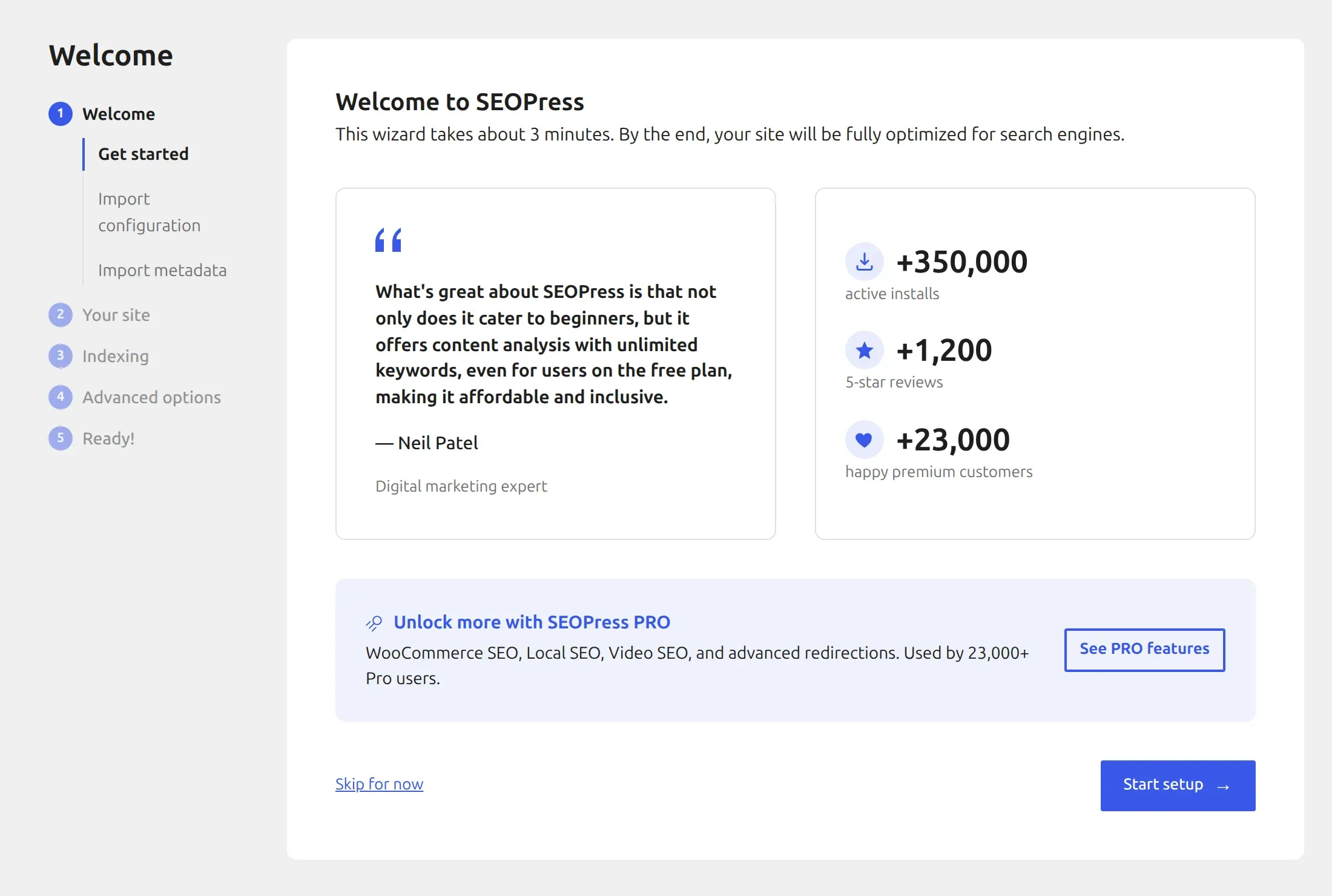
One thing tripped me up. On the “Your site” step, Person or Organization is set to “None (will disable this feature)” by default. If you leave it, you get no site schema at all.
And even after you pick Organization, the wizard never asks for your organization’s name or logo. Those live in a separate settings page, which is why SEOPress took 26 clicks to reach my finished state – the most of the four, even though each step is simple.
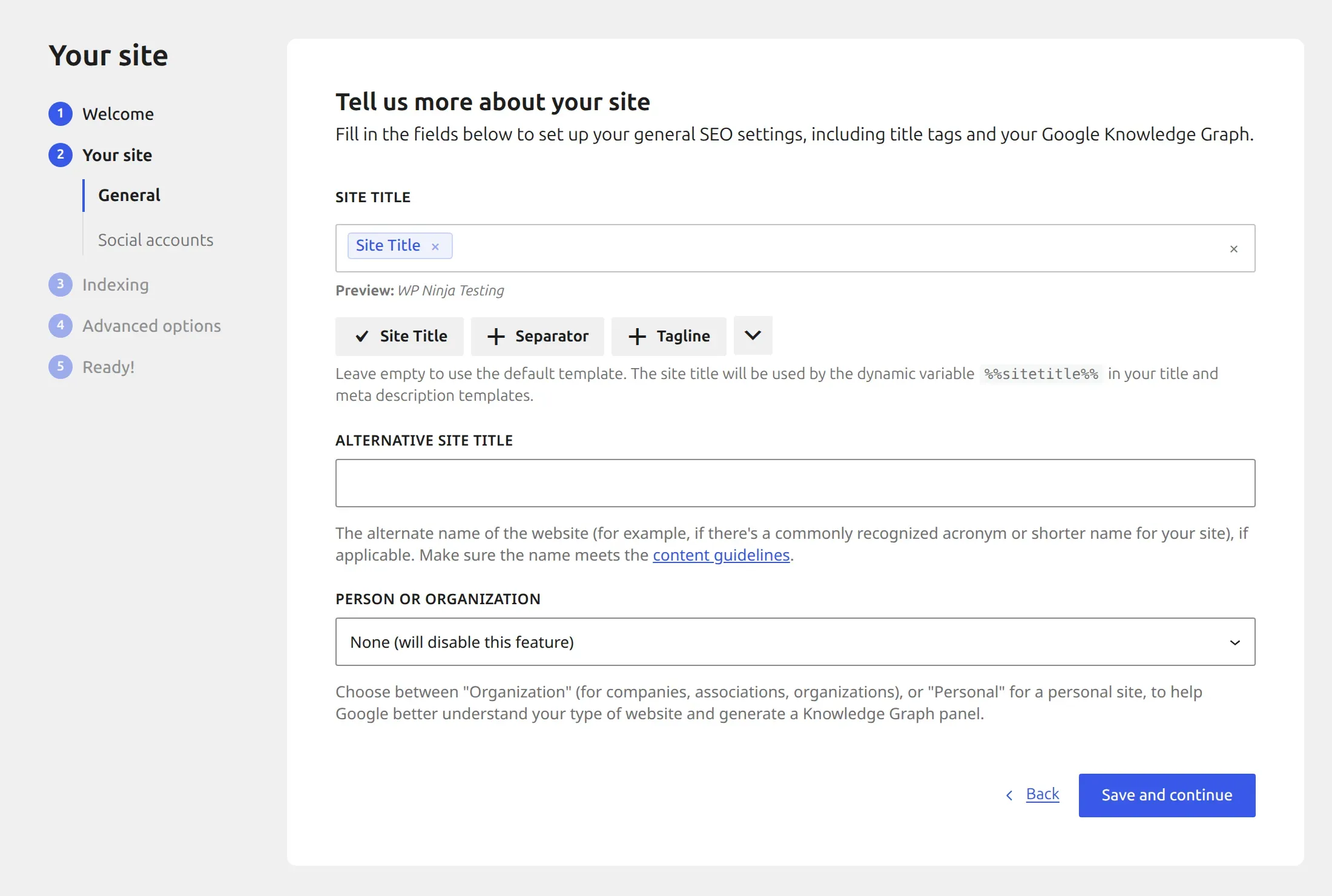
The catch you need to fix: your email address. This is the most important thing in this section. When you choose Organization, SEOPress fills in the Knowledge Graph email field with the email of the admin account running the wizard – and the wizard never shows you that field.
Once saved, that email appears in your homepage’s schema code, where anyone (or any spam bot) reading the page source can see it. I confirmed it on the rendered homepage.
Here’s how to fix it in under a minute: go to SEO > Social Networks, find the Knowledge Graph section, and clear the Email field (or put in a public contact address you don’t mind sharing). Then click Save changes.
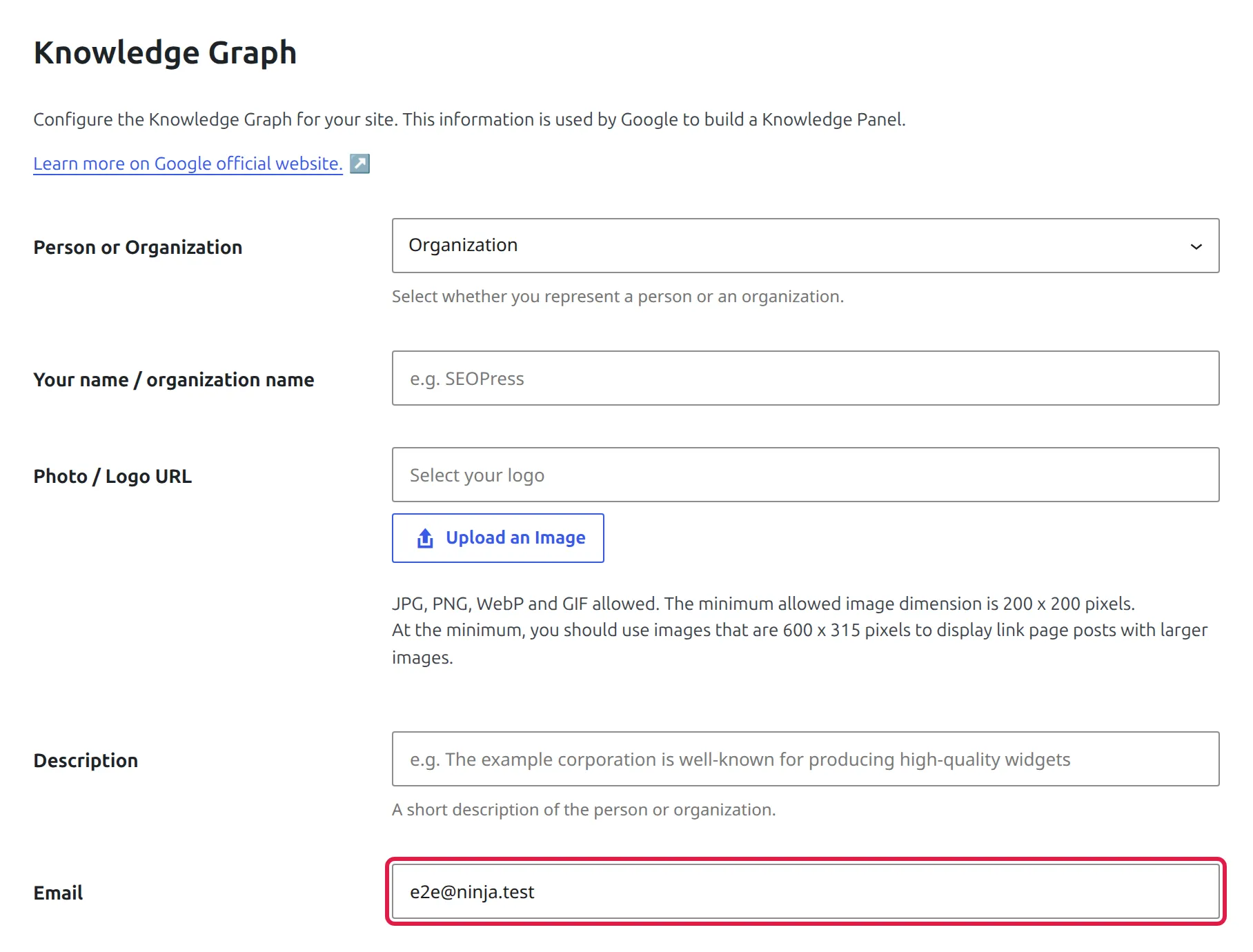
While you’re on that page, add your organization name and logo. That’s where they live.
What you get free (8 of 12 jobs). SEO title, meta description, Facebook and X tags, an organization schema on the homepage, an XML sitemap, per-post noindex, and per-post canonical URL all work in the free plugin. And you can set up a 301 redirect for a single post from its own SEO panel, in the Redirection tab. What’s paid: article schema on your posts, breadcrumbs, the full redirect manager, and 404 monitoring.
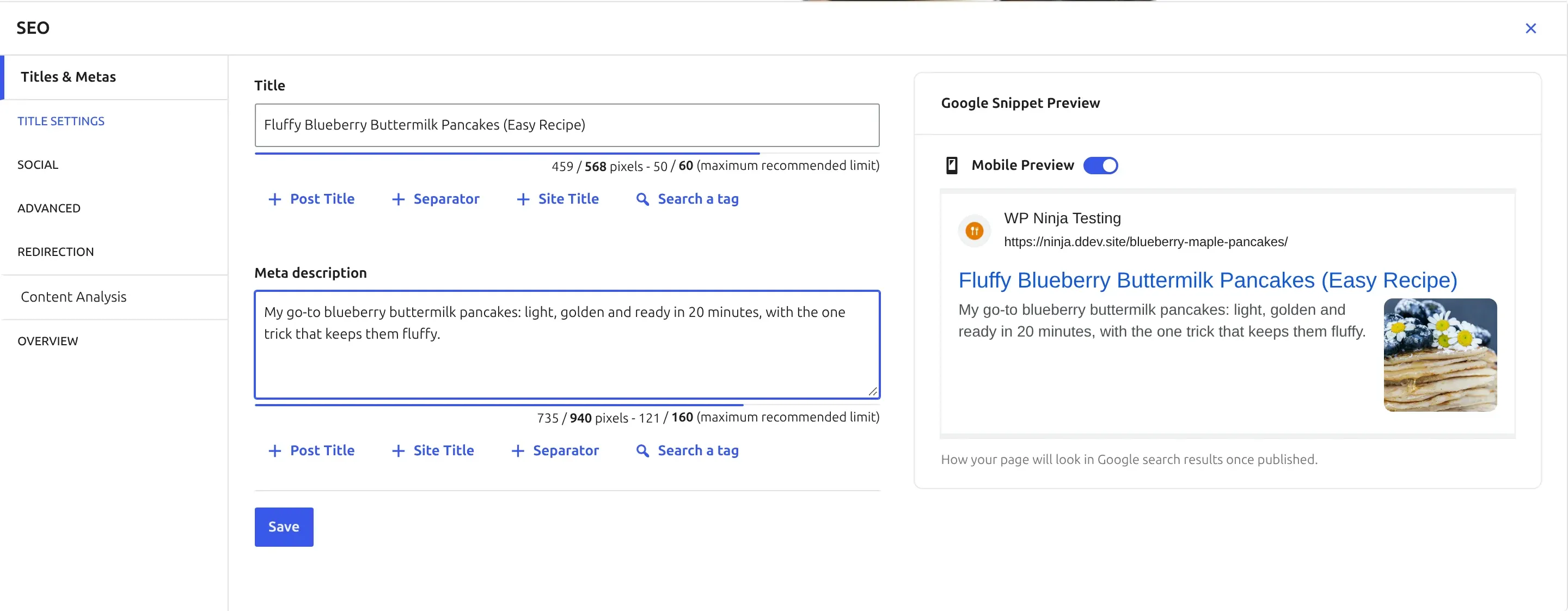
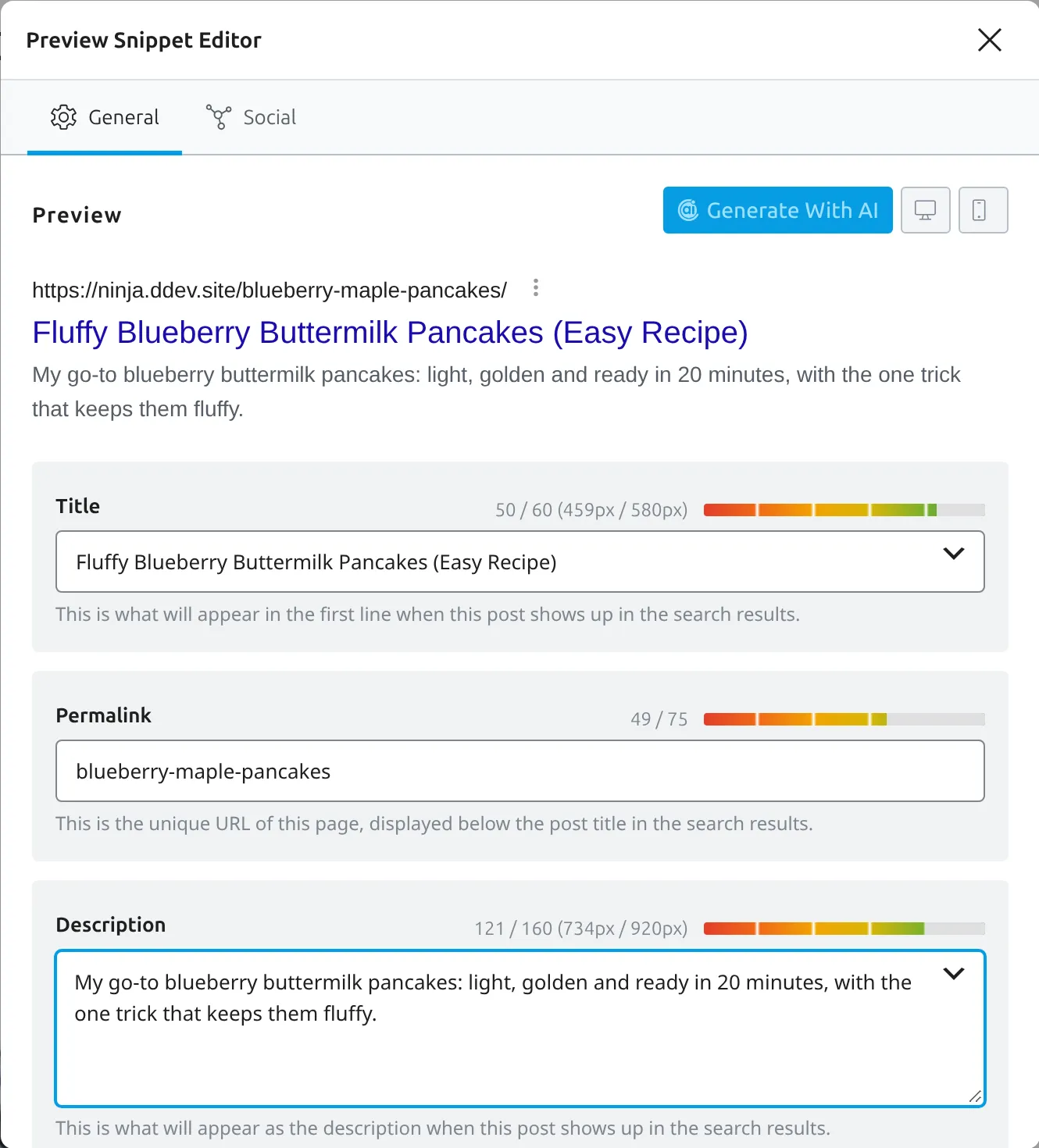
You open that panel from the “No score” button in the editor’s top toolbar. It shows a live Google preview as you type, with a pixel counter for both fields.
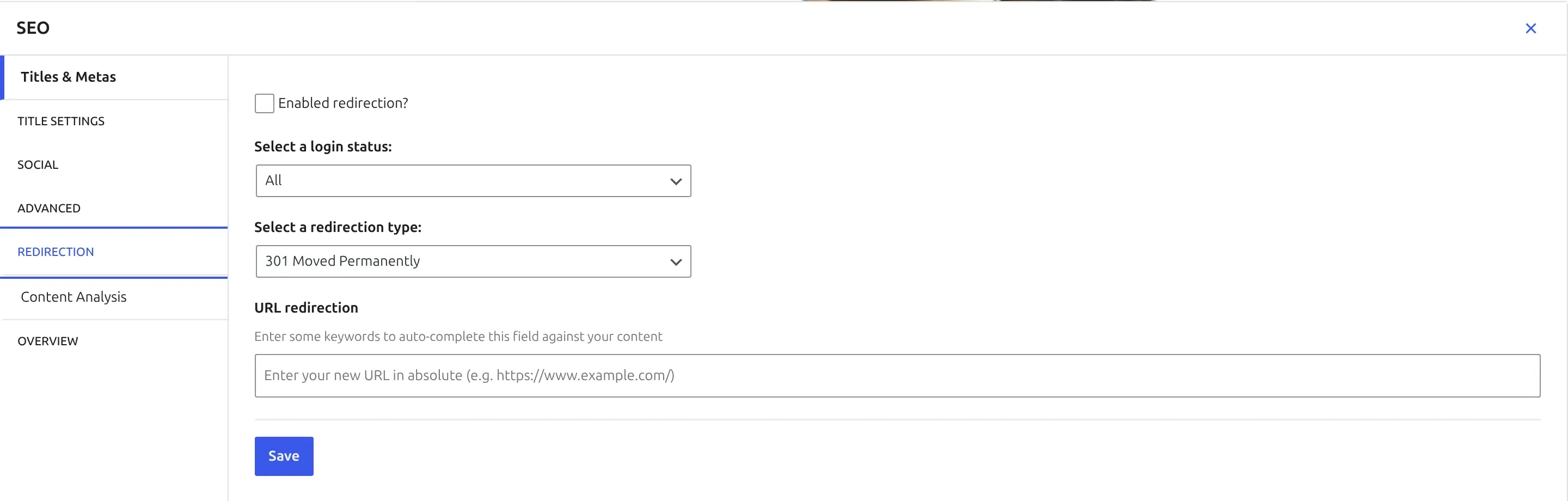
What it adds to your site. 1.1 KB per page, no extra files, no measurable speed difference, 1 database table and 0 background tasks. It’s also the only one of the four that doesn’t print an “optimized by” comment into your page’s code. Two other defaults worth knowing: the wizard pre-ticks “Automatically set alt text on already inserted image” and “Show the SEO beacon on the frontend” (a small floating box only logged-in editors see), and it tells search engines about new posts through IndexNow.
One quirk: it saves 43 database rows for a single post you save, one per field in its panel, even the empty ones. That’s why it leaves the most rows behind if you delete it (61). Harmless, but untidy.
Upsells. I counted 2 upgrade prompts, both on its own dashboard, and none on the WordPress dashboard, the Posts list or the editor. None of its 8 menu items lead to a locked screen. No tracking box, pre-ticked or otherwise.
Best for: anyone starting a blog or small business site who wants the essentials without the noise.
2. Yoast SEO – the best guided setup
Yoast is the plugin most people have heard of, on over 10 million sites. It had the smoothest setup of any plugin I tested, and it was the most respectful about your data.
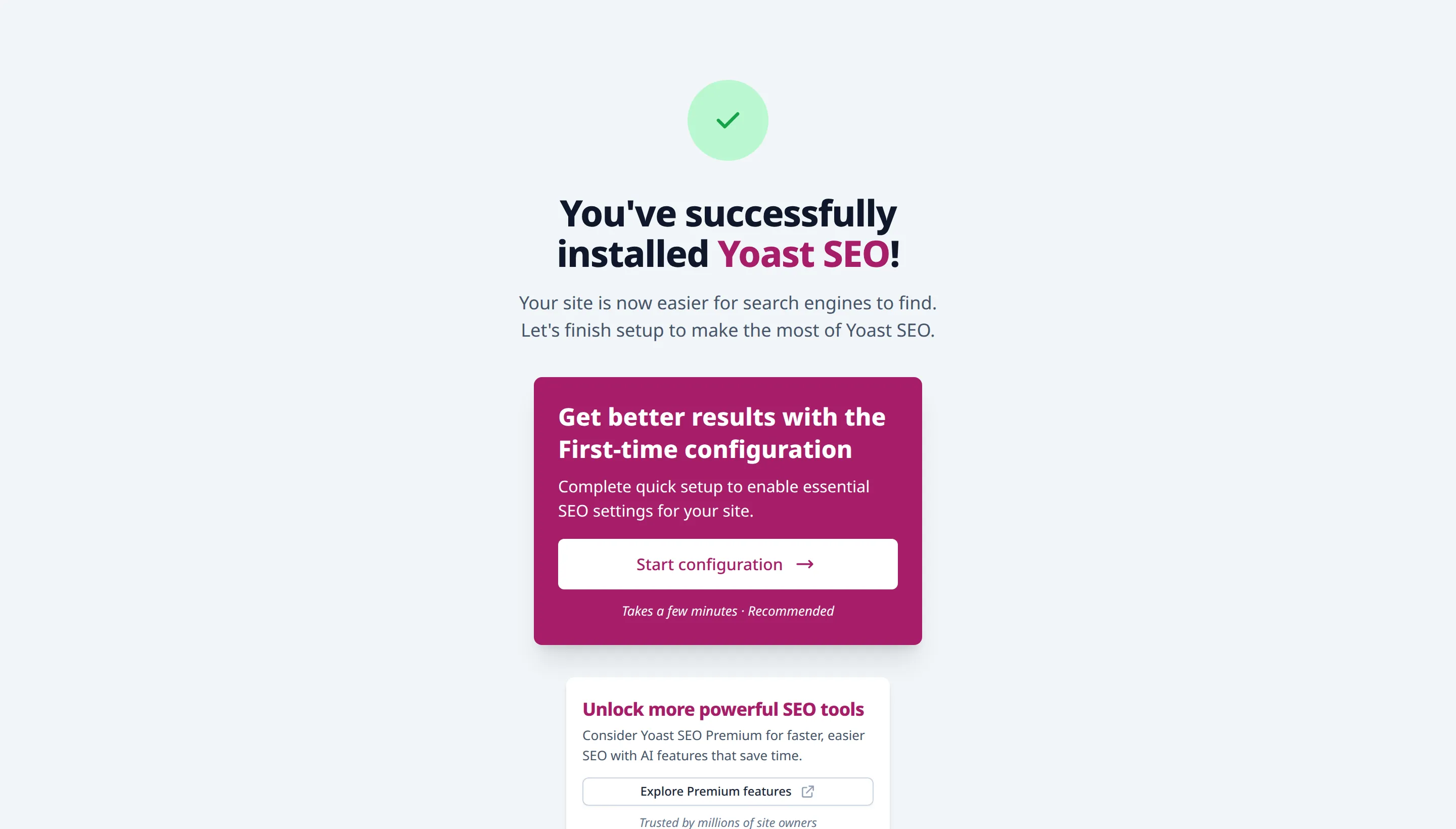
Setup. Switching it on lands you on a “You’ve successfully installed Yoast SEO!” screen with one big button: Start configuration. The first-time configuration has 5 steps, and reaching my finished state took 16 clicks – the fewest of the four.
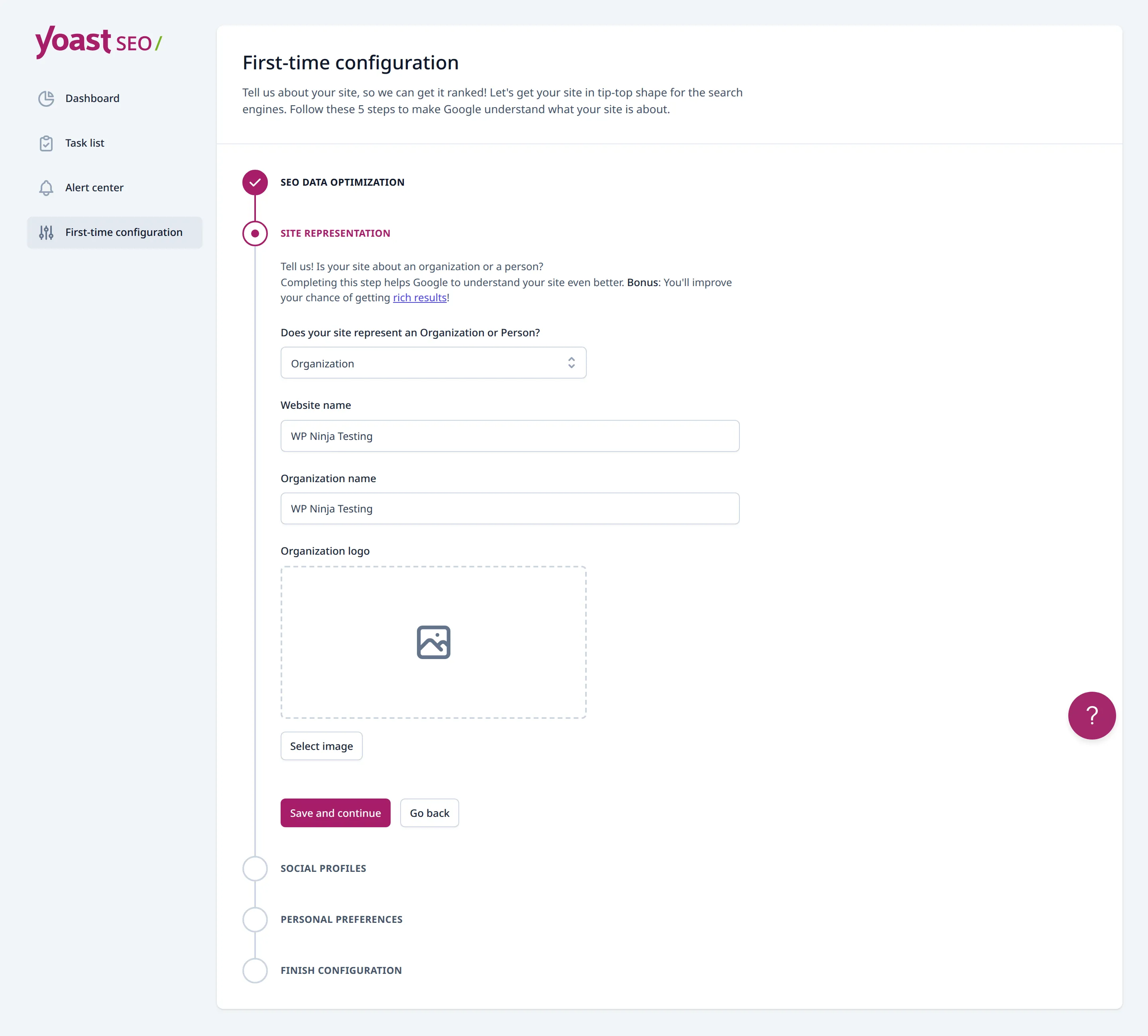
The site representation step already had Organization selected and my site name filled in.
Then comes the tracking question. “No, I don’t want to share my site data” is already selected. Rank Math also leaves tracking off, but AIOSEO switches it on for you, so this matters. The newsletter field is optional and empty.
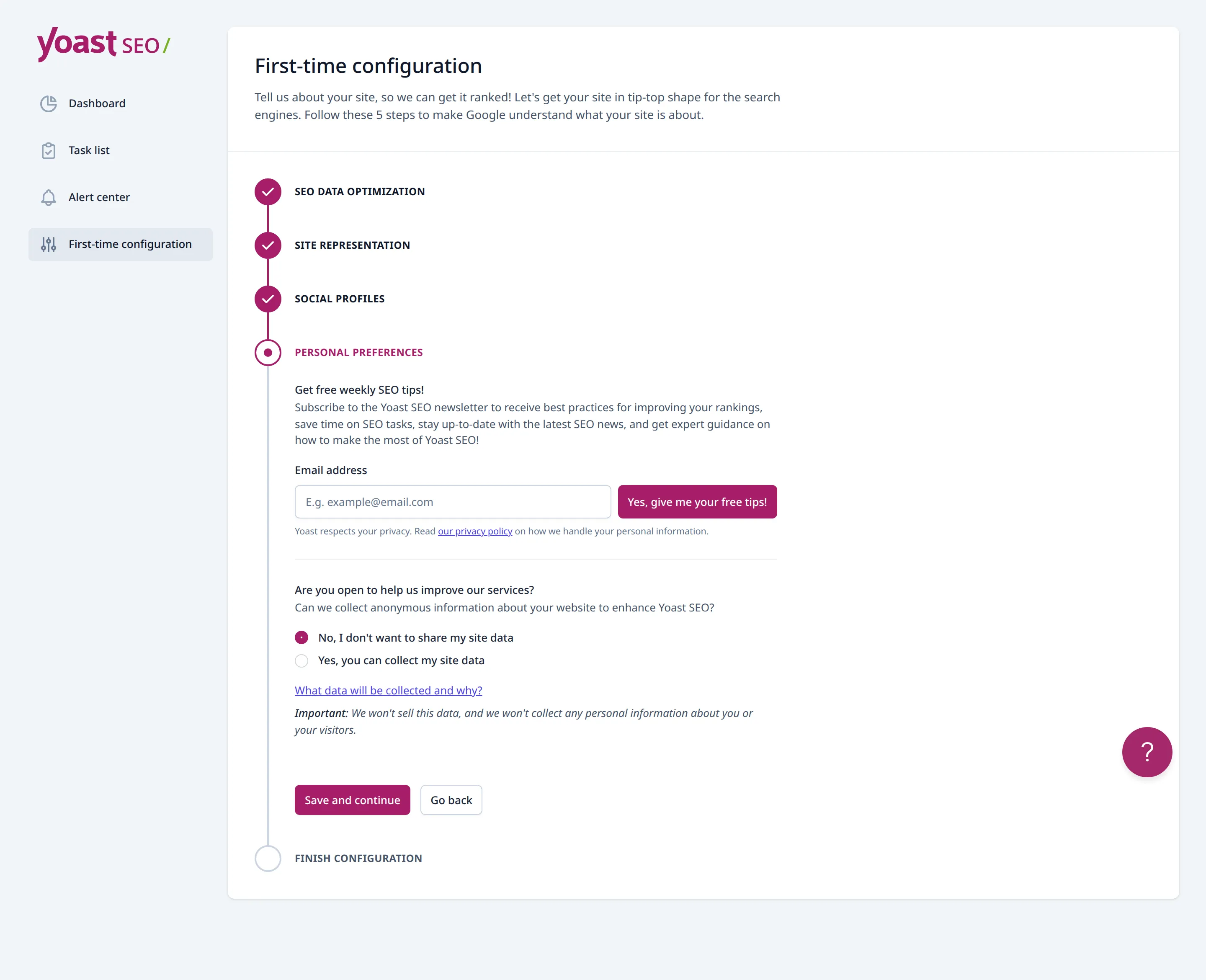
The catch: no logo, no organization. Yoast won’t add your organization to your schema until you give it a logo, and it doesn’t warn you about it. I checked this in Yoast’s own code, which says, in a comment, “Do not use a company without a logo”. On my test site the organization simply didn’t appear until I added one.
Google’s own guidance for organizations expects a logo too, so it’s a fair rule – but add the logo in the wizard, or later under Yoast SEO > Settings > Site representation. If you’ve changed logos before and Google still shows the old one, this guide on an old logo still showing in Google explains why.
What you get free (10 of 12 jobs). Everything except a redirect manager and a 404 monitor. Breadcrumbs come as a block. Per-post noindex and canonical URL are in the Advanced tab of the Yoast box under each post.
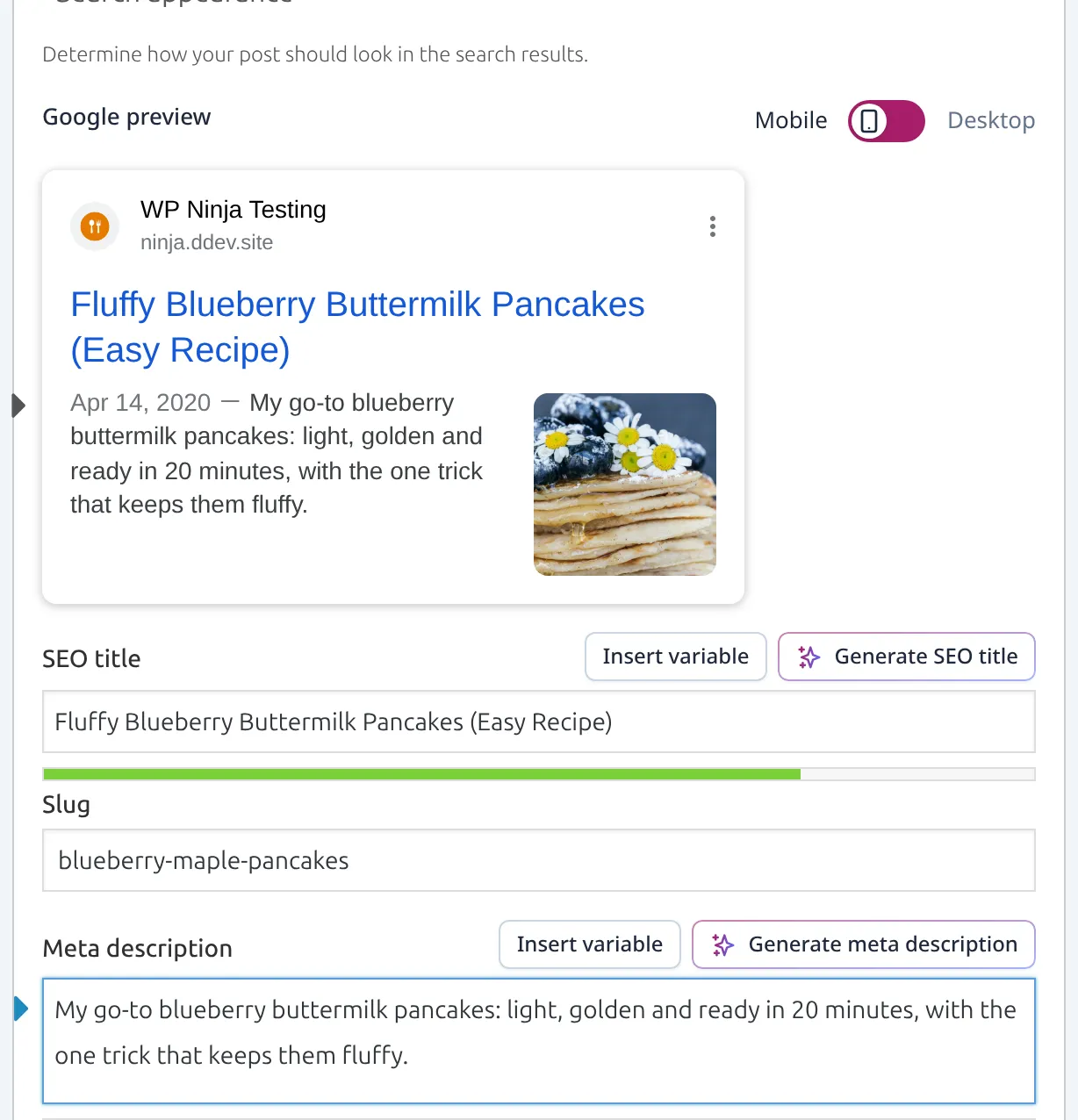
One thing to know: on a post without an excerpt, Yoast doesn’t write a meta description for you. It leaves it blank until you write one. That’s why it scored 4 of 5 on “works on activation” – the other 3 full-featured plugins generate one from your post’s text.
What it adds to your site. 5.9 KB per page (the most of the five), no extra files, no measurable speed difference, 6 database tables and 6 background tasks. It also takes over your sitemap and moves it to /sitemap_index.xml.
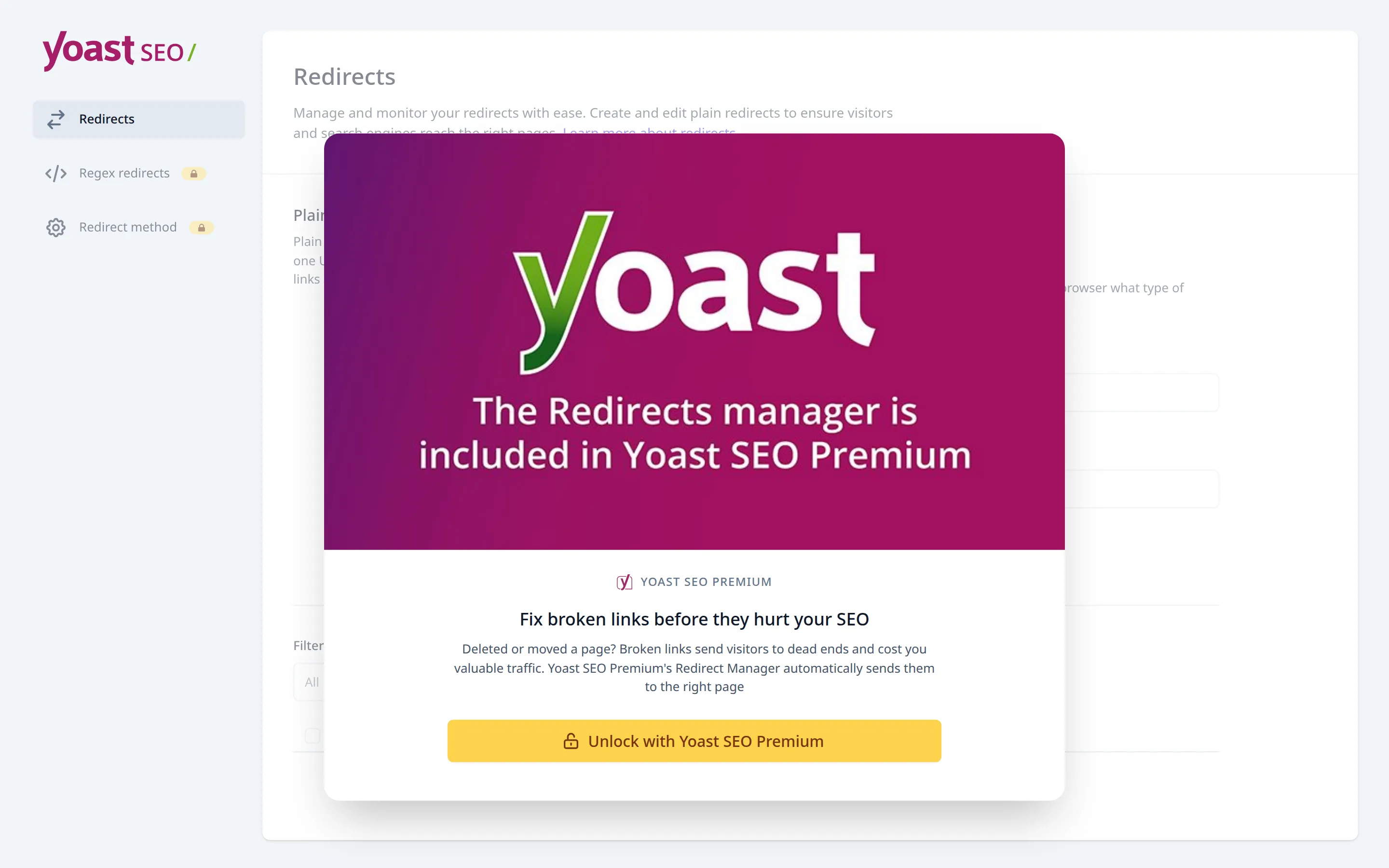
Upsells. 6 prompts across the 4 screens I checked, including 2 “Premium” labels in the editor box. 5 of its 11 menu items lead to Premium or a sales page. Redirects is one of them.
If you delete it, Yoast leaves its 6 tables and its settings behind. That’s on purpose: its uninstall routine only clears import status, so reinstalling brings your SEO titles and descriptions straight back. I’d call that a feature, not a mess.
Best for: beginners who want to be walked through every step, and anyone who cares about tracking defaults. I compared Yoast and Rank Math head to head in Rank Math vs Yoast SEO for beginners.
3. Rank Math – the most free features
Rank Math is the only plugin where all 12 of my test jobs work in the free version, including redirects and a 404 monitor. But it’s not the easy pick it looks like on paper.
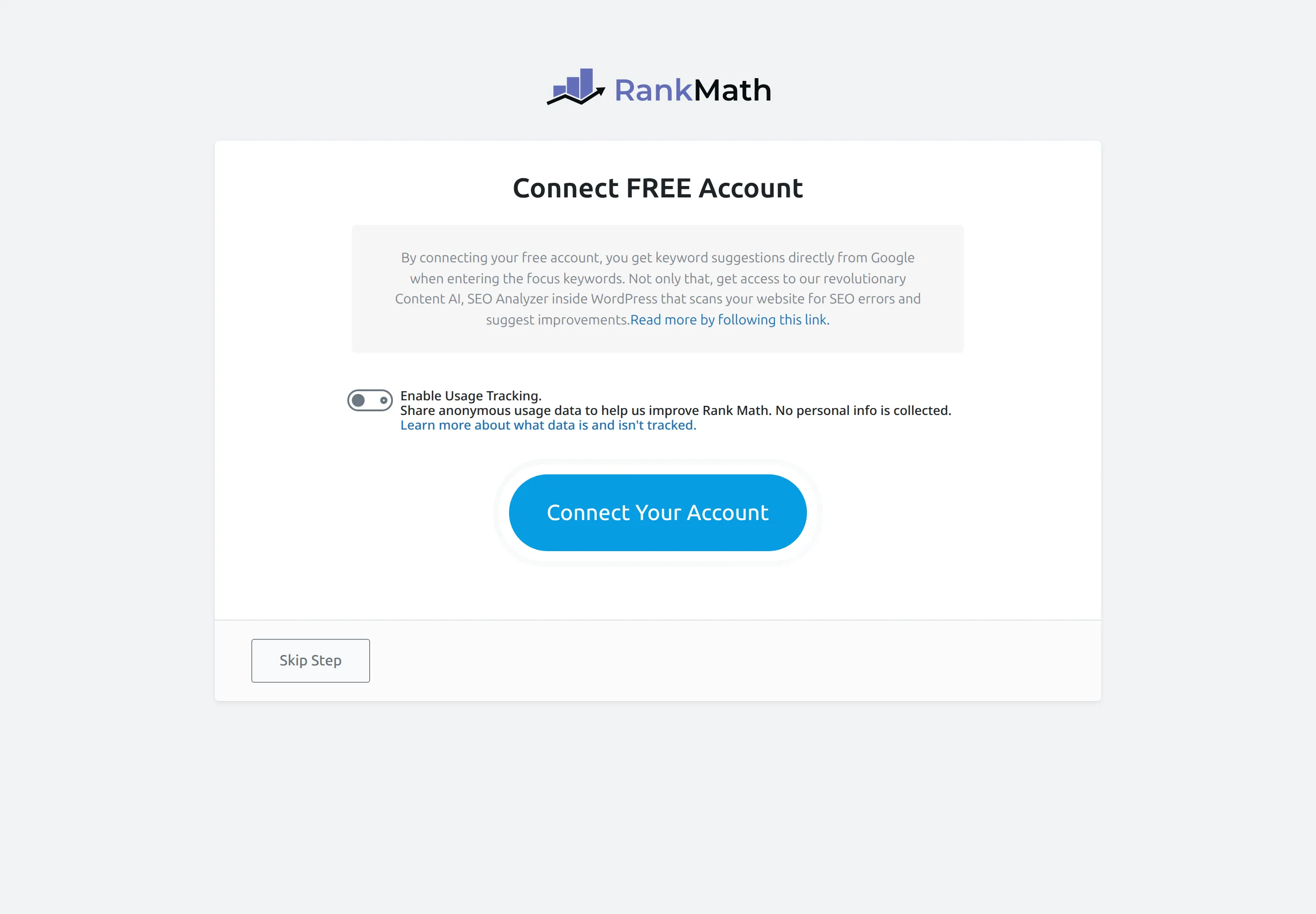
Setup. Switching it on asks you to connect a free Rank Math account. You can skip it, and the “Enable Usage Tracking” switch is off. Good start.
The next screen asks you to pick a mode, and Advanced is selected by default, not Easy. For a beginner I’d switch that to Easy.
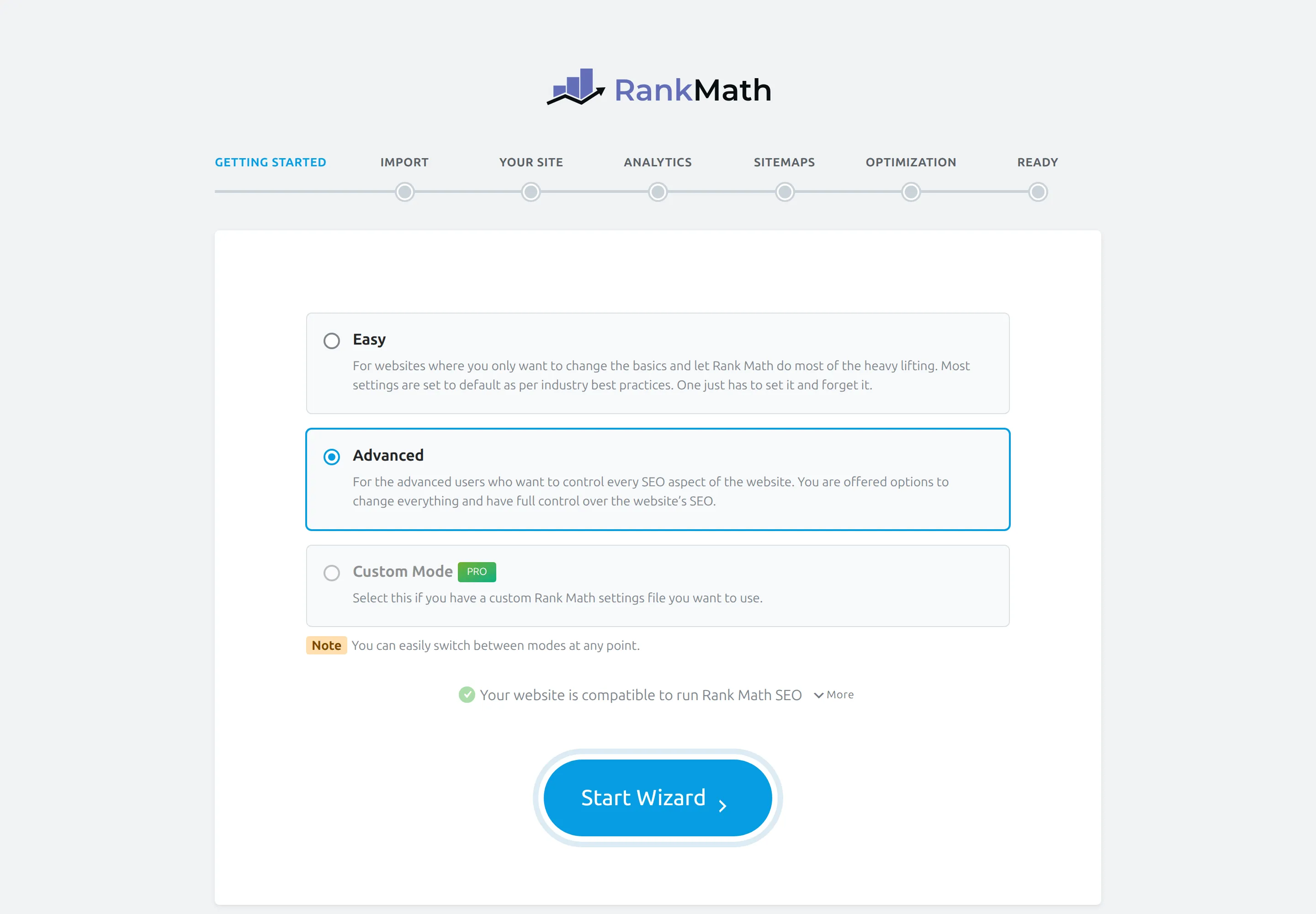
On the “Your Site” step, the site type defaults to “Personal Blog”, which tells Google your site is a person, not an organization. If you’re a business, change it. The whole path to my finished state took 21 clicks.
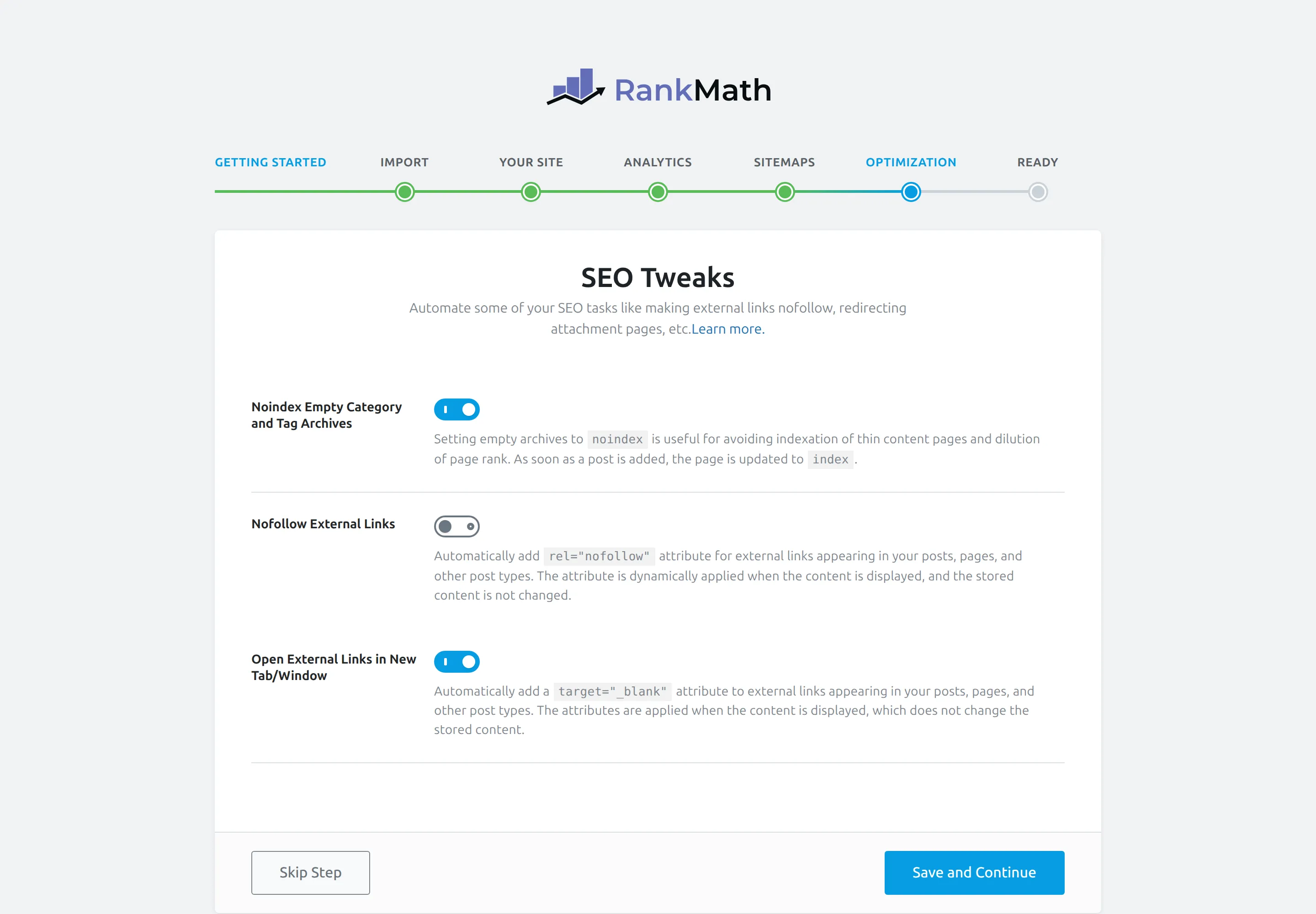
The catch: it quietly changes every external link. The SEO Tweaks step pre-ticks “Open External Links in New Tab/Window”. Leave it on and every link to another website opens in a new tab, on every post you’ve ever written. That’s a choice you should make yourself, not inherit from a wizard.
It also pre-ticks “Noindex Empty Category and Tag Archives”, which is a sensible default.
It does nothing until you finish the wizard. Right after activation, before the wizard, Rank Math added 158 bytes to my page and no description, no social tags and no schema. It scored 2 of 5 on “works on activation”, and both of those came from WordPress itself. If you install it and walk away, you haven’t done any SEO yet.
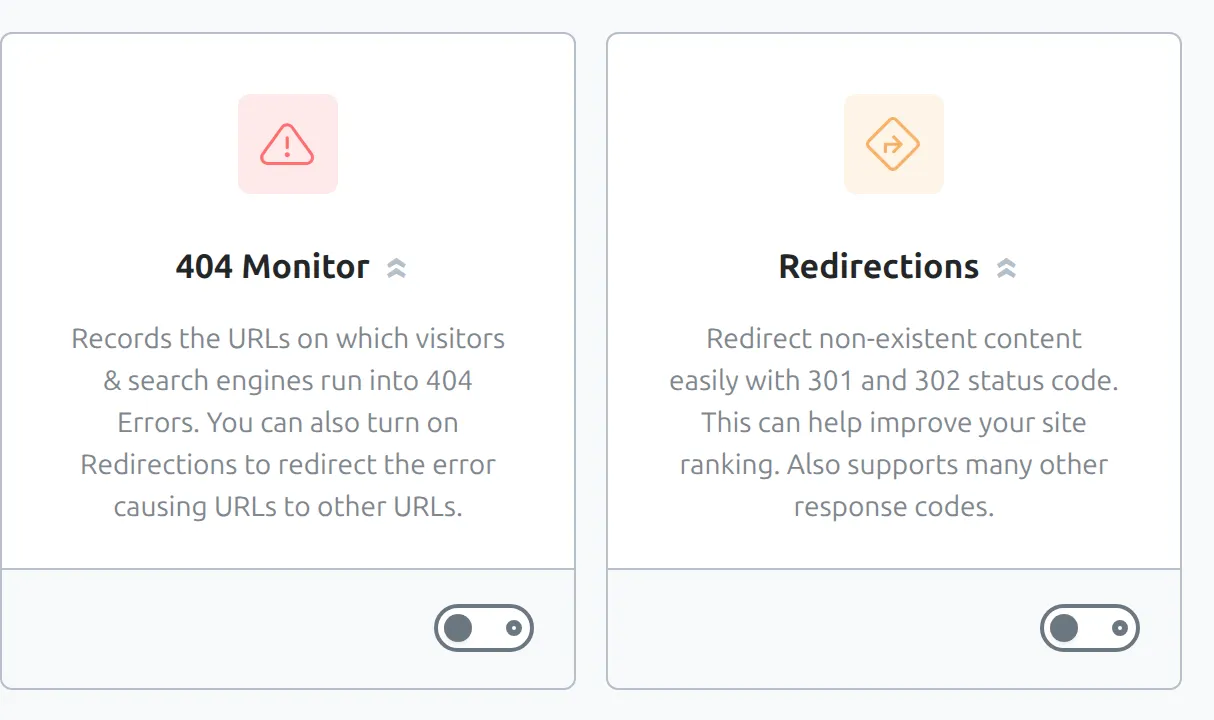
Redirects and 404s are free, but switched off. Go to Rank Math SEO > Dashboard and you’ll see them as modules. Flip the Redirections and 404 Monitor switches to turn them on. Neither carries a PRO badge.
Two things it sends out. Its Instant Indexing module is on by default, so every time you save a post it pings IndexNow (used by Bing and Yandex) with the URL. That’s a feature, but you should know it’s happening. And its Dashboard widget fetched data from rankmath.com on an ordinary wp-admin page load.
What it adds to your site. 4.8 KB per page, 1 extra file (Kadence’s stylesheet for Rank Math), 2 database tables, 5 background tasks, and +16 ms on every page’s server response. That held across 3 separate runs, so it’s real. It’s not a lot on its own, but if your site already feels sluggish, my guide to a slow WordPress site shows where the time usually goes.
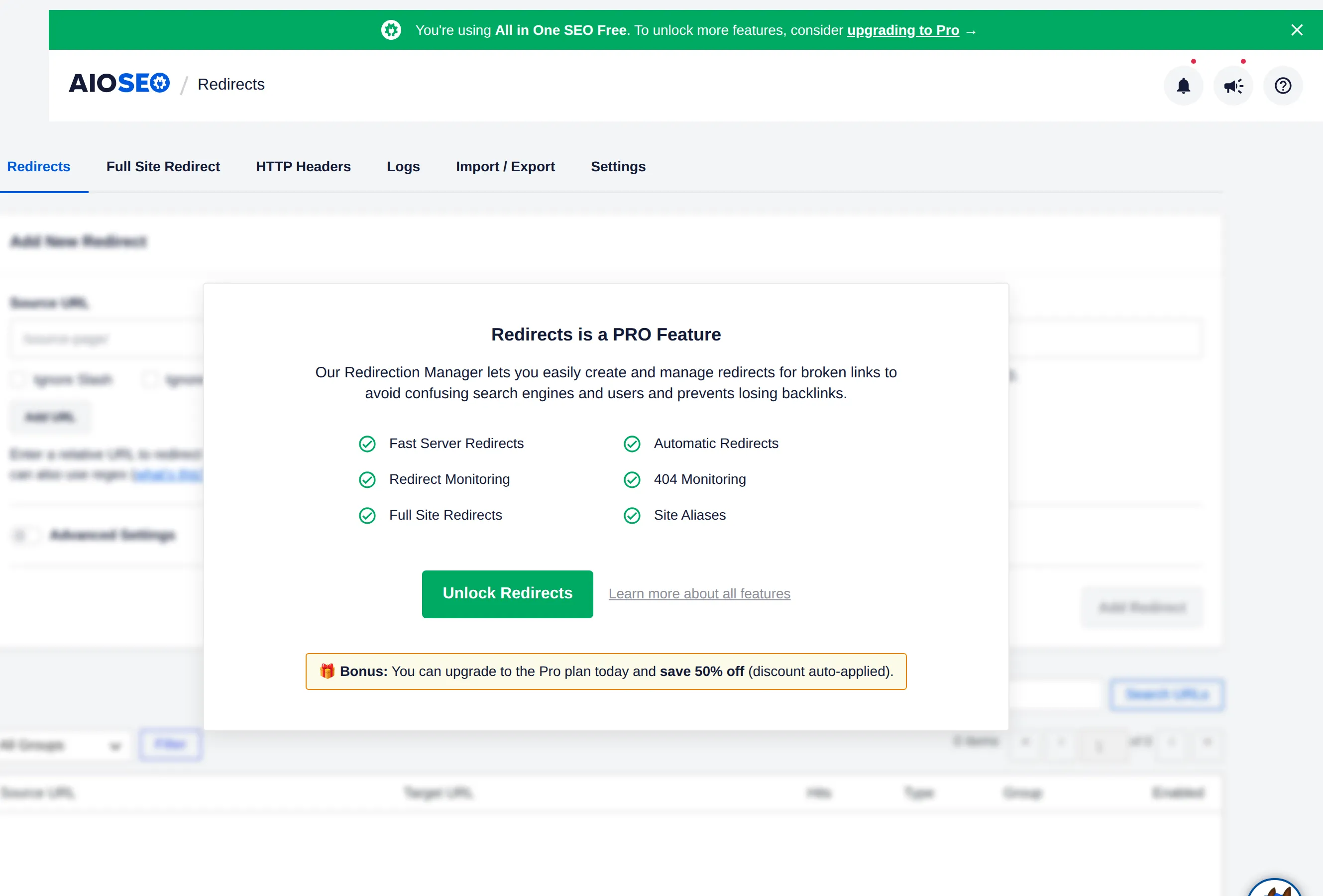
Upsells. 9 prompts across the 4 screens, and 4 of its 14 menu items need an account or PRO.
Security. Rank Math had 4 high-severity security issues (rated 7 or above out of 10) in the last 2 years, and all 4 are fixed in the version I tested. It also patched 7 smaller ones in early September.
That’s a busy record, but they fix things fast. Just keep auto-updates on (more on that below).
Best for: people who want redirects and a 404 monitor without paying, and who are happy to go through the settings carefully.
4. All in One SEO – does the most on day one, asks the most back
All in One SEO (AIOSEO) is the one that works hardest the second you switch it on. It’s also the one that asks for the most in return.
Works immediately. Before I touched a single setting, AIOSEO was already writing meta descriptions, social tags, full schema including the organization, and a sitemap. It scored 5 of 5 on “works on activation”. One quibble: its automatic description ran to about 400 characters, when Google shows roughly 155-160.
The catch: step 3 of its wizard. The 7-step wizard asks “Which SEO features do you want to enable?” and 6 extras are already ticked. 4 of them install other plugins: Broken Link Checker, MonsterInsights (analytics), OptinMonster (popups) and Universally (translation). The other 2 are paid AIOSEO add-ons.
If you click Save and Continue without looking, you’ll install plugins you never asked for.
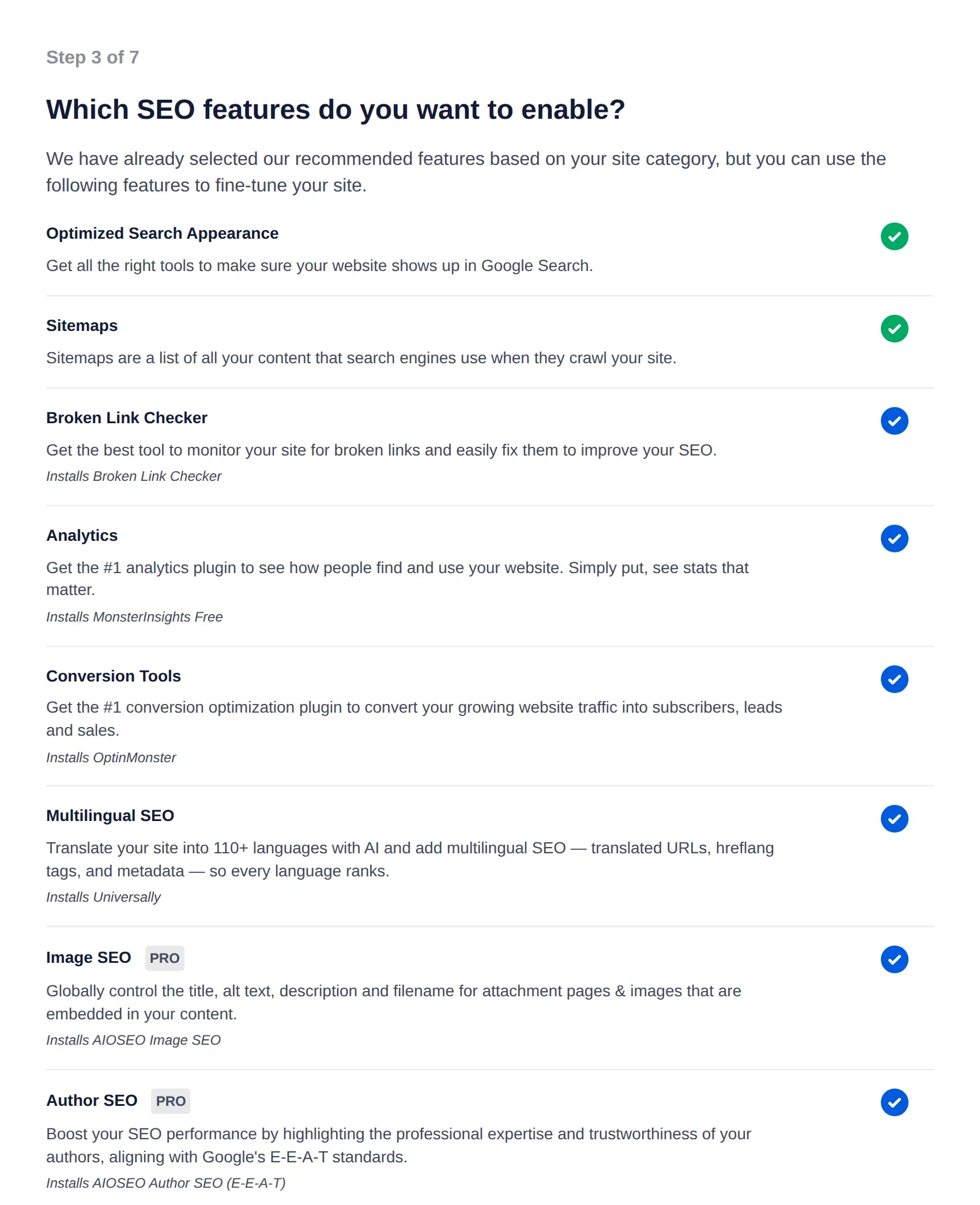
I unticked all 6, which cost 6 clicks and brought it to 25 in total. Afterwards I checked: only AIOSEO and Kadence Blocks were active, and nothing extra had landed on the site.
Step 5 asks for your data too. “Setup Site Analyzer + Smart Recommendations” has your admin email already filled in, with a note that it “will also be used to connect your site with our SEO API”. Below it, “Yes, count me in” for usage tracking is already switched on.
The big Save and Continue button sends both. Click “Skip this Step” instead if you don’t want that.
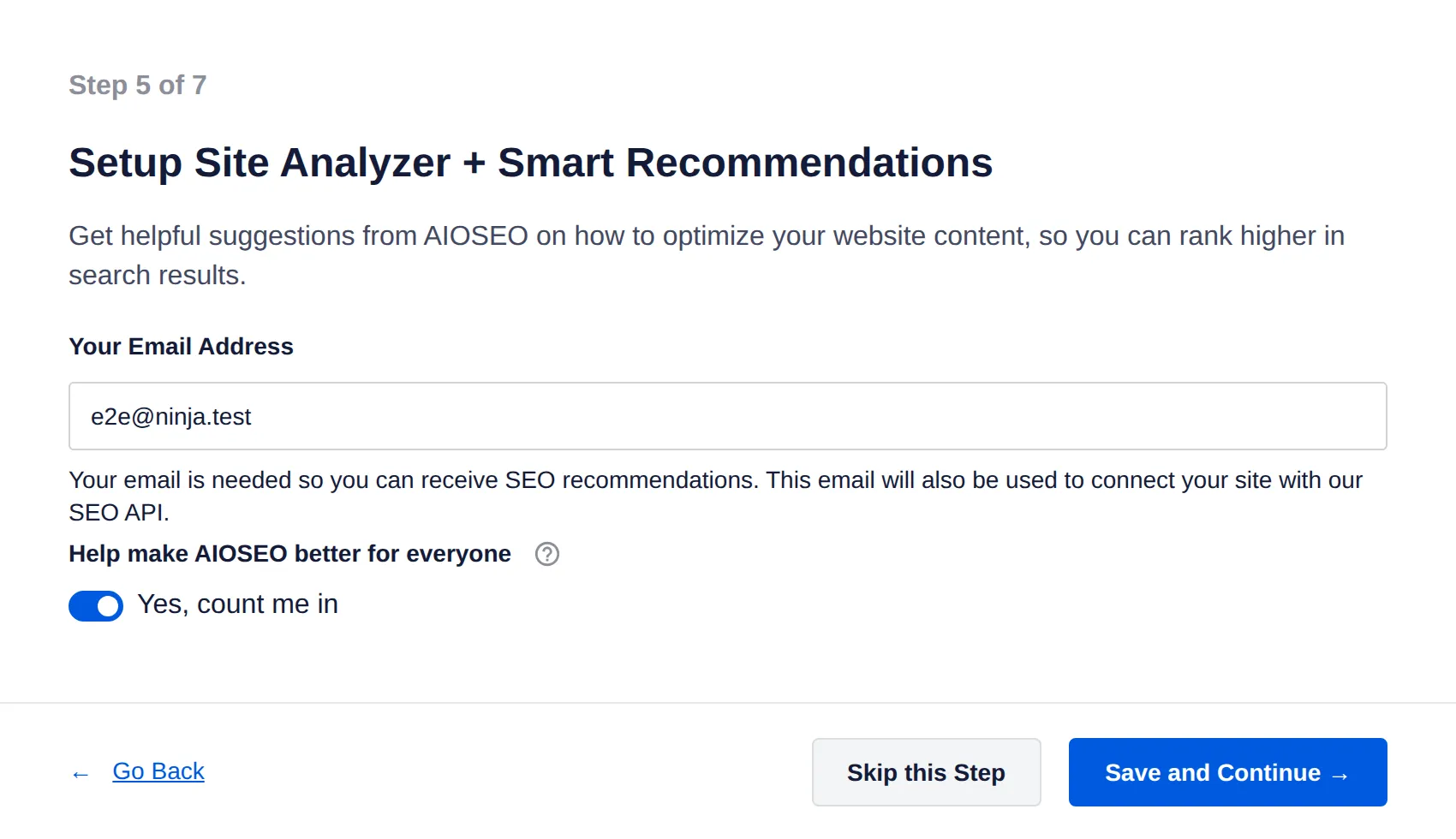
It also contacted 4 AIOSEO-related servers during activation and the first wizard screen. Later wp-admin pages didn’t, so that looks like a one-time fetch.
What you get free (10 of 12 jobs). Everything except the redirect manager and 404 monitor, which are Pro.
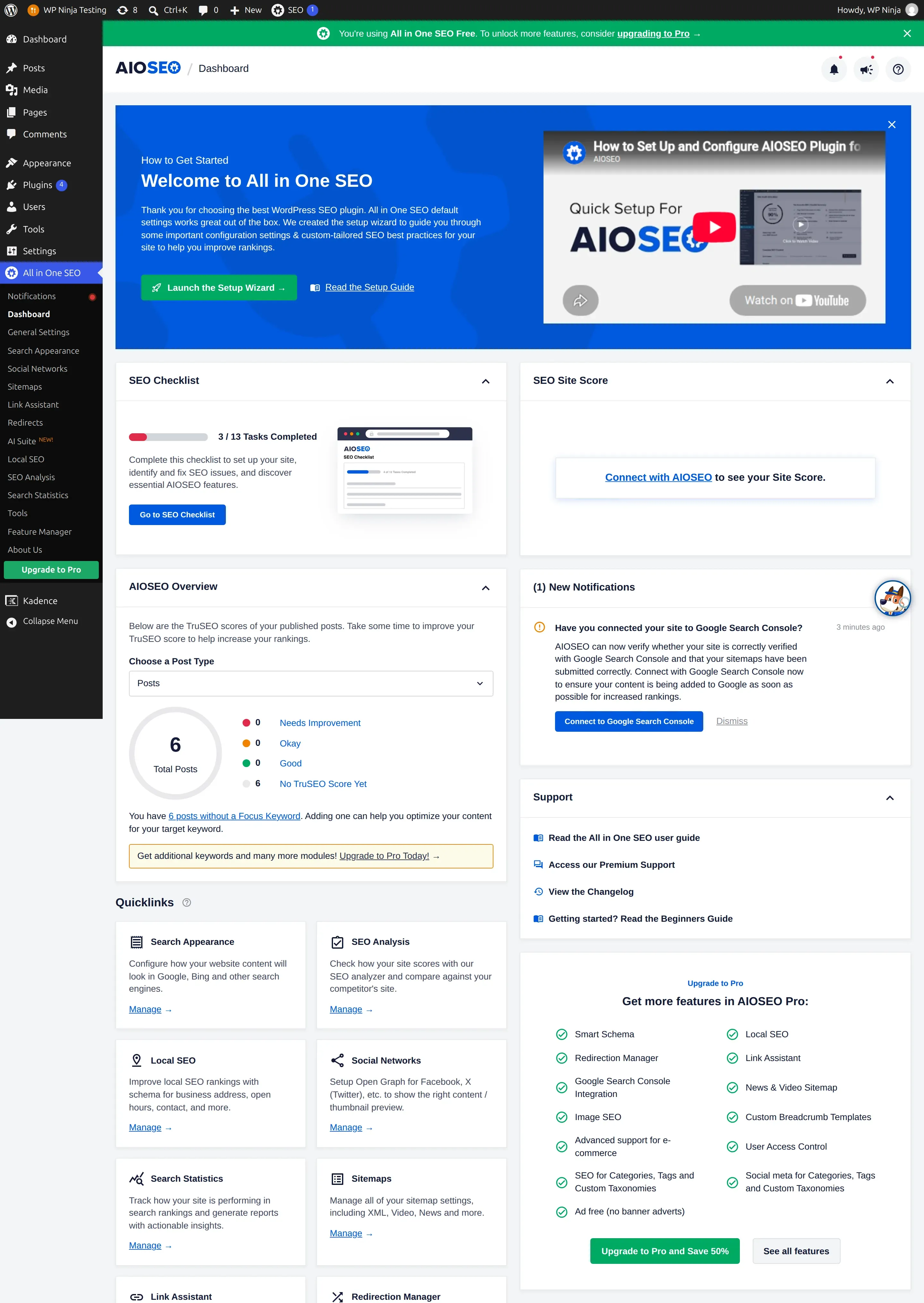
What it adds to your site. 5.2 KB per page, no extra files, but +24 ms on every page’s server response – the slowest of the five, confirmed across 3 runs. It adds 13 database tables, 4 of them a background job queue. And it makes wp-admin heavier: my WordPress dashboard page grew from 82 KB to 481 KB, almost 6 times bigger.
Upsells. 9 prompts across the 4 screens, and a green “You’re using All in One SEO Free… consider upgrading to Pro” bar on every AIOSEO screen. 5 of its 16 menu items are locked.
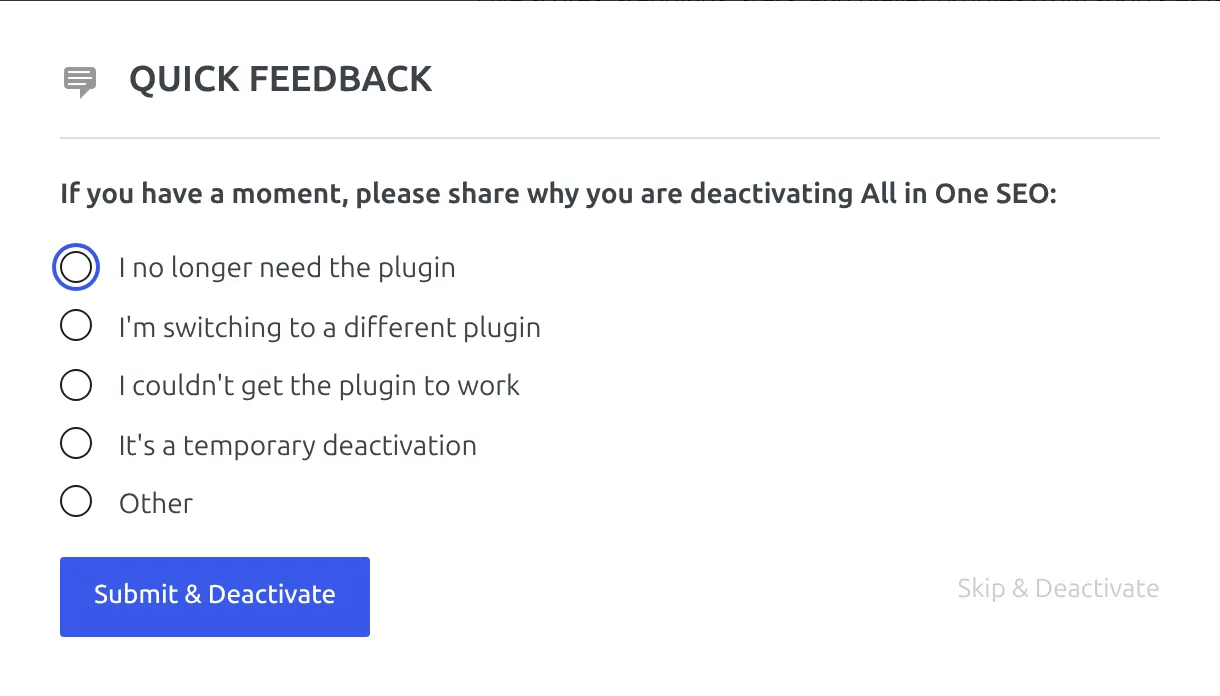
Deactivating it opens a “Quick Feedback” survey asking why you’re leaving. “Skip & Deactivate” is there, in faint grey on the right.
Security. 1 high-severity issue in the last 2 years (a database injection flaw, fixed long before the version I tested).
Best for: people who want everything working instantly and are willing to read every wizard screen carefully.
Outside the ranking: SEO Simple Pack, the lightest option
Disclosure first: this site, thewpninja.com, runs SEO Simple Pack. I’ve written a full SEO Simple Pack review if you want the detail. I still left it out of the ranking, for a simple reason: it can’t do 2 of the 5 essentials.
It adds no schema to your site at all, and it doesn’t make its own sitemap. You still get WordPress’s built-in sitemap, which works fine. But if you want Google to know your site’s name and logo from schema, you’d need something else.
What it does do, it does with almost no weight. There’s no wizard – switching it on just drops you back on the Plugins screen. It added 0.7 KB per page, 0 tables, 0 background tasks, no measurable speed difference, and 0 upgrade prompts, because there’s no paid version to sell.
It took 6 clicks to set up a post’s title and description. Delete it and it cleans up after itself, leaving only the 2 fields on the post you edited.
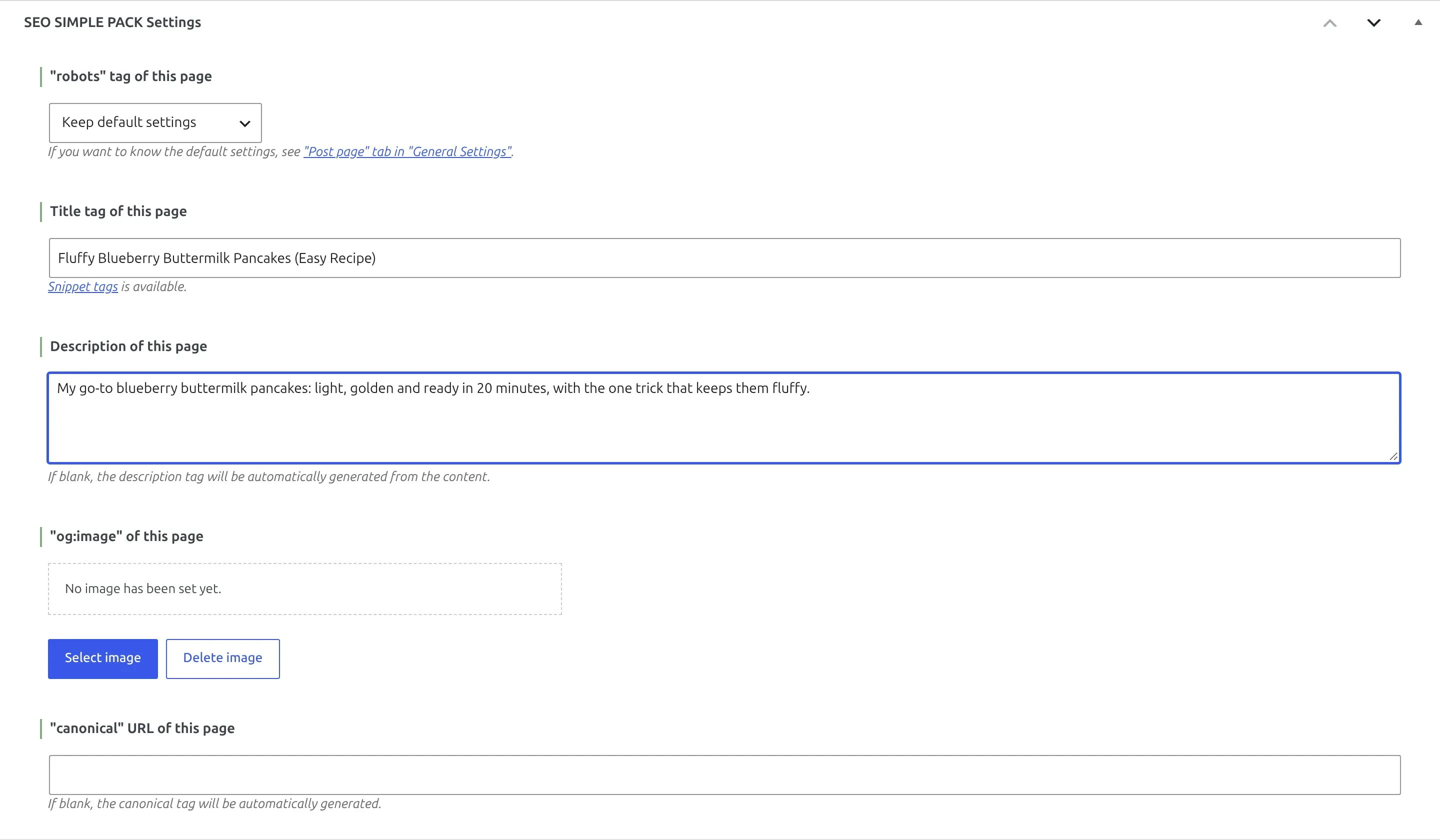
Best for: people who only want to write their own titles and descriptions and don’t care about schema. Its 84 points are real – it just isn’t a complete SEO plugin.
Which SEO plugin works the moment you turn it on?
I checked 5 things on a sample post right after activation, before touching any settings: a page title, a meta description, a Facebook title tag, an X card tag, and a working sitemap.
| Plugin | Works on activation | What was missing |
|---|---|---|
| All in One SEO | 5 of 5 | nothing |
| SEOPress | 5 of 5 | nothing (but no schema yet) |
| SEO Simple Pack | 5 of 5 | nothing (the sitemap is WordPress’s own) |
| Yoast SEO | 4 of 5 | a meta description until you write one |
| Rank Math | 2 of 5 | everything except what WordPress already does, until you finish the wizard |
Remember that 2 of those 5 (the title and a sitemap) come from WordPress itself. So Rank Math’s 2 are really zero until the wizard’s done.
What happens when you delete them?
I deleted each plugin the normal way, from the Plugins screen, and counted what it left behind: database tables, settings rows, per-post data and scheduled tasks.
| Plugin | Rows left behind |
|---|---|
| SEO Simple Pack | 2 |
| Rank Math | 31 |
| All in One SEO | 32 |
| Yoast SEO | 43 |
| SEOPress | 61 |
Don’t read too much into this. Most SEO plugins keep your data on purpose, so if you reinstall later your titles and descriptions come back.
If you’re leaving one for good, run the new plugin’s importer first, then delete the old one. AIOSEO has a “remove all data on uninstall” switch in its settings (off by default). Rank Math and SEOPress only wipe everything if a developer adds a line to the site’s code.
How safe are these SEO plugins?
I checked every serious security issue (rated 7 or higher out of 10) published in the last 24 months, for the free plugins only, against the official CVE records.
| Plugin | Serious issues, last 2 years | Fixed in the tested version? |
|---|---|---|
| Yoast SEO | 0 | – |
| SEOPress | 0 | – |
| SEO Simple Pack | 0 | – |
| All in One SEO | 1 | Yes |
| Rank Math | 4 | Yes, all 4 |
Popular plugins get more attention from security researchers, so more reports aren’t automatically a bad sign. Every one of these was fixed. What matters is that you’re running the fixed version, so turn on auto-updates for your SEO plugin. If updates make you nervous, here’s how to update WordPress plugins without breaking your site.
What do they cost when you outgrow free?
All 5 free versions are genuinely usable. But if you do upgrade, the renewal price matters as much as the first year, and most lists only quote the first year. Here’s what each vendor’s own pricing page showed on 18 September 2026.
| Plugin | Paid plan | First year | Renews at |
|---|---|---|---|
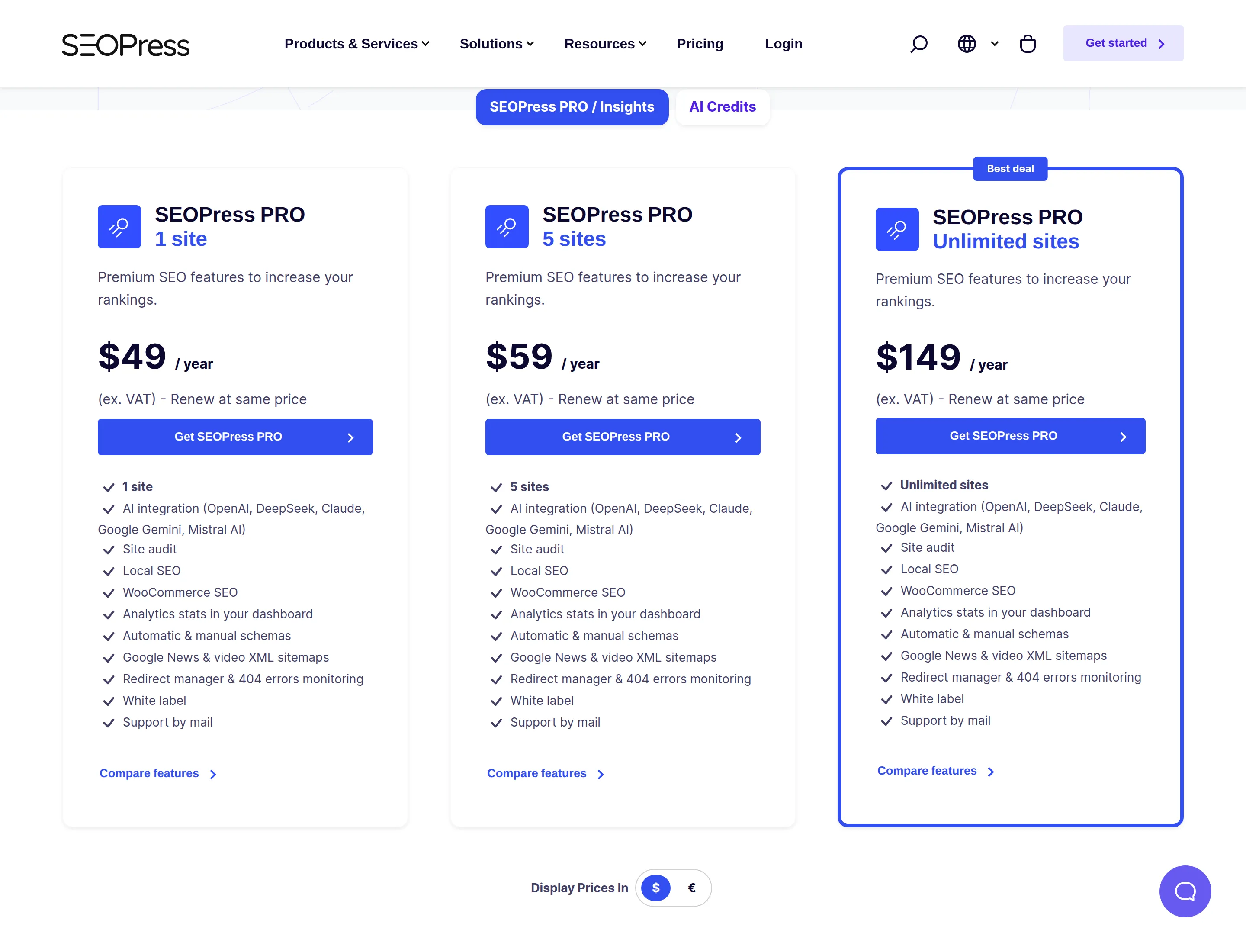
| SEOPress PRO | 1 / 5 / unlimited sites | $49 / $59 / $149 per year | the same price, every year |
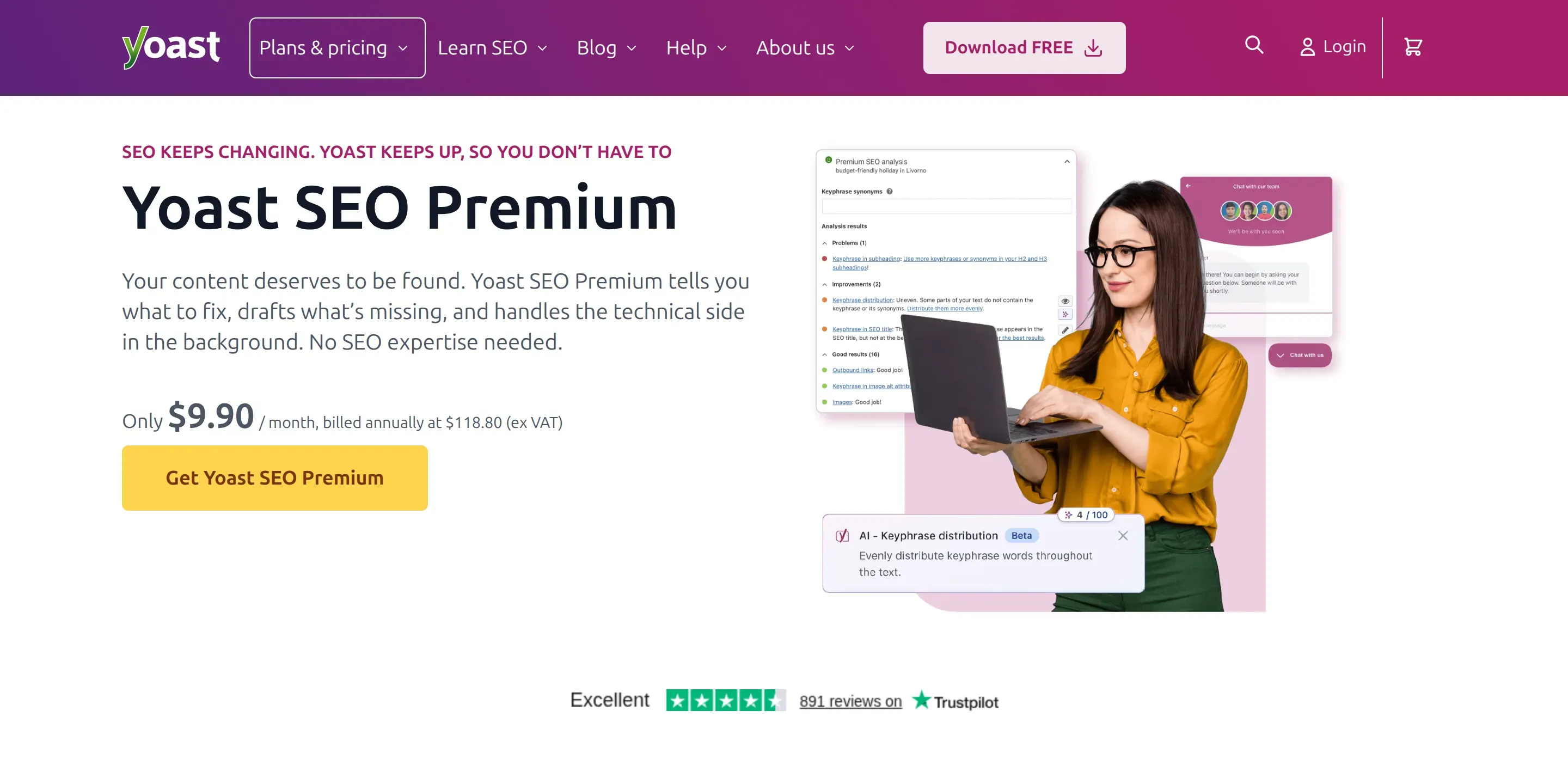
| Yoast SEO Premium | 1 site | $118.80 per year ($9.90/month billed annually) | not stated on the page |
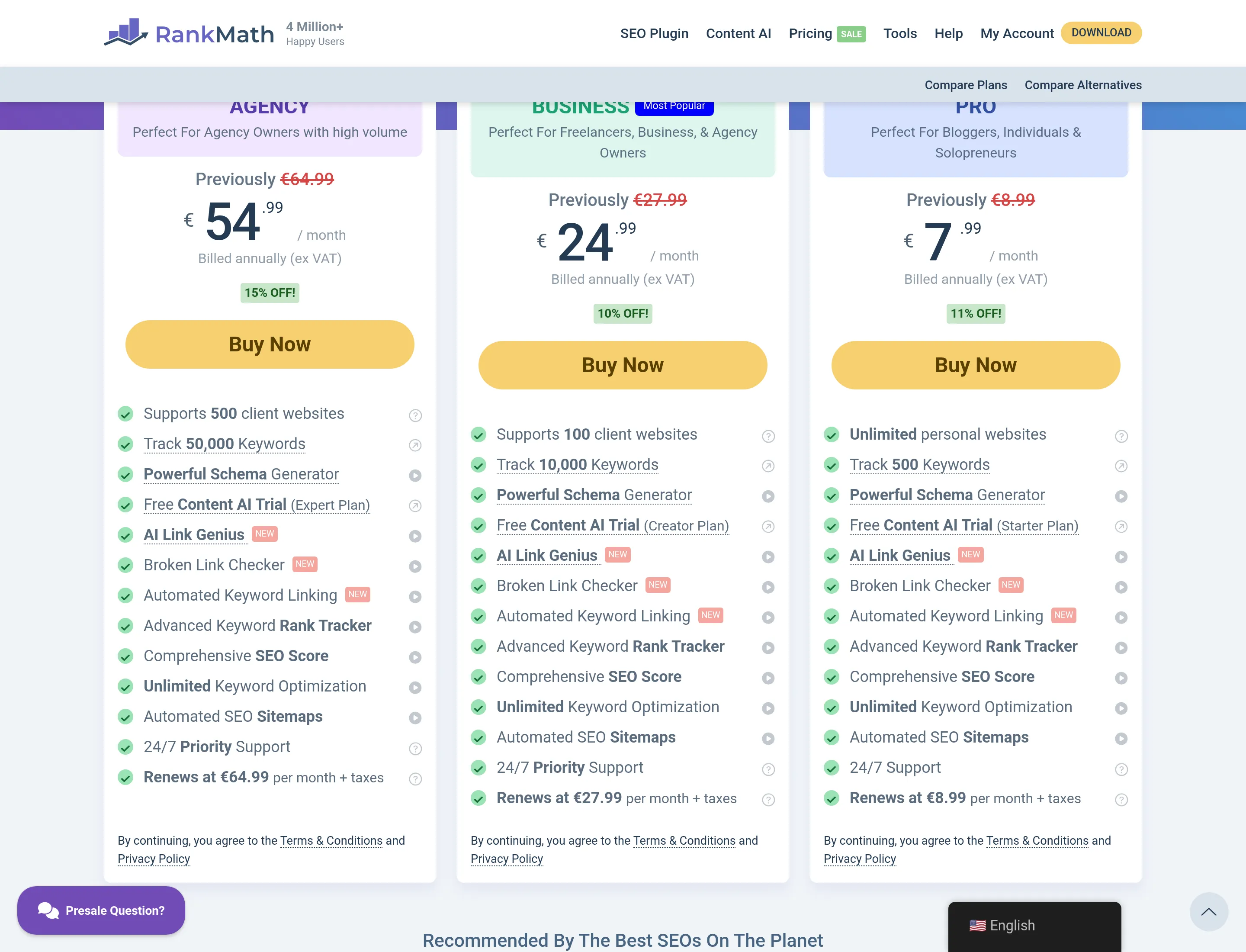
| Rank Math PRO | unlimited personal sites | EUR 7.99/month billed annually | EUR 8.99/month |
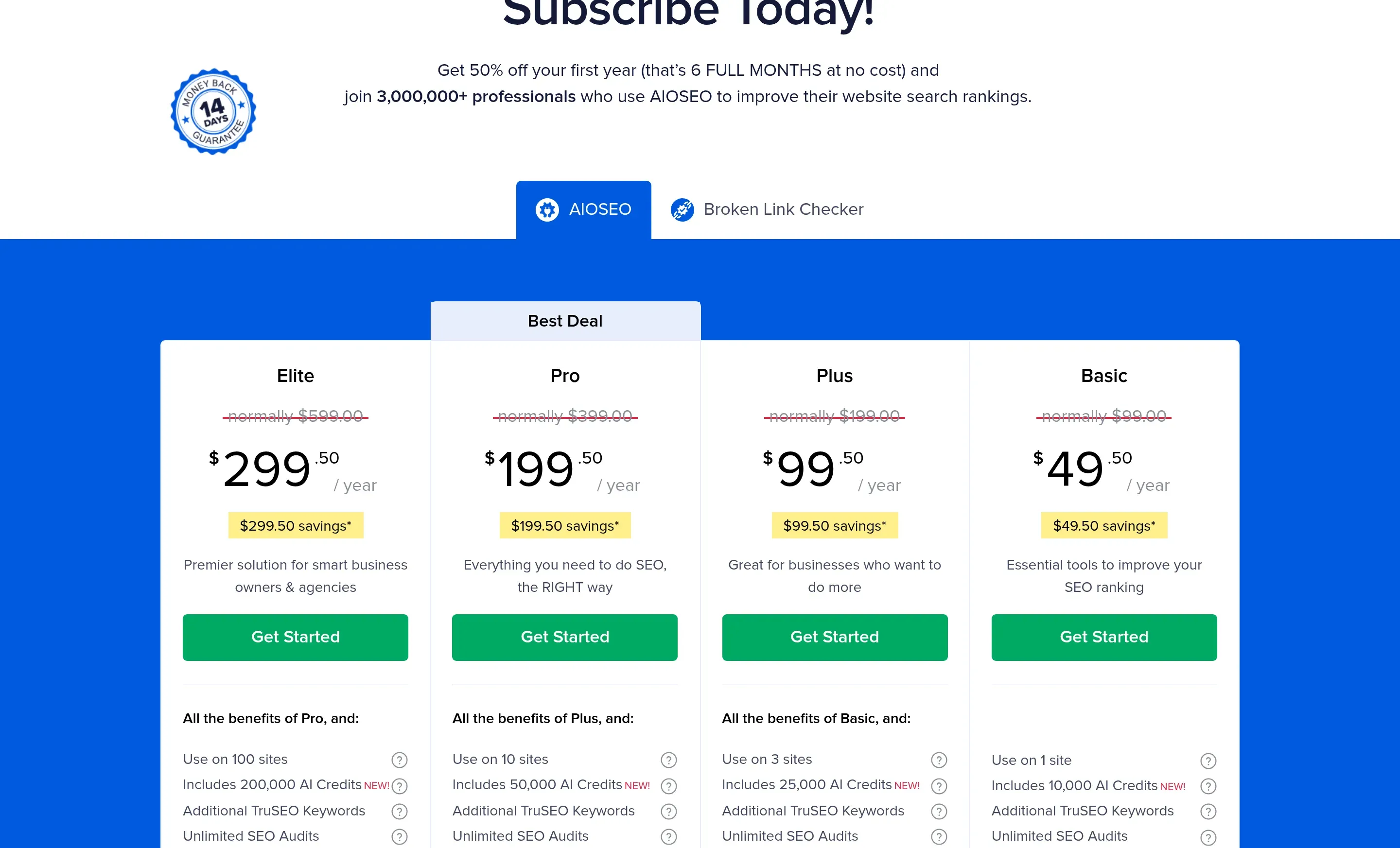
| All in One SEO Basic | 1 site | $49.50 | $99 (“all renewals are at full price”) |
SEOPress’s page says “Renew at same price” on every plan. That’s rare, and it’s a real point in its favour.
Yoast has one plan per site, at $118.80 a year.
Rank Math’s page showed me prices in euros, because it picks the currency from your location. Its PRO plan was EUR 7.99 a month, billed yearly, renewing at EUR 8.99 – about 12.5% more after the first year. You may see dollars on the same page.
AIOSEO’s advertised prices are half-price first-year deals. The small print says “all renewals are at full price”, so the $49.50 Basic plan becomes $99 in year two.
Can you switch SEO plugins without losing your titles?
Yes, as long as you import before you delete. SEOPress’s wizard offers to import from 12 other SEO plugins. Rank Math’s wizard has an import step. When I had Yoast and Rank Math on my test site, AIOSEO’s wizard spotted them and offered to import from both.
Two rules: run the importer while the old plugin’s data is still there, and never leave two SEO plugins active at once. They’ll both print titles and schema, and Google gets two conflicting sets.
A note on one plugin I left out: The SEO Framework is popular (200,000+ sites, a 98 rating) and often recommended as a lean option. I didn’t test it because, on the day I checked, its last update on WordPress.org was 10 December 2025, over 9 months earlier. Every plugin I did test had been updated within the last 4 months.
So which free SEO plugin should you pick?
- Pick SEOPress if you want the essentials, a light site and hardly any upsells. Clear that Knowledge Graph email right after setup.
- Pick Yoast SEO if you want to be guided step by step, with tracking set to “No” from the start. Add a logo, or your organization won’t show up.
- Pick Rank Math if you want redirects and a 404 monitor for free and don’t mind a slightly slower site. Finish the wizard, and untick the new-tab links if you don’t want them.
- Pick All in One SEO if you want everything working instantly. Untick the 6 installs on step 3 and skip step 5.
- Pick SEO Simple Pack if all you want is to write titles and descriptions, and schema doesn’t matter to you.
Frequently asked questions
Is Yoast SEO free?
Yes. Yoast SEO’s free version covered 10 of my 12 test jobs, including titles, descriptions, social tags, schema, a sitemap and breadcrumbs. The redirect manager and 404 monitoring need Yoast SEO Premium, which was $118.80 a year when I checked.
Is Rank Math really free?
Yes, and its free version did more than any other I tested: all 12 jobs, including redirects and a 404 monitor. Connecting a Rank Math account is optional, though 3 features (AI Visibility, Analytics and the SEO Analyzer) won’t work without one.
Is All in One SEO free?
Yes. AIOSEO’s free version, sometimes called AIOSEO Lite, covered 10 of my 12 jobs and works from the moment you switch it on. Redirects and 404 monitoring are Pro features. Just read its setup wizard carefully, because it pre-ticks installing 4 other plugins.
Do I need an SEO plugin at all?
Not strictly. WordPress already makes page titles and a sitemap. But without a plugin you can’t write your own meta description for each post, you don’t get proper social previews, and you get no schema. For most blogs, a light free plugin is worth it.
Can I use two SEO plugins at once?
No. Two SEO plugins will both print titles, descriptions and schema, and search engines get two conflicting versions. Pick one, import your data into it, then deactivate and delete the other.
Which SEO plugin is the lightest?
SEO Simple Pack added the least (0.7 KB per page, no tables, no background tasks), but it isn’t a full SEO plugin. Of the full-featured ones, SEOPress was lightest: 1.1 KB per page, 1 table and no background tasks.
Will an SEO plugin slow my site down?
Most won’t, noticeably. SEOPress, Yoast and SEO Simple Pack made no measurable difference to my server response time. Rank Math added 16 ms and AIOSEO added 24 ms per page, which is real but small. An oversized image usually costs far more.