Is Elementor Bad for SEO? I Measured It on a Fresh Site (2026)
Short answer: no, Elementor isn’t bad for SEO. Google gets the same title, headings and text from an Elementor page as from a block editor page, and every Elementor page I tested scored 95-99 in Lighthouse on mobile. The real Elementor SEO cost is speed, and one setting (Google Fonts) fixed most of it.
Every “Elementor SEO” article I read said the same thing: Elementor adds “bloat” that hurts your rankings. Not one of them measured it. So I built the same pages 3 ways on a fresh WordPress site, with blocks, with Elementor’s classic widgets and with Elementor’s new Atomic elements, and checked what Google receives and how fast each version loads.
I also tested the trick most speed guides push for Elementor: delaying its JavaScript. It made the score 1 point better and broke the page in ways the score doesn’t show.
How I tested this
Everything below came from one fresh local test site, measured on 28-29 October 2026. It’s the same site I used for my Elementor vs Gutenberg test, so the page weights come from there.
| WordPress | 7.1.2, stock install, no other plugins active |
| PHP | 8.3 |
| Elementor | 4.3.5 (free, from wordpress.org), released 13 October 2026, with the new Atomic editor on (the default for new sites) |
| Elementor Pro | not installed |
| Themes | Hello Elementor 3.5.1 (Elementor’s own theme) and Twenty Twenty-Five 1.5 (the WordPress default) |
| Speed test | Lighthouse 13.6.0, the engine inside Google’s PageSpeed Insights, mobile setting, 5 runs per page, median reported |
| Delay test | Flying Scripts 1.2.5 (free, from wordpress.org) |
The test pages are a blog post (heading, 4 paragraphs, an image, a list and a quote) and a landing page (a full-width hero with a background image, a big heading, text and 2 buttons, then 3 columns). Each one exists 3 times: built with blocks, with Elementor’s classic widgets and with Atomic elements. For the delay test I added a third page with the widgets that need JavaScript: an animated heading, an image carousel, a number counter, an accordion and tabs. The shared method (clean baseline, restoring between tests, what gets measured) is on my how I test page.
Limits of this test: it’s one local site with no real traffic, so Lighthouse ran its simulated “slow phone on 4G” test against a very fast local server. Read the gaps between the pages, not the exact seconds. Google ranks with real-visitor data, not Lighthouse scores, and I tested free Elementor only. I didn’t test caching plugins, which change these numbers a lot.
Is Elementor SEO friendly?
Yes. I looked at the raw HTML that each version sends, which is what Google reads first, and the parts that matter for SEO were identical across all 3 builds.
| What Google reads | Blocks | Elementor classic widgets | Elementor Atomic |
|---|---|---|---|
| Page title and canonical URL (the page’s official address) | from WordPress | same | same |
| Headings on the blog post | 1 H1, 2 H2 | 1 H1, 2 H2 | 1 H1, 2 H2 |
| List, quote and image with alt text | yes | yes | yes |
| Text readable without JavaScript | yes | yes | yes |
| Meta description | none | none | none |
| Structured data (schema) | none | none | none |
| Hero image on the landing page | a real image | a CSS background | a CSS background |
Raw HTML of each page, logged out, Hello Elementor theme.
Elementor’s heading widget outputs whatever heading level you pick, and the text sits in the HTML before any script runs. So Google doesn’t have to run anything to read an Elementor page. The only thing Elementor added to every page, including pages it wasn’t used on, was one line saying “this site uses Elementor 4.3.5” (a generator tag), which has no effect on SEO.
Elementor adds no meta description or schema – your SEO plugin does that
Neither WordPress nor Elementor wrote a meta description or any structured data on my test pages. That’s normal: it’s the job of an SEO plugin like Rank Math, Yoast or All in One SEO, and it works the same way whatever you built the page with. If you haven’t picked one yet, I compared the free options in my best free WordPress SEO plugins test.
An Elementor background image is invisible to Google Images
This one surprised me. On the block version of my landing page, the hero picture is a normal image with a size, a “load this first” flag and alt text. On both Elementor versions it’s a CSS background, so it isn’t in the HTML as an image at all.
That means Google Images can’t index it, and you can’t give it alt text. It also loads later, because the browser only finds it after reading the CSS. If a picture matters for search (a product, a recipe, a photo of your shop), put it in an Image widget, not in a container background.
Entrance animations hide your heading until JavaScript runs
Elementor’s free “Motion Effects” entrance animations work by hiding the element first and showing it once Elementor’s JavaScript runs. In the HTML, my animated heading carried the class elementor-invisible. On a normal page that’s a fraction of a second. With delayed JavaScript it’s much longer, which I’ll show further down.
Does Elementor hurt your PageSpeed score?
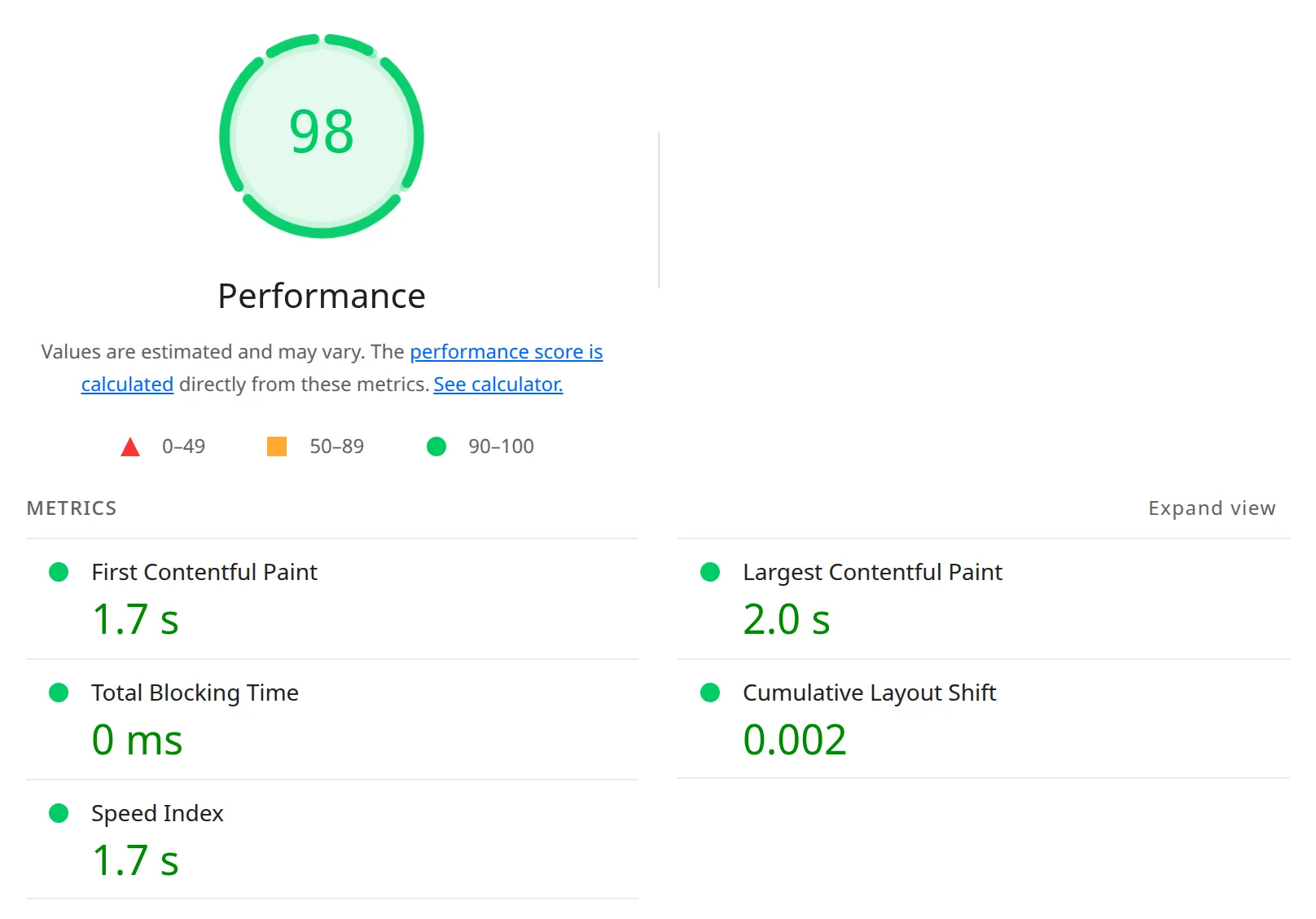
A little. On Elementor’s own Hello theme, every page I built scored 98 or 99 on mobile, against 100 for the same pages with Elementor switched off. On Twenty Twenty-Five the gap was wider: 100 for block pages and 95-99 for Elementor pages.
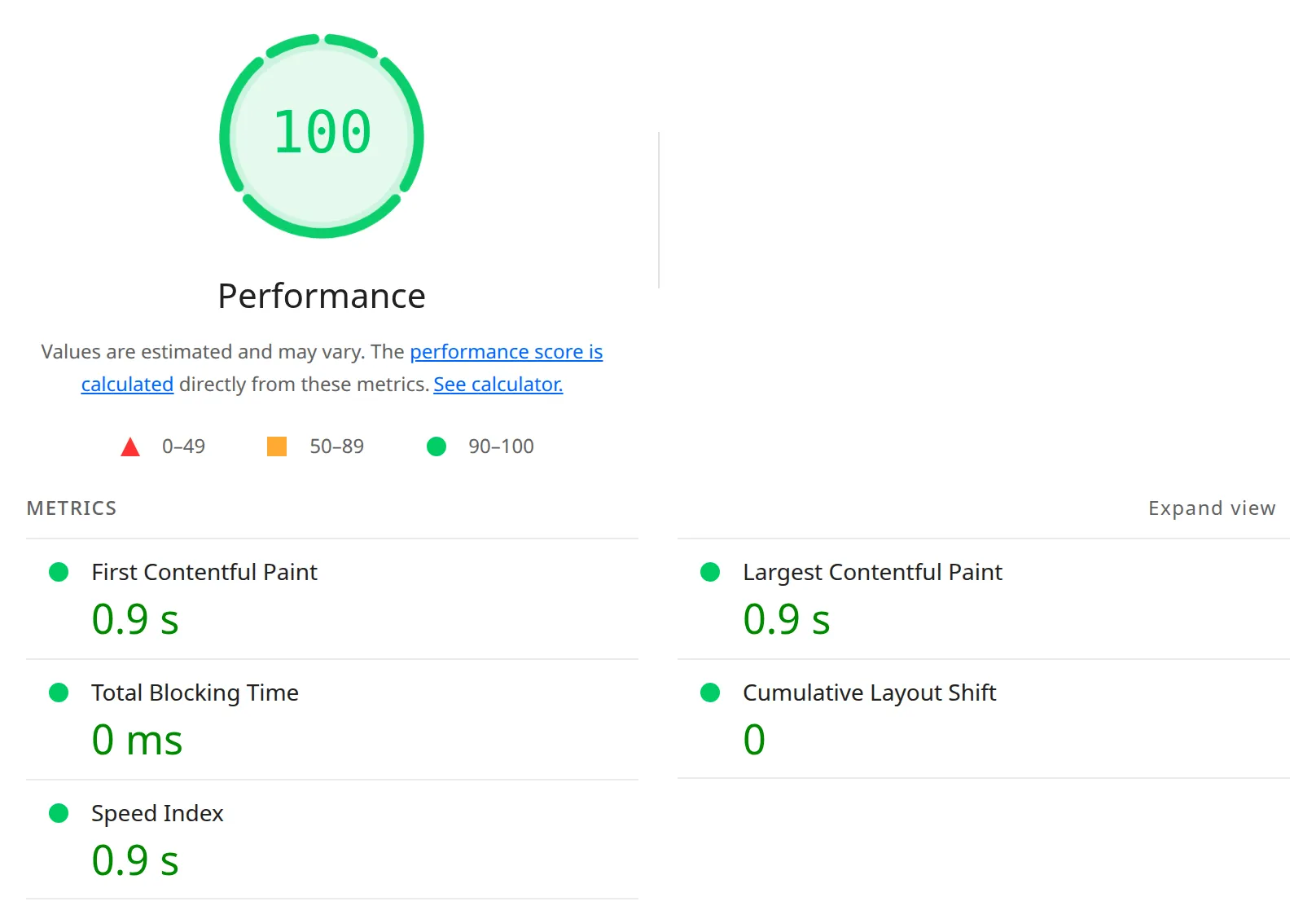
Here’s the Hello theme. LCP (Largest Contentful Paint) is the time until the biggest thing on screen appears, and Google calls anything under 2.5 seconds good.
| Hello theme, mobile | Score | First content | LCP |
|---|---|---|---|
| Landing page, blocks, Elementor off | 100 | 0.90 s | 0.90 s |
| Landing page, blocks, Elementor on | 99 | 1.57 s | 1.57 s |
| Landing page, Elementor classic widgets | 98 | 1.71 s | 1.96 s |
| Landing page, Elementor Atomic | 99 | 1.56 s | 1.57 s |
| Blog post, blocks, Elementor off | 100 | 0.84 s | 0.90 s |
| Blog post, blocks, Elementor on | 99 | 1.57 s | 1.57 s |
| Blog post, Elementor classic widgets | 99 | 1.57 s | 1.81 s |
| Blog post, Elementor Atomic | 99 | 1.57 s | 1.81 s |
Lighthouse 13.6.0, mobile, median of 5 runs, local server, no page cache.
And Twenty Twenty-Five, where the block pages load faster and the Elementor pages load slower:
| Twenty Twenty-Five, mobile | Score | First content | LCP |
|---|---|---|---|
| Landing page, blocks | 100 | 0.90 s | 1.20 s |
| Landing page, Elementor classic widgets | 95 | 1.86 s | 2.78 s |
| Landing page, Elementor Atomic | 99 | 1.57 s | 1.95 s |
| Blog post, blocks | 100 | 1.04 s | 1.20 s |
| Blog post, Elementor classic widgets | 98 | 1.72 s | 2.25 s |
| Blog post, Elementor Atomic | 98 | 1.72 s | 2.25 s |
Same method. Block pages scored the same with Elementor on or off on this theme.
Total Blocking Time was 0 ms on all 12 pages, and layout shift stayed under 0.01. So the slowdown isn’t the JavaScript freezing the page. It’s the extra CSS and fonts the browser has to download before it can show anything.
Just activating Elementor added 0.7 seconds on Elementor’s own theme
This is the number I’d want to know before installing it. On the Hello theme, my block blog post went from 0.90 s to 1.57 s LCP just because Elementor was active, even though the post doesn’t use Elementor at all. Lighthouse flagged 700-750 ms of “render-blocking” files, ones the browser must download before it can show anything, that weren’t there before.
Those files are Elementor’s front-end stylesheet, Google Fonts for Roboto and Roboto Slab, and the full WordPress block stylesheet. In my Elementor vs Gutenberg test this took the same post from 15 KB to 85 KB. On Twenty Twenty-Five, activating Elementor changed nothing on block pages: 100 and 1.20 s either way.
Classic widgets were the slowest build on both themes
The landing page built from classic widgets was the slowest page on both themes: 1.96 s LCP on Hello and 2.78 s on Twenty Twenty-Five, the only result over Google’s 2.5-second line. The same page built from Atomic elements loaded in 1.57 s and 1.95 s.
Two things cause it. Any classic widget loads jQuery (an older JavaScript library) plus about 300 KB of Elementor’s own JavaScript, and the classic hero is a background image the browser finds late. The classic landing page also bounced between 1.95 s and 2.64 s across my 5 runs, so treat its numbers as a range.
Do Core Web Vitals even matter for ranking?
They matter a little. Google uses Core Web Vitals as a real but small ranking signal, and it uses data from real Chrome visitors, not a Lighthouse score. A page that’s useful and loads in 2 seconds will beat a thin page that loads in 1.
So I wouldn’t rebuild a working Elementor site to chase a 98 into a 100. I’d fix the cheap things below and spend the rest of the time on content. If your site feels genuinely slow, the usual causes are hosting, images and heavy plugins, which I covered in why is my WordPress site so slow.
Which Elementor SEO settings actually matter?
One setting made a big difference, and most of the others are already on for a new site. Here’s what I found in Elementor > Settings on version 4.3.5.
Turning off Google Fonts brought every page to 100
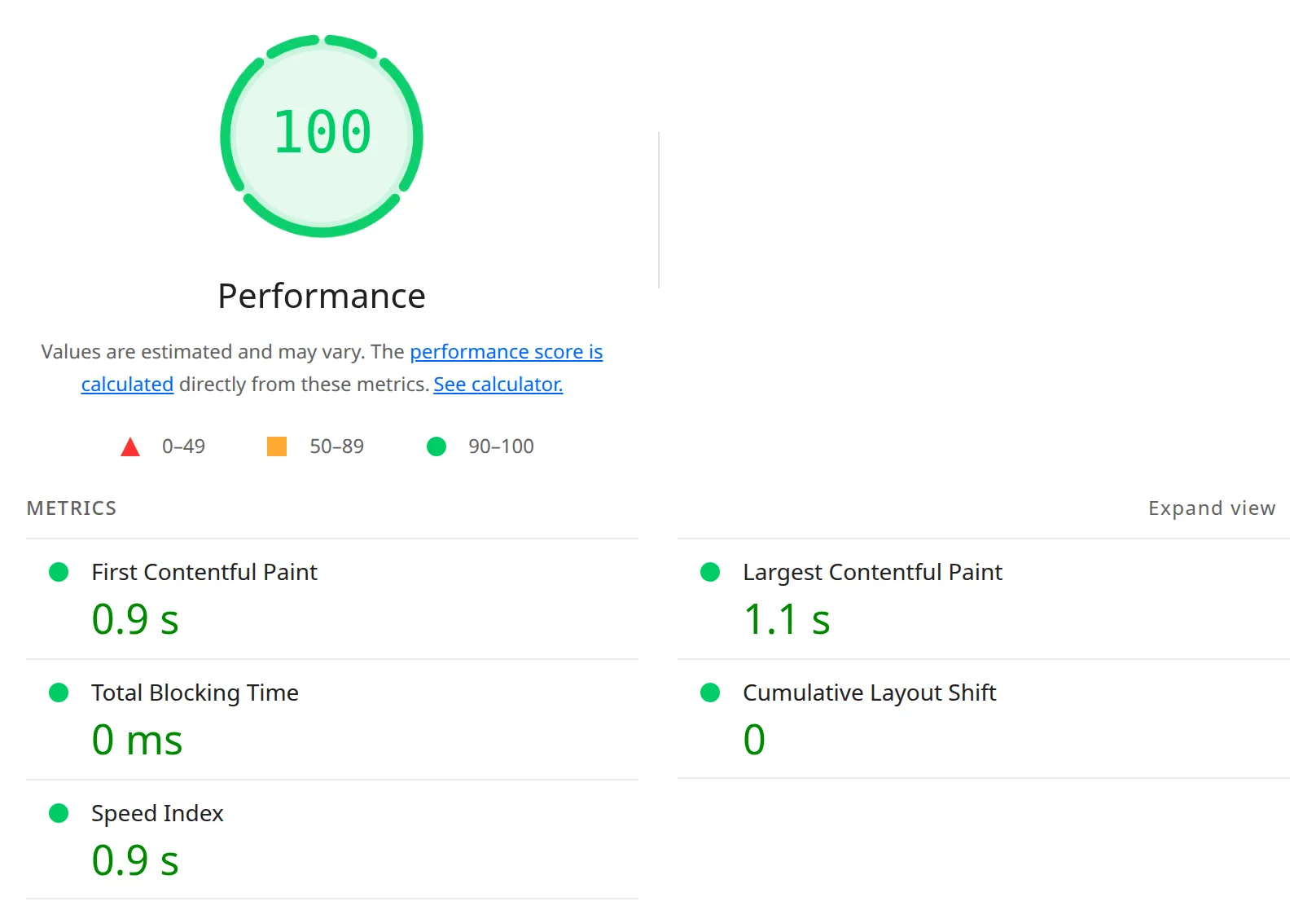
This was the biggest single fix in my whole test. With Google Fonts set to Disable, all 3 pages I tested scored 100 on all 15 runs, and the Atomic landing page went from 1.57 s to 1.05 s LCP.
| Hello theme, mobile | Google Fonts on (default) | Google Fonts off |
|---|---|---|
| Blog post, blocks | 99, LCP 1.57 s | 100, LCP 1.06 s |
| Landing page, classic widgets | 98, LCP 1.96 s | 100, LCP 1.65 s |
| Landing page, Atomic | 99, LCP 1.57 s | 100, LCP 1.05 s |
Lighthouse 13.6.0, mobile, median of 5 runs.
The setting is under Elementor > Settings > Advanced > Google Fonts. Switching it off saved 166 KB on every page in my earlier test. The catch: your Elementor text falls back to the theme’s font, so set the fonts you want in your theme or upload them under Elementor > Custom Fonts.

“Load Google Fonts Locally” on the Performance tab is a different thing. It moves the same fonts onto your own server, which helps with privacy (GDPR), but in my test the page was 2.5 KB heavier, not lighter.
Most of Elementor’s speed switches are already on
If you installed Elementor 4.x on a new site, you don’t need to “turn on all the performance features” that older guides list. On my fresh install these were already on: Optimized Image Loading, Optimized Gutenberg Loading, Lazy Load Background Images and Element Cache (1 day) on the Performance tab, plus Inline Font Icons and Optimized Markup on the Features tab.
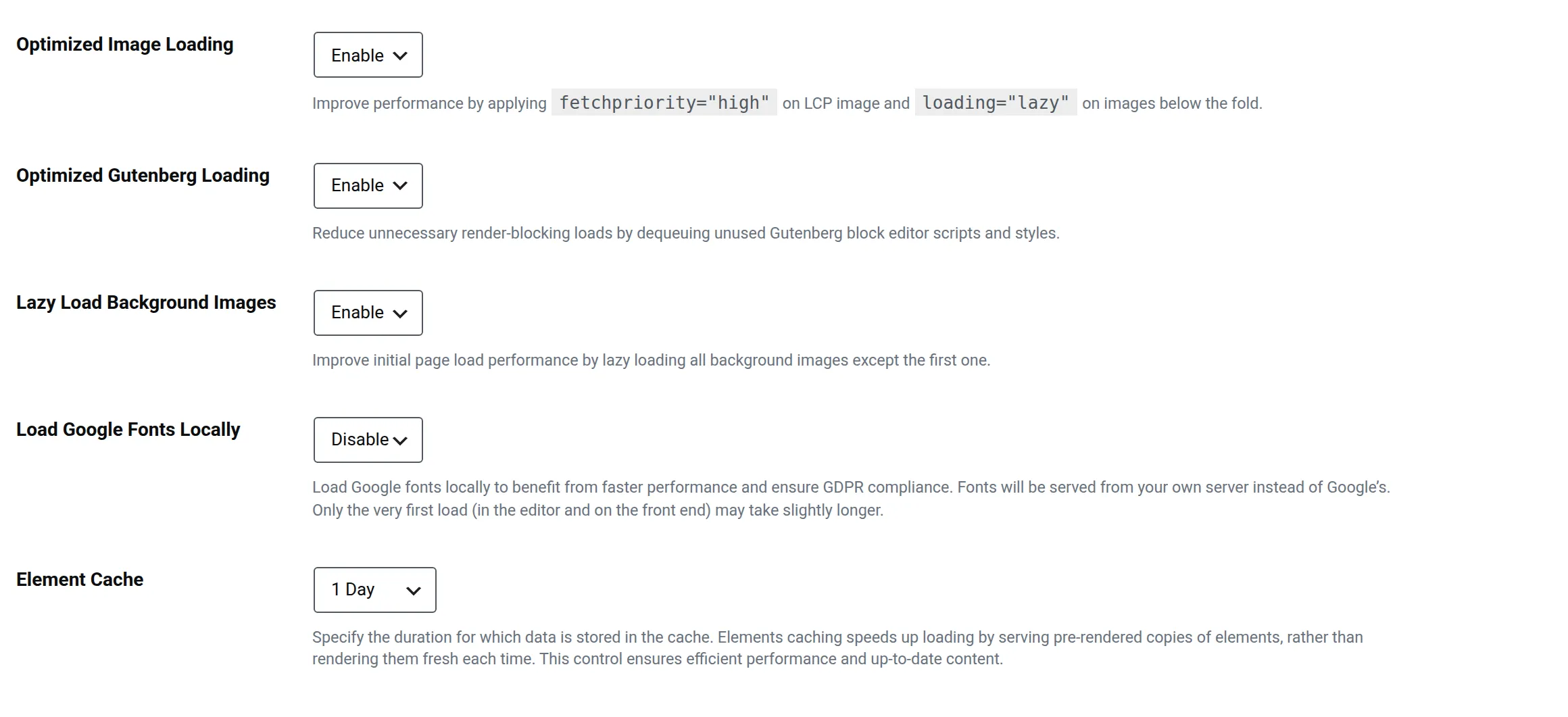
One detail I checked in Elementor’s code: Lazy Load Background Images never lazy-loads the first section of the page. That’s the right call, because lazy-loading your hero would make LCP worse, not better.
Upgraded from Elementor 3? Optimized Markup barely moved the needle
Sites that started on Elementor 3 and were updated keep Optimized Markup off, so I switched it off to see what an older site looks like. My landing page went from 100 to 112 page elements, and the blog post from 122 to 128. The load times didn’t change in any way I could measure.
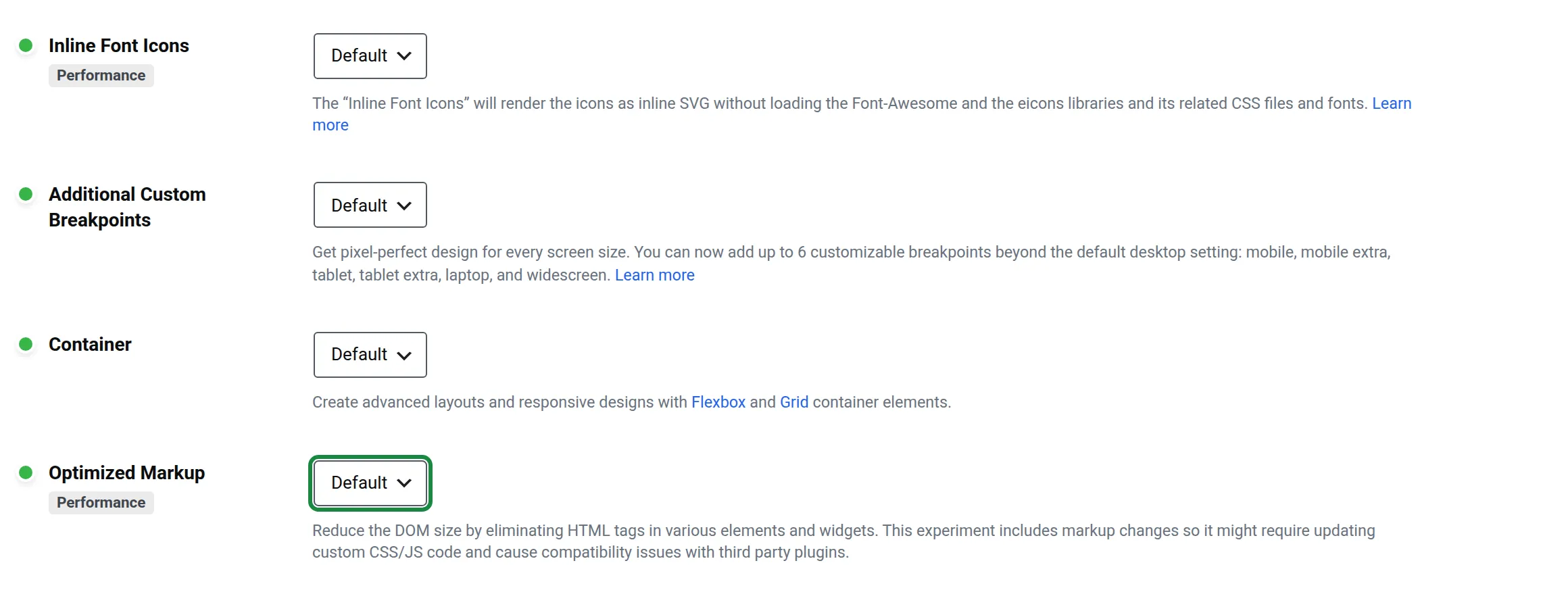
So turn it on if you have an older site, but don’t expect it to fix your scores. The Features tab says it can change your markup and needs a check of any custom CSS, so look over your pages after switching.
Should you delay Elementor’s JavaScript?
No, not Elementor’s own scripts. In my test, delaying them raised the score from 98 to 99 and left visitors on a phone with a hidden heading, a frozen counter and a first tap that did nothing.
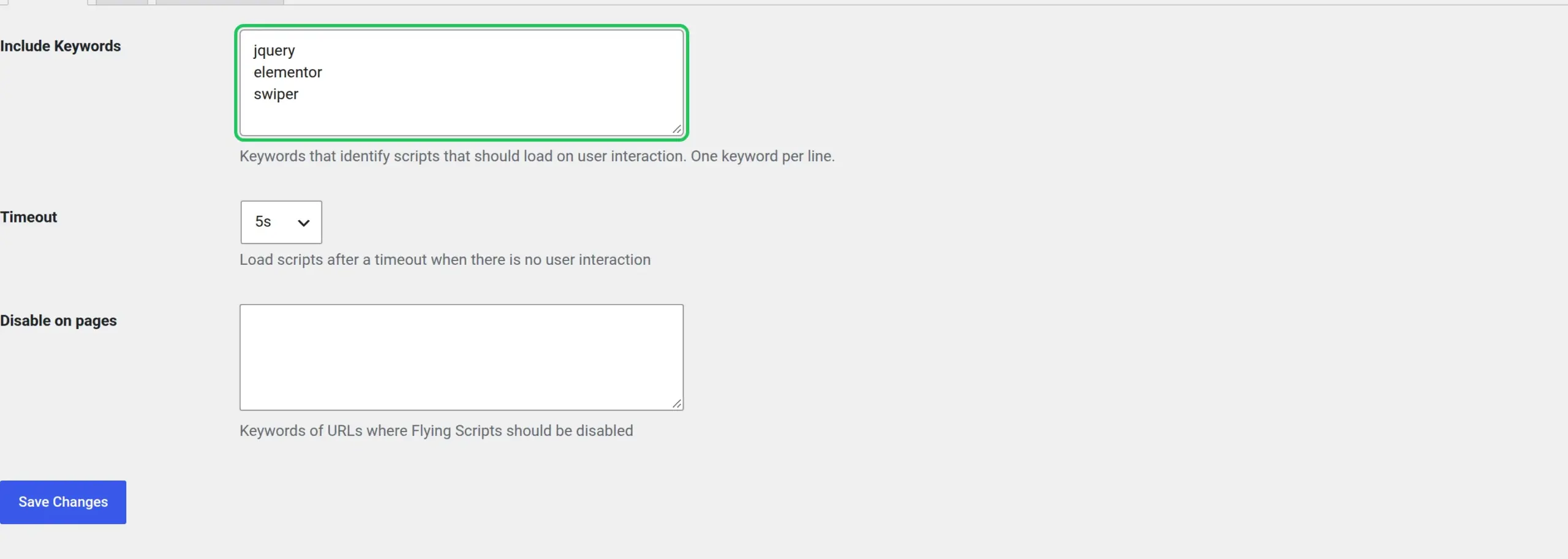
“Delay JavaScript” is a feature in most speed plugins: scripts don’t load until the visitor moves the mouse, scrolls, taps, or a timer runs out. Elementor 4.3.5 has no setting for it, so I used Flying Scripts, a free plugin that delays only the scripts matching keywords you type in. I entered jquery, elementor and swiper, which delayed 12 scripts on my test page, and left the timer at its 5-second default.
What gets faster
Lighthouse saw 1 script instead of 17, and my interactive test page went from 98 to 99, with LCP down from 1.86 s to 1.57 s. That’s the whole gain, and it’s mostly a gain in the test, because Lighthouse stops measuring before the delayed scripts load.
What breaks
Here’s the same page on a phone, 3 seconds after loading, before any tap:
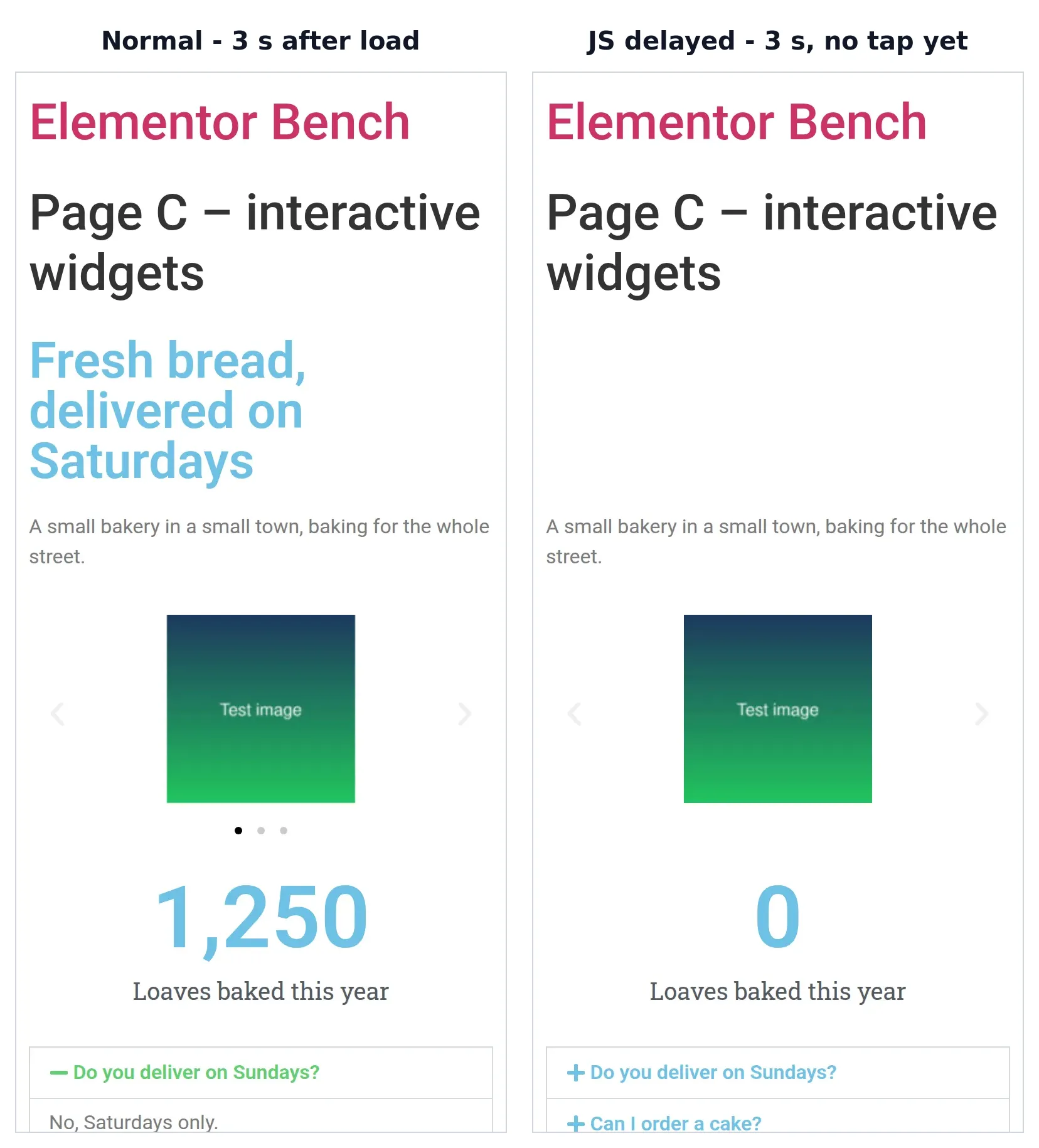
| Phone, test page with animated heading, carousel, counter, accordion and tabs | Normal | JavaScript delayed |
|---|---|---|
| 3 seconds after load, no tap | everything works | animated heading hidden, carousel not started, counter shows 0 |
| First tap on an accordion question | opens | does nothing (3 of 3 tries) |
| Second tap, on a tab | switches | switches |
| No tap at all, 7 seconds after load | works | still broken in 1 of 10 loads |
| Errors in the browser console | none | “jQuery is not defined” on every load |
The first tap fails because it’s the tap that starts loading the scripts, so nothing is listening yet. And because the delayed scripts all start at once, they sometimes run in the wrong order. In 1 of my 10 no-tap loads that left the page broken for good, with the heading still invisible.
A safer way to use delay plugins with Elementor
Keep jQuery and Elementor’s own scripts out of the delay list. WP Rocket’s Elementor guide points the same way: when delaying breaks Elementor, its fix is to exclude Elementor’s scripts (it has one-click boxes for that) and jQuery. On a site built only with Elementor that leaves almost nothing to delay, so the setting is only worth it for third-party scripts like chat widgets, ad code or analytics.
Is Hello Elementor the best theme for Elementor SEO?
It was the fastest theme in my test until Elementor was switched on, and then it was still fine. Block pages on Hello scored 100 with a 0.90 s LCP without Elementor, against 1.20 s on Twenty Twenty-Five.
Once Elementor was active, Hello’s pages sat at 98-99 and Twenty Twenty-Five’s Elementor pages at 95-99. Hello also printed 2 H1 headings on my landing page: the page title and the hero heading. That came from the theme, and it happened on the block version too, so check your page title setting if you add a big heading to the hero.
My verdict: should you worry about Elementor and SEO?
Not much. Elementor doesn’t hide your content from Google, doesn’t mess up your headings, and kept every test page in Google’s “good” range on its own theme. Your SEO plugin, your content and your hosting will move your rankings far more than the builder will.
Use Elementor without worrying if you like designing visually, and do these 3 things:
- Turn off Google Fonts and set your fonts in the theme or Custom Fonts.
- Build with Atomic elements where one exists, and use an Image widget for pictures you want in Google Images.
- Don’t delay Elementor’s own JavaScript.
Skip Elementor if you mostly write blog posts and want the lightest possible pages. The block editor scored 100 on both themes in my test, with nothing to turn off.
Frequently Asked Questions
Does Elementor slow down my website?
A little. On Elementor’s own theme, activating it added about 0.7 seconds to mobile LCP on a page that didn’t even use it (0.90 s to 1.57 s in Lighthouse). Pages stayed under Google’s 2.5-second line on that theme, and turning off Google Fonts won most of it back.
Does Google index Elementor pages?
Yes. Elementor sends your text and headings in the page HTML, the same as the block editor, so Google can read them without running any JavaScript. The exception to watch is pictures set as section backgrounds, which Google Images can’t index.
Do I need an SEO plugin with Elementor?
Yes. Elementor doesn’t write a meta description or structured data, and neither does WordPress. Any of the main free SEO plugins adds both, and I compared them in Rank Math vs Yoast.
Should I use “Load Google Fonts Locally” in Elementor?
Only for privacy. It serves the same fonts from your own server instead of Google’s, which helps with GDPR, but my test pages weren’t any lighter. Turning Google Fonts off completely is what made them faster.
Is Elementor’s Atomic editor better for SEO?
For speed, yes. My Atomic landing page scored 99 with a 1.57 s LCP, against 98 and 1.96 s for the same page built with classic widgets, because it loads no jQuery. For what Google reads, they’re identical.